


Smart Sending
Due to recipients being distributed across different time zones and having varying preferences, it can be challenging to determine the optimal time to send emails to achieve maximum engagement. To help customers identify the best time (time of day) to send emails to recipients and send emails accordingly, we have introduced the Smart Sending feature.
In this article, you will learn how to use the Smart Sending feature.
What is Smart Sending?
Smart Sending is a personalized email delivery optimization feature based on user behavior data.
Traditional email campaigns are usually sent at a fixed time to all recipients, whereas Smart Sending matches each recipient's historical interaction behavior and independently calculates the optimal time when they are most active and likely to open the email. It dynamically predicts this "golden time" and automatically schedules the email to be sent during that period, achieving "personalized timing for each recipient" and significantly improving email open rates and engagement.
Core Values
- Increase Open Rates: Deliver emails at the time recipients are most likely to check them.
- Personalized Experience: Respect each user's habits and avoid interruptions.
- Data-Driven: Based on actual behavior data rather than guesses.
- Automated Execution: Set it once, and the system automatically executes personalized sending.
Key Notes
If you use the following features, you cannot use the Smart Sending feature:
- Created an A/B test email marketing campaign.
- Enabled warm-up sending.
How is the recipient's optimal sending time determined?
Core Rules
The system analyzes each recipient's email interaction behavior (opens, clicks, etc.) over the past 90 days to intelligently calculate the time period when each contact is most likely to check their emails.
How It Works
Recipients with interaction behavior: When a recipient has interacted with emails, such as opening emails or clicking on links within them, we analyze their email interaction behavior (opens, clicks, etc.) over the past 90 days to intelligently calculate the time period during the day when they are most likely to check their emails.
Imported or newly created recipients: For recipients who have not interacted with your emails, such as newly imported recipients or newly added recipients, we will determine their optimal sending time based on the most popular times observed from your past marketing emails.
New accounts: If your account is new or has never sent marketing emails, your recipients will receive emails at 10:00 AM in your account's time zone by default until enough data is collected to personalize their sending times.
The Smart Sending feature adapts to recipient behavior over time. This means the more you use Smart Sending, the better its performance becomes.
You can view the optimal sending time for each recipient on their details page.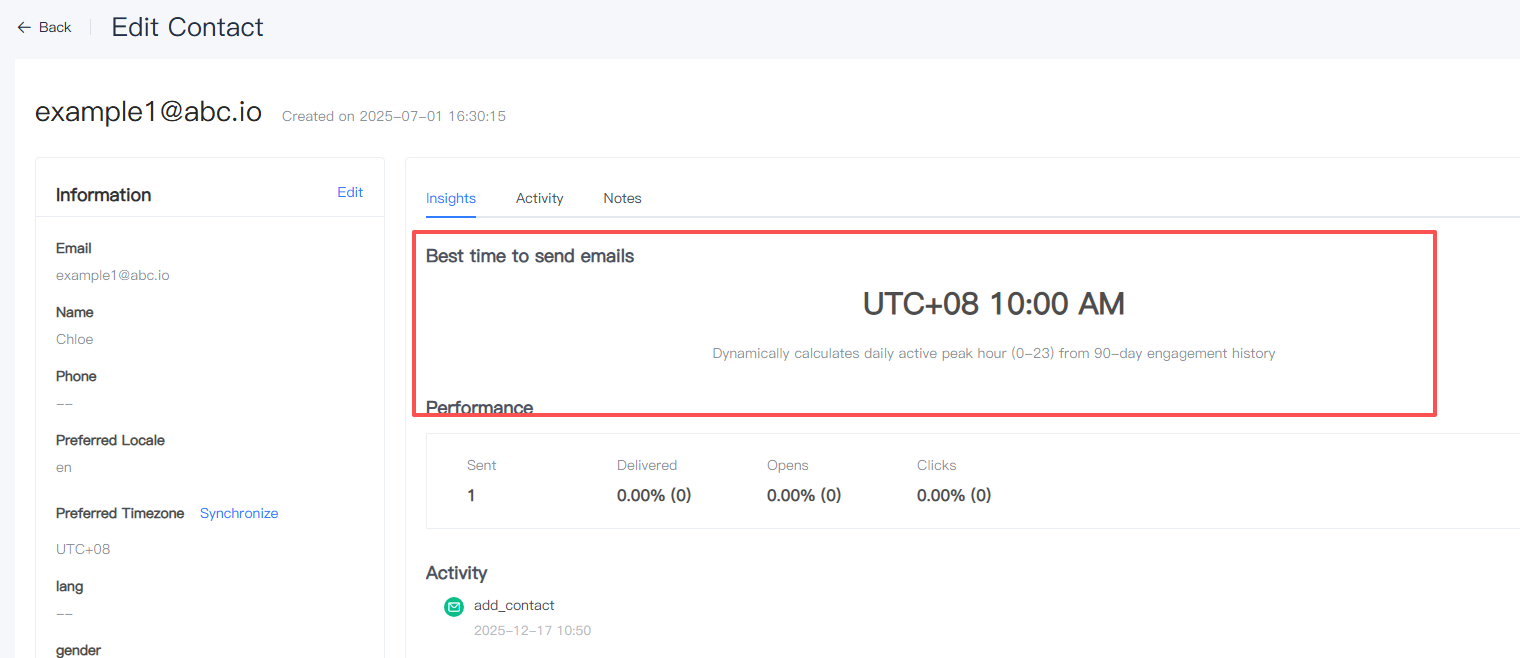
How to Use Smart Sending?
To use the Smart Sending feature for your marketing campaigns, it is currently only supported in [Marketing] - [Campaign].
1. Create a regular marketing task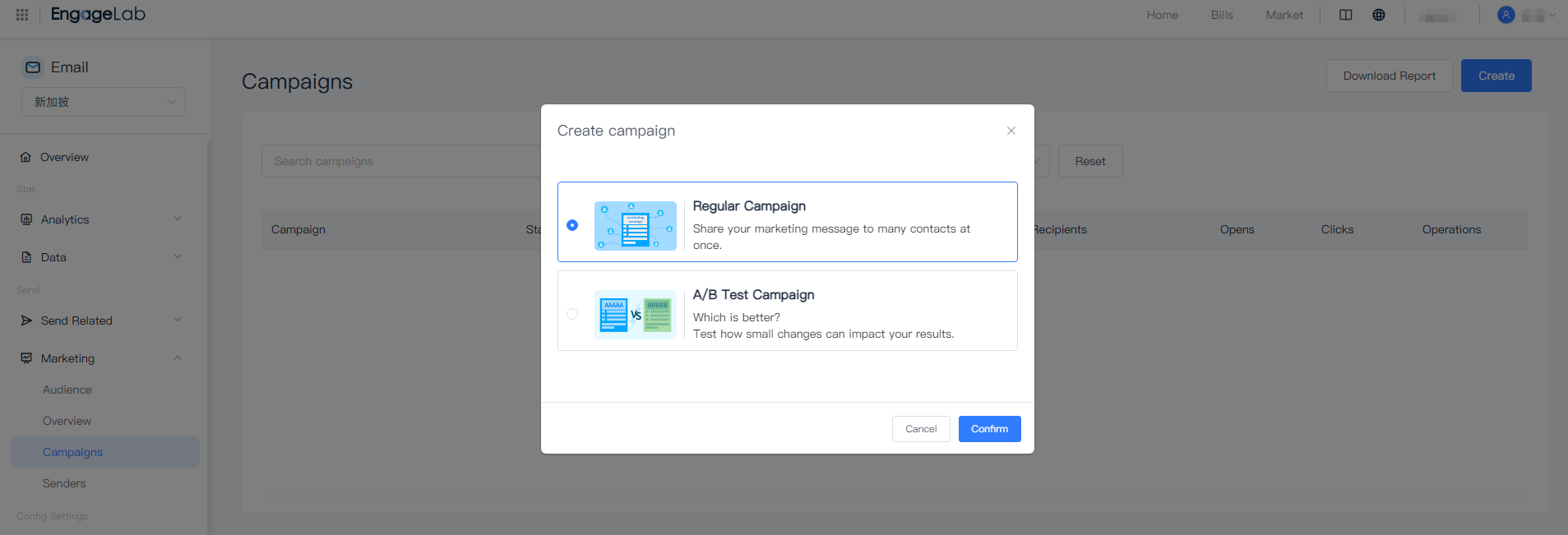
2. Select [Smart Sending] for the sending time and choose your marketing campaign date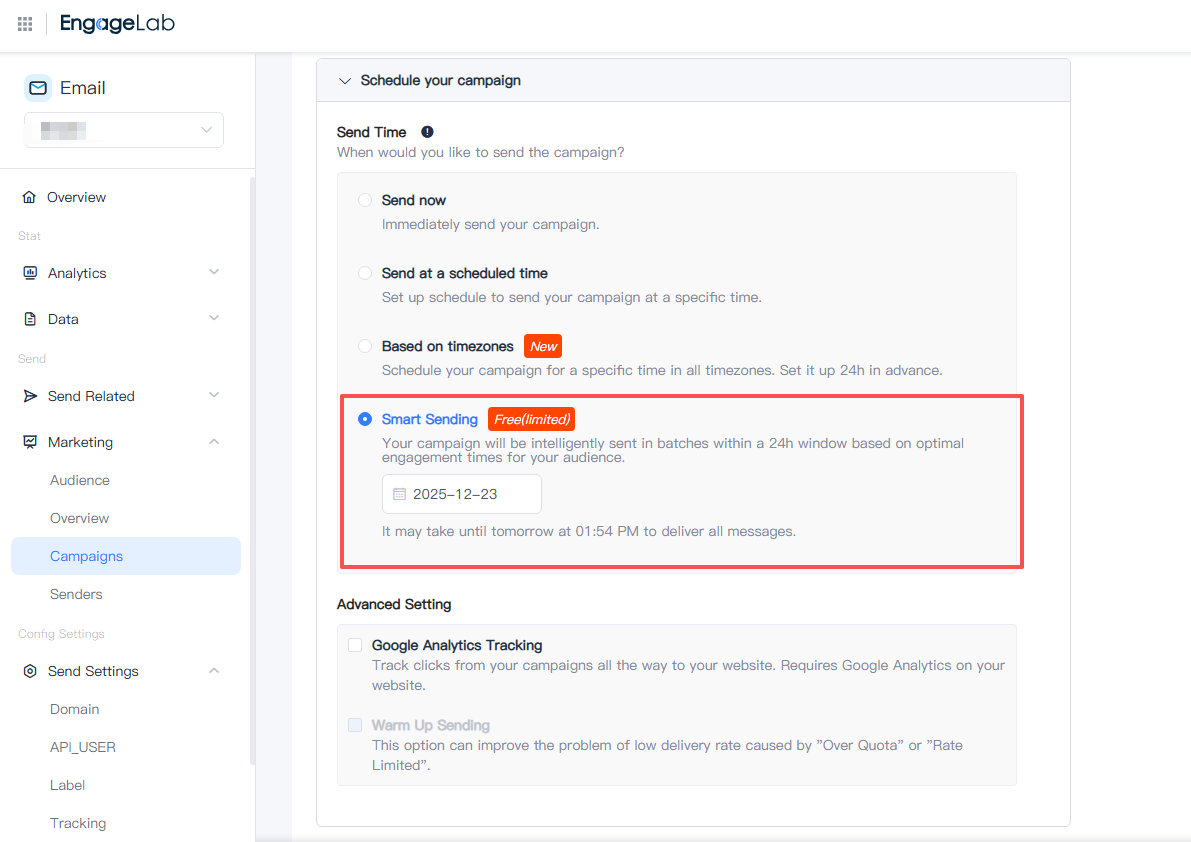
Note:
Sending Time: Select the date for the marketing task. The exact start time of the marketing task depends on when you click the "Confirm" button:
If you click "Confirm" after the hour and before the next hour, the task start time will round up to the next hour.
For example: If you schedule the task at 9:15 AM, the task will start sending at 10:00 AM.
For example: If you want the email to be sent at 10:00 AM, you should schedule the sending time between 9:00 AM and 10:00 AM on the target date. This ensures the email sending task starts precisely at the expected hour.
Frequently Asked Questions
Can I use the "Smart Sending" feature to send a marketing campaign on the same day?
Yes, you can do so, but if the optimal sending time for some contacts has already passed, the message will be sent the next day within 24 hours.
However, for time-sensitive campaigns, such as webinars or event registrations, it is recommended to use the "Send Immediately" or "Scheduled Sending" options.
Can I use the "Smart Sending" feature in my first marketing task?
We recommend choosing the "Send Immediately" or "Scheduled Sending" options for your first marketing campaign. Based on the interaction data from your first campaign, we will determine the optimal sending times for future campaigns.
Best Practice Case: Feature Combination
If your recipients are distributed globally and you want them to receive an email in their native language at the time they are most likely to open it, what should you do?
- When creating or importing recipients, include the preferred language information.
- In the email template feature, create multi-language templates.
- When sending marketing emails, select the multi-language template you created and choose Smart Sending.
Once these steps are completed, your recipients will receive emails in their native language at the optimal sending time!
