


Callback Configuration
Overview
EngageLab OTP supports a callback mechanism, allowing you to automatically push relevant data to your business system when key events occur, achieving automated operations, exception monitoring, and business closed-loop.
After configuring the callback address, the system will actively push event data to your interface in the following scenarios:
- Message lifecycle status changes
- Business alerts such as insufficient balance or low verification rate
- Upstream message reception
- System-level event notifications such as account login, template changes, API calls, etc.
- ...
For more detailed configuration instructions on callback events, please refer to Callback Configuration.
Create a Callback
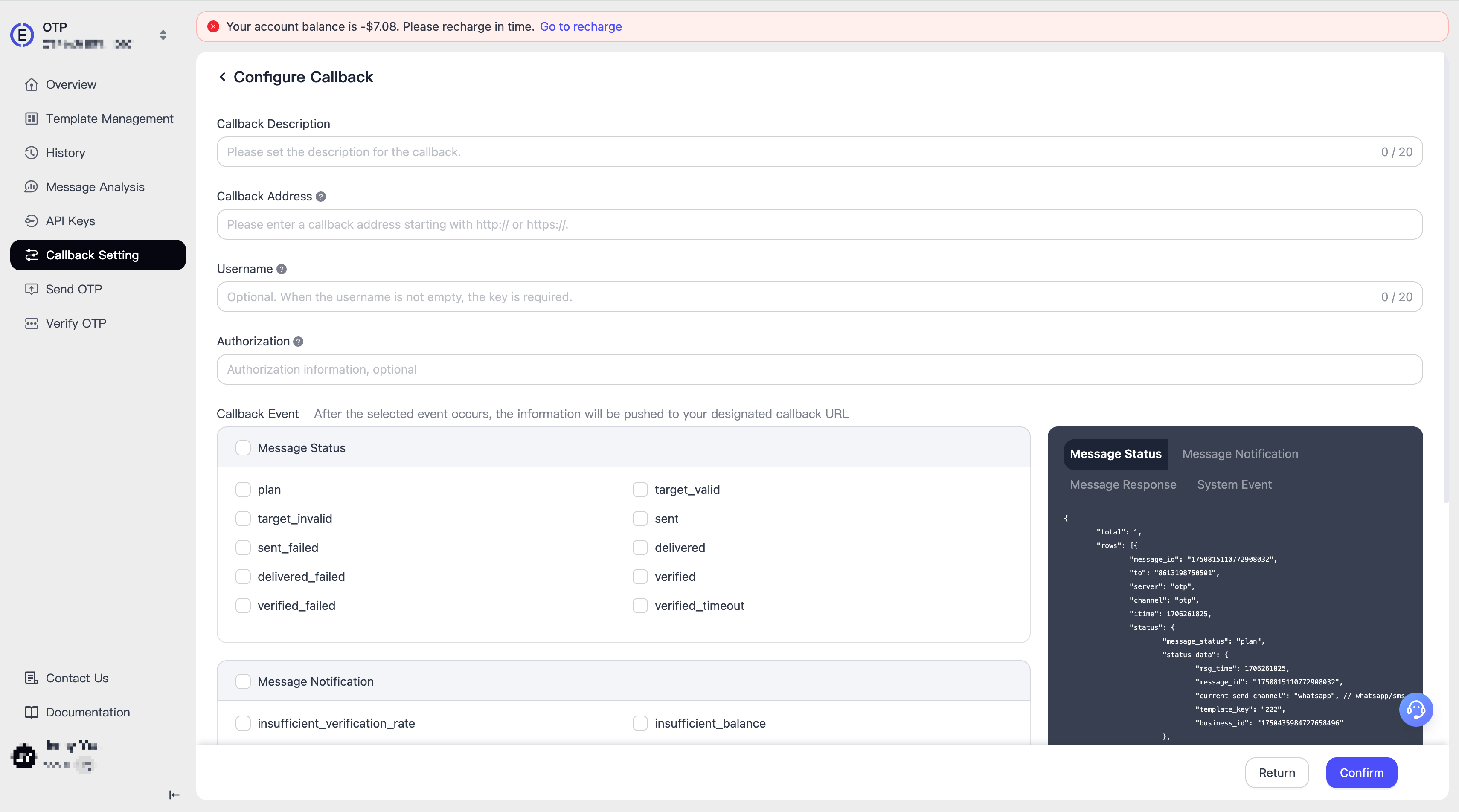
To create a callback, you need to fill in:
- Callback Description: Description of the callback, used to distinguish the purpose of different callbacks
- Callback Address: Must be an accessible HTTPS address
- Username: Callback security mechanism. Optional, but recommended
- Authorization: If your API requires authentication, please configure it
- Callback Events: EngageLab OTP has preset many callback events, you can select one or more. When the event occurs, the callback is triggered
Refresh Callback
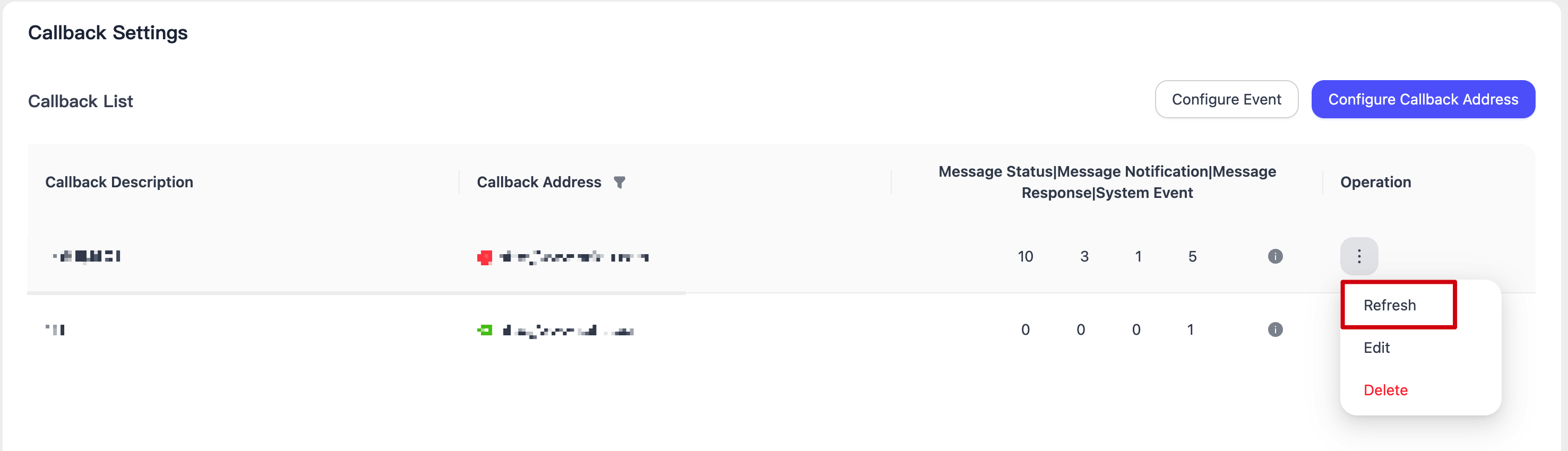
The system will immediately initiate a connectivity test to the callback address and update the real-time status of the callback address on the interface.
Configure Events
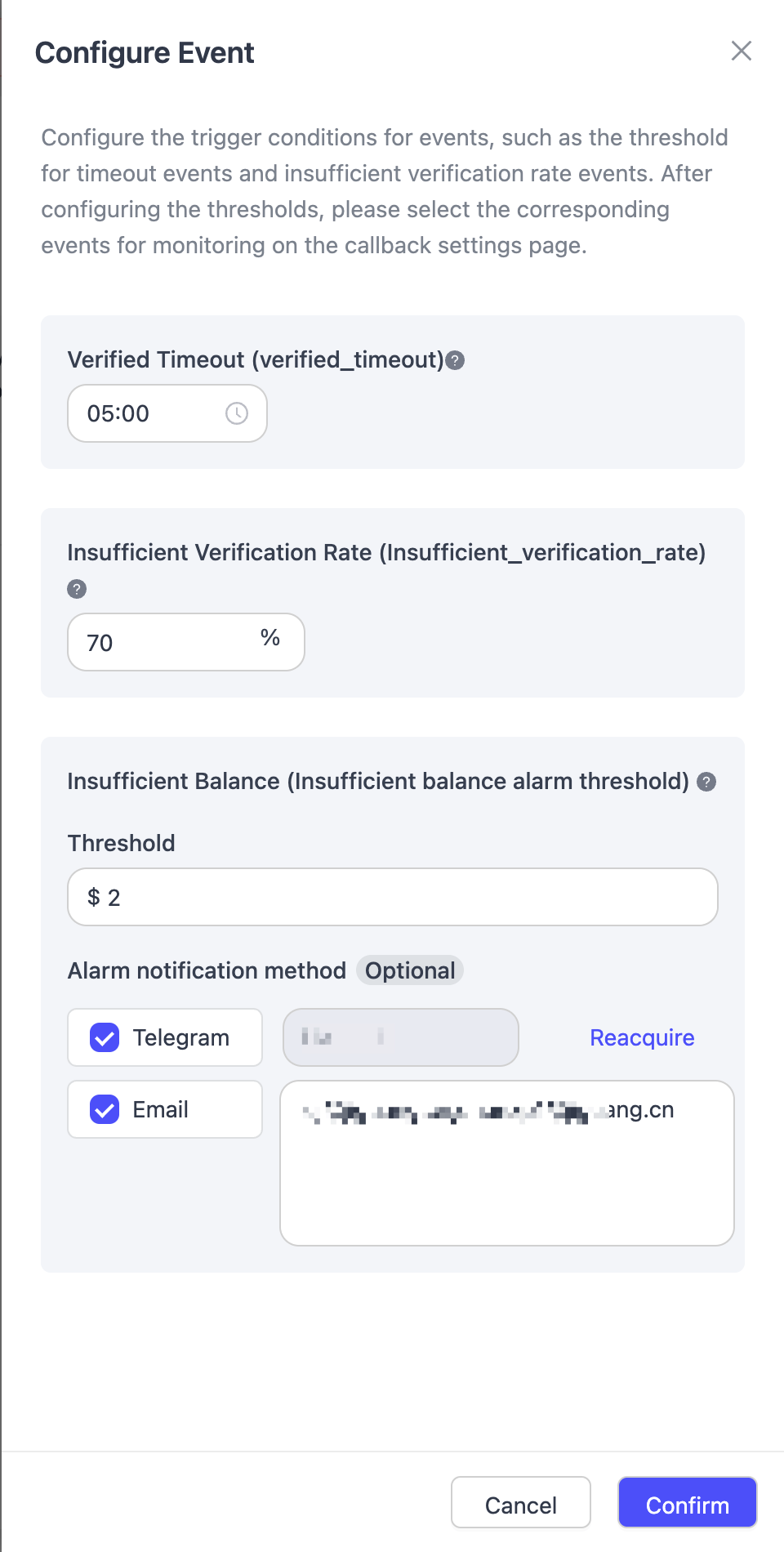
You can set up alert notifications here, events include:
- Authentication Timeout: Triggered when the user fails to authenticate within the specified time
- Low Verification Rate: Triggered when the verification rate falls below a specific percentage
- Insufficient Balance: Triggered when the OTP balance falls below the threshold
You can configure the system to send alert messages to specified Telegram or Email addresses when the above events are triggered.
