


Callback Configuration
Overview
EngageLab SMS supports a callback mechanism where relevant data can be automatically pushed to your business system upon the occurrence of key events, facilitating automated operations, exception monitoring, and business closures.
After configuring the callback URL, the system will actively push event data to your interface in the following scenarios:
- Message lifecycle status changes
- Business alerts like insufficient balance, excessively low verification rates, etc.
- Upstream message reception
- System-level event notifications like account logins, template changes, API calls, etc.
Create a Callback
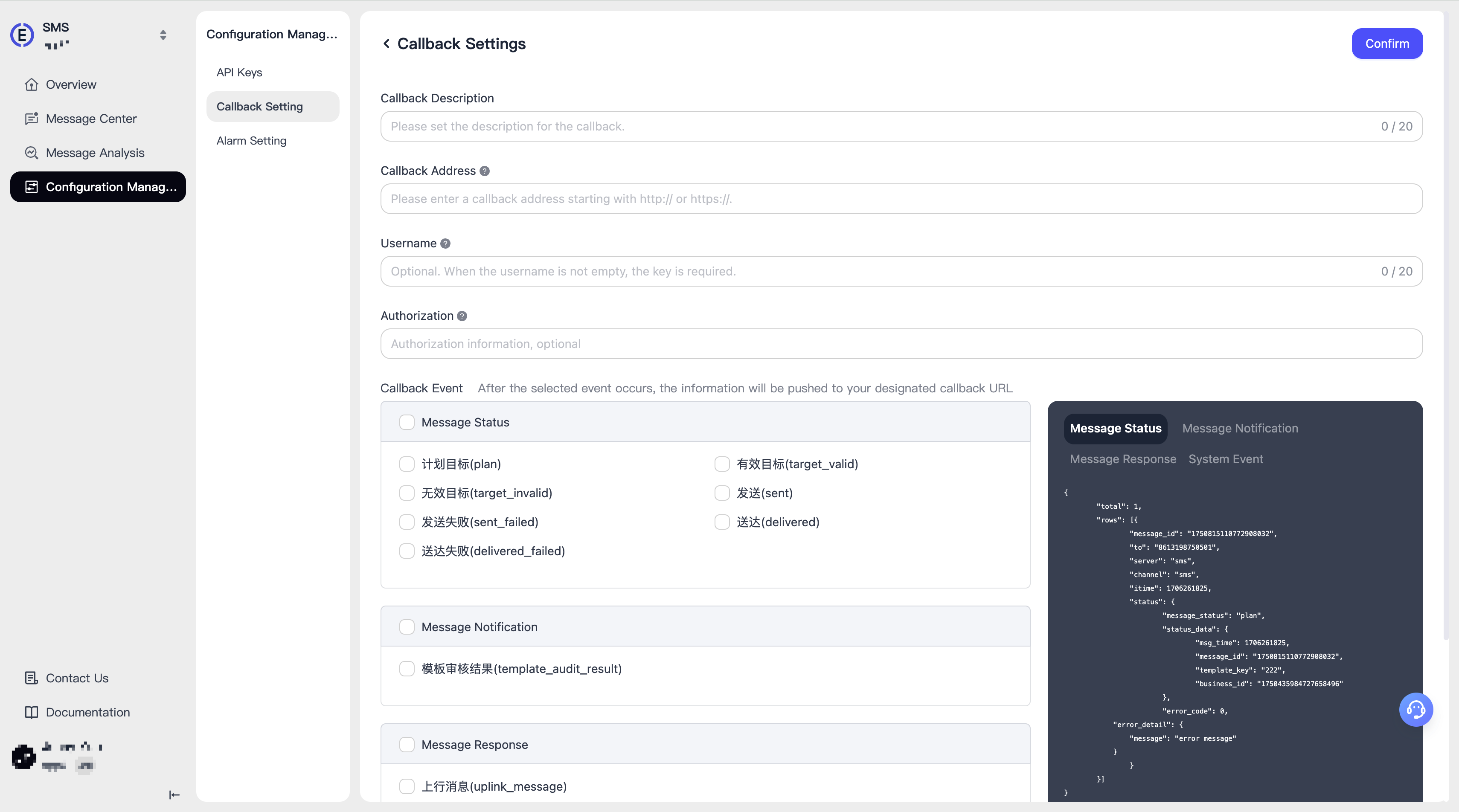
To create a callback, you need to provide:
- Callback Description: Descriptive info to distinguish the purpose of different callbacks
- Callback URL: Must be an accessible HTTPS URL
- Username: Callback security mechanism. Optional, but recommended
- Authorization: Configure this if your API requires authentication
- Callback Events: EngageLab OTP predefines many callback events. You can select one or more. The callback is triggered when an event occurs
Refresh Callback
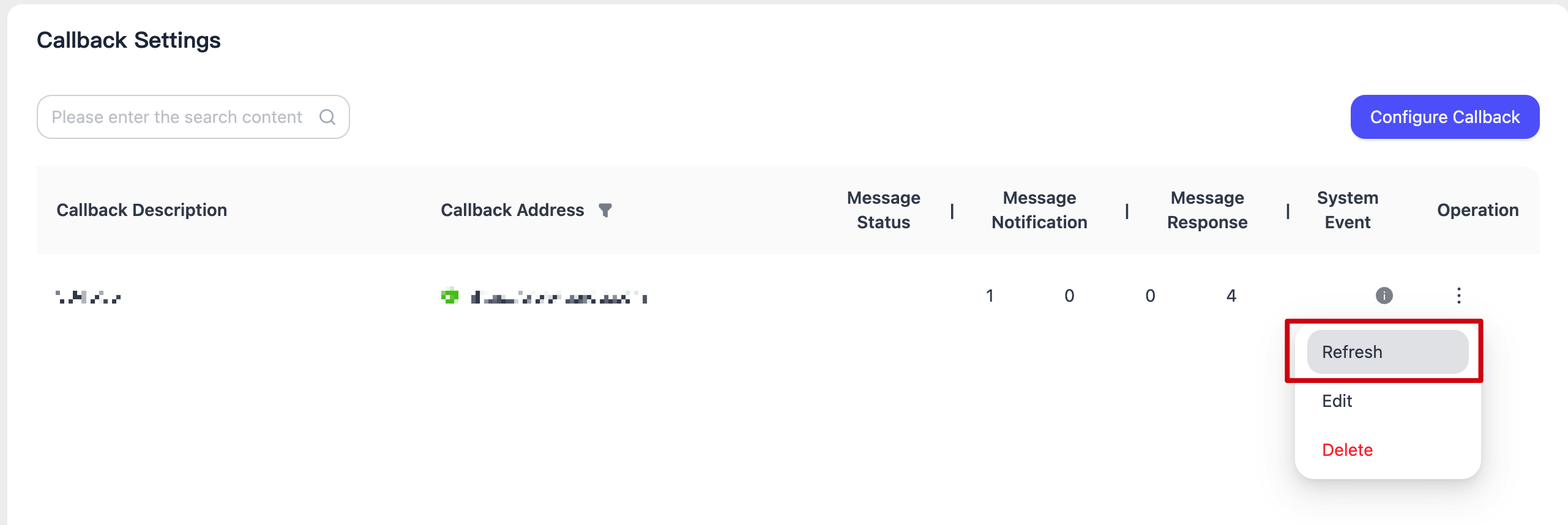
The system will immediately initiate a connectivity test to the callback URL and update its real-time status on the interface.
Developer Guide For information on callback interface development integration, data format explanations, and signature verification mechanisms, please refer to Callback Event Reference.
