


Template Management
Create a Template
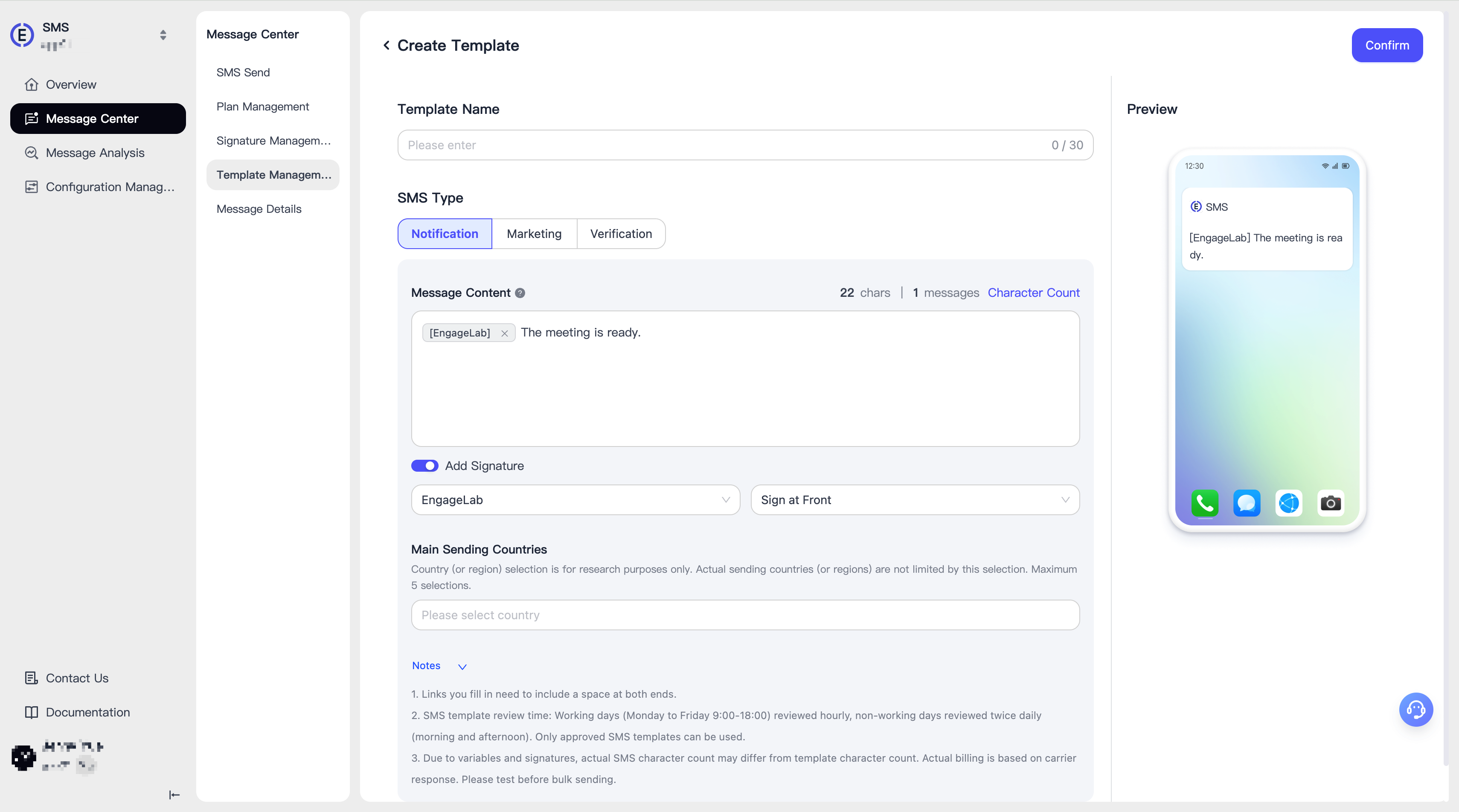
To create a template in [Template Management], please fill in the following information in order:
- Template Name
- Template Type: Notification, Marketing, Verification Code (OTP)
- Message Content: For configuration methods of different types of message contents, please see the instructions below
- Signature: You can choose to add the signature to the beginning or end of the SMS
Notification/Marketing
In the content of notification/marketing SMS, you can use {{variable_name}} to define variables and use them as parameters when calling the API.
Verification Code (OTP)
In the content of verification code type, you can only use these two variables: {{code}} (verification code) and {{ttl}} (validity period). Custom variables cannot be defined.
Template Review
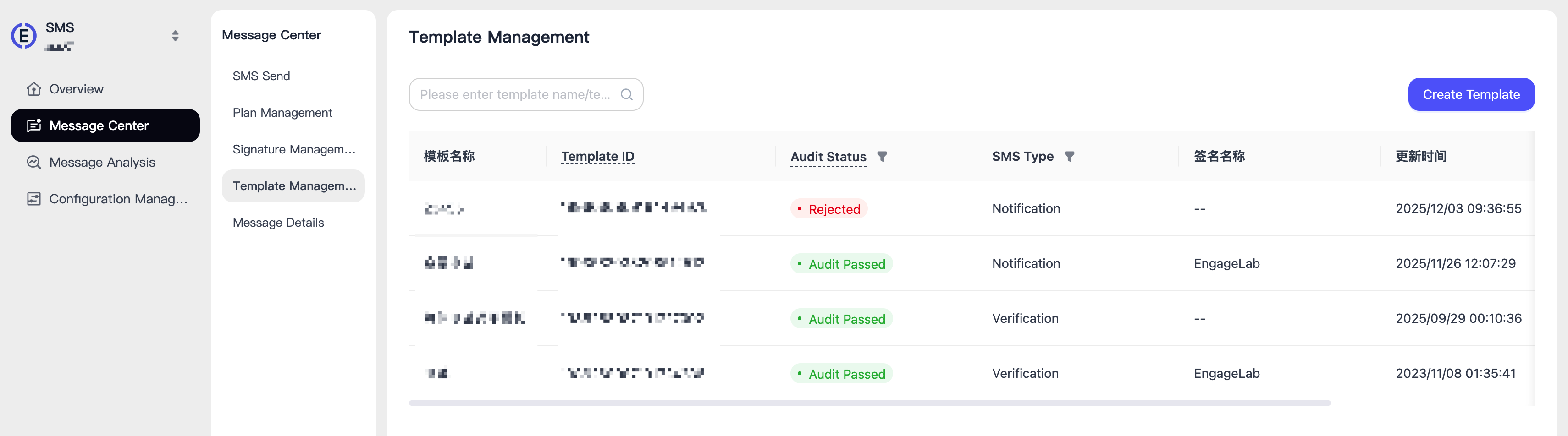
After the template is created and submitted, it will enter the pending review status. The template will be reviewed by professional EngageLab operations personnel, and once approved, it can be officially used.
