Elena Rodriguez
Updated: 2026-07-22
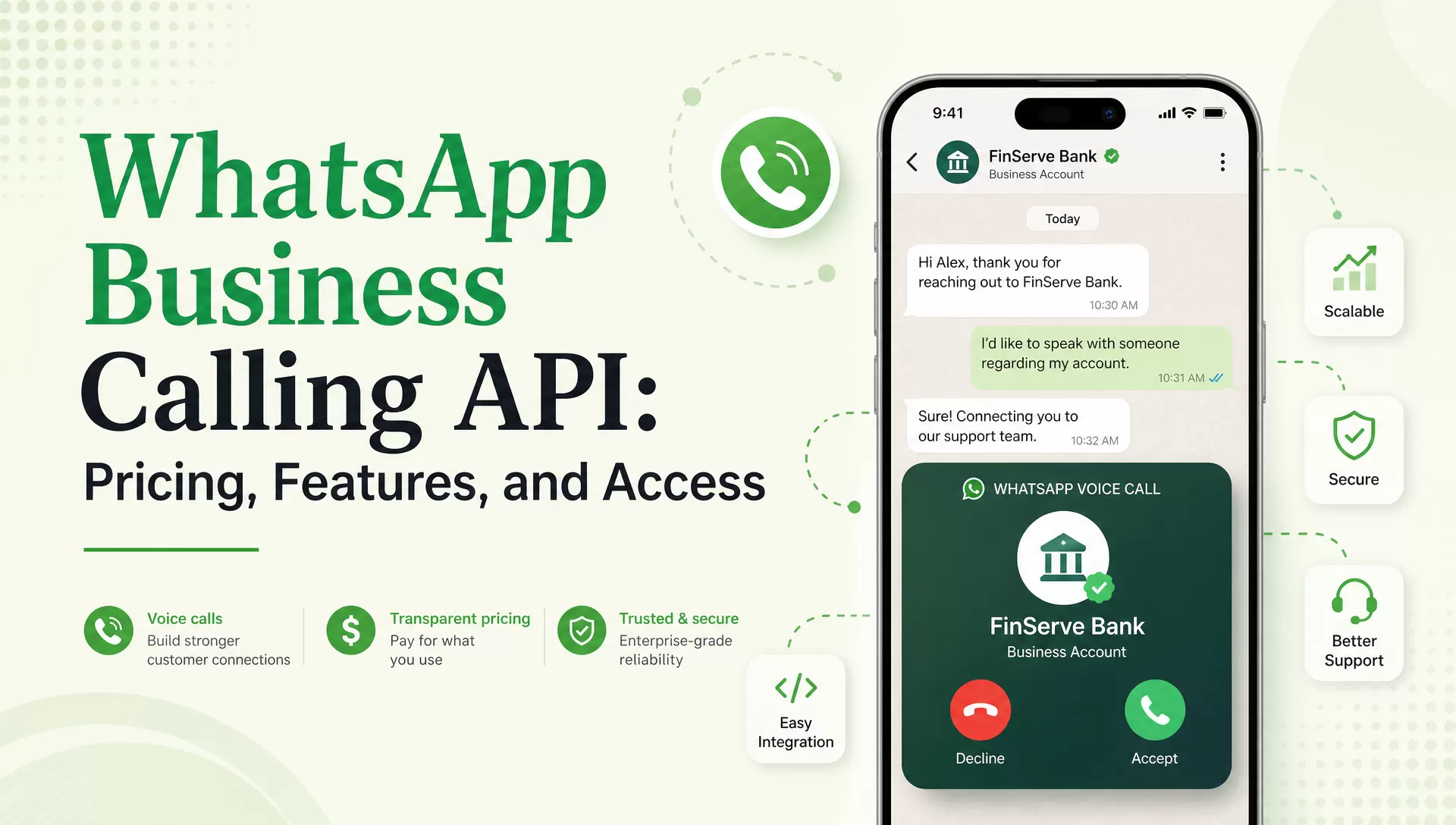
A fintech support team gets a message from a customer whose payment is stuck. Five back-and-forth chat replies later, nobody is closer to a fix. Someone on the team taps a call button inside the same WhatsApp thread instead, and four minutes later the case is resolved.
That is the pitch behind the WhatsApp Business Calling API : voice calls placed and received from the same WhatsApp number a business already messages from, with no separate dialer app required (Meta for Developers, 2026 ). This guide covers how the calling API actually works, where it beats a text thread, what it costs, and what you need before you can turn it on.
What the WhatsApp Business Calling API Does and How It Works
The WhatsApp Business Calling API adds Voice over Internet Protocol (VoIP) calling to the WhatsApp Business Platform’s Cloud API. It enables a business phone number to place and receive WhatsApp calls with users on the same number it already sends messages from.
Businesses don’t have to send customers to a separate phone dialer or voice application. They can manage calling as part of their WhatsApp Business Platform setup. Calls run through two initiation paths:
- User-initiated calls happen when a WhatsApp user taps the call button on a business profile or an active chat.
- Business-initiated calls happen when the business places the call, which requires the user to have granted call permission first.

After a call permission is granted, the way calling behaves on a business’s WhatsApp profile is controlled by a few settings:
- Inbound call control lets a business turn off the option for users to call in at all if voice isn’t the right channel for that number.
- Business call hours keep the calling option visible only when a call center is actually staffed, and prompt users to send a message instead when it is closed.
- Callback requests allow a user to ask to be called back if a call goes unanswered or arrives outside business hours.

How Calls Connect to the Rest of Meta’s Cloud API
The WhatsApp calling API isn’t an add-on system running alongside WhatsApp’s messaging infrastructure. It is built into the same Meta Cloud API a business already uses to send templates and handle webhooks.
Call events arrive as webhooks the same way message delivery statuses do, so ringing, answered, ended, and missed states flow into a support tool or CRM through infrastructure that is already in place.
Calls also aren’t limited to starting inside an open chat thread. A call button message or a deep link on a website can launch a WhatsApp call directly, which gives a business more than one entry point into a voice conversation.
Session Initiation Protocol (SIP) support also exists for contact center setups. It lets a business route call audio into an existing contact center stack, which matters for larger support operations that already have telephony infrastructure in place.

That handoff is easier to follow as a diagram. A WhatsApp user’s call is split across two paths on Meta’s side. Signaling (call setup, ringing, call state) goes through Meta’s signaling infrastructure via the Graph API and webhooks over HTTPS. The actual call audio runs through Meta’s Real-Time Communications (RTC) infrastructure via WebRTC over UDP.

Both paths connect into the business’s own systems, a partner signaling layer and a partner RTC layer, which is what makes it possible to route the call into an existing VoIP system. From there, the call reaches business agents through infrastructure the business already runs, so a contact center doesn’t have to be rebuilt from scratch to support WhatsApp calling.
5 Use Cases Where Voice Beats Chat
WhatsApp messaging is usually the faster and more efficient way to start a conversation. It is easy to automate and simple to document. But customer problems get slower when every detail has to be typed and read.
These are five situations where WhatsApp Business API calls can improve the customer journey:

Complex Support Escalations
Billing disputes, KYC issues, account lockouts, and failed payments can take several rounds of back-and-forth messaging before an agent understands the problem. A voice call collapses that into one exchange and shortens resolution time.
If a case takes 20 minutes and 12 messages to resolve through chat but four minutes by voice, calling becomes a practical escalation path. A fintech support desk handling a blocked transfer is a common example in Southeast Asian markets, where WhatsApp is already the default support channel.
High-Value Appointment and Booking Confirmation
When a customer has booked a high-value medical consultation, financial appointment, or travel service, a text reminder may not be enough to answer last-minute questions or reassure them. A short WhatsApp call can confirm details and remove friction before the appointment, which helps improve the show-up rate.
Sales Consultations from a Click-to-Call Action
Some prospects need to discuss pricing, financing, implementation, or technical requirements before they are ready to buy. A click-to-call option can move a qualified lead into a direct conversation with a sales representative, which can improve the lead-to-close rate.
Fraud and Security Verification
A voice step adds a layer that is harder to spoof than a one-time passcode alone. It is useful for confirming a large transaction or a suspicious login before it goes through. A customer facing a blocked transaction or unauthorized account activity can place a call immediately, which reduces the time to secure or restore the account.
IVR Deflection
Businesses can use WhatsApp to handle simple support requests through messages and structured Flows, then offer a call for cases that need an agent. This gives customers a more direct alternative to traditional phone queues and can improve the contact-center deflection rate by keeping routine interactions out of the IVR system.
Calling API Pricing: What You Actually Pay
As of July 2026, Meta calling API pricing is based on a different model from WhatsApp message pricing. The most important distinction is whether the customer or the business initiated the call.
User-Initiated Calls Are Free
When a customer initiates a WhatsApp call to the business, the call itself is free under Meta’s current Calling API pricing model . That makes inbound calling attractive for support teams that want to offer a voice option without paying for every incoming interaction.
Business-Initiated Calls Are Billed by Duration
When the business initiates the call, Meta calculates the charge using three main factors:
- Duration, measured in six-second pulses. Meta’s calling pricing page states that call cost is calculated in six-second increments, and any fractional pulse counts as a full one. A 56-second call works out to 9.33 pulses, which gets rounded up and billed as 10.
- Destination country. Rates are set per country code, the same way messaging template pricing varies by where the recipient’s number is registered.
- Volume tier. Pricing steps down as monthly calling minutes to a given destination increase, using the same tiering structure as WhatsApp’s messaging pricing. If a call happens to cross from one tier into the next mid-call, the entire call is billed at the lower, higher-volume rate.

To make the model concrete, suppose a business makes 500 business-initiated calls in a month, and each call lasts an average of three minutes. The calculation structure looks like this:
| Calculation | Result |
|---|---|
| Number of calls | 500 |
| Average call length | 3 minutes |
| Seconds per call | 180 seconds |
| Pulses per call (180 ÷ 6) | 30 pulses |
| Total pulses for the month | 500 × 30 = 15,000 pulses |
| Cost per call | 30 pulses × the destination country’s per-pulse rate |
| Total monthly cost | 15,000 pulses × the destination country’s per-pulse rate |
To get an actual dollar figure, swap in the per-pulse rate for your destination country from Meta’s live rate card , since rates vary by country and currency and are updated periodically.
Calling Versus Message Costs
It is also worth comparing calling against message pricing, because a support team choosing between “send another template” and “place a call” is comparing two different billing models.
Template and utility messages are priced per conversation category and destination, while calls are priced per second of talk time within a pulse. A high-volume, low-touch use case like OTP delivery usually stays cheaper as messaging. A low-volume, high-friction use case like a fraud verification call can be worth the extra cost per contact. For the full messaging side of that comparison, see our WhatsApp API pricing guide and WhatsApp Business API pricing breakdown .
How to Get Access and What the Requirements Are
Access to the WhatsApp Business Calling API isn’t just a matter of adding a voice endpoint to an existing messaging integration. Exact availability depends on Meta’s rollout, the business’s API access path, supported markets, and account eligibility.
 The access path, as of July 2026
WhatsApp Business Platform account → Cloud API number in good standing → calling enabled for the number → call permissions and operating rules configured → call webhooks handled by your systems.

1 Start with WhatsApp Business Platform Access
The business needs a WhatsApp Business Platform setup and a connected business number. Teams already using the Cloud API for messaging generally have the basic infrastructure in place, but calling access may still require separate enablement or eligibility checks. For businesses not yet set up on the platform, our guide to WhatsApp Business API integration walks through that foundational setup.
2 Use a Number That Meets Account Requirements
The number must remain in good standing, and Meta’s Cloud API Calling documentation specifies a messaging limit of at least 2,000 business-initiated conversations in a rolling 24-hour period before calling can be enabled.
Account quality, policy compliance, country availability, and rollout status all affect whether calling is available. Don’t assume an existing WhatsApp Business API number automatically has calling access. It is still subject to availability and the specific API path in use.
3 Enable Calling for the Number
Calling settings are managed either through Meta’s business surfaces or through supported API configuration, depending on the account and integration path. The exact setup can change as Meta expands the feature.
4 Configure Permission and Availability Rules
Business-initiated calling requires the right permission model. Teams also need to decide when calls are offered, who can receive them, what hours are supported, and how a customer opts into or requests a voice interaction.
5 Build Webhook Handling
Call events need to reach the systems that manage the customer journey, including CRM updates, agent routing, call-state changes, analytics, and follow-up messages.
A messaging team already using a BSP such as EngageLab can keep its existing WhatsApp messaging workflows, including templates, Flows, and OTPs, running exactly as they are. Calling access depends on Meta eligibility and the specific API access path, so it is worth confirming calling support directly with your provider.
The most important operational lesson is to separate messaging readiness from calling readiness. A business can have a fully working WhatsApp messaging integration today and still need additional configuration and access before voice is available on that same number.
Calling vs Messaging: Build the Right WhatsApp Stack
Voice-first isn’t the best WhatsApp architecture. According to LivePerson’s State of Customer Conversations (2024) , 76% of consumers want to switch seamlessly between phone and messaging depending on the moment.
Messages are usually the better tool for reach and cost control. They can be sent at scale, automated, personalized, and measured without requiring an agent to be available. Voice is more valuable when a customer needs fast clarification, reassurance, negotiation, or human judgment.
A practical decision framework helps decide which channel to reach for first:
| Customer need | Better first option |
|---|---|
| Marketing outreach | Message |
| OTP or verification code | Message |
| Order or booking update | Message |
| Structured data collection | Flow |
| Complex support issue | Message, then call escalation |
| High-value consultation | Message, then offer a call |
| Customer wants to speak to someone | User-initiated call |
| Urgent human intervention | Call, where permitted and available |
Put simply, reach and cost favor messages, while resolution speed and trust favor calls. Most teams should run message-first with voice as escalation. The stack should look something like this:
A message-first WhatsApp stack
Templates → Flows → OTP → Calling as escalation.

- Templates for outreach. Use approved templates for business-initiated notifications, campaigns, reminders, and other structured communications that require proactive messaging.
- Flows for structured interactions. Use interactive experiences to collect information and guide customers through choices, which also reduces unnecessary agent involvement.
- OTP for verification. Use authentication workflows when the customer needs to confirm an identity, login, transaction, or account action.
- Calling for the small percentage that needs a human voice. Voice should be the escalation layer for cases where text is creating friction or where the value of a faster resolution justifies the cost.
This approach also makes cost control easier, because the business isn’t calling every customer. It is identifying the smaller share of conversations where voice has a measurable effect on resolution time, conversion, show-up rate, or customer satisfaction.
The messaging layers of this stack, including campaigns, templates, statistics, and automated callbacks, are what EngageLab’s WhatsApp Business API supports today. Teams building toward this kind of stack can get templates, Flows, and OTP running first, then layer a WhatsApp voice call API on top once it fits their access path and use case.
WhatsApp Calling API FAQ Before You Commit
Are user-initiated WhatsApp calls free?
Yes. As of July 2026, Meta’s Calling API pricing model does not charge the business for the call when the user initiates it. Business-initiated calls are different, and are billed according to duration, destination country, and applicable volume tier. Businesses should also account for any messaging costs associated with permission requests where those apply.
Can I use my existing WhatsApp Business number?
Possibly, but an existing WhatsApp Business Platform number does not automatically guarantee calling access. The number must meet Meta’s applicable account and quality requirements, and calling availability depends on Meta’s rollout, supported markets, and the API access path. Check the current Calling API requirements before assuming a number already used for messaging can immediately make business-initiated calls.
Is calling available in every country?
No. Calling availability varies by country and is still expanding. Check Meta’s Calling API documentation and current provider support information for each target market before building calling into a support or sales workflow, rather than assuming it is available globally.
Do calls work alongside message templates and Flows?
Yes. The intended model is to use calling alongside WhatsApp messaging. A business can use messaging for outreach, structured interactions, and authentication, then add voice for conversations that need human escalation. The exact integration depends on the available Calling API access and implementation path.
Build Message-First, Add Voice Where It Pays
Voice inside WhatsApp is now a real and practical addition to the business communication stack. User-initiated calls are free (as of July 2026), while business-initiated calls are billed by duration using six-second pulses, destination-country rates, and volume tiers. That makes calling most useful when the value of a faster human resolution is greater than the cost of the interaction.
The right strategy for most businesses is still message-first: use templates for proactive communication, Flows for structured journeys, OTP for verification, and the WhatsApp Business Calling API when a conversation needs a human voice. If you are building the messaging layer first, explore EngageLab’s WhatsApp Business API and start free.
![[Latest] WhatsApp Business API Pricing Per Message: 2026 Complete Cost Guide](https://img.engagelab.net/en/article/whatsapp-business-api-pricing.webp)