Elena Rodriguez
Updated: 2026-07-28
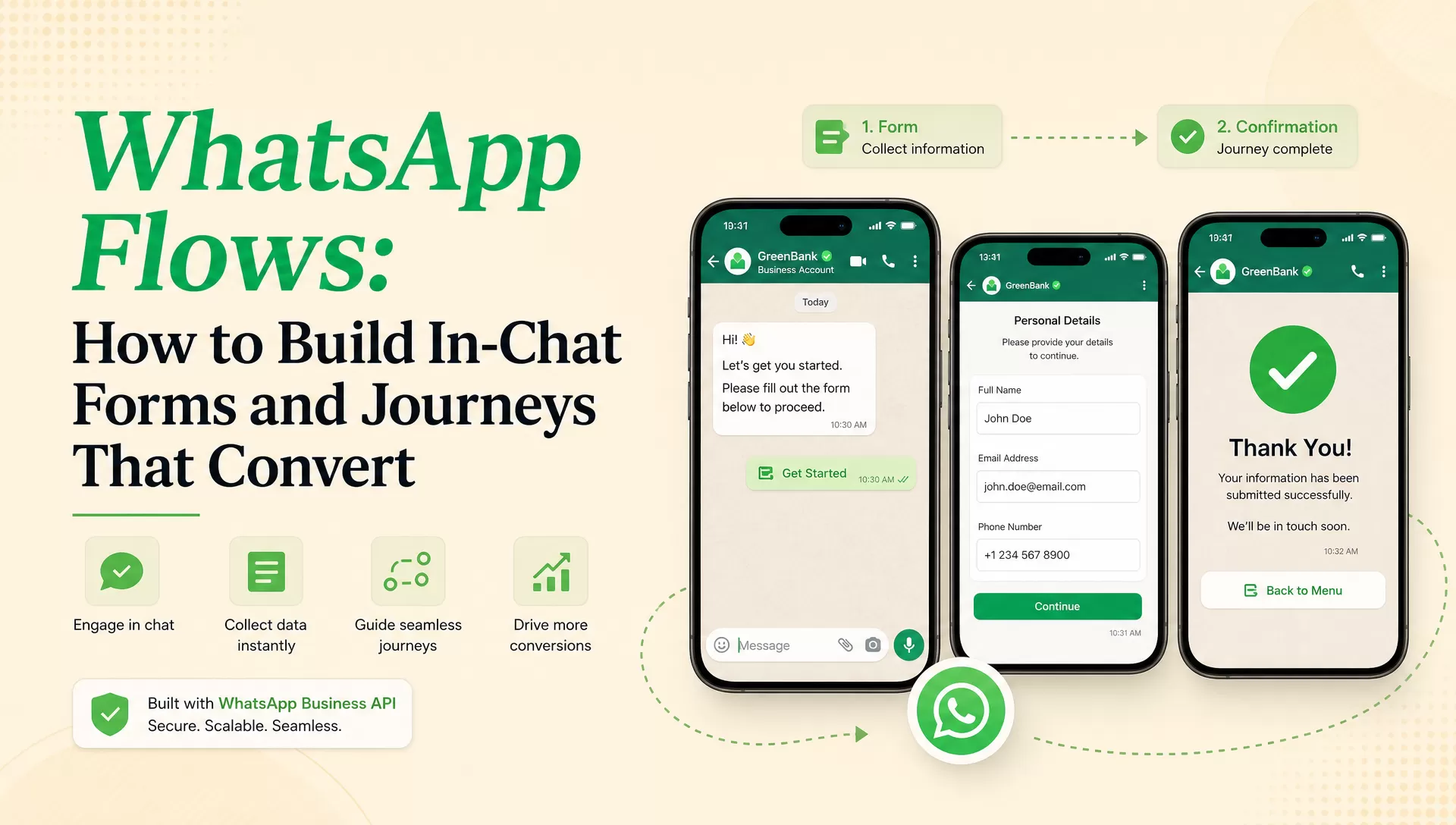
A shopper taps a WhatsApp offer, shows clear interest, and then disappears when the next step opens a slow web form. WhatsApp Flows remove that handoff by placing forms, menus, date pickers, and confirmation screens inside the conversation.
The feature is useful, but the screen design is not the hard decision. The real question is whether the journey can run from predefined Flow JSON or needs a live data endpoint connected to inventory, booking, account, or order systems. That choice determines who must build it, what can fail, and how the result should be measured.
The shortest useful answer
Use a no-endpoint Flow when the journey can be defined in advance, such as a survey or lead form. Add a data endpoint only when the next screen depends on live business data or must change backend state. Build and publish the Flow in Meta's tools, test the entry message and submission path together, then measure completed business outcomes rather than message delivery alone.
What WhatsApp Flows Actually Change
Meta's WhatsApp Flows documentation (accessed July 2026) defines Flows as structured interactions for business messaging. A Flow can connect multiple screens and collect structured input without forcing the customer into another app or browser tab.
That is different from a normal list or reply button. A button can capture one choice. A Flow can carry the customer through a sequence, validate inputs, and either finish with the data collected in the Flow or exchange information with a backend endpoint.
| Interaction | Standard interactive message | WhatsApp Flow |
|---|---|---|
| Structure | One message with buttons or a list | Multiple connected screens |
| Input | One selection or reply | Forms, choices, dates, and confirmations |
| Live backend data | Not part of the message itself | Optional through a configured data endpoint |
| Best fit | Quick choices and navigation | Bookings, applications, qualification, and structured service journeys |
A Flow is not a replacement for your CRM, booking system, or payment stack. It is the interaction layer inside WhatsApp. The systems behind it still own customer records, availability, authorization, fulfillment, and business reporting.
Choose No-Endpoint or Endpoint-Connected Before You Design
Teams often call these static and dynamic Flows. Meta's builder presents the practical distinction as a Flow created without an endpoint or with an endpoint . Use the product language in your implementation notes so developers and marketers are discussing the same architecture.

No-endpoint Flow: the journey is known in advance
Choose this route when the screens, questions, options, and next steps can be defined in Flow JSON. Lead forms, surveys, event registrations, preference collection, and simple opt-ins often fit. The marketing team may own the content and layout, but an API owner should still verify the sending path, data capture, consent handling, and production monitoring.
The advantage is a smaller failure surface. There is no live endpoint that can time out halfway through the customer's journey. The limitation is equally clear: the Flow cannot use an external system to calculate or retrieve a fresh answer while the customer is completing it.
Endpoint-connected Flow: the answer depends on live data
Add an endpoint when a screen must show current appointment slots, calculate a quote, retrieve an order, validate an account action, or write a change back to a business system. Meta's official Flows API reference (accessed July 2026) exposes fields such as the data channel URI and endpoint health state for this model.
This route needs developer ownership. The team must implement the data contract, configure the public key used by the Flow data channel, validate requests, handle errors, monitor endpoint health, and decide what the customer sees when a dependency is slow or unavailable.
| Use case | Fresh backend data? | Recommended build | Primary owners | First failure check |
|---|---|---|---|---|
| Lead qualification | No | No endpoint | Marketing + API owner | Submission reaches the lead system |
| Customer survey | No | No endpoint | CRM + API owner | Consent and response mapping |
| Event registration | Only if capacity is live | Start without endpoint | Marketing + operations | Duplicate or over-capacity registration |
| Appointment booking | Yes | Endpoint-connected | Product + engineering | Slot becomes unavailable before confirmation |
| Order management | Yes | Endpoint-connected | Commerce + engineering | Order identity and authorization |
| Account action | Usually | Endpoint-connected | Product + security | Authentication and replay protection |
The safest rule is simple: start without an endpoint when it can complete the business job. Add live data only when stale or missing data would make the result wrong.
Six WhatsApp Flow Examples and the KPI Each One Needs
The first four examples below are documented in Meta's official Flows guides (accessed July 2026) . The remaining two extend the same interaction model to common service journeys. None should be judged by Flow opens alone; each needs a downstream business outcome.

1. Pre-approved loan application
A financial-services team can present an eligible offer, let the customer adjust terms, choose a disbursement method, and confirm identity before accepting. Use an endpoint-connected Flow when limits, rates, or eligibility come from live account data. Track: completed eligible applications divided by customers who opened the Flow, plus the rejection reason at each step.

2. Personalized insurance quote
The customer enters coverage needs and relevant details, compares eligible plans, and chooses a payment frequency. If the quote is calculated from underwriting or policy data, the endpoint must return only options the customer can actually buy. Track: quote completion, qualified applications, and the share of submissions that fail eligibility after the Flow.

3. Purchase-intent collection
A retailer can ask which categories, products, or services a customer is considering before a campaign. Keep the questions short enough that the answers improve the next message, not just the profile database. Track: usable preference submissions and conversion by declared interest, not the raw number of collected fields.

4. Personalized product offer
The Flow collects budget and preference signals, then narrows the next offer. The recommendation logic can be predefined for a small catalog or endpoint-driven when price and inventory change. Track: recommendation-to-product-view and product-view-to-purchase conversion, with out-of-stock responses separated from customer drop-off.

5. Appointment booking and rescheduling
A clinic, salon, bank, or service team can let the customer choose a service and an available time without a link-out. Use an endpoint for current slots and reserve the slot only at the confirmation action. Track: completed bookings, failed reservations, reschedules, cancellations, and show-up rate.
6. Order-issue triage before human handoff
A support Flow can collect the order number, issue type, evidence, and requested resolution before opening an agent conversation. It should shorten diagnosis, not trap a customer who needs help. Track: cases with complete context, routing accuracy, agent handle time, and the percentage of users who request an agent before finishing.
A Flow can reduce interaction friction, but it cannot prove causation
Compare completion and downstream conversion against the prior journey or a controlled holdout. A high Flow completion rate can still hide poor lead quality, failed bookings, or extra agent work.
How to Create a WhatsApp Flow in 8 Steps
This walkthrough separates the Flow itself from the message that launches it. Keep those as two testable assets: a published Flow with a valid submission path, and an approved or session-eligible message that opens the correct Flow.

Step 1. Confirm WhatsApp Business Platform access
Confirm the WABA, connected phone number, Meta app, permissions, and intended sending path before designing screens. Meta's Flows getting-started guide (accessed July 2026) lists WhatsApp Business Platform setup, Cloud API access, business verification, and message quality as prerequisites for sending Flows.
Expected result: the correct WhatsApp Business Account is visible in WhatsApp Manager and the team can identify who owns its API token and sending number. Failure check: do not build under a test WABA or phone number that cannot be used for launch.
Step 2. Create the Flow in WhatsApp Manager
Open WhatsApp Manager → Account tools → Flows , then create a Flow under the intended WABA. Name it for the business journey, choose a relevant category, and decide whether it will run with or without a data endpoint.

Expected result: the new Flow opens in draft status under the production WABA. Failure check: if the Flows menu or create action is unavailable, recheck account permissions and platform prerequisites before changing the design.
Step 3. Design one decision per screen
Build the shortest path that produces a useful outcome. A lead Flow might use a welcome screen, one preference screen, qualification questions, contact details, and confirmation. Label required fields clearly, keep the primary action stable, and make the terminal screen explain what happens next.


Expected result: the preview completes from the first screen to the terminal screen with valid test data. Failure check: remove any field whose answer does not change routing, eligibility, personalization, or follow-up.
Step 4. Connect and secure the data endpoint when required
For an endpoint-connected Flow, configure the data channel URI and the public key associated with the phone number, then implement the request and response contract in your service. Validate identity and state before returning private account information or changing a record.

Expected result: Meta's endpoint health check passes and valid test requests return the next screen data within the expected response time. Failure check: rehearse a timeout, invalid token, stale record, and downstream outage before publishing.
Step 5. Create the entry message
A Flow can be launched from a template message or as an interactive Flow message in an open customer-service window. Use the template route when the business initiates the conversation outside that window; use a session message only when the current messaging rules allow it. The CTA should tell the customer what they are about to complete, not use a vague label such as “Continue.”

Expected result: the preview names the task, sets the right expectation, and opens the intended Flow. Failure check: verify the exact message type, Flow ID or name, initial screen, and Flow token used by the sending integration.
Step 6. Submit the template and plan for review
If the launch uses a template, submit it before the campaign date and track its status separately from Flow readiness. A valid Flow does not make a rejected message template sendable. Category, language, variables, CTA wording, and policy fit can all affect review.

Expected result: the template reaches an approved state and remains linked to the intended customer journey. Failure check: treat a rejected category or CTA as a content and policy issue, not a reason to rebuild the Flow.
Step 7. Test the full journey on supported devices
Test the real entry message, every screen, validation rule, back action, endpoint response, terminal state, and submitted payload. Use accounts and records created specifically for testing. Meta's official Cloud API request example (accessed July 2026) notes that Flow messages are not delivered to unsupported WhatsApp versions, so include client-version checks in the launch plan.

Expected result: one test record can be traced from message send to Flow completion and the downstream system. Failure check: if delivery works but no business record appears, inspect the Flow response contract before blaming the campaign.
Step 8. Publish, send a controlled batch, and measure
Publish only after the Flow and its entry message pass together. Start with a small audience that represents the real device, language, and use-case mix. Confirm agent or operations capacity before scaling a Flow that can create bookings, applications, or support work faster than the team can handle it.
Expected result: the team can reconcile sent messages, opened Flows, valid submissions, downstream records, and final business outcomes. Failure check: stop expansion when submission data cannot be matched to the customer or when a dependency error is being counted as customer abandonment.
Measure Cost, Completion, and Failure at Launch
As of July 2026, Meta's Business Platform pricing page charges businesses per delivered message, with rates based on the recipient market and message category. It does not list a separate charge for constructing a Flow. A BSP or implementation partner may still charge platform, setup, or service fees, so confirm the full commercial model for your account.
Do not treat message delivery as Flow completion. Keep the measurement chain explicit:
1. Delivered
The entry message reached the user.
2. Opened
The customer opened the Flow.
3. Submitted
A valid response reached the system.
4. Completed
The booking, application, sale, or case succeeded.
This Messages Analysis view covers the first layer of the funnel: planned targets, sent messages, delivery, and reads. Use it to diagnose transport performance, then join those message IDs to Flow responses and downstream records. A 100% delivery rate still says nothing about whether the customer submitted the Flow or completed the business task.

Segment failure by stage. Delivery failures belong to the messaging layer. Validation and endpoint failures belong to the Flow implementation. Rejected applications, unavailable slots, and unresolved support cases belong to the business process. One blended “conversion rate” hides where the repair work sits.
Where a Managed WhatsApp API Layer Fits
Meta owns the Flow definition, builder, publishing lifecycle, and native Flow APIs. A managed WhatsApp provider can support the surrounding work: business onboarding, sending numbers, standard message templates, outbound delivery, message history, and callback configuration.
EngageLab WhatsApp Business API is relevant when the team wants that messaging layer in one console. Its public callback settings documentation covers message-status, message-response, and notification events.

Verify the Flow-specific handoff in EngageLab before launch
Public provider documentation may describe standard template buttons and generic interactive replies without documenting every Flow payload. Before choosing the sending path, confirm that your account can send the required Flow message or template component and that the exact submission fields reach your system. A team using direct Cloud API may not need a managed layer at all.
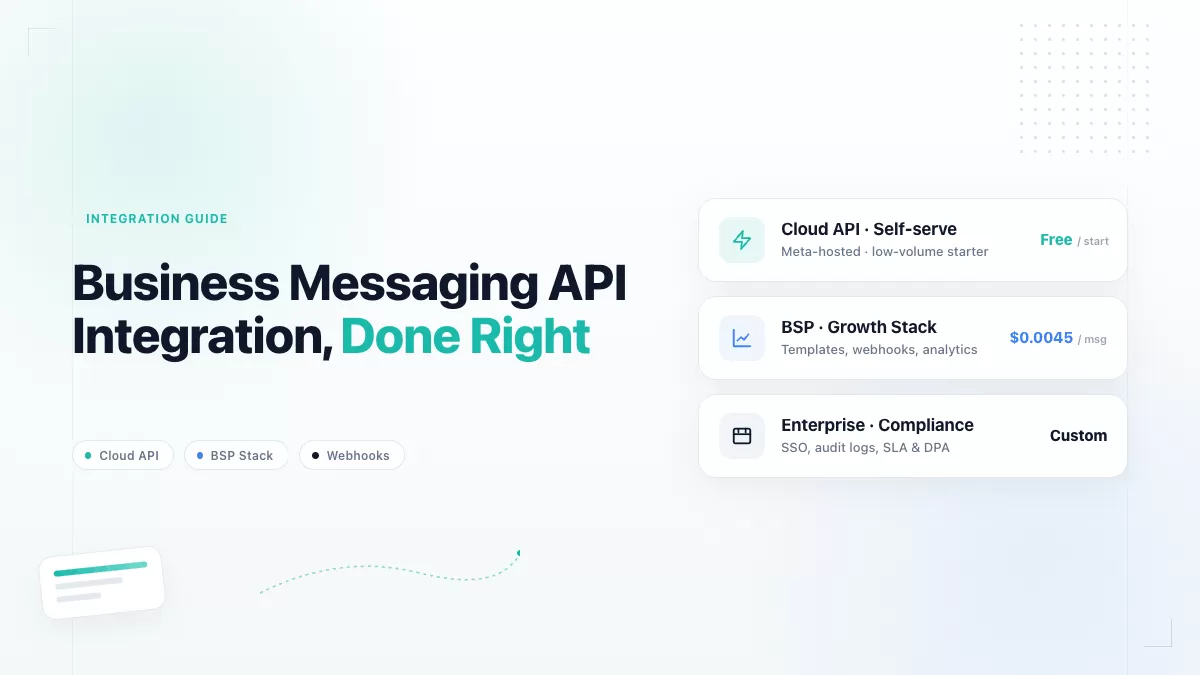
Review the path with EngageLab Check callback documentationFor the wider setup sequence, use the WhatsApp Business API integration guide . For acquisition journeys, connect the Flow design to the separate WhatsApp lead-generation guide .
WhatsApp Flows FAQ
What is a WhatsApp Flow?
A WhatsApp Flow is a structured, multi-screen interaction that opens inside WhatsApp. A business can use it to collect form data, present choices, book an appointment, qualify a lead, or guide another defined task. The Flow is created under a WhatsApp Business Account and opened from an eligible template or interactive message.
Are WhatsApp Flows free?
Meta's July 2026 pricing page lists charges for delivered WhatsApp Business Platform messages and does not show a separate Flow-construction fee. You still pay applicable message charges, and a BSP or implementation partner may add platform or service fees. Check the recipient market, message category, volume tier, and provider contract before budgeting.
What is the difference between static and dynamic WhatsApp Flows?
A static, or no-endpoint, Flow follows predefined Flow JSON and works well when the journey does not need fresh external data. A dynamic, endpoint-connected Flow exchanges data with a backend while the customer is inside the experience. Use the second option for live availability, account actions, calculated quotes, or other results that would be wrong if the data were stale.
Do WhatsApp Flows require a BSP?
No. A business can build and send Flows through Meta's Cloud API when it has the required WhatsApp Business Platform setup. A BSP can reduce onboarding and operational work, but introduces its own message, template, callback, and support contracts. Verify Flow-specific support instead of assuming every generic WhatsApp API integration handles every Flow component.
How do I receive data submitted through a WhatsApp Flow?
Design the response path before publishing. Endpoint-connected Flows exchange encrypted requests and responses with the configured data channel, while the final interaction must also be mapped into the webhook or provider callback contract your sending setup uses. Capture a real test payload, trace its customer and Flow identifiers, and confirm that the destination system stores the complete submission.
The strongest WhatsApp Flow is usually not the one with the most screens. It is the shortest journey that produces a valid business result and still behaves correctly when a customer goes back, a record changes, or an endpoint fails. Start with the no-endpoint version when possible, add live data only when the outcome requires it, and make the first controlled send prove the full path from delivery to business completion.
![[Latest] WhatsApp Business API Pricing Per Message: 2026 Complete Cost Guide](https://img.engagelab.net/en/article/whatsapp-business-api-pricing.webp)