Jacob Morrow
Updated: 2026-08-28
The term email service providers covers four very different things: free inboxes like Gmail and Outlook, business mailboxes on your own domain, marketing platforms that run newsletters and automation, and API or SMTP platforms that send verification, notification, and transactional email at scale. They all touch email, but they solve different problems. Choose one on brand name or free tier alone and you can end up with the wrong feature set, send limits, no automation, or mail that never reaches the inbox.
This guide sorts 10 common email service providers into three groups by what you actually need to do: receive everyday mail, run company mailboxes, or send at volume. For each one you get its main use, who it fits, and where it falls short, so individuals, business teams, marketers, and developers can match a provider to the job at hand.
Quick verdict
- Everyday free email: start with Gmail or Outlook.
- Privacy and encryption: look at Proton Mail.
- Company domain and team mailboxes: Google Workspace or Zoho Mail.
- High-volume notifications, verification, or transactional email: EngageLab, Twilio SendGrid, or Postmark.
- Newsletters and marketing automation: EngageLab, Brevo, or Mailchimp.
What Is an Email Service Provider?
An email service provider is any platform that offers email sending and receiving, mailbox hosting, business domains, bulk delivery, an email API, marketing automation, or performance analytics. Different product types solve different problems. A Gmail-style service mainly gives you a personal inbox; a Google Workspace-style service helps a company manage employee mailboxes; platforms such as SendGrid and Postmark exist mainly to send business email at volume.
What are the main types of email service providers?
| Service type | Primary use | Examples | Inbox included | Fit for bulk sending |
|---|---|---|---|---|
| Free personal inbox | Everyday send and receive, personal account, basic file integration | Gmail, Outlook, Proton Mail | Yes | No |
| Business domain mailbox | Company-domain mailboxes, employee accounts, office collaboration | Google Workspace, Zoho Mail | Yes | Not for marketing blasts |
| Email marketing system | Newsletters, audience segmentation, list management, automated campaigns | Brevo, Mailchimp | Usually no | Yes |
| Business sending platform | API or SMTP delivery of notifications, verification, and transactional email | Twilio SendGrid, Postmark | No | Yes |
Free inbox vs business mailbox vs sending platform
A free inbox handles personal send and receive. A business mailbox lets a company create employee accounts on its own domain. A sending platform delivers large volumes of system email or marketing email to recipients reliably. A company already on Google Workspace or Zoho Mail can still need a separate platform to send verification codes, order notifications, newsletters, and automated email.
Rule of thumb: choose a mailbox service when you need to receive mail, and a sending or marketing platform when you need to send at volume. Both are email, but they are not the same product, so do not treat them as interchangeable.
Quick Comparison: Top 10 Email Service Providers in 2026
The 10 providers below span all three categories. Use this table to place each one, then jump to its full review for the detail behind the summary. Provider names link to their review section.
| Provider | Type | Best for | Free plan | Custom domain | Bulk sending / API |
|---|---|---|---|---|---|
|
|
Free personal inbox | Everyday mail and Google ecosystem | Yes | Via Workspace | Not for mass sending |
|
|
Free personal inbox | Microsoft 365 users | Yes | Via business plan | Not for mass sending |
|
|
Privacy inbox | Privacy and encryption | Yes | On paid plans | Not for mass sending |
|
|
Business domain mailbox | Teams needing a domain and collaboration | Trial | Yes | Not for marketing blasts |
|
|
Business domain mailbox | SMBs and Zoho ecosystem users | Region-based | Yes | Not for large-scale sending |
|
|
Sending and marketing platform | Notification, verification, transactional, and marketing email | Free trial | Sending domains | API, SMTP, bulk |
|
|
Email API and sending | Developer teams and high volume | Trial | Sending domains | Yes |
|
|
Marketing and CRM | SMB multi-channel marketing | Yes | Sending domains | Yes |
|
|
Newsletter and automation | Entry newsletters and list building | Free tier | Sending domains | Marketing sends |
|
|
Transactional platform | Time-critical system and transactional email | Test only | Sending domains | API and SMTP |
Best email service provider by need
- Personal everyday use: Gmail and Outlook are full-featured and integrate with their own office ecosystems.
- Privacy first: Proton Mail suits users who prioritize encryption and data privacy.
- Company domain and employee accounts: Google Workspace or Zoho Mail fit business office needs.
- Global notification, verification, and transactional email: Twilio SendGrid or Postmark match API and time-sensitive sending.
- Newsletters and marketing automation: Brevo or Mailchimp suit marketing teams.
Top 10 Email Service Providers Compared in Detail
Here is a closer look at each provider: what it does well, where it is limited, and who it fits.
Free inboxes for everyday use
1. Gmail
Gmail is Google's email service. It covers personal send and receive and integrates with Google Drive, Calendar, and Docs. Its search, spam filtering, and cross-device experience are mature, which makes it an easy first free inbox.
Service Targets:
- Individuals, students, and freelancers who want a reliable free inbox.
- Teams already using Google Drive, Docs, and Calendar day to day.
- Anyone who values strong search and spam filtering over sending controls.
Pros:
 Free plan is easy to start with.
- Strong search and spam filtering.
- Deep integration with Google services.
Cons:
 Personal accounts are not built for large marketing blasts.
- Custom domain and admin controls require a business plan.
- High-volume sending runs into account and rate limits.
2. Outlook
Outlook is built for individuals and businesses that prefer the Microsoft ecosystem. It integrates calendar, contacts, and Microsoft 365 apps. The free version covers everyday mail, and business plans add fuller admin controls.
Service Targets:
- Microsoft 365 users who want mail, calendar, and tasks in one place.
- Individuals and businesses that live in Word, Excel, and Teams.
- People who want a free inbox with an upgrade path to business features.
Pros:
- Full integration with Microsoft 365.
- Mail, calendar, and task management in one hub.
- Both personal and business plans available.
Cons:
- Free inbox is not suited to large marketing sends.
- Some business features need a paid subscription.
- The feature set can take new users time to learn.
3. Proton Mail
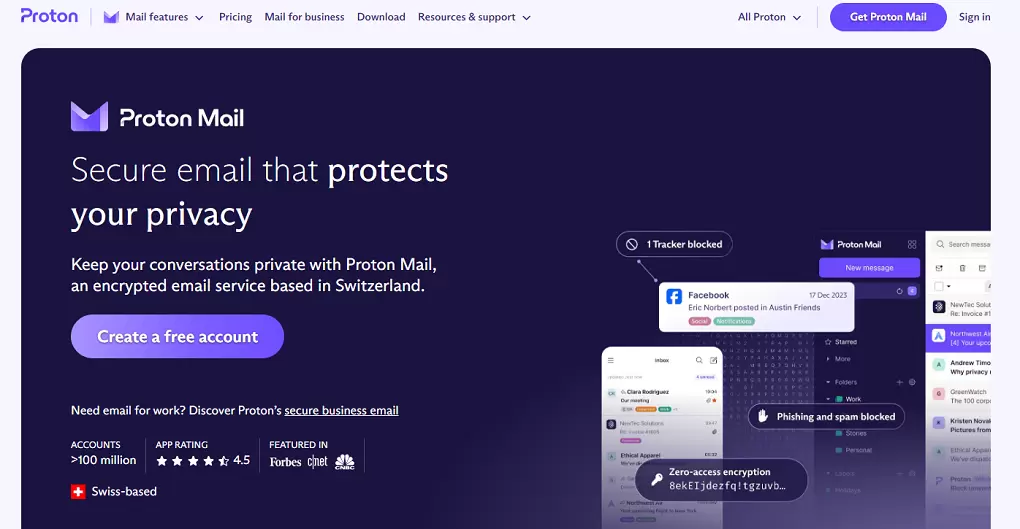
Proton Mail leads with privacy and encryption, which suits individuals and organizations that want to limit exposure of email content. It also pairs with other Proton privacy tools.
Service Targets:
- Individuals and organizations that prioritize data privacy and encryption.
- Users who want end-to-end encrypted mail without heavy setup.
- Teams building on the wider Proton privacy suite.
Pros:
- Strong email encryption and privacy protection.
- Free entry plan available.
- Integrates with other Proton privacy services.
Cons:
- Free plan storage and features are limited.
- Not built for bulk business or transactional sending.
- Third-party integrations are narrower than mainstream inboxes.
Business domain mailboxes for teams
4. Google Workspace
Google Workspace is designed for businesses that need employee mailboxes on a company domain. Alongside business Gmail, it bundles Drive, Docs, Sheets, Meet, and Calendar so a team collaborates inside one office environment.

Service Targets:
- Teams that need company-domain mailboxes and central account management.
- Businesses that want mail plus cloud collaboration in one suite.
- Distributed and remote teams working across devices.
Pros:
- Professional mailboxes on your company domain.
- Tight integration with Google office tools.
- Good fit for cross-device and remote collaboration.
Cons:
- Priced per user or plan.
- Built for employee mail and office work, not campaigns.
- Should not replace a dedicated marketing or transactional platform.
5. Zoho Mail
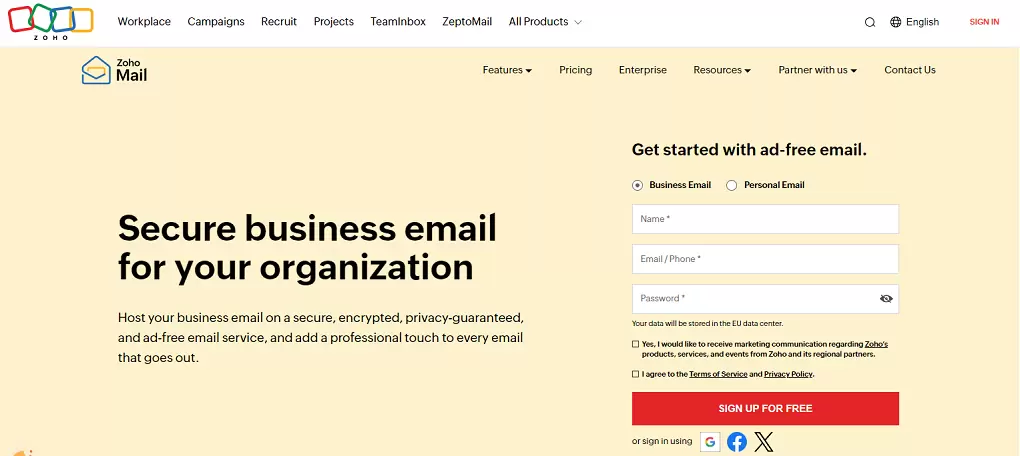
Zoho Mail offers business domain mailboxes and team mail management, and it integrates with Zoho CRM, documents, and other business apps. For cost-conscious SMBs that want one business suite, it is a common choice.
Service Targets:
- SMBs and Zoho ecosystem users who want mail inside one business suite.
- Teams that need company-domain mailboxes on a controlled budget.
- Businesses standardizing on Zoho CRM and office apps.
Pros:
- Supports business domains and account management.
- Integrates with Zoho business applications.
- Suits SMBs controlling early office costs.
Cons:
- Some features require a paid upgrade.
- Positioned mainly as a business mailbox and office tool.
- Large marketing sends still need a dedicated platform.
Platforms for high-volume business email
Note: the platforms below send email at volume through an API, SMTP, or marketing tools. They do not provide a Gmail-style personal inbox or a free mailbox address.
6. EngageLab
EngageLab is a business email delivery and customer engagement platform. It covers email delivery, campaign tracking, and marketing management, and it supports SPF, DKIM, and DMARC authentication to improve email deliverability . Teams that also send Push, SMS, or WhatsApp can manage those channels on the same platform.
Businesses use the platform to send verification email, order notifications, account alerts, newsletters, and marketing email, and to integrate sending into websites, apps, and business systems through a REST API, SMTP, or the console. It provides dedicated IP options, behavioral analytics, blacklist filtering, and bounce management to protect sender reputation at scale.
Start free trial
It also ships Agent Email , a capability built for AI agents to receive, read, reply to, and send email on their own. When a mailbox gets a new message, the platform pushes the email and its thread ID to the agent in real time, so the agent can pull the full conversation thread for context before it replies, through an API and a command-line tool.

Service Targets:
- Businesses that need global email delivery for transactional and marketing email.
- SaaS and e-commerce teams sending OTPs, receipts, and password resets alongside campaigns.
- Teams that need behavioral analytics to track opens, clicks, and conversions.
- Product and engineering teams that want stable API and SDK integration with 24/7 support.
Pros:
-
SPF, DKIM, and DMARC authentication with anti-spam monitoring on major mailbox providers.
- Dedicated IP options for senders who outgrow shared pools.
- REST API, SMTP relay, and multi-language SDKs for developers.
- Behavioral analytics plus blacklist filtering and bounce management.
- Push, SMS, and WhatsApp on one platform for multi-channel teams.
Cons:
- No personal inbox or free mailbox address.
- API, domain verification, and advanced setup assume some technical familiarity.
- Individual users with simple needs do not need a platform like this.
7. Twilio SendGrid
Twilio SendGrid , acquired by Twilio in 2019, is one of the oldest email APIs on the market and also ships a Marketing Campaigns product for bulk sends, segmentation, and A/B testing. It fits developer-led teams that need webhooks, SMTP, an API, and send-level data.

Service Targets:
- Developers and SaaS teams needing reliable transactional sending.
- High-volume senders migrating off in-house SMTP.
- Organizations that want transactional and marketing email on one vendor.
Pros:
- Mature REST API with SDKs for many languages.
- Dedicated IP with automated warm-up on higher plans.
- Separate transactional and marketing products so reputations stay apart.
Cons:
- Free-tier support is limited; urgent issues need paid plans.
- Documentation and interface are English-first.
- Full setup usually needs a technical team.
8. Brevo
Brevo (formerly Sendinblue) combines email marketing, CRM, automation, and multi-channel messaging. It works best for SMBs that want to manage lists, campaigns, and customer journeys in one tool, and it bills by email volume rather than contact count.

Service Targets:
- SMBs running multi-channel campaigns across email and SMS.
- Businesses with large contact lists but moderate send volume.
- Marketing teams that want CRM and automation without a separate tool.
Pros:
- Volume-based pricing that favors large, low-frequency lists.
- Built-in CRM and marketing automation.
- Email, SMS, and chat in one dashboard.
Cons:
- Interface can feel fragmented across modules.
- Shared IP deliverability can vary at high transactional volume.
- Free plan adds Brevo branding to outgoing email.
9. Mailchimp
Mailchimp is a common newsletter and marketing automation tool with templates, list management, segmentation, and campaign analytics. It is popular with teams that want to launch newsletters quickly without building email infrastructure. Transactional email runs through the separate Mandrill add-on.

Service Targets:
- Small businesses and content teams running newsletters.
- E-commerce brands that want a plug-in marketing tool.
- Non-technical marketers who prioritize ease of use over API depth.
Pros:
- Easy drag-and-drop editor and template library.
- List management, segmentation, and campaign analytics.
- Many native integrations for online stores.
Cons:
- Cost rises quickly as contact count grows.
- Transactional email needs the separate Mandrill add-on.
- Not positioned for time-critical transactional sending.
10. Postmark
Postmark , owned by ActiveCampaign, focuses on transactional email such as password resets, account notifications, receipts, and system alerts. It keeps transactional and broadcast traffic on separate IP pools, which is a fit for developer teams that care about delivery speed and system-event tracking.

Service Targets:
- SaaS and app teams where sign-up, OTP, or receipt latency affects activation.
- Teams that want transactional and broadcast on separate infrastructure.
- Developers who prefer documentation-first onboarding.
Pros:
- Fast, focused transactional delivery.
- Separate IP pools for transactional and broadcast.
- Clear event API and webhook delivery.
Cons:
- Not a full multi-channel marketing platform.
- Marketing automation features are limited.
- No standing free tier, only test sends.
How to Send Business Email at Scale: A Step-by-Step Setup
Once you move off a personal inbox, a dedicated email sending platform handles contacts, templates, delivery, and analytics for you. The walkthrough below uses one to show the basic send flow.
Step 1: Create an account. Sign up on the platform and activate email sending.

Step 2: Open your console and start a template. In the sidebar, go to the sending area and open Email templates, then create a new template.

Step 3: Build and fill the template. Choose the drag-and-drop editor, design the layout, then fill in the sender, subject, and content fields and confirm. Also, you can try enter a brief prompt and let AI generate your email layout and content instantly.


Step 4: Check your analytics. After sending, open the analytics area and review delivery, open, click, and bounce data to tune the next campaign.

Related reading for setting up business email the right way:
- Email compliance regulations and best practices
- How to create a business email: a detailed guide
- What BIMI email brand identity is and how to set it up
- Running EDM marketing: everything you need to know
- Email A/B testing to sharpen your campaigns
Can You Use a Free Mailbox for Business Email Marketing?
A free mailbox is fine for everyday communication or a handful of one-to-one emails, but it is not built for ongoing business email marketing. Sending campaigns from a personal Gmail or Outlook account can hit send limits, trigger account risk controls, leave you without unsubscribe management, and give you no reliable way to track delivery.
A company-domain mailbox does not solve this either. Once send volume grows, the email carries a clear marketing purpose, or you need to send verification codes, order notifications, and automated email, move to a platform built for it: one with domain authentication, bounce handling, delivery tracking, and an API. For a deeper split, compare transactional email and bulk email services .
How to Choose an Email Service Provider
1. Decide whether you need to receive or send at scale
If you need personal or employee inboxes, choose Gmail, Outlook, Google Workspace, or Zoho Mail. If a system needs to send verification, order, notification, or marketing email in volume, evaluate Twilio SendGrid, Postmark, Brevo, or Mailchimp instead. Getting this split right first saves most of the comparison work.
2. Identify your email types and volume
Separate everyday office mail, newsletters, promotions, verification email, transactional notifications, and automated lifecycle email. Each type puts different demands on speed, stability, bounce handling, and analytics, and those demands shape both the right platform and the right billing model.
3. Compare deliverability, API, and automation
For volume sending, check SPF, DKIM, DMARC, bounce management, blacklist handling, sending-domain setup, webhooks, SMTP, and API documentation. For marketing, compare segmentation, templates, trigger flows, A/B testing, and open, click, and conversion analytics.
Deliverability checklist
- Authentication: SPF, DKIM, and DMARC should be part of domain onboarding, not a later clean-up task.
- Reputation control: check shared vs dedicated IP options, warm-up guidance, and sender-domain monitoring.
- Bounce handling: hard bounces, soft bounces, and complaints should feed suppression automatically.
- Event visibility: delivery, open, click, bounce, complaint, and unsubscribe events should reach dashboards and webhooks.
- List hygiene: the provider should support suppression lists, unsubscribe handling, and inactive-user segmentation.
- Support path: know who helps when Gmail, Outlook, or Yahoo placement drops after a campaign or domain change.
According to Google's Email sender guidelines FAQ , senders that fail authentication, DMARC, low spam-rate, or one-click unsubscribe requirements can face temporary failures, permanent failures, or spam foldering. That makes deliverability infrastructure a hard requirement when you compare providers, especially for Gmail-heavy lists.
4. Compare support, pricing, and compliance
Beyond features, confirm global delivery coverage, data-residency options, and compliance such as SOC 2, GDPR, and where relevant HIPAA. On price, separate per-user, per-contact, per-email, and feature-tier billing so you do not compare on entry price alone. Contact-based pricing punishes large low-frequency lists; volume-based pricing favors them.
Infrastructure is only half the job. A responsive template library helps teams cover onboarding, promotions, OTP, password reset, and receipts without hand-coding HTML. Drop a template in, swap variables, and send.

Frequently Asked Questions
What is the difference between an email service provider and a mailbox provider?
A mailbox provider mainly gives you an inbox and an email account. An email service provider is a broader term that can also include business mailboxes, email marketing tools, transactional email platforms, and email APIs. Most businesses end up using more than one.
Can a business use Gmail to send bulk marketing email?
It is not recommended. Personal or office inboxes are meant for everyday communication, not mass sending. Bulk marketing should run on a platform with unsubscribe handling, list management, bounce processing, domain authentication, and analytics.
What is the difference between a business mailbox and an email marketing tool?
A business mailbox lets employees send and receive on the company domain. An email marketing tool manages subscribers, builds newsletters, and runs segmentation and automated campaigns. A company often needs both at the same time.
Which email service is best for verification and notification emails?
Choose a business sending platform that supports an API, SMTP, sending-domain authentication, bounce tracking, and time-sensitive delivery, such as Twilio SendGrid or Postmark.
How do I choose an email service provider for a growing business?
Compare global delivery coverage, inbox placement at Gmail, Outlook, and Yahoo, API documentation, sending-domain authentication, data compliance, and pricing model. If you send across regions, confirm the platform can support delivery and support needs in each one.
Which email service provider has the best deliverability?
Deliverability depends on IP reputation, authentication setup, and list hygiene, not vendor choice alone. According to Validity's 2025 Email Deliverability Benchmark Report , inbox placement varies by mailbox provider and region. Providers with dedicated IP options, automated bounce management, and compliance tooling help high-volume senders protect reputation, but no platform can offset poor list hygiene.
Are free sending platforms good enough for business?
Free tiers are useful for testing and small-scale validation. Before you go live, confirm send volume, support level, sending-domain setup, bounce management, dedicated IP options, and scaling cost against your long-term needs.
The Bottom Line on Choosing an Email Service Provider
Before you pick an email service provider, decide first whether you need a personal inbox, a company-domain mailbox, or the ability to send and market at volume. That one choice removes most of the wrong options.
For businesses that need global delivery, transactional and marketing email, and multi-channel customer engagement, EngageLab is a strong option to evaluate. If you only need a free personal inbox, Gmail, Outlook, or Proton Mail will fit better. Match the service to the actual job and you avoid treating a mailbox and a sending platform as the same product. For deeper cluster reading, compare email deliverability and email newsletter platforms before your final pick.
Move from shortlist to a sending test
Set up a test domain, authenticate SPF, DKIM, and DMARC, and compare delivery analytics before routing critical transactional or lifecycle email.

![How to Do an Email Blast Right? [2026 Guide]](https://img.engagelab.net/article/email-blast-cover.png)