Logo Site EngageLab Mark Colored Transparentドキュメント
検索

Alarm Management

Alarm Management is used on this page to configure and manage various alert rules for the SMS platform, helping users stay informed in a timely manner of key operational metrics such as SMS balance and sending exceptions. Through flexible alert configuration, notification channel selection, and status management, it helps ensure the continuity and security of platform operations.

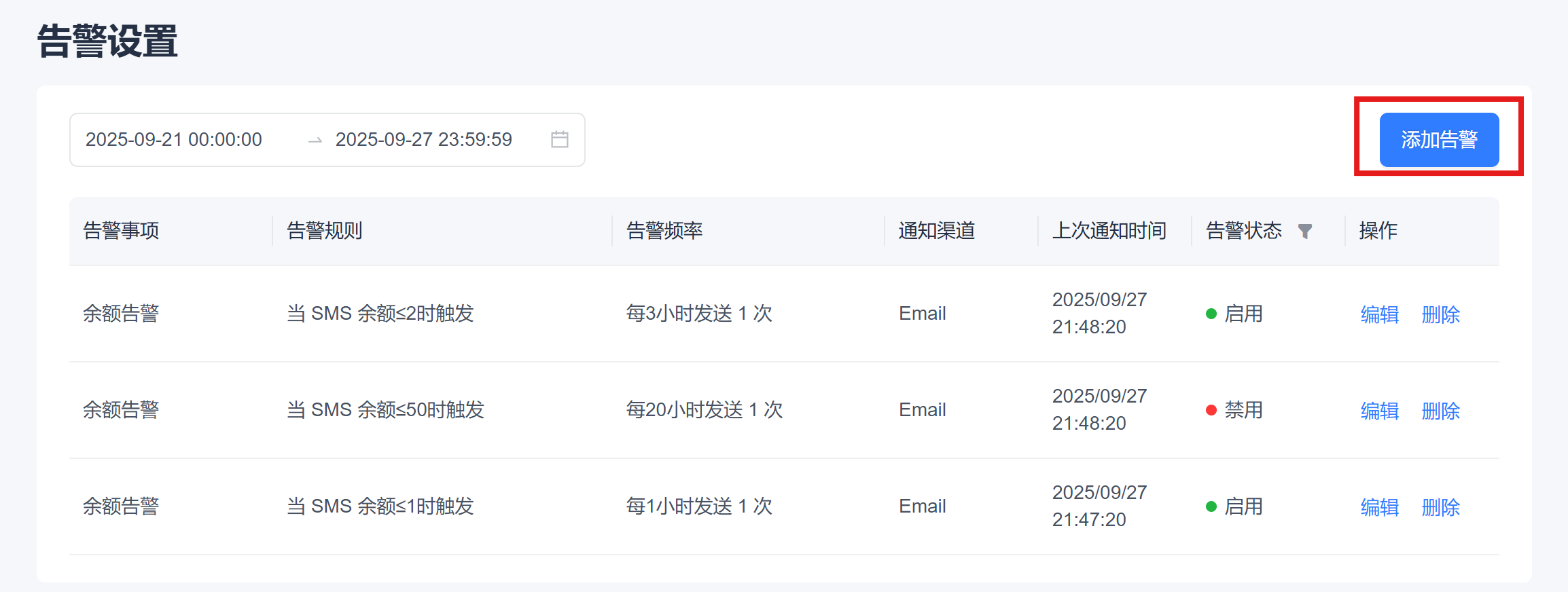
On the top right of the [Configuration Management] - [Alarm Settings] page, click the "Configure Events" button to enter the alert configuration process for the EngageLab SMS service.

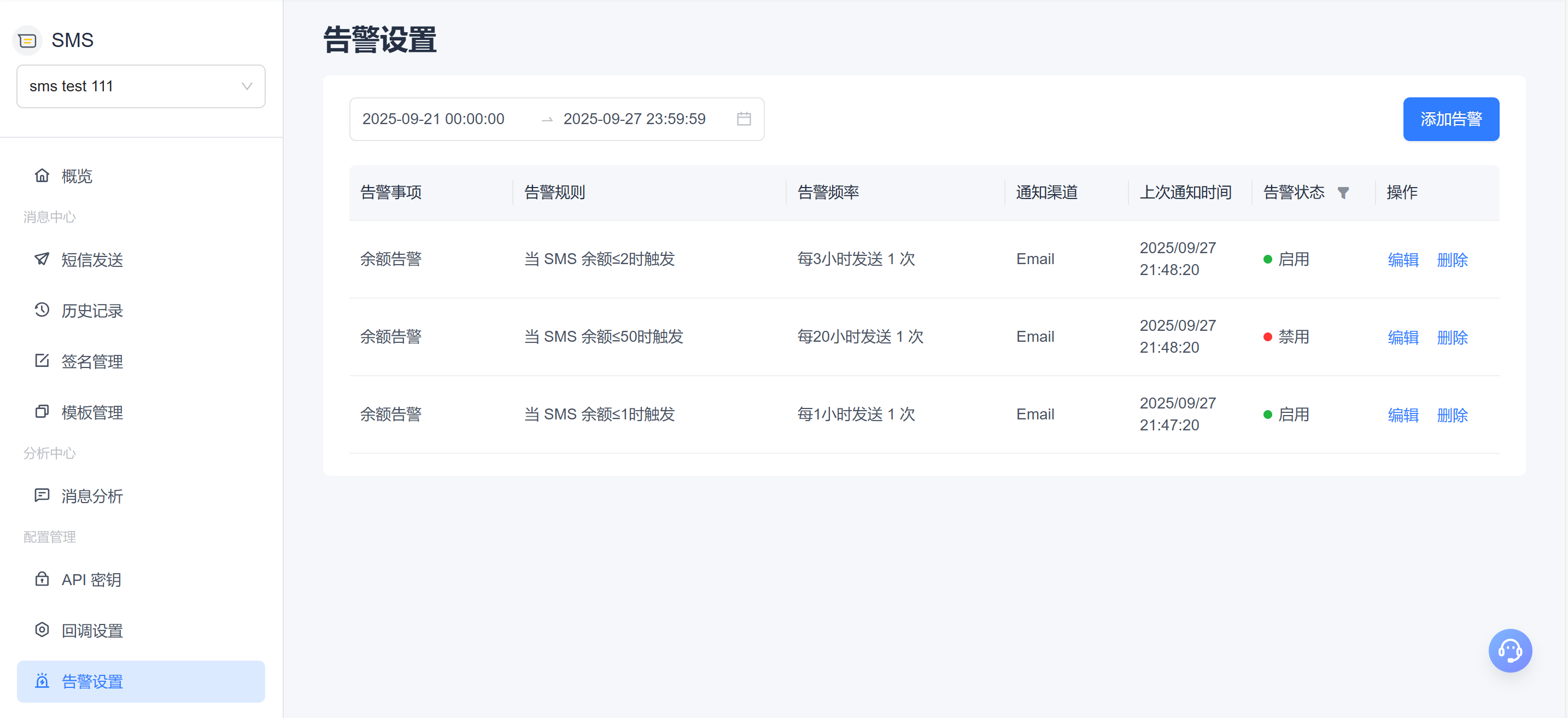
Alert List

alt text

Filter Area

  • Fuzzy Search: Supports fuzzy keyword searches by plan name, template name, signature name, and more to quickly locate target alert records.
  • Header Filter: You can filter by fields such as task status, SMS type, and sending method using the dropdown options.
  • Time Filter: Supports setting a time range filter based on sending time.
  • Combined Filter: Supports multi-condition combined filtering, with results displayed in real time to improve search efficiency.

Alert Field Description

Field Description
Alert Item Alert type, such as a balance alert.
Alert Rule Description of the specific trigger condition.
Alert Frequency Notification frequency after the alert is triggered.
Notification Channel Delivery channel for alert notifications, such as Email and Telegram.
Last Notification Time The most recent time the alert was triggered and a notification was sent.
Alert Status The current enabled/disabled status of the alert rule; green indicates enabled.
Actions Supports "Edit" and "Delete" operations. Deletion requires secondary confirmation.
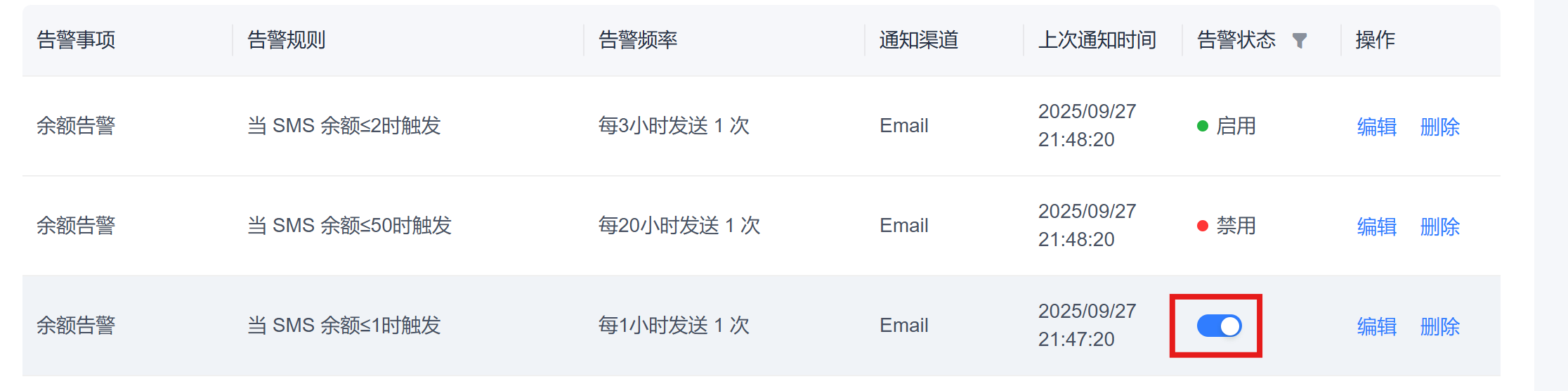
  • Status Switch
    • The alert status is switched using the toggle button. On hover, the button changes to the "On/Off" state, and clicking it toggles enable/disable. alt text
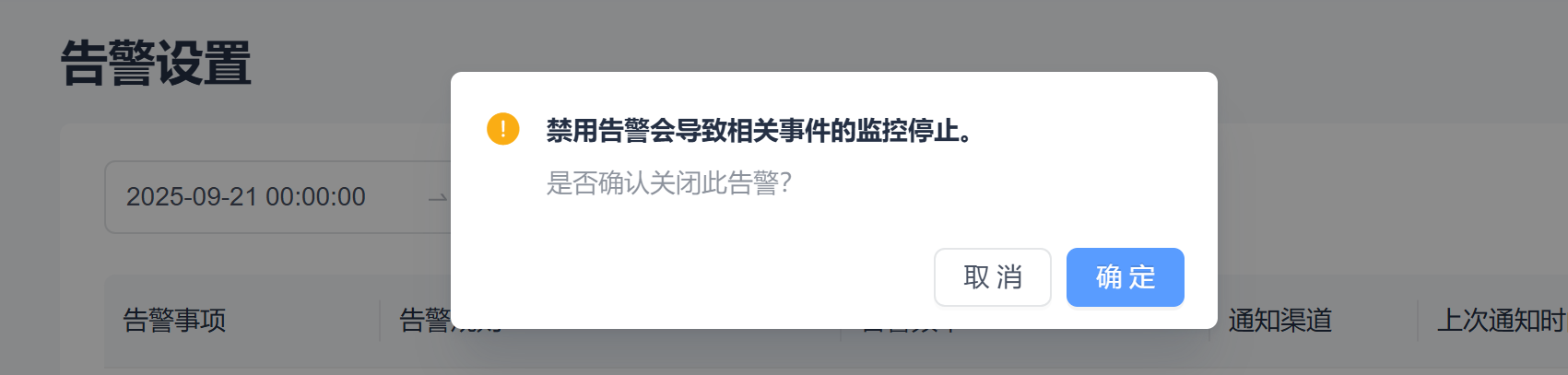
    • To prevent accidental operations, disabling an alert requires secondary confirmation. alt text

Add Alert

alt text

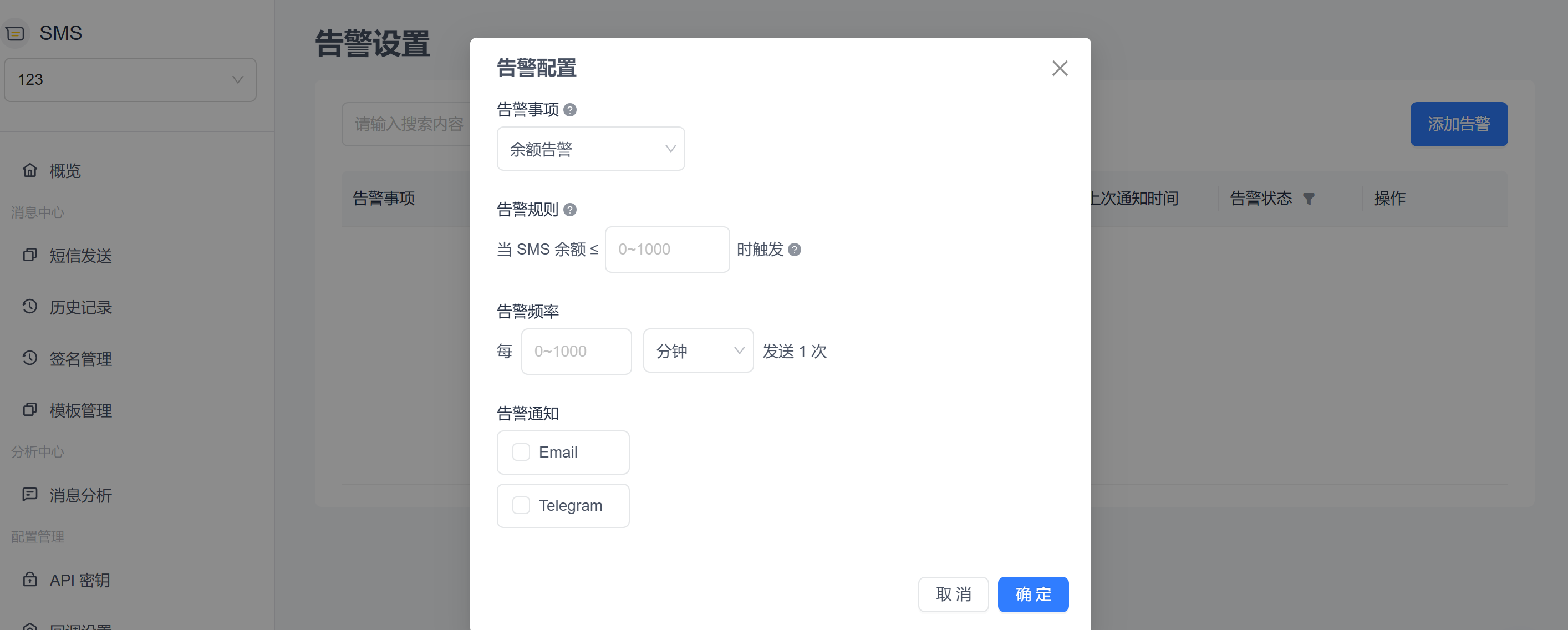
Currently, only balance alerts are supported. More alert types will be supported in the future. If you need a specific alert channel, please Contact Us.

Balance Alert

When the account balance falls below the configured threshold, the system automatically triggers an alert notification to help you stay informed of the balance status in time and avoid service interruptions. It supports receiving alert notifications through multiple channels such as Telegram and Email.

Balance Alert Configuration Example

  • Alert Item
    Select "Balance Alert" from the dropdown menu to enter the balance threshold configuration.

  • Alert Rule

    • Custom threshold input field for setting the dollar amount below which the alert is triggered. Only integers from 0 to 1000 are supported, in USD.
  • Alert Frequency

    • Configure the interval for sending notifications, such as once every X minutes/hours, to prevent repeated alerts.
    • If different notification channels under the same alert rule require different alert frequencies, please add separate alerts for different channels.

Notification Channel Configuration

  • Multi-Channel Selection

    • Supports multiple notification channels such as Email and Telegram. Multiple selections are allowed to meet different scenario requirements.
    • After selecting a channel, an input field is displayed, and you need to fill in the corresponding notification target, such as an email address or Telegram account.
    • Click Confirm, and the system will automatically validate whether the entered notification target is valid. If validation passes, the settings can be saved.
  • Telegram:

    • Click the "Telegram" checkbox: EngageLab OTP Telegram Configuration

    • In the pop-up window, click the "START BOT" button to complete the binding: EngageLab OTP Bot Follow Button

    • After the binding is complete, the displayed result is as follows: EngageLab OTP Bot Follow Success

    • If you need to modify the Telegram account receiving alerts, you can also click the "Retrieve Again" button to reset it: EngageLab OTP Reset Telegram to Receive Balance Alerts

  • Email:

    • Enter the email addresses that will receive alerts. Up to 5 addresses are supported, separated by English commas (,).

Need other notification channels? Please Contact Us.

Icon Solid Transparent White Qiyu
お問い合わせ