

How to View a User’s Complete Personal Information in CDP?
You can access an individual user's profile information through the following steps:
- Navigate to MA Portal → Select your project → User Management.
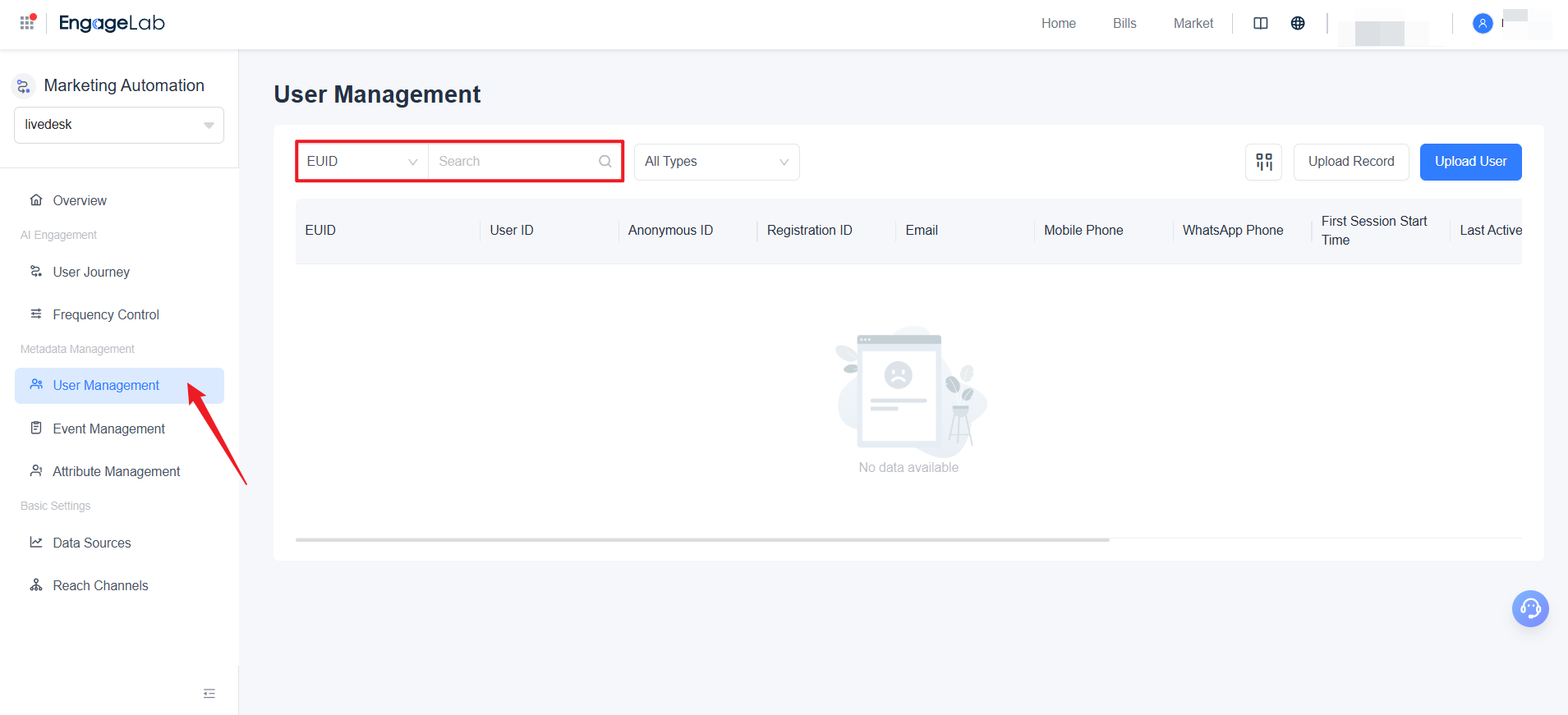
- Click the row corresponding to the target user's EUID.
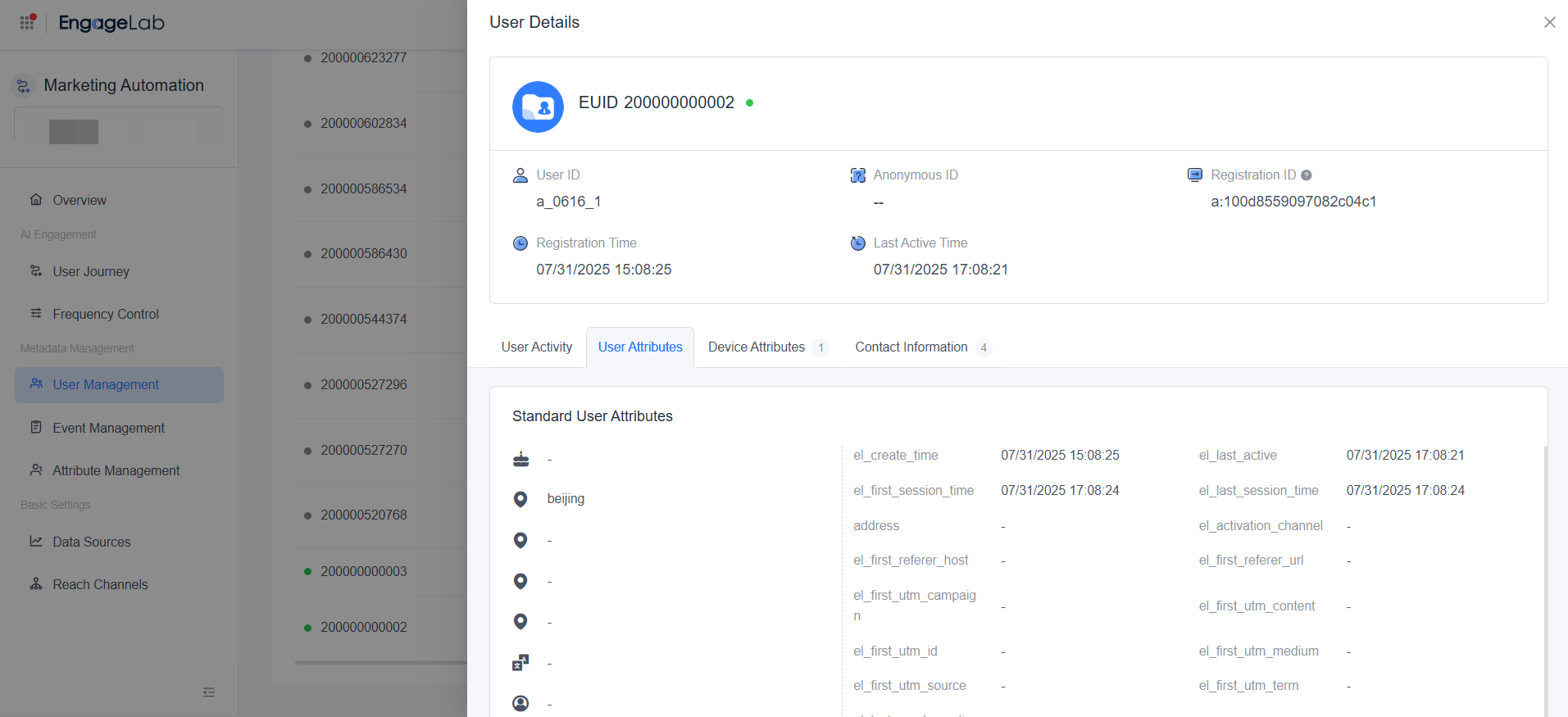
- On the User Details Page, you can switch between the following tabs:
| Tab | Content Description |
|---|---|
| User Attributes | View all the user's basic information and business tags. |
| Device Attributes | If the user uses multiple devices, all corresponding device IDs and related attribute information will be displayed. |
| Contact Information | Displays the user's phone numbers, email addresses, and push identifiers for AppPush and WebPush. |
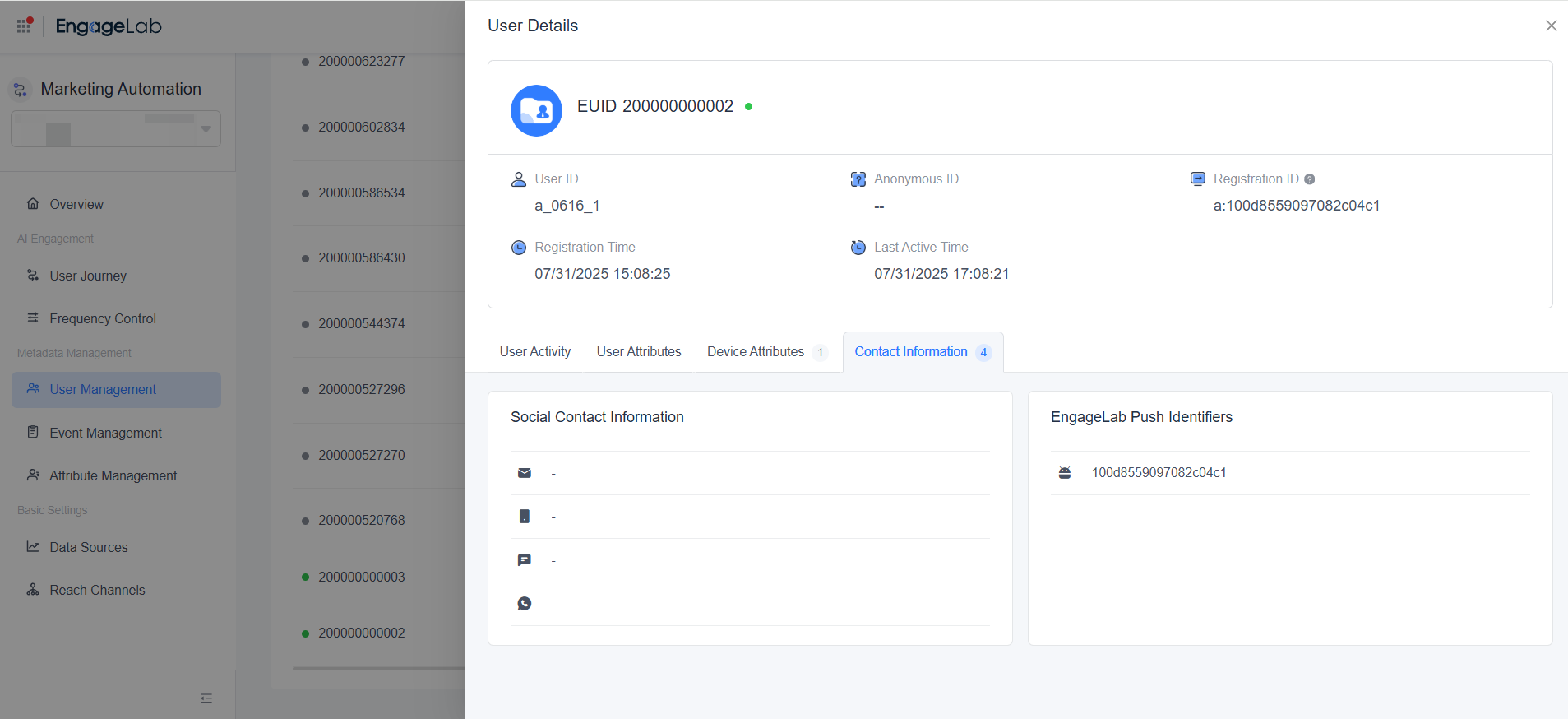
Through these views, you can quickly obtain a unified profile of the user, understand their device usage, and access all available contact channels.

Still Have Questions?
Can't find what you're looking for? Our experts are here to provide personalized assistance. Ask your question now and get a timely response.

