How to Verify Tracking Data Reporting Accuracy in CDP?
You can quickly validate the reporting of your tracking data by following these steps:
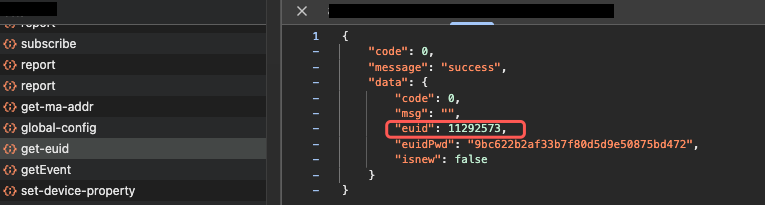
1. Obtain the User EUID
Start your App or website, then retrieve the current user’s EUID from the client-side logs.
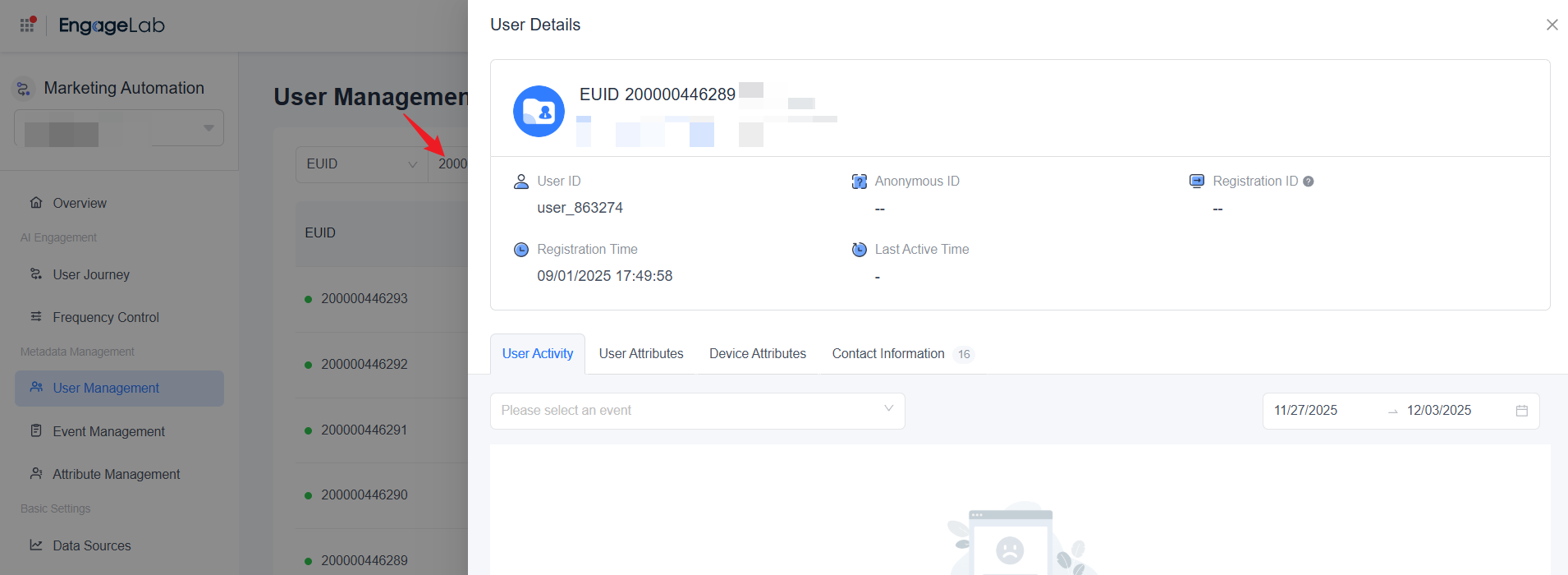
In the User Management list, search for this EUID and enter its detail page to view User Activity.
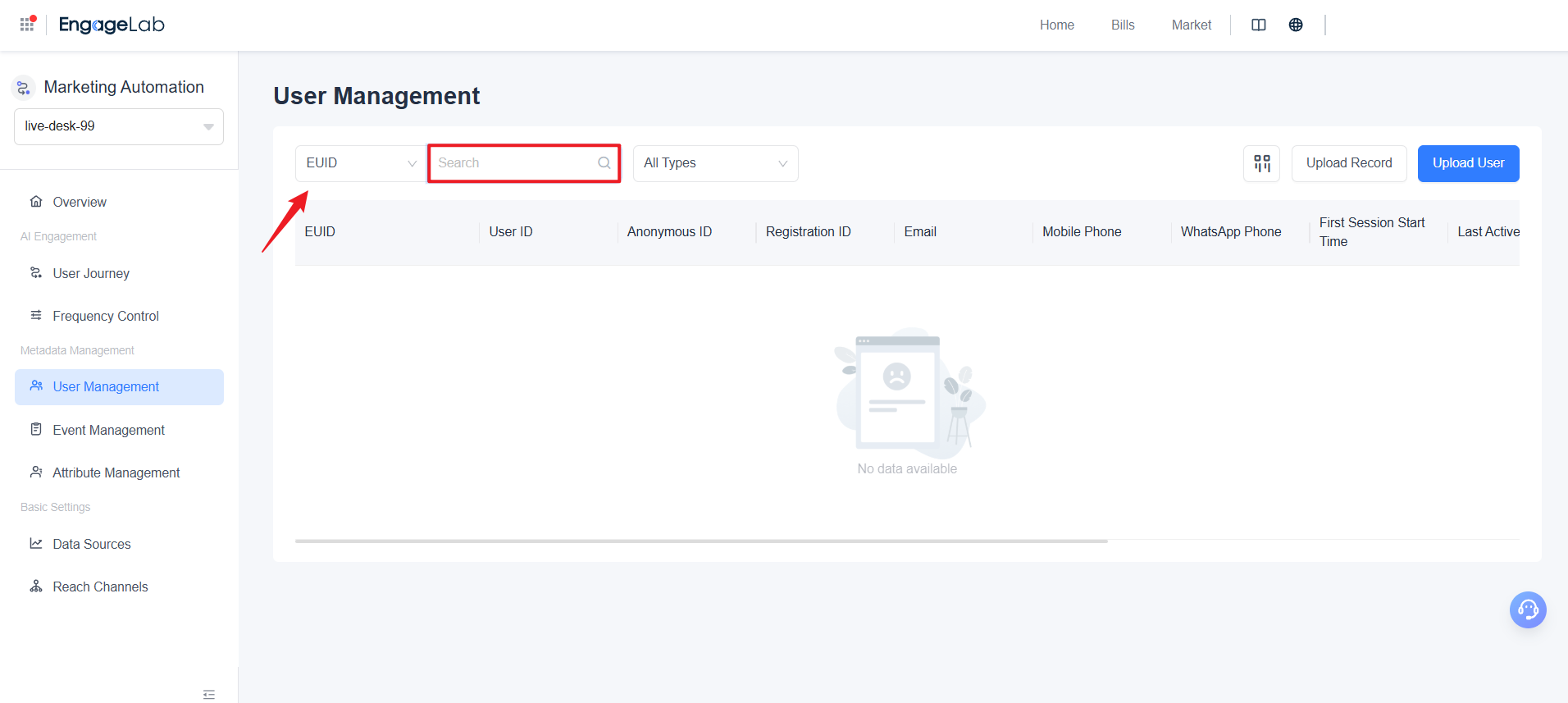
2. Verify Data Reporting in Real Time
Data in the User Activity page typically appears within 5 seconds. After a user action occurs in the App or website, you can quickly enter this page to verify whether data has been reported accurately and completely.
3. Check Events and Attributes
Perform key actions in the App or website (e.g., page visits, button clicks, login/registration).
Observe whether corresponding events are generated.
If events appear, click to view their Event Attributes and confirm whether the attribute values match expectations.
4. Validate Whether User Identifiers Are Set Correctly
After a user registers or logs in, the system should set their account ID as the user_id.
Search for this user_id in the User Management list to confirm whether the corresponding user can be found, then review their activity data.
By following this workflow, you can efficiently perform self‑inspection and verification of your tracking data reporting.