Elena Rodriguez
Updated: 2026-06-30
“Contact center” doesn’t mean “call center with extra steps” anymore. If your team is juggling five channels and a phone line that’s starting to show its age, you are living proof.
Most support volume now arrives as chat, email, and messages before it ever touches voice. A cloud contact center is the platform category built for that shift, but the category is crowded. Feature lists look identical, pricing pages are vague on purpose, and the “best” list depends on what your channel mix looks like .
This guide covers what the category includes, the deployment models, a shortlist by buyer scenario , real pricing and hidden costs, and how to migrate with less risk.
Cloud contact center fit shortcut
- Digital-first support: prioritize chat, messaging apps, email, in-app service, smart ticketing, and AI-to-human handoff.
- Voice-first operations: compare CCaaS suites with IVR, ACD, WFM, call recording, and number-porting depth.
- Hybrid teams: size the platform around real channel volume, CRM context, migration risk, and total cost after add-ons.
What Is a Cloud Contact Center and How Does It Work?
A cloud contact center is a cloud-hosted system for managing customer interactions across voice, email, chat, messaging, social, in-app, and self-service channels from one platform. Hosting it in the cloud means you are not buying servers or maintaining on-site phone hardware . The vendor runs and updates the infrastructure, and your team logs into a browser-based agent desktop from anywhere.
Here, it is important that we first clarify the difference between a “contact center” and a “call center”.
A traditional call center focuses on voice conversations . Customers call a phone number, navigate an IVR menu, and are routed to an agent.
A contact center expands that model and supports multiple communication channels , including live chat, email, social media, messaging apps, SMS, and in-app conversations. This omnichannel approach allows customers to use their preferred channel while giving agents a more complete view of the customer journey.
Most modern cloud contact center platforms are delivered as Contact Center as a Service (CCaaS) solutions. Organizations subscribe to a service that provides routing, analytics, agent tools, integrations, and even AI-powered automation through a cloud environment.
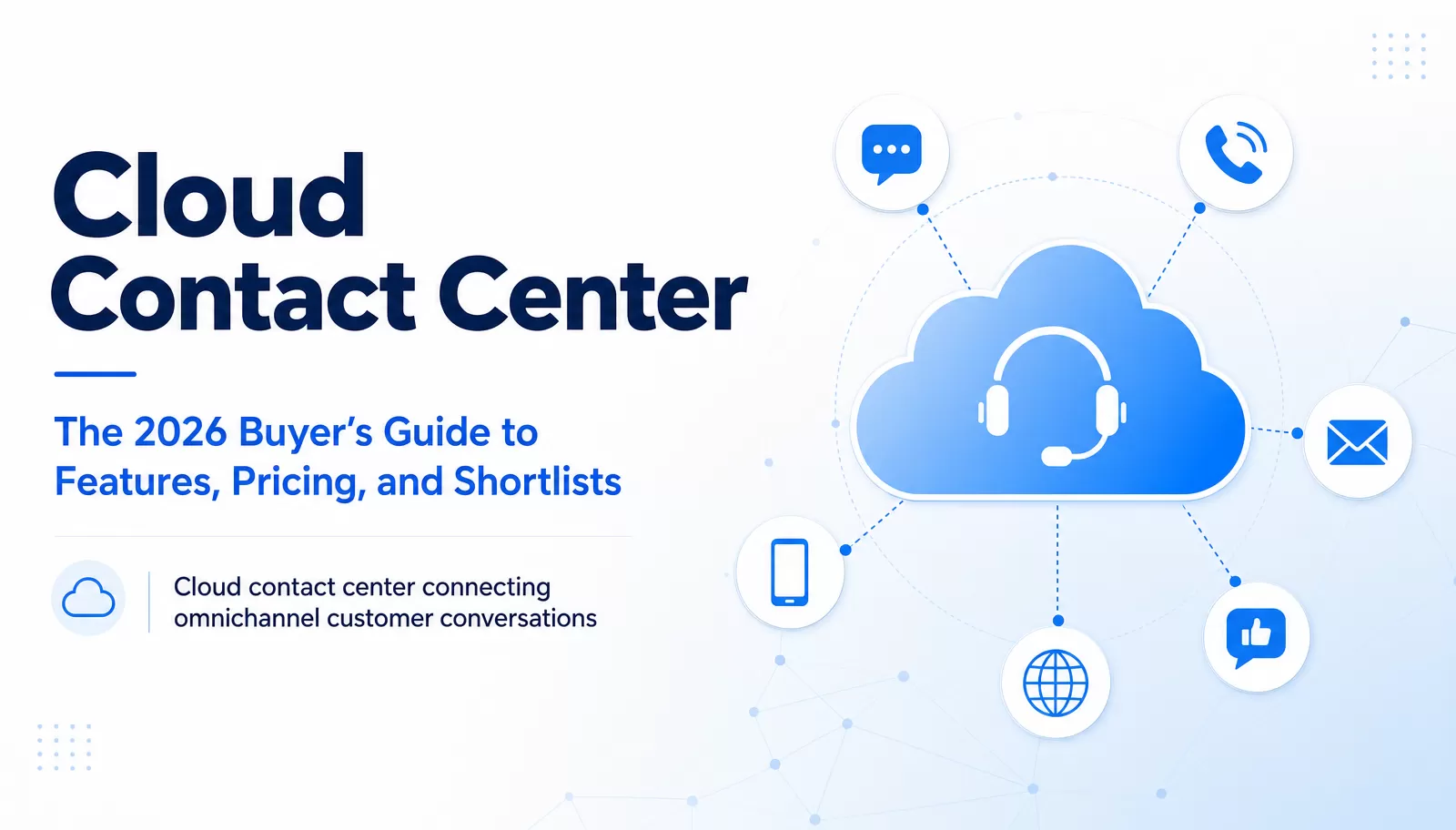
If we strip away the marketing language, almost every cloud contact center is built on the same architecture with the following layers:
- Customer Channels: Voice calls, email, live chat, messaging apps, social media, in-app messaging, and self-service portals where customer interactions originate.
- Cloud Platform: The core infrastructure that receives, manages, and distributes interactions without requiring on-premise hardware.
- Routing and IVR: Automatic call distribution (ACD), interactive voice response (IVR), and skills-based routing direct inquiries to the most appropriate resource.
- Agent Desktop: A unified workspace where agents handle conversations, view customer information, and access support tools.
- CRM and Ticketing Systems: Integrations that provide customer history, account details, previous interactions, and case management capabilities.
- AI Layer: Virtual agents, agent-assist tools, predictive routing, sentiment analysis, knowledge recommendations, and automated conversation summaries.
- Analytics and Reporting: Dashboards and reports that track metrics such as CSAT, FCR, AHT, occupancy, SLA performance, and containment rates.
- Security and Compliance Layer: Controls for encryption, access management, audit logging, data residency, privacy protection, and regulatory compliance.

Many 2026 buyers are digital-first . The majority of B2B support volume flows through digital channels before it ever reaches a phone line. Voice still matters for complex issues, but it’s no longer safe to assume it’s the dominant channel. Size the platform around the actual channel mix your team is handling in 2026.
Compare Cloud Contact Centers vs On-Premise, UCaaS, CCaaS, and CPaaS
These five terms get used almost interchangeably in vendor marketing, which makes shortlisting harder than it needs to be. So, let’s clarify how they differ:
| Model | Best Fit | Strength | Trade-off |
|---|---|---|---|
| Cloud contact center | Teams that need multichannel support, routing, analytics, and remote agents | Faster deployment, elastic scale, less infrastructure to manage | Ongoing vendor dependency; subscription costs need real TCO planning |
| On-premise contact center | Highly controlled legacy voice environments | Maximum local control | High upfront cost, limited flexibility, maintenance burden |
| UCaaS | Internal collaboration and business communications | Good for employee communication | Not always enough for customer support workflows |
| CCaaS | Full cloud contact center operations | Rich service workflows and analytics | Can be complex or expensive if overbought |
| CPaaS | Custom communication workflows via APIs | Flexible building blocks | Requires more technical ownership |
None of these is universally better. On-premise still makes sense for strict data-sovereignty rules or sunk infrastructure. UCaaS fits internal collaboration. CPaaS fits teams with engineering capacity that are building something no off-the-shelf product offers. Cloud contact center and CCaaS are almost the same idea, so most vendors use the terms interchangeably. They fit most growing support organizations because they trade some control for speed/scale and lower upfront investment.

For teams whose support volume already lives mostly in chat, social, messaging apps, and email, a digital-first customer service platform can deliver most of what a full CCaaS suite offers, without paying for voice infrastructure you may not need yet.
Match Essential Features and AI Capabilities to Real Support Workflows
The value of a cloud contact center platform is not measured by the number of features on a pricing page . It comes from how well those features work together to help customers get answers faster and help agents resolve issues with less effort. The strongest platforms combine omnichannel communication, intelligent routing, customer context, automation, and analytics into a single workflow .
Most cloud contact center software should include the following core capabilities:
- Omnichannel inbox: Manage voice, email, chat, messaging apps, social media, and in-app conversations from one workspace.
- Automatic call distribution (ACD) and skills-based routing: Route customers to the most qualified agent based on expertise, language, priority level, or availability.
- IVR and self-service tools: Allow customers to find answers, check account information, or complete simple tasks without waiting for an agent.
- CRM and helpdesk integration: Surface customer profiles, order history, previous conversations, and open tickets directly within the agent desktop.
- Unified agent desktop: Give agents a single view of customer interactions across channels.
- Conversation and call recording: Support compliance, quality assurance, and agent coaching.
- Quality management (QM): Evaluate interactions and identify improvement opportunities.
- Workforce management (WFM): Forecast demand, schedule staff, and optimize agent utilization.
- Knowledge base management: Maintain accurate information for both customers and support teams.
- Live monitoring: Track service levels, queues, agent performance, and customer satisfaction metrics in real time.
- Reporting and analytics: Transform interaction data into actionable insights and help decision-makers measure key performance indicators such as CSAT, first-contact resolution (FCR), average handle time (AHT), occupancy, etc.
Beyond the above features, AI cloud contact center capabilities are becoming just as important as traditional routing and communication tools. Common AI-powered features include:
- Virtual agents that handle routine inquiries 24/7.
- Agent assist tools that recommend responses and next steps during conversations.
- Sentiment analysis that identifies frustrated or at-risk customers.
- Automatic conversation summaries that reduce after-call and after-chat work.
- Predictive routing that matches customers with agents most likely to resolve their issue.
- Automated QA scoring that reviews interactions at scale.
- Knowledge recommendations that surface relevant articles and troubleshooting steps.
These features only matter when they support real customer service workflows .
Workflow Example 1: AI Triage With Human Handoff
A customer starts a chat session asking about a billing issue. An AI virtual agent analyzes the request and checks the knowledge base for a potential solution. If the issue is simple, the customer receives an immediate answer. If the request involves refunds, account changes, or exceptions, the conversation is transferred to a human agent along with the full conversation history and customer context. The customer avoids repeating information, and the agent starts with the relevant details already available.
Workflow Example 2: Priority Routing for High-Value Customers
A VIP customer contacts support through a messaging app. Skills-based routing identifies the customer based on CRM data and places the interaction in a priority queue. When the assigned agent opens the conversation, they can immediately view purchase history, previous tickets, account notes, and service-level commitments. Integration depth matters here. A platform with deep CRM integration improves agent productivity more than one with a longer feature list but limited context sharing.
Workflow Example 3: Continuous Improvement Through Smart Ticketing
A customer reports the same bug for the third time. Smart ticketing flags the pattern, routes it for QA review, and feeds the resolution back into the knowledge base so the next AI triage attempt actually resolves it.
If you are running digital-first support teams, platforms like LiveDesk can help unify messaging apps, social media, email, in-app conversations, and smart ticketing within a single service environment. Its AI Agent can answer straightforward questions using enterprise knowledge-base content, while more complex requests are transferred to human agents with conversation history and context preserved. This AI Agent × Human Agent approach helps balance efficiency with customer experience.
As organizations evaluate AI capabilities, AI governance should be part of the buying process. Decision-makers should review data residency options, privacy controls, model training policies, and procedures for handling AI errors or hallucinations. Human-in-the-loop controls remain especially important for refunds, account modifications, regulated decisions, and sensitive customer complaints.
AI can improve speed and efficiency, but accountability should remain with trained human agents when business risk or customer trust is at stake.
The Best Cloud Contact Center Software for 6 Buyer Scenarios
This isn’t a universal ranking , and there isn’t one either. A voice-heavy 200-agent enterprise support floor and a 12-person digital-first support team have almost nothing in common operationally. So, the “best cloud-based customer support software” for one would be a bad fit for the other.
What follows is a shortlist organized by the buyer scenario each platform actually fits , based on each vendor’s own published pricing and product pages as of June 2026. Verify current pricing and feature availability directly with each vendor before you commit
Before the shortlist, the following is an effective evaluation criterion to score every platform against:
| Evaluation Criterion | Why It Matters |
|---|---|
| Channel fit | A voice-heavy team and a messaging-heavy team need different platforms |
| AI handoff quality | Containment without resolution creates angry repeat contacts |
| CRM/helpdesk integration depth | Agent productivity depends on full context, not feature count |
| Reporting and QA | Managers need visibility into SLA, CSAT, FCR, AHT, and escalation patterns |
| Security and data residency | AI and customer conversation data create governance risk |
| TCO | List price rarely includes channel pass-through, AI add-ons, integrations, training, and migration |
Shortlist Comparison

| Platform | Best For | Core Strength | Watch-out | Pricing/Trial Note |
|---|---|---|---|---|
| EngageLab LiveDesk | Digital-first support teams using chat, social, messaging apps, email, in-app, and smart ticketing | AI Agent x Human Agent collaboration , omnichannel digital hub, smart ticketing, EngageLab ecosystem | Don’t position as a native PSTN/voice-IVR call-center replacement unless voice capability is separately confirmed | 30-day free trial, Starter Plan from $99/month; Business Plan from $299/month; Enterprise Plan from $399/month, as of June 2026 |
| Zendesk | Enterprise-scale omnichannel service teams | Mature unified workspace, AI agents, WFM/QM ecosystem, large app marketplace | Can be more suite-heavy than smaller teams need | Suite plans from ~$55/agent/mo; Contact Center add-on from ~$83/agent/mo, as of June 2026 |
| RingCentral (RingCX) | Phone-first teams adding digital channels | Voice/contact-center heritage, strong routing and IVR, broad communications stack | Advanced configuration and metrics may require careful setup | RingCX from ~$65/agent/mo (Standard), ~$95/agent/mo (Professional), ~$145/agent/mo (Elite), as of June 2026 |
| Talkdesk | Enterprise AI contact center programs | AI-driven CX workflows, industry templates, WEM/QM depth | Pricing transparency and learning curve can be concerns | CX Cloud editions from ~$85 to ~$225/agent/mo depending on tier, as of June 2026 |
| Nextiva | SMB teams wanting all-in-one communications | SMB-friendly communications + contact center bundle | Advanced setup/integration depth may vary by plan | SMB plans from ~$23–75/agent/mo; Enterprise plans from ~$75/agent/mo, as of June 2026 |
| CloudTalk or 8x8 | Choose based on verified fit : outbound/calling-heavy teams, or global UC + contact center needs | CloudTalk: outbound dialing and phone-centric workflows. 8x8: global communications with unmetered international calling | CloudTalk can become costly for smaller teams; 8x8 may require training for full adoption | Entry pricing around ~$24–25/agent/mo, as of June 2026 |
EngageLab LiveDesk

Best for: Digital-first customer service teams where chat, messaging apps (WhatsApp, Telegram, LINE, Instagram), social, in-app, email, and ticketing make up most of the support volume.
Core fit: Built around an AI Agent x Human Agent collaboration model . The AI Agent screens incoming queries by complexity and answers simple ones directly from the enterprise knowledge base. It hands complex cases to human agents with a full conversation context attached . Runs on a dual service model (Live Chat + Smart Ticketing) and integrates with EngageLab Marketing Automation for acquisition-to-service workflows.
What to verify: Current pricing for your team size, voice/telephony coverage if any support volume is phone-based, and live demo availability.
Watch-out: Best understood as the AI-assisted digital-channel layer of a broader stack, not a native PSTN, full IVR, or WFM replacement unless separately confirmed. Pairs well with a voice platform if telephony is handled elsewhere.
Need a digital service layer before a full voice migration?
- Unify live chat, messaging apps, email, social, in-app support, and smart ticketing in one agent workspace
- Use AI Agent triage with human handoff for routine questions, escalation cases, and knowledge-base updates
- Start with digital channels now , then pair LiveDesk with a voice platform when PSTN depth is required
Zendesk

Best for: Enterprise-scale teams that want one platform spanning email, chat, social, voice, and AI-driven resolution, backed by a large app marketplace.
Core fit: Suite plans bundle ticketing, messaging, chat, social, and AI Agents that now bill per resolution rather than per seat, with the Contact Center add-on layering AWS Amazon Connect telephony on top of any Suite plan.
What to verify: Which Suite tier includes skills-based routing and IVR (Professional and above), current per-resolution AI pricing, and whether Copilot, the separate agent-assist add-on, is included or billed extra.
Watch-out: The advertised Suite price is rarely the real bill. As of June 2026, Suite runs roughly $55/agent/month (Team) to $115/agent/month (Professional), Contact Center adds about $83/agent/month, Copilot adds roughly $50/agent/month, and AI resolutions bill separately around $1-2 each, which stack fast.
RingCentral (RingCX)

Best for: Phone-first teams that want to layer digital channels onto an established voice foundation, especially those already on RingCentral’s RingEX phone system.
Core fit: RingCX is a dedicated cloud-based contact center product (separate from RingEX) with voice plus 20+ digital channels, skills-based routing, IVR, and reporting built on RingCentral’s communications heritage.
What to verify: Which tier actually includes AI features. Agent assist and AI quality monitoring require the Professional tier and above, not the entry Standard plan, plus SMS/digital-channel allowances and any regulatory or compliance fees billed on top.
Watch-out: Standard looks like a complete “AI contact center” at around $65/agent/month (as of June 2026), but it’s voice and routing only . The AI layer most buyers actually want starts at Professional, roughly $95/agent/month.
Talkdesk

Best for: Enterprise AI contact-center programs, particularly in regulated industries (healthcare, financial services, insurance, banking) via Talkdesk’s industry-specific “Experience Cloud” editions.
Core fit: AI-driven CX workflows, involving Copilot for agent assist, Autopilot for autonomous resolution, and deep workforce/quality-management tooling. Plus 70+ native integrations and a returning presence on Gartner’s CCaaS Leaders quadrant.
What to verify: Whether flagship AI tools (Copilot, Autopilot, Navigator) are included at your tier or sold as separate add-ons. They are commonly sold separately, even on the top plan. Also, take into account the current contract length requirements.
Watch-out: Entry-level Digital Essentials and Voice Essentials plans are channel-restricted. True omnichannel requires the Elite tier , priced around $165/agent/month as of June 2026, often with a multi-year minimum commitment. Model total cost carefully before comparing list prices.
Nextiva

Best for: SMB and mid-market teams that want phone, video, chat, and contact-center functionality bundled into one stack rather than assembled from multiple vendors.
Core fit: Small-business plans (Core, Engage, Power Suite CX) cover voice and digital channels at accessible per-seat pricing, while the dedicated Enterprise Contact Center line (Essential, Professional, Premium) adds skills-based routing, workforce management, and PCI-compliant payment handling.
What to verify: Which tier includes the channels and routing depth you need. SMB plans and the dedicated Contact Center product are priced and packaged separately, so don’t assume one extends to the other.
Watch-out: Advertised SMB pricing starts low (~$23/agent/month), but the dedicated Contact Center experience can require hundreds per agent/month, as of June 2026, which is a bigger jump than the entry price suggests.
CloudTalk or 8x8


Best for: Choose based on verified fit rather than brand recognition. CloudTalk is for outbound/calling-heavy teams, while 8x8 is for global UC plus contact-center needs.
Core fit: CloudTalk offers transparent and predictable pricing with strong outbound dialing and 80+ CRM integrations across 160+ countries. 8x8 fits global communications, with unmetered international calling bundled into higher tiers and a path into full contact-center capability.
What to verify: Actual landed cost once you move from entry/UC-only plans into either vendor’s full contact-center tier, since both see price jumps at that step, plus AI add-on costs (CloudTalk’s AI tools are billed separately).
Watch-out: CloudTalk’s entry tier (~$25/agent/month) is voice-focused and light on routing intelligence, as of June 2026. 8x8’s customized Contact Center tier needs proper negotiation to verify channel and AI requirements.
Calculate Benefits, Pricing, TCO, and ROI Before You Shortlist
The case for moving to a cloud contact center usually comes down to a few measurable benefits:
- Lower infrastructure burden since you are not maintaining on-site phone hardware.
- Higher CSAT and FCR when agents have a unified context instead of tab-switching between systems.
- Shorter AHT once routing and AI triage remove the manual sorting step.
- Support for remote and distributed agents.
- Elastic scaling for seasonal volume.
- Better reporting and compliance visibility than most legacy systems offer.
While measuring benefits, don’t focus solely on the advertised subscription price. Per-agent pricing is usually just the headline number. The true total cost of ownership (TCO) can be much higher.
Pricing models vary by vendor and sometimes by feature, and most platforms mix several of these:
- Per-agent/month (the most common base model)
- Usage-based (per resolution, per minute, per message)
- Per-channel (voice priced separately from digital channels)
- Per-feature/module (WFM, QA, advanced analytics sold as add-ons)
- AI add-ons (sometimes per-seat, per-resolution, or outcome-based)
- Telephony/messaging pass-through (voice minutes, WhatsApp/SMS fees)
- Implementation and integration fees
The hidden-cost checklist you should consider against any quote:
- Voice minutes beyond the included allowance
- WhatsApp/SMS pass-through fees
- AI priced per resolution, seat, message, or token (these billing models vary significantly between vendors and change frequently)
- Premium support tiers
- CRM/helpdesk connector fees
- Custom API work
- Number porting
- Historical data migration
- Agent training time
- QA/WFM modules sold separately
- Reporting add-ons
As a general pattern across the vendors covered in this guide, add-ons commonly add 20–60% on top of the advertised base price once AI features, workforce management, and quality assurance are switched on. Confirm the actual figure with each vendor directly, since it varies by deployment size and which modules you need.
On the KPI side, the metrics you should track from day one are CSAT, first-contact resolution (FCR), average handle time (AHT), occupancy, containment rate, and escalation rate . The one that gets misused most often is containment.
Note: Containment is not the same as resolution. An AI assistant that prevents a customer from reaching an agent but fails to solve the issue may simply create a more frustrated customer who returns later through another channel. Use “resolved without escalation with CSAT held steady” as the better AI success metric.
The most cost-effective cloud contact center software is not always the cheapest option . The better investment is the platform that improves customer outcomes and increases agent efficiency, while delivering impactful operational gains without introducing unnecessary complexity or hidden costs.
Choose, Implement, and Migrate With Less Risk
The selection of the right cloud contact center platform solves only half the challenge. The other half is implementation. Many projects run into trouble because the platform has the features, but migration planning, integrations, training, and governance were treated as afterthoughts.
A lower-risk rollout follows a ten-phase implementation process:

- Discovery and Requirements Gathering. Define business goals, customer service challenges, compliance requirements, and expected outcomes. Identify which channels customers actually use and the workflows that need improvement.
- Audit Your Channel Mix. Don’t purchase a platform based on industry trends without considering the actual customer behavior. Analyze the percentage of interactions that come through voice, email, live chat, messaging apps, social media, and self-service channels. Many organizations now operate in a digital-first environment where messaging and chat volumes exceed phone calls.
- Build an RFP and Vendor Scorecard. Use a structured evaluation process that goes beyond product demos alone. Assess vendors in terms of channel coverage, AI capabilities, integration depth, security controls, reporting functionality, implementation support, and total cost of ownership.
- Design Architecture and Security Controls. Before deployment begins, define CRM integrations, data flows, user permissions, authentication requirements, retention policies, and data residency needs. AI governance should also be part of this phase, including policies for customer data handling and human approval requirements for sensitive actions.
- Plan Data, Ticket, and Number Migration. Migration risk usually lives in the boring parts of a project. Historical tickets, customer records, conversation histories, and reporting data need careful planning before transfer. Keep in mind that voice number porting may take days or even weeks, depending on carriers and regions.
- Configure CRM and Business-System Integrations. A contact center does not operate in isolation. Connect CRM platforms, helpdesks, ecommerce systems, billing tools, and knowledge bases before launch. Integration depth has a greater impact on agent productivity than the number of standalone features a platform offers.
- Run a Pilot Program. Avoid organization-wide deployment immediately. Start with a small group of agents or a limited channel set for a specific department. Pilot testing helps identify workflow issues, reporting gaps, routing problems, and training needs before full rollout.
- Train Agents and Supervisors. Even the best cloud contact center software creates a temporary productivity dip during adoption. Provide role-specific training for agents, supervisors, administrators, and quality managers, with a focus on real-world workflows.
- Launch in Phases. Don’t migrate every team and channel simultaneously. Roll out the platform gradually. A phased go-live reduces operational disruption and gives teams time to adapt.
- Optimize Continuously. View implementation as just the beginning. Regularly review routing rules, knowledge-base performance, AI containment rates, escalation trends, CSAT scores, and workforce utilization to identify improvement opportunities.
Cloud Contact Center RFP Checklist
Ask these questions when evaluating vendors:
- What uptime SLA does the provider guarantee?
- Which data residency options are available?
- What compliance certifications are supported?
- How extensive are the APIs and integration capabilities?
- What AI privacy, governance, and audit controls exist?
- How are human handoffs handled during AI-assisted interactions?
- Which reporting and analytics capabilities are included?
- Are workforce management (WFM) and quality management (QM) available?
- How deep are CRM and helpdesk integrations?
- What implementation and migration support is provided?
- What are the vendor’s support response times?
- What is the estimated total pricing of ownership over three years?
The safest implementation strategy is not the fastest one. A successful migration prioritizes customer experience, integration quality, agent readiness, and governance controls. When those foundations are in place, the transition to a cloud contact center becomes far less disruptive and far more likely to deliver long-term value.
Pressure-test the rollout before you buy
Map channel volume, CRM context, AI handoff rules, and migration risk before committing to a cloud contact center shortlist.
Choose the Cloud Contact Center That Fits Your Channel Mix
There’s no universal “best” cloud contact center. Any list that tells you otherwise is skipping the part where your channel mix, team size, CRM environment, compliance requirements, AI governance needs, migration risk tolerance, and budget all push toward different answers. The work here is matching what a platform actually does well to what your team actually handles every day.
Lower the stakes on the decision where you can. Plus, pilot before you commit to a multi-year contract , test CRM integration thoroughly, and price the realistic total cost (add-ons included). The platform that fits is the one built around the channels and complexity your team is dealing with right now.
See how LiveDesk fits your channel mix
- Bring chat, social, messaging apps, email, in-app support, and smart tickets into one AI-assisted service hub
- Preserve customer context when AI Agent hands complex conversations to human agents
- Plan the rollout around channels, team size, CRM environment, and integration requirements
FAQs
What is a cloud contact center?
A cloud contact center is a cloud-hosted platform for managing customer interactions across voice, email, chat, messaging apps, social, and self-service channels from a single system. The vendor hosts the infrastructure, and agents work from a browser-based desktop. It usually includes routing, an agent workspace, CRM integration, AI tools, and reporting in one platform.
What is Google Cloud Contact Center?
Google Cloud contact center generally refers to Google’s Contact Center as a Service (CCaaS) and Contact Center AI (CCAI) ecosystem, which combines omnichannel customer service capabilities with AI tools such as virtual agents, agent assistance, routing, analytics, and customer experience management. Organizations should verify deployment options, supported channels, regional availability, compliance requirements, and pricing directly with Google before implementation.
What is the CT cloud contact center?
CT Cloud Contact Center is a branded product name that may refer to a specific provider’s cloud contact center offering. Because branded products in this space get renamed or change ownership, verify the exact current product scope, regional availability, and provider directly before relying on third-party descriptions.
How much does a cloud contact center cost?
Entry-level plans from mainstream vendors generally start somewhere in the $20–$85 per agent/month range . However, a real contact-center deployment lands 20–60% above the advertised base price once add-ons are included. Voice usage, messaging pass-through fees, implementation, and training add further cost on top.
What features should cloud contact center software include?
Cloud contact center software should include omnichannel support, intelligent routing, IVR, CRM integration, a unified agent desktop, reporting and analytics , workforce management, quality management, knowledge base tools, and security controls. Many organizations also look for AI capabilities such as virtual agents, agent assist, conversation summaries, sentiment analysis, and automated quality assurance.
How is a cloud contact center different from an on-premise contact center?
A cloud contact center is hosted and maintained by the vendor , while an on-premise contact center requires organizations to manage servers, hardware, software upgrades, and infrastructure internally. Cloud deployments generally offer faster implementation, easier scalability, lower infrastructure requirements, and better support for remote and hybrid work environments.
How long does cloud contact center implementation take?
Cloud contact center implementation takes anywhere from a few weeks to several months , depending on the complexity of integrations, migration requirements, channel configuration, and organizational size. Simple deployments may be completed within two to six weeks, while larger implementations involving CRM integrations, custom workflows, legacy IVR migration, and number porting require six to twelve weeks or longer.
How do you choose the best cloud contact center platform?
Choose the best cloud contact center platform by evaluating your channel mix, customer service workflows, integration requirements, security needs, reporting capabilities, AI governance controls, and budget . Pilot with real conversations and test CRM integration before committing, since integration depth tends to matter more to daily agent productivity than the length of a feature list.
What is the best cloud contact center software for digital-first support teams?
The best cloud contact center software for digital-first support teams is usually one that unifies messaging apps, live chat, email, social media, in-app support, ticketing, and AI-assisted workflows within a single workspace . Platforms such as EngageLab LiveDesk are for organizations that handle most customer interactions through digital channels and want AI Agent × Human Agent collaboration and omnichannel customer service capabilities with smart ticketing.