Elena Rodriguez
Updated: 2026-06-07
You are three weeks into a product launch. A trial user opens live chat to ask whether your platform supports SSO and advanced permissions. Your support agent shares the right help doc, closes the conversation, and moves on. But no CRM tag marks the user as high intent, no WhatsApp follow-up offers a demo, and no onboarding sequence explains the next feature. That is why B2B SaaS teams now evaluate marketing automation live chat platforms by what happens after the chat window closes.
According to Salesforce (2022) , 88% of customers say the experience a company provides matters as much as its products or services. For SaaS teams, that experience is often decided in the 24 to 72 hours after a high-intent chat: can your stack route the signal, trigger the right follow-up, and reach the user on the channel where they actually respond?
- Use this guide if your team needs live chat plus downstream automation, not just a support widget.
- Pricing and plan notes were reviewed against public vendor pages in May 2026; confirm final quotes before purchase.
- The shortlist prioritizes B2B SaaS fit: CRM sync, lifecycle stage logic, WhatsApp/SMS/push output, and post-chat retention workflows.
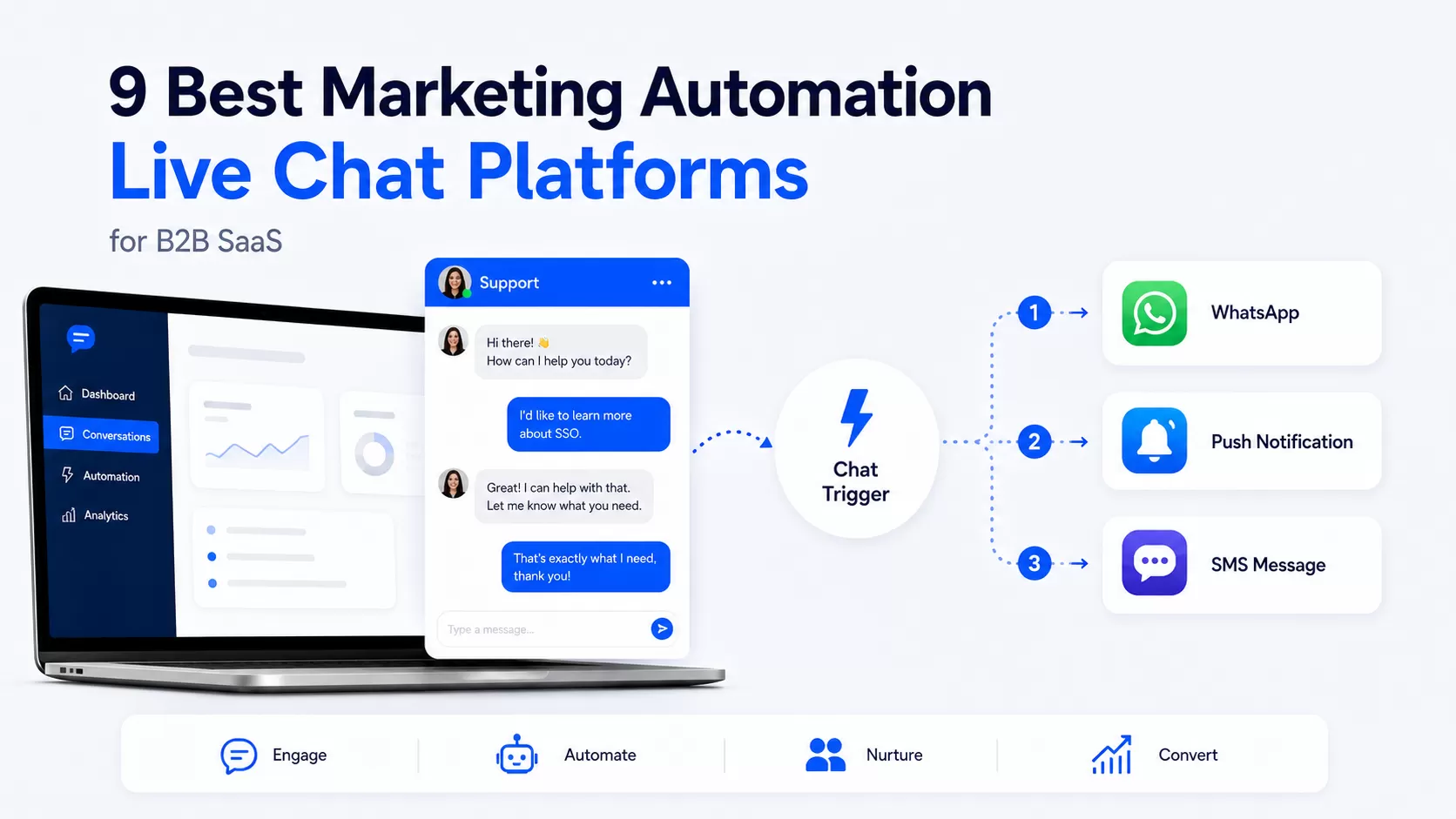
Best Marketing Automation Live Chat Platforms: Quick Picks for 2026
If you only have a few minutes, start with the fit map below. The key question is not which tool has the nicest chat bubble. It is whether the platform can turn chat intent into a measurable follow-up workflow.
| Best fit | Recommended platform | Why it fits |
|---|---|---|
| AI-first support and in-app messaging | Intercom | Fin AI Agent, messenger, help center, workflows, and strong product-led support experience. |
| CRM-first SaaS teams | HubSpot Live Chat | Native contact records, conversations inbox, chatbot builder, meetings, tickets, and HubSpot workflow fit. |
| Enterprise routing and support operations | Zendesk Messaging | Persistent messaging, omnichannel routing, AI agents, agent workspace, and mature support governance. |
| Freshworks-centered support teams | Freshchat | Freddy AI, Freshdesk Omni, messaging channels, agent assist, and Freshworks ecosystem alignment. |
| Conversational sales and ABM | Drift by Salesloft | Sales-intent routing, account-based chat, meeting booking, and Salesloft workflow context. |
| Reliable standalone chat widget | LiveChat | Broad integrations, shared inbox, proactive invitations, AI assist, and fast setup. |
| Lean-budget SaaS teams | Tidio | Live chat, Lyro AI, no-code flows, email, WhatsApp, and conversation-based pricing. |
| Open-source control | Chatwoot | Self-hosting, API-first architecture, WhatsApp/Telegram/email channels, and full data control. |
| Chat-triggered cross-channel automation | EngageLab | LiveDesk plus marketing automation across WhatsApp, SMS, push, email, and web push workflows. |
How We Ranked Live Chat Automation Platforms
A normal customer service software list is not enough for this buyer. B2B SaaS retention depends on lifecycle stage, product usage, plan intent, account routing, and post-chat follow-up. We ranked each platform across five criteria:
Evaluation checklist
- Real-time chat quality: response latency, agent workspace, AI assist, handoff, and routing depth.
- Automation depth: whether chat events can trigger segments, workflows, tags, and follow-up sequences.
- Cross-channel coverage: WhatsApp, SMS, email, app push, web push, Telegram, Discord, and social messaging support.
- CRM and data sync: whether chat context is written back to customer records without manual exports.
- B2B SaaS fit: lifecycle segmentation, account-level context, usage-based triggers, and retention analytics.
This lens filters out tools that are good at answering inbound chats but weak at turning those chats into retention actions. For a broader planning model, compare the role of chat with customer engagement software and customer journey orchestration .
Marketing Automation Live Chat Platform Comparison Table
The table below separates chat-first tools from platforms that can trigger broader customer journeys. "Cross-channel triggers" refers to outbound follow-up potential after a chat event, not just inbound message routing.

| Platform | Automation depth | Cross-channel triggers | B2B SaaS fit | Pricing note, May 2026 |
|---|---|---|---|---|
| Intercom | High | WhatsApp, SMS, email, in-app, and web chat through configured workflows and add-ons | High | Public plans start from Essential, with AI usage and add-ons priced separately. |
| HubSpot Live Chat | Medium | Email and CRM workflows are strongest; WhatsApp and SMS depend on HubSpot configuration and integrations | High | Service Hub starts from entry-level paid tiers, with workflow depth rising on Professional and Enterprise. |
| Zendesk Messaging | Medium | Strong inbound messaging and routing; outbound lifecycle journeys usually need Sunshine Conversations or integrations | High | Zendesk pricing is seat-based across Suite tiers. |
| Freshchat | Medium | Messaging and AI workflows are strongest inside Freshworks; external push/SMS journeys need added setup | Medium-high | Freshchat pricing is seat-based with Freshworks suite options. |
| Drift by Salesloft | Medium | Salesloft workflow handoff is strong for sales motion; retention channels require more tooling | Medium | Salesloft Drift is generally quote-led for revenue teams. |
| LiveChat | Low-medium | Integration-driven; native post-chat automation is limited | Medium | LiveChat pricing starts from paid seat-based plans. |
| Tidio | Low | Good in-chat flows; downstream SMS or push follow-up needs external tools | Low-medium | Tidio pricing is conversation and feature based. |
| Chatwoot | Low native, extensible by API | Webhook/API driven; engineering teams can build custom follow-up logic | Medium | Chatwoot pricing includes cloud and self-hosted options. |
| Engagement automation platform | High | WhatsApp, SMS, app push, web push, and email can be orchestrated from marketing automation workflows | High | Usage-based pricing; evaluate by channels, volume, and journey complexity. |
Top 9 Live Chat Automation Platforms Reviewed
1. Intercom

Intercom is the strongest AI-first option for SaaS teams that live inside product-led messaging. Its messenger, shared inbox, help center, Fin AI Agent, and workflow builder make it a natural fit for high-volume product support and in-app onboarding.
- Best for: AI-assisted support, in-app messaging, and product-led SaaS teams.
- Strengths: mature messenger experience, strong AI support layer, routing, help content, and customer context.
- Trade-off: cost can rise as seats, AI resolutions, add-ons, and usage grow.
- Automation readiness: high for in-app, email, chat, and support workflows; verify outbound WhatsApp/SMS requirements before rollout.
2. HubSpot Live Chat

HubSpot Live Chat fits teams whose customer data, sales pipeline, and service workflows already sit inside HubSpot. Every chat can be stored against a contact record, routed through conversations inbox, and connected to tickets, meetings, emails, and lifecycle workflows.
- Best for: CRM-aligned teams that want chat context inside contact records.
- Strengths: free live chat entry point, no-code chatbot builder, meetings, tickets, email, and CRM sync.
- Trade-off: deeper workflow automation depends on higher HubSpot tiers and connected hubs.
- Automation readiness: medium to high if HubSpot is already your automation center; lower if WhatsApp, SMS, and push need to run outside HubSpot.
3. Zendesk Messaging

Zendesk Messaging is built for support operations that need reliable routing, governance, AI agents, quality monitoring, and a unified agent workspace. It is especially useful when inbound support volume, agent coordination, and escalation rules are the main decision drivers.
- Best for: enterprise and mid-market support teams with multiple queues and agents.
- Strengths: persistent messaging, omnichannel routing, knowledge base integration, AI agents, and admin controls.
- Trade-off: proactive post-chat lifecycle journeys usually need additional Zendesk configuration or external automation.
- Automation readiness: medium; strong inbound operations, weaker native cross-channel retention sequences.
4. Freshchat

Freshchat works best when the broader Freshworks ecosystem is already part of the stack. Freddy AI, Freshdesk Omni, agent assist, messaging channels, and support data are strongest when they share the same Freshworks workspace.
- Best for: support teams standardized on Freshdesk, Freshsales, or Freshworks products.
- Strengths: AI-assisted replies, multilingual support, WhatsApp and social messaging, and shared support context.
- Trade-off: post-chat journeys outside the Freshworks suite require API work or third-party automation.
- Automation readiness: medium; good within the suite, more limited for push/SMS retention sequences.
5. Drift by Salesloft

Drift by Salesloft is best understood as a conversational sales platform. It helps revenue teams identify high-intent website visitors, route them to the right rep, book meetings, and feed context into Salesloft workflows.
- Best for: ABM teams, sales-led SaaS, and pipeline conversion from website traffic.
- Strengths: account-based routing, rep handoff, meeting booking, intent recognition, and sales workflow context.
- Trade-off: retention, onboarding, and post-sale messaging across WhatsApp or push are not the native center of gravity.
- Automation readiness: medium for sales workflows; lower for customer lifecycle automation after purchase.
6. LiveChat

LiveChat is a reliable standalone chat product with a large integration marketplace. It is a practical choice for teams that want a stable chat widget, agent inbox, proactive invitations, and CRM connections without adopting a heavy suite.
- Best for: teams that need fast chat deployment and many integrations.
- Strengths: polished agent UX, proactive chat, visitor tracking, AI assist, and broad marketplace coverage.
- Trade-off: it is not a full lifecycle automation engine by itself.
- Automation readiness: low to medium; webhooks and integrations can connect it to another automation layer.
7. Tidio

Tidio is a lighter option for small and mid-sized teams that need chat, AI answer automation, and basic flows without a large implementation project. It works well when the goal is to cover first-line questions and route common requests.
- Best for: lean teams that need affordable chat and no-code chatbot flows.
- Strengths: Lyro AI, simple flow builder, email, Messenger, Instagram, WhatsApp, and a manageable setup path.
- Trade-off: downstream SMS, push, and advanced lifecycle workflows need another layer.
- Automation readiness: low; strongest inside the chat experience itself.
8. Chatwoot

Chatwoot is the open-source choice for engineering-led SaaS teams that want control over deployment, data, channels, and API behavior. It is not the fastest no-code route, but it gives technical teams a flexible inbound layer.
- Best for: teams that need self-hosting, data control, and API flexibility.
- Strengths: open-source deployment, unified inbox, WhatsApp, Telegram, email, web chat, and API channels.
- Trade-off: post-chat automation is something your team builds rather than something the product hands you.
- Automation readiness: low natively, but extensible for teams with engineering bandwidth.
9. EngageLab

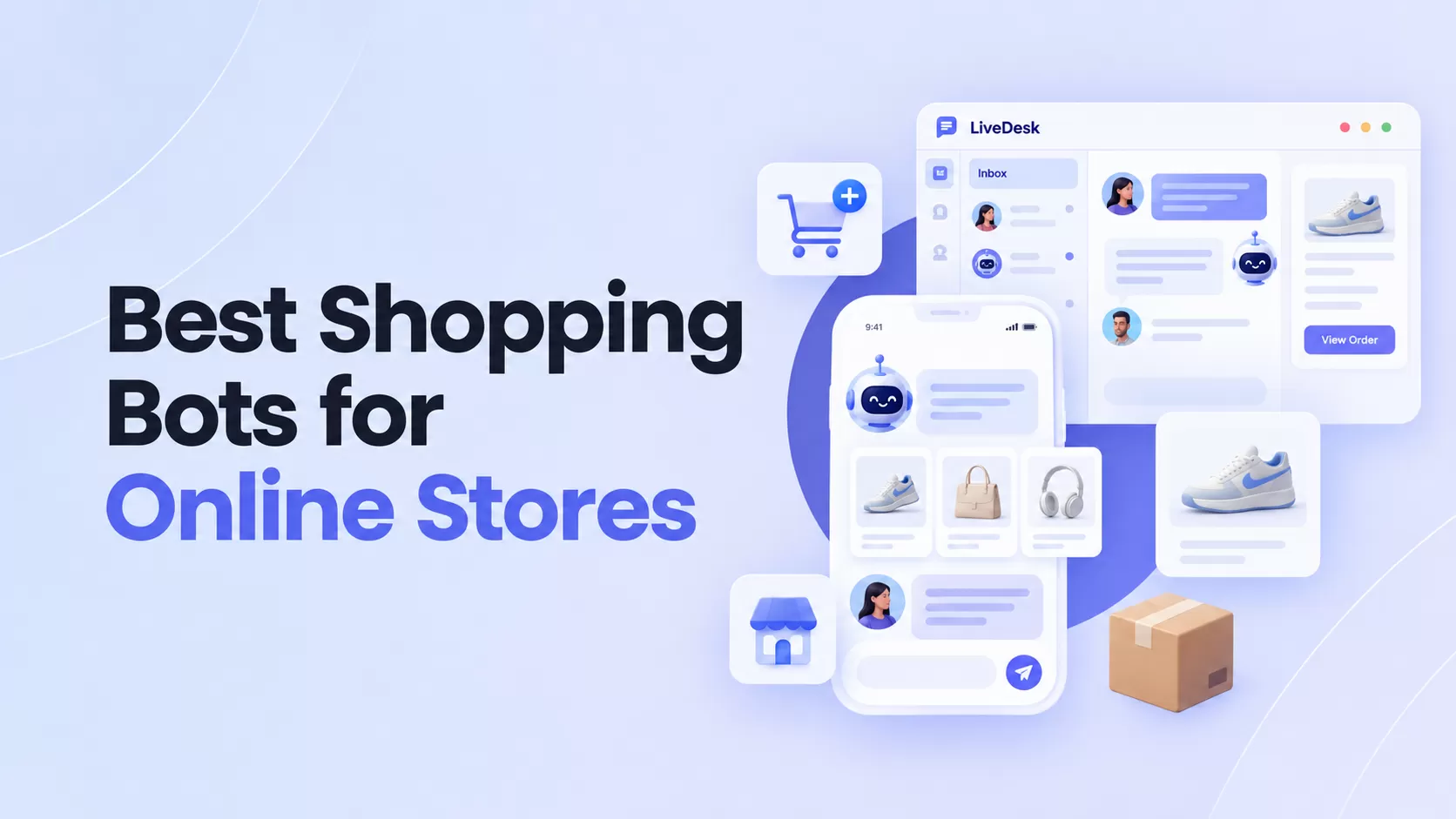
EngageLab is different from the chat-first tools above because LiveDesk sits next to a broader messaging and marketing automation stack. That matters when a chat event should become a WhatsApp, SMS, app push, web push, or email journey rather than another note in the support inbox.

- Best for: SaaS teams in WhatsApp-heavy and push-heavy markets that want one platform for chat-triggered follow-up.
- Strengths: LiveDesk, marketing automation, customer profiles, WhatsApp Business API, SMS, app push, web push, and email orchestration.
- Trade-off: teams looking only for advanced support routing should compare chat-agent UX carefully against dedicated helpdesk platforms.
- Automation readiness: high when the goal is to convert chat intent into multi-channel lifecycle journeys.
Build the workflow before you pick the widget
Map which chat signals should trigger WhatsApp, SMS, push, or email before comparing vendor demos.
Four Dimensions That Separate Chat Tools from Retention Systems
Do not evaluate an omnichannel live chat platform on chat quality alone. The conversation is the start of the relationship. The buying decision should ask what the system does with the intent signal it just captured.
| Dimension | What to check | Why it matters |
|---|---|---|
| Trigger quality | Can the platform tag pricing questions, onboarding blockers, competitor mentions, and account tier? | Weak tagging turns chat logs into unread archives instead of usable lifecycle signals. |
| Channel reach | Can follow-up run through WhatsApp, SMS, email, app push, web push, or in-app messaging? | Different regions and user segments respond on different channels. |
| Data writeback | Can the chat event update CRM fields, customer profile attributes, and journey segments? | Without writeback, agents and automation flows keep working from stale context. |
| Workflow ownership | Can marketers and CS teams edit journeys without waiting for engineering? | Retention workflows change often; every webhook dependency slows iteration. |
Three Post-Chat Automation Sequences B2B SaaS Teams Use
Many teams stop at "which chat software looks best?" The harder and more profitable question is: what should happen after the conversation ends?
Sequence 1: Pricing Intent Recovery, Chat to WhatsApp

Trigger: a user asks about pricing, plan limits, seats, or procurement, but does not book a demo or convert during the session.
Logic:
tag the conversation as pricing_intent
, wait 24 hours, then send a WhatsApp template message with a tailored offer, trial extension, or sales calendar link. For channel setup, review how
WhatsApp Business API integration
changes the follow-up path.
Why it works: pricing questions are rarely generic curiosity. They often mean the user is comparing vendors now. A timed follow-up keeps the buying conversation alive while the intent signal is still fresh.
Sequence 2: Onboarding Gap Rescue, Chat to Push and Email

Trigger: a new user in the first seven days opens chat about a core setup step, integration, invite, permission, or workflow action.
Logic:
tag the conversation as onboarding_friction
, send an app push the next morning with a direct link to the relevant screen, then send a short email walkthrough with a help article and CSM booking option.
Why it works: first-week friction is often silent churn in disguise. Push catches the user at the next login moment; email gives the depth needed to complete the setup without returning to support.
Sequence 3: Churn Signal Intercept, Chat to SMS

Trigger: a user mentions cancellation, downgrade, contract renewal concerns, or a named competitor during a support chat.
Logic:
tag the conversation as churn_signal
, route the account to the retention queue, send a short SMS from the account owner within 60 minutes, and create a CRM task for a follow-up call.
Why it works: a churn signal has a short half-life. The value comes from responding before the user has fully committed to leaving.
Decision shortcut
| If chat is mostly support volume | Start with Zendesk, Intercom, Freshchat, or LiveChat and optimize routing first. |
| If chat is mostly sales intent | Compare Drift, HubSpot, and Intercom for rep handoff, meeting booking, and CRM context. |
| If chat should trigger lifecycle journeys | Prioritize native cross-channel automation so WhatsApp, SMS, push, and email do not require middleware for every workflow. |
How to Choose the Right Platform for Your SaaS Team
Factor 1: Current Stack vs. Target Stack
If your team already runs on HubSpot, Freshworks, Zendesk, or Intercom, starting inside that ecosystem reduces switching cost. If you are choosing from scratch, prioritize the target workflow: support resolution, sales conversion, onboarding recovery, or retention automation.
Factor 2: Where Your Users Actually Respond
WhatsApp dominates many LATAM, Southeast Asia, and MENA customer workflows, while SMS remains useful for urgent account-level outreach. Developer-facing SaaS may also need Discord or Telegram signals. The right platform supports the channels your users already trust, not just the channels your team finds easy to configure.
Factor 3: Routing Complexity and Team Size
Large support organizations need skill-based routing, QA, SLA management, and admin controls. Smaller SaaS teams may need fewer queues and more automation: tagging the conversation correctly, sending the next best message, and avoiding manual follow-up.
Factor 4: What Happens After Chat
This is the separator. Many teams automate the conversation but not the follow-up. If you need chat to trigger lifecycle messaging, review whether the platform can pass events into a journey builder like Create Journey and connect the right engagement channels .
FAQs: Marketing Automation Live Chat Platforms
What is the best live chat software for B2B SaaS?
Short answer: it depends on the workflow. Intercom leads for AI-assisted support and in-app messaging, HubSpot is strong for CRM-first teams, Zendesk fits enterprise routing, and cross-channel automation platforms fit teams that need chat events to trigger WhatsApp, SMS, push, or email follow-ups.
Can live chat integrate with WhatsApp, Telegram, or Discord?
Yes, but support differs by platform. Most enterprise tools can support WhatsApp through native products, marketplace apps, or Business API integrations. Telegram and Discord support is less common and often depends on API or webhook work. Always distinguish inbound routing from outbound triggered follow-up.
What is the difference between live chat and marketing automation?
Live chat handles real-time conversations. Marketing automation handles trigger-based journeys over time. The high-value setup combines both: live chat captures intent signals, and automation turns those signals into follow-up actions across WhatsApp, email, SMS, push, or in-app channels.
How do you automate follow-ups after a live chat conversation?
Define event triggers, such as pricing question, onboarding friction, inactive trial user, churn keyword, or unanswered handoff. Map each trigger to a segment, delay, message template, channel, and success metric. Then decide whether your chat platform can run that workflow natively or needs an external automation layer.
Which platforms combine live chat with marketing automation?
Intercom and HubSpot combine chat with strong workflow features inside their own ecosystems. Zendesk and Freshchat combine chat with support automation. For teams that need cross-channel reach beyond email and in-app messages, compare whether the platform can natively trigger WhatsApp, SMS, and push after a chat event.
How does live chat reduce churn in B2B SaaS?
Live chat reduces churn in two steps. First, it resolves friction while the user is still engaged. Second, it captures behavioral signals: pricing concern, setup blockers, competitor mentions, or feature confusion. Automated follow-up turns those signals into retention actions before the account disengages.
Final Shortlist Advice
The best platform is not simply the tool with the fastest chat response or the most visible AI badge. It is the one that fits your operating model after the chat ends. Support-heavy teams should start with routing and QA. Sales-led teams should start with rep handoff and account context. Retention-focused teams should start with post-chat sequences and channel reach.
If your team is already past "which chat widget?" and into "what should happen next?", the deciding factor is native workflow depth. The retention margin in B2B SaaS often lives in the 24 to 72 hours after a high-intent conversation closes.
Ready to turn chat intent into a working customer journey?
Use one workflow to coordinate live chat signals, WhatsApp follow-up, SMS alerts, push reminders, and email education.