Elena Rodriguez
Updated: 2026-06-18
Using WhatsApp without CRM integration? Your leads are leaking.
A rep closes a high-value prospect over chat, then another rep follows up with zero context. Abandoned carts go untracked. Customer inquiries sit in the inbox with no clear ownership until the window closes.
None of this is a WhatsApp problem. It’s an isolation problem, WhatsApp running completely disconnected from your CRM, pipelines, and customer data.
This article breaks down what CRM WhatsApp integration actually means in practice, in which scenarios you can get the highest ROI across the sales and marketing department, and how to set it up using WhatsApp Business API. You will also learn how you can evaluate the right provider for long-term scalability.
What Is CRM WhatsApp Integration and How Does It Work?
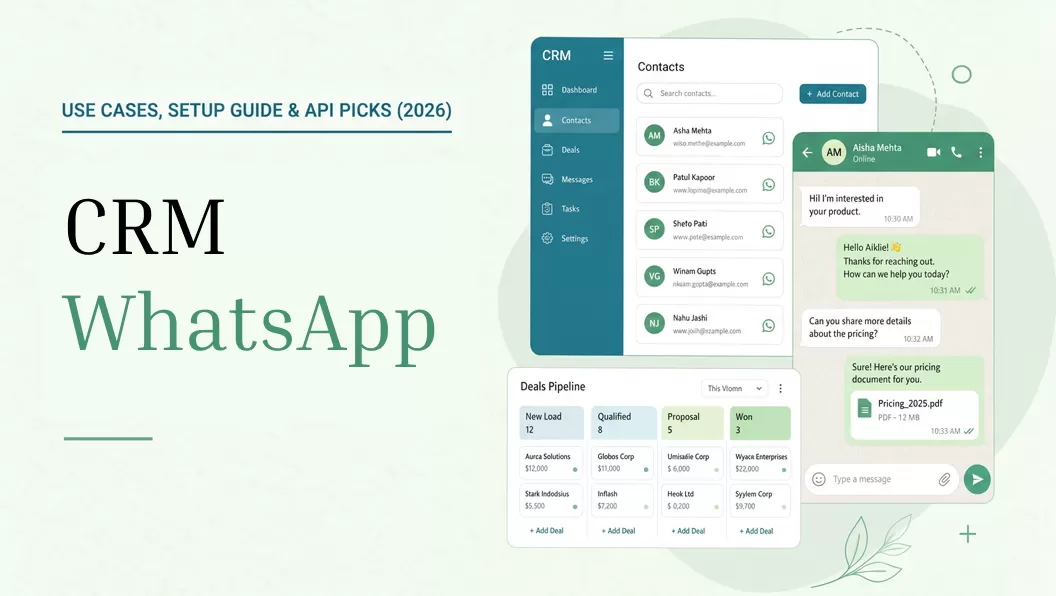
WhatsApp CRM integration means every customer conversation on WhatsApp becomes part of your CRM: structured, searchable, and actionable by your whole team instead of sitting on one person’s phone. This applies across the full customer record: messages, deal interactions, and contact updates all sync automatically in one place.
Businesses use WhatsApp in two main ways:
- Business groups that are small in size use WhatsApp Business App. But it offers very limited multi device usage and also you can’t integrate it with CRM systems.
- For those businesses that run scalable operations, WhatsApp Business API is best that can be accessed through a BSP (Business Solution Provider). It offers multi agent access, enables automation and provides full CRM connectivity. This makes it the foundation of any serious whatsapp business CRM setup.
When also compared with WhatsApp Business Web, CRM WhatsApp is better as WhatsApp Business Web still doesn’t have automation capabilities and true system-level integration.
Before vs After CRM WhatsApp Integration

| Without Integration | With CRM WhatsApp Integration |
|---|---|
| Customer communications stay trapped on different devices. | With CRM WhatsApp integration, every chat gets synced in CRM contact records |
| In the sales pipeline, there’s no clue about WhatsApp leads | Deal Stages get updated in real time. |
| Your sales team has to send follow up reminders manually | Automated workflows get triggered based on message events |
| No updates on delivery or read status | You get deep analytics for every stage of the cycle starting from sent to clicked |
| You have to face the limitation of one agent per number | You get a shared inbox in WhatsApp CRM that comes with routing, assignment and load balancing. |
Each of these capabilities compounds the others: synced contacts make automation possible, automation generates analytics, analytics improve the next campaign. The scenarios where this loop delivers the clearest ROI are B2B sales, ecommerce, and customer support.
WhatsApp Business CRM Use Cases: Ecommerce, B2B Sales& Support
The reason these three scenarios deliver high ROI is largely message visibility. According to WhatsApp Business (Meta), WhatsApp achieves a 98% open rate, messages your customers almost certainly see. With more than 3 billion monthly active users as of Q1 2025 (Meta earnings call, reported by TechCrunch), the reach is already there. The question is whether your systems are connected to capture it.
1 Ecommerce: Cart Recovery, Order Updates & Retention Flows
One of the most measurable and direct applications of WhatsApp CRM is Ecommerce. The reason is that it connects customer behavior to immediate revenue impact.

Abandoned Cart Recovery
In the online retail industry, the major challenge that businesses face is cart abandonment. According to Statista (2026), the global cart abandonment rate stands at 70.22%. Meanwhile, the 2024 benchmark report of Klaviyo that was based on 143k+ abandoned flows showed that email campaigns that were run to recover the carts converted at just 3.33%. The gap exists because email lacks the visibility and immediacy of a channel customers actually check, which is where WhatsApp enters the recovery flow.
In case of abandoned carts when integrated with CRM systems, every event triggers WhatsApp reminders. When your CRM detects an abandonment event and triggers a WhatsApp message within minutes, the customer almost certainly sees it: a response rate email recovery flows simply cannot replicate.
Order and Shipping Notifications
Businesses also use CRM WhatsApp to offer transactional updates to its customers that include order confirmations, shipping alerts and delivery status. Fewer ‘where is my order?’ tickets. Customers who know their order status proactively are less likely to contact support.
Post-Purchase Engagement
CRM purchase history lets you send a review request or upsell offer 7–14 days after delivery, segmented by product category, at exactly the moment purchase intent is still warm.
2 B2B Sales: Lead Engagement & Pipeline Acceleration
In B2B sales, the gap between first contact and first reply is where deals go cold. WhatsApp CRM integration removes that gap.
Instant Lead Response
As soon as a new lead lands in the CRM, WhatsApp automatically sends an introductory or confirmation message. The first response sets the tone, a reply within minutes signals professionalism and keeps the lead in the conversation before they move on.
Multi-touch lead nurturing
As a deal progresses — proposal sent, quote expiring, contract pending — CRM stage changes trigger the right WhatsApp message at the right moment. Every reply logs automatically, so reps stay focused on selling rather than updating records.
Rep-to-Prospect Communication
Sales reps communicate directly with prospects via WhatsApp, and the full conversation history is visible inside the CRM to every team member. When a rep hands off a prospect, the next person picks up with full context, no recap calls, no dropped threads.
It also solves an ownership problem: when a rep leaves, the full conversation history stays in the CRM, not on their personal phone.
3 Customer Support: Shared Inbox & Automation
WhatsApp works well for one-on-one support. The problem starts when volume grows: messages pile up on one number, agents have no visibility into each other’s conversations, and customers repeat themselves every time they reach a different person. CRM integration turns a single WhatsApp number into a managed support channel.
Shared Inbox Routing
A single WhatsApp that is connected to a CRM can be used by different agents with the help of the shared inbox. Every new message automatically gets routed based on rules and this fast routing increases the speed of response handling.
Automated Query Resolution
Customer queries about their order status can be answered through automated flows. This helps in reducing response time and it also reduces the workload of the customer support team to a great extent.
Infobip’s Messaging Trends Report (2026) , drawing on 628 billion mobile interactions in 2025 and a 20-year dataset of 3.8 trillion messages, found that 91% of conversational AI interactions happened on WhatsApp. Such a huge percentage highlights the importance of WhatsApp as a support channel.
Customer Feedback Collection
After customer issues are resolved, an automated WhatsApp message can be sent to ask customers about CSAT ratings or feedback. These feedbacks can be logged directly into CRM that will help in performance tracking and service improvement.
WhatsApp CRM Integration: 8-Step Setup Guide
The setup has eight steps. Steps 1–4 handle access and credentials; steps 5–8 cover the CRM connection and go-live.

1 Decide between the App and the API
The WhatsApp Business App can support multi device login of up to 4 devices and you can’t integrate it with any CRM. If you need automation, a shared inbox or any API-level capability, then having a WhatsApp Business API is a must. It can be assessed through Meta approved BSP.
2 Set up and verify your Meta Business account
Meta requires you to have a verified business profile if you want to use WhatsApp Business API crm setup. For this, you will have to create a Facebook Business Manager account and submit your business details such as its legal name, contact number and address. The verification here typically takes 1-3 business days.
3 Register a dedicated WhatsApp number
Next, you will need a phone number that’s not already been used on WhatsApp. You can take a new SIM, a virtual number or can also use an existing number that you’re using only for SMS. Meta will verify ownership of that number by sending an Otp through SMS or call.
4 Choose a Meta-approved BSP and get API credentials
Meta doesn’t offer direct API access so opting for a Business Solution Provider is a necessity. Providers such as Twilio or EngageLab handle API hosting, compliance and onboarding for its clients. Once approved, you will get all important credentials like your phone number ID and access token. These details enable your WhatsApp Business API integration with internal systems.
5 Connect WhatsApp to your CRM
Most teams connect WhatsApp to their CRM using one of four approaches:
| Approach | Best for | Limitation |
|---|---|---|
| Native CRM plugin | Teams using a CRM that has a WhatsApp plugin in its app marketplace | Basic messaging only. No cross-channel automation or advanced analytics |
| No-code middleware (e.g. Zapier, Make) | Non-technical teams bridging mismatched tools | Adds a dependency layer; logic breaks if either platform changes its API |
| BSP platform with CRM sync | Teams needing shared inbox, automation, and full-funnel analytics. Conversation events sync to your CRM via Webhook callbacks; some BSP platforms also expose a REST API for bidirectional sync | Conversation management moves to the BSP interface; full bidirectional sync depends on what the provider’s API supports |
| Custom REST API + Webhooks | Engineering teams with specific CRM requirements | Requires dedicated development and ongoing maintenance |
For teams that need more than basic logging: shared inbox, behavior-triggered automation and cross-channel flows, the BSP platform approach covers all of it in one place.
6 Create and submit message templates
All the outbound messages that will be sent outside the 24-hour service window must use a pre-approved template. Create these templates in your BSP dashboard and while creating don’t forget to add structured elements like headers, body text and CTA buttons. After you submit these templates, Meta will review and approve them within 1-2 days.
7 Capture and store user opt-in
WhatsApp demands from businesses that they must have strict opt-in compliance. So, before starting any campaign and sending messages to clients, you must have their explicit consent. Also storing such consent including timestamps in your CRM system is important.
8 Start with launching a simple automation and validate data flow
Start simple. Send an automated message by setting a basic workflow and then monitor to check if it’s working correctly or not. After confirming, you can set up advanced flows like abandoned cart recovery.
Completing the setup is only half the equation. The BSP you choose determines how far your integration can actually scale, on analytics, automation, and cost.
 One caveat
Automated flows only work when your CRM data is clean and your bot has a clear handoff to a human agent. Without an escape hatch, customers stuck in a loop will disengage or worse, report the number.
How to Choose a WhatsApp Business API Provider and Why It Matters
Before committing to a provider, verify it meets the following criteria. Your choice here has long-term consequences on analytics depth, automation ceiling, and cost.
Key Evaluation Criteria
| Criteria | What to Look For |
|---|---|
| Official Meta BSP certification | Verify the provider is listed in Meta’s official BSP directory. Non-certified resellers add markup, compliance risk, and latency. |
| Full-lifecycle analytics | Go for a provider that offers you a dashboard that tracks full funnel including: sent → delivered → read → clicked → loss and not merely just message counts. |
| Omnichannel automation capability | Check whether cross-channel flows (SMS, email, push) can be triggered directly from WhatsApp events. If that requires a third-party automation layer, you’re adding integration overhead and a potential point of failure; see WhatsApp marketing automation. |
| Pricing structure | Get a full breakdown: platform fees, per-message rates, number licensing. Check whether costs scale linearly or penalize volume growth. Avoid treating WhatsApp as a broadcast channel for bulk marketing, conversation-based pricing means costs scale with every exchange, not just every send. |
| Compliance and data residency | Confirm multi-region hosting options and documented data processing agreements, required for GDPR (EU) and PDPA (SG/TH) compliance. |
A Provider That Meets All the Criteria Above
For teams building scalable WhatsApp CRM integration, one provider that aligns closely with the criteria above is EngageLab, a Meta-approved BSP with the following capabilities:

- Direct API access as an official Meta BSP, no intermediary latency; visual dashboard for non-technical teams and REST API for developers.
- Webhook callbacks push sent, delivered, read and reply events, with full message content, to any HTTP endpoint. No middleware needed for custom CRMs or internal systems. For full bidirectional sync, including creating contacts, triggering messages, and updating conversation status from your CRM, see WhatsApp lead generation with LiveDesk or the LiveDesk REST API documentation.
- Full-funnel analytics dashboard: targeting reach, delivery, open and read rates, CTR, and loss tracking. All visible in one place for teams to act on without pulling data from an API.
- Transparent, phone-number level billing with no platform fee, pay-per-sent volume makes ROI forecasting predictable.
- Built-in omnichannel automation: WhatsApp events (replies, link clicks) trigger cross-channel journeys via Email, SMS, or push, all within a single workflow builder, no third-party tools required.
- It has a 24/7 AI chatbot with auto-responses that get triggered by customer behaviour.
- It also comes with multi region data centers that support operations across 220+ countries. This helps businesses in meeting GDPR and PDPA compliance requirements.


Best fit: B2B SaaS and ecommerce teams operating globally that need full-funnel WhatsApp analytics and cross-channel automation from a single platform.
Other BSP Options Worth Knowing
If you’re evaluating other options, the following BSPs are worth knowing.
| BSP | Strengths | Limitations |
|---|---|---|
| Twilio | With a really strong ecosystem for custom builds, it offers highly flexible APIs and also detailed developer documentation. | Everything requires custom development. Teams without dedicated engineering resources will struggle to build and maintain even basic workflows. |
| Sinch | Offers strong compliance capabilities. Has strong global carrier regulations and is perfect for enterprise scale deployments. | Has limited built-in automation features. Onboarding is complex and the cost structure is high. |
| Bird (formerly MessageBird) | It has a strong presence in Europe. Offers Multi-channel messaging support and comes with a relatively intuitive interface. | Bird’s product strategy has changed frequently so pricing can be difficult to predict. |
| Vonage (Ericsson) | It’s often preferred by regulated sectors like Healthcare and fintech as it offers telecom-grade stability and very reliable infrastructure. | WhatsApp-specific features are limited and new capabilities roll out slowly compared to other platforms. |
| Brevo (formerly Sendinblue) | It’s perfect for small and mid-sized teams as it’s cost-effective. You get messaging combined with basic marketing automation. | Analytics aren’t very detailed. Omnichannel orchestration is less advanced and coverage and infrastructure in APAC markets is weaker. |
Practical Consideration Before You Choose
If your team is already using a CRM like Zoho or HubSpot, their native WhatsApp connectors are a reasonable starting point. You get basic conversation logging — but no cross-channel journeys, behavior-triggered automation, or detailed analytics. Once you need those capabilities, migrating to a dedicated BSP is the more scalable path.
FAQ: CRM WhatsApp Integration
For small teams having limited budgets, is WhatsApp CRM integration suitable?
For small teams, using a BSP with a usage-based pricing model is the best option. Small teams can benefit from the automation and shared inbox functionality which reduces their manual workload.
Most SMB teams complete their setup within a few business days and can handle higher conversion volumes efficiently. And they can do all this without needing to proportionally increase headcount.
Is CRM WhatsApp integration GDPR-compliant?
Yes, provided two conditions are met.
First, collect explicit opt-in consent before messaging and store it in your CRM with timestamps as an audit trail. In practice, this means a checkbox on your website form or checkout page, pre-ticked boxes do not qualify under GDPR.
Second, choose a BSP with regional data hosting (EU data centers for GDPR compliance, Singapore or local hosting for PDPA). Both conditions are required; meeting only one does not guarantee compliance.
Final Thoughts: The Case for Connecting WhatsApp to Your CRM
WhatsApp CRM integration is no longer a nice-to-have perk, it has become a foundational layer in industries where WhatsApp is the default communication channel. When businesses connect it properly, they get structured data due to which every interaction becomes trackable, and automatable.
E-commerce companies that use WhatsApp for abandoned cart recovery and order notification flows get measurable gains in support efficiency and conversion. B2B teams can lower response latency and improve lead progression by connecting WhatsApp to their deal pipeline.
In both cases, the results depend on using WhatsApp Business API and not the regular WhatsApp Business App. It also depends on choosing a BSP with the right analytics depth, automation capability, and pricing model for your scale.
Turn WhatsApp into a measurable revenue channel.
![[Latest] WhatsApp Business API Pricing Per Message: 2026 Complete Cost Guide](https://img.engagelab.net/en/article/whatsapp-business-api-pricing.webp)