Elena Rodriguez
Updated: 2026-09-30
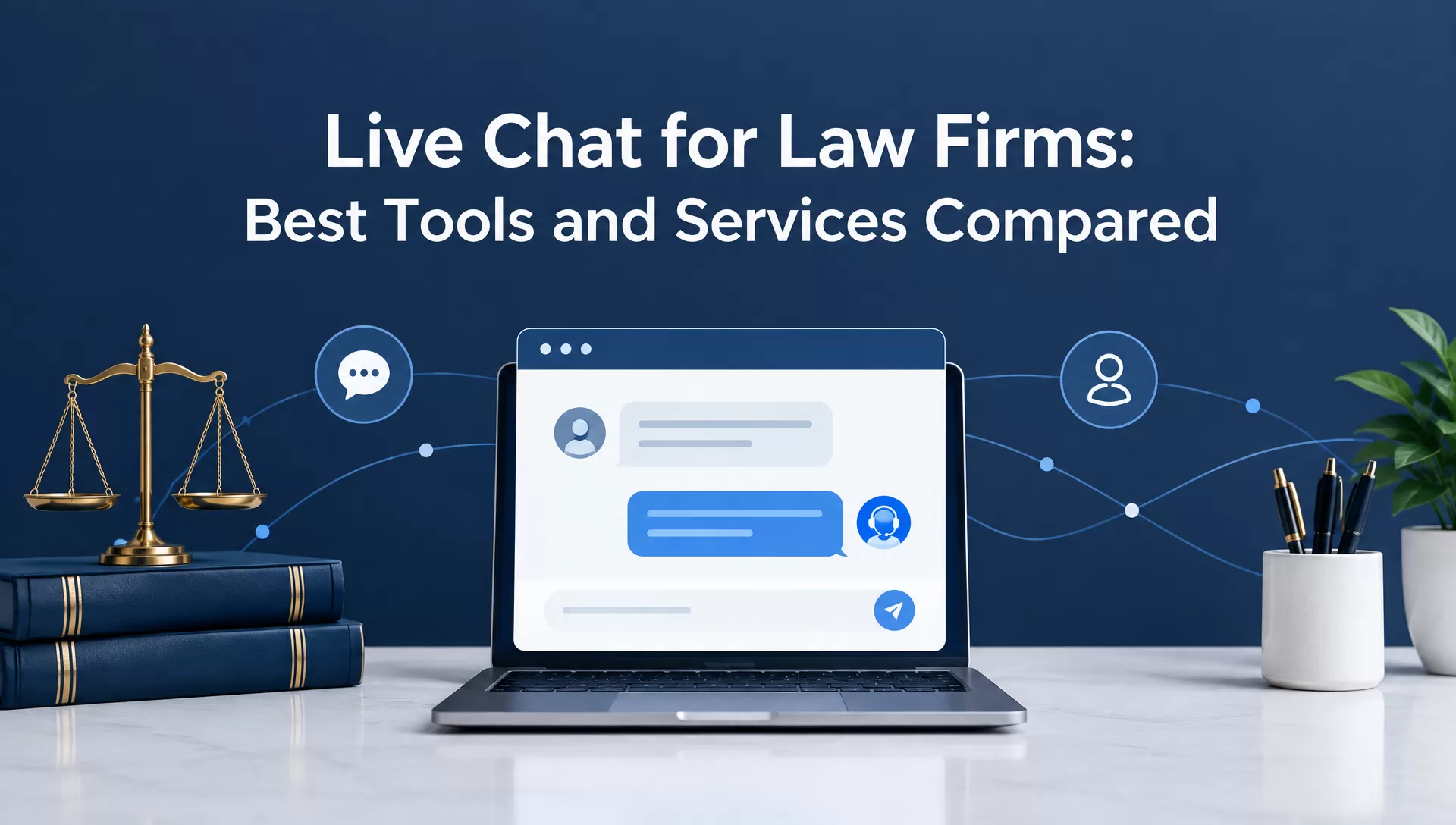
Most people searching for a lawyer do not call right away. They visit a law firm's website (often after hours) and skim a page about car accidents or custody arrangements. In those few seconds, they decide whether to leave a message or close the tab and move to the competitor site.
A live chat feature can turn that visit into a potential client conversation. It gives visitors an easy way to ask questions. They can share basic details and learn what to do next.
Note that live chat for law firms is not a single type of service. Some platforms give your staff the software to handle chats. Others provide trained agents who speak with visitors on your behalf. AI tools can also handle routine questions and pass qualified conversations to a human.
The right choice depends on budget, chat volume, business hours, and staff capacity. You also need to consider confidentiality and the professional rules that apply when communicating with prospective clients.
Choose the coverage model first: Compare who answers visitors, when a human takes over, and which usage unit determines the bill.
Part 1: Live Chat Tools for Law Firms: A Quick Comparison
| Tool / Service | Model | Best for | 24/7 coverage | Starting price (USD, in 2026) | Watch-out |
|---|---|---|---|---|---|
| EngageLab LiveDesk | Software + AI + human handoff | Firms wanting website chat, automation, routing, and human escalation in one workflow, with conversation-tier pricing (unlimited support agents) | AI can operate after hours; human coverage depends on your team | $99/month for the published Starter tier; check the current conversation and AI limits | AI Agent usage through GPTBots is separate from LiveDesk AI credits; human after-hours coverage requires your own staff |
| LiveChat | Software + AI | Firms with staff who can monitor chat during business hours | AI after-hours coverage depends on the eligible AI plan and usage allowance | $19/user/month, billed annually; 1-user cap on entry tier | Per-agent pricing climbs fast once you add more persons |
| ProProfs Chat | Software + AI | Small firms testing chat on a tight budget | Automated coverage is available; human coverage requires staff | Free for one operator; paid plan from $19.99/operator/month | Fewer legal-specific features than dedicated services |
| Ngage Live Chat | Managed service | Firms with no staff to spare for chat monitoring | Human operators can cover nights and weekends; confirm service terms | Pay per relevant opportunity, custom quote; one-time activation fee | Costs scale with relevant opportunities, and a one-time activation fee applies |
| Intaker | Website chat and AI texting | Firms wanting automated intake without staffing a chat desk | Automated response depends on the selected product and configuration | Custom quote | Verify website-chat and AI texting scope, plus human follow-up |
- Staff can monitor chat, small budget → LiveChat or ProProfs Chat (lowest cost of entry)
- No staff to spare for chat → Ngage Live Chat (pay per relevant opportunity, plus activation)
- High-volume, simple questions → Intaker (verify the selected website-chat or AI texting workflow)
- Want one platform: chat + AI + human handoff → EngageLab LiveDesk (AI can cover after hours; human agents need staffing)
- Testing chat on a tight budget → ProProfs Chat (free tier for one operator)
- High, unpredictable after-hours volume → Compare LiveDesk's conversation tier and separate AI usage before committing
Part 2: Software vs Managed Service vs AI Chat: What 'Live Chat for Law Firms' Really Means
"Live chat for law firms" can refer to three different models.
Live-chat software gives your own team the tools to answer website visitors and handle follow-up conversations. It suits firms that already have staff available during the hours they want to offer chat.
Live managed chat for law firms uses outsourced human operators to answer conversations for you using the script your firm provides. This can work well when a firm needs 24/7 or evening/weekend coverage without scheduling its own staff.
AI chat handles routine questions and initial intake automatically. It fits firms with repetitive inquiries or after-hours traffic, provided the AI has clear limits and can hand complex conversations to a human.
| Model | Best fit | Main consideration |
|---|---|---|
| Live-chat software | Firms with in-house staff | Requires your team to provide coverage |
| Managed service | Firms needing 24/7 human coverage | Usually priced by chats/usage or leads |
| AI chat | Firms with repetitive or after-hours inquiries | Needs strict boundaries and human escalation |

Some software solutions blend AI and human interaction. For example, EngageLab's LiveDesk combines AI, routing, and human handoff within one workflow. Its AI can handle approved routine questions, while Human Agents can take over when a conversation needs personal attention.
Across these three models, firms still need to consider ABA Model Rule 1.18 . The rule defines a person who consults a lawyer about the possibility of forming a client relationship as a prospective client. Whether a website chat constitutes that consultation depends on the invitation, warnings, and circumstances. If it does, the firm must handle information learned from the person under the applicable duty, including when its intake workflow uses an operator or AI.
Part 3: Live Chat vs AI Chat for Small Law Firms: Where to Start
The right choice for a solo or small firm is to start with the actual chat volume and coverage needs.
Choose live chat when inquiries are manageable, and someone can respond during business hours. It gives your team direct control over the conversation and intake process.
Choose managed chat when after-hours coverage is the bigger issue. An outsourced team can answer visitors when your staff is unavailable and pass qualified inquiries to the firm.
Choose AI chat when many questions are repetitive, such as office hours, locations, practice areas, or consultation procedures. The AI should stay within approved information and route substantive legal questions to a human. Keep it from giving tailored legal advice. DC Bar Ethics Opinion 316 addresses lawyers' online communications, not AI chat specifically, and flags the risks of individualized advice online.
The practical answer for many small firms is a hybrid AI + human workflow. AI handles routine questions and initial triage, while a human takes over when the conversation becomes complex or falls outside the firm's approved scope.

EngageLab LiveDesk supports this workflow by connecting AI Agents with human agents and routing rules. This makes the firm automate routine conversations while retaining a human escalation path.
Part 4: 24/7 and Managed Live Chat Services for Law Firms: When Outsourcing Wins
After-hours coverage requires answering whether your firm needs people, software, or both after business hours.
Managed 24/7 live chat services for law firms may bill per chat or relevant opportunity, and some charge activation fees, so check the full contract as traffic grows. This model makes sense when every conversation requires human handling, and your firm does not have the staff to cover nights and weekends.
Software with an AI layer may run on a subscription with conversation tiers and separate AI usage. Check overage rules before assuming a busy month will cost the same as a slow one.
The bill for live managed chat for law firms moves with the number of chats or leads it handles. However, SaaS pricing can be a flat monthly subscription within a defined conversation tier.
The build-vs-buy math comes down to volume and predictability.
A firm getting limited after-hours chats a month should compare a managed service's opportunity charges and activation fee with the minimum software subscription.
A firm getting steady volume, or one that wants budget certainty for planning purposes, can compare conversation-tier software where approved AI handles nights and weekends and staff picks up the rest during business hours.
EngageLab's LiveDesk AI Agent assists in the second case. Its published Starter plan in 2026 is $99/month with a 30,000-conversation tier, with higher tiers for larger volumes. The plan lists unlimited support agents; GPTBots AI Agent usage has a separate allowance or charge. Configured AI can respond after hours and hand conversations to your team when staff return.
For a deeper look at how different pricing models compare across the live chat market generally, our live chat software pricing guide breaks down eight vendors side by side.
Part 5: What to Look For in Law Firm Live Chat Software: Intake, Routing, and Confidentiality
After settling on a model, the next evaluation criteria for live chat software for lawyers are about whether the tool actually protects your firm as it converts leads. These are illustrative criteria and weights for a buying checklist:
| Criterion | Illustrative weight | What to Check |
|---|---|---|
| Pre-chat intake fields | 20% | Can you capture name, practice area, and a brief issue description before a conversation even starts, so your team isn't chasing basic info later? |
| Routing by practice area | 20% | Can chats be automatically directed to the right attorney or team? |
| Human handoff | 20% | If AI is involved, is the transition to a person smooth with the conversation history intact? Does the AI know its own limits? |
| Confidentiality controls | 20% | Does the tool support a pre-chat disclosure that sets expectations before a visitor starts sharing details? |
| Security & data handling | 10% | Review storage, retention, access controls, subprocessors, and DPA availability. |
| Integrations & reporting | 10% | Check CRM/case-system connections, exports, webhooks, and reporting for follow-up. |
When discussing law firm chat services, the confidentiality aspect deserves particular attention beyond just as a compliance checkbox. Rule 1.18 duties can arise when a person consults a lawyer about possible representation; whether a website exchange qualifies depends on the circumstances. A signed engagement letter is not the sole trigger.
Review the real conversation: A wording disclaimer alone doesn't automatically clear a firm of that duty either. It depends on how the conversation actually unfolds, so this is a crucial conversation you must have with your own ethics counsel rather than something a blog post can settle for you.
Website chat data flows can also raise questions under California's Invasion of Privacy Act . Claims involving chat tools turn on their technical facts and the applicable law. Have counsel review the widget's data flow and any pre-chat notice; a single disclosure rule does not resolve every configuration.
Part 6: A Website Chat Intake Workflow for Law Firms
EngageLab LiveDesk maps neatly to the workflow a law firm needs from a law firm chat service, i.e., website visitor → intake → routing → AI or human response → follow-up.

Website Widget and Channels
LiveDesk runs as a website chat channel out of the box, alongside optional channels for WhatsApp, Telegram, LINE, Facebook, Instagram, SMS, and email. This is useful if your law firm chat intake also happens through a Facebook page or WhatsApp number.

Collect Basic Intake Details
The EngageLab LiveDesk documentation mentions that the website channel includes a configurable pre-chat form. It supports preset fields such as email, phone, first name, and last name, along with custom conversation attributes that can be stored with the conversation.
Law firms should keep this form narrow. Collect the details needed to identify and route an inquiry, then provide the firm's approved notice before inviting someone to share more information.
Route by Practice Area or Priority
LiveDesk uses Rule Agents for conditional routing. Rules can direct a conversation based on configured conditions, while assignment can then move it to an AI Agent or Human Agent.
A firm could build a simple flow like:
Practice area selected → route to relevant team → AI handles approved questions → human takes over when required.
The system also supports workload-based, sequential, and custom assignment for Human Agents, which can help distribute incoming conversations across an intake team.
Let AI Handle Routine Questions
LiveDesk integrates with GPTBots for its AI Agent . The AI can receive conversations automatically, be assigned through a Rule Agent, or take over when configured for after-hours handling. It can also hand a conversation back to a human agent when needed.
An AI knowledge base for a law firm should stick to firm-approved information, i.e., office hours, locations, practice areas, consultation procedures, and similar questions. Legal advice, conflict decisions, representation decisions, and other matters requiring professional judgment should stay outside that automated scope.
Keep the Handoff and Records Intact
After a conversation reaches a human, the agent works from the same conversation record. LiveDesk also supports conversation tags, custom attributes, filtering, reporting, and exporting selected conversations in CSV or XLSX format.
For CRM workflows, LiveDesk's Rule Agent documentation supports webhooks that can send conversation information to an external system. That can be used to notify or update a CRM.

What It Doesn't Do
LiveDesk routes + triages + logs conversations as per firm-approved policy. It doesn't judge legal compliance. It also doesn't evaluate conflicts of interest or decide when a conversation has crossed into forming a client relationship. That judgment still sits with your firm. So, it is important to build your own disclosure language and escalation rules around that fact and avoid assuming the platform handles it for you.
Check the website widget, routing, AI scope, and human handoff against your firm's policy.
Part 7: Set Up Live Chat on Your Law Firm Website in a Week
A basic live chat for attorneys workflow may be ready in a week if the site, approvals, and staffing are in place. Start with one practice area and keep the intake form short. Use the first month to see how real visitors behave.
Let's take LiveDesk as an example to set up live chat for a law firm and see what an illustrative one-week rollout could look like:
1 Day 1: Add the Website Widget
Create a Website channel in LiveDesk, enter your firm's domain, then add the generated code to the site using your team's normal deployment process. Keep any website token out of public screenshots.

EngageLab currently supports bubble, iframe, dedicated-link, and Google Tag Manager installation methods.
2 Day 2: Configure Intake
Turn on the pre-chat form and collect only the information your firm actually needs, such as name, email, phone, and practice area. LiveDesk supports both preset fields and custom conversation attributes.

3 Day 3: Set Routing
Create rules for practice areas, teams, or other conditions so inquiries reach the appropriate person. LiveDesk's Rule Agent can evaluate conversation conditions and assign chats to AI or human agents.

4 Day 4: Set Working Hours
Define when your staff is available and write the message visitors see outside those hours. LiveDesk supports business hours according to time zones and off-hours messaging for the Website channel.

5 Day 5: Connect Approved AI Content
Give the AI Agent a focused set of firm-approved FAQs, such as office hours, locations, practice areas, and consultation procedures. LiveDesk can route conversations to AI and return them to a human when the AI reaches a configured handoff condition.
6 Day 6: Test on Desktop and Mobile
Submit several test inquiries covering an after-hours question and a practice-area misroute. Also, test a request for a human. Confirm each one reaches the intended destination before moving on.
7 Day 7: Test Edge Cases, Then Go Live
Send a message containing information your firm does not want collected, and confirm the workflow handles it the way it should. Fix anything that surfaced on Day 6 or Day 7, then open the chat to real visitors.
Run a 30-Day Pilot
After the setup is live, resist the urge to judge it by lead count alone. Your first 30 days should show whether the intake flow is accurate/manageable and appropriate for the firm's workflow.
| Metric | What to Measure |
|---|---|
| Qualified Leads | How many conversations become genuine follow-up opportunities |
| Response Time | How quickly staffed chats receive a response |
| After-Hours Coverage | How many after-hours inquiries receive an appropriate automated or human next step |
| Misroutes | Conversations sent to the wrong practice area or team |
| Privacy Exceptions | Cases where visitors submit information the workflow was designed to avoid collecting |
| Follow-up Rate | How consistently qualified inquiries receive the intended next step |
Use the firm's own first 30 days as the baseline. A high number of chats means little if most are misrouted or contain information your intake process should not have requested. After the pilot, adjust the form, routing rules, AI boundaries, and staffing based on what actually happened.
Use the first month to check routing, after-hours responses, and follow-up before expanding.
Part 8: FAQs About Live Chat for Law Firms
Is live chat confidential for law firms?
A website visitor may become a prospective client under Model Rule 1.18 when the person consults a lawyer about possible representation. Whether a particular chat qualifies depends on the invitation, warnings, and circumstances; design human and AI intake to protect sensitive information. Confidentiality in practice depends on your platform's data handling, along with your firm's disclosure wording and your own jurisdiction's ethics rules. So, this isn't something a generic answer can fully cover. Check with local ethics counsel for anything jurisdiction-specific.
Are there free live chat options for law firms?
Yes. Tools like ProProfs Chat offer a free tier for small teams, limited to one operator. Free plans work fine for very low chat volume but usually lack legal-specific features like practice-area routing or CRM integrations that paid tools include.
Live chat vs AI chat for a solo firm?
The right choice depends on chat volume and after-hours demand. A hybrid approach tends to work best for solo and small firms, as it involves AI handling routine triage, human staff taking over anything requiring judgment. The firm can also set the AI to only handle chats during after-hours, while humans remain first-choice during work hours.
Can I get 24/7 coverage without hiring anyone?
Yes, through a managed service with human operators or a configured AI layer for routine after-hours traffic; plan who handles conversations that require a human. The tradeoff is cost structure. Managed services may bill per chat or relevant opportunity, while AI-inclusive software may charge for conversation tiers and separate AI usage.
Which is the best live chat option for small firms?
For a small firm balancing automation and judgment, a hybrid setup can work well alongside staffed software or a managed service. AI can handle routine intake questions, with a human (staff or a managed operator) stepping in for anything that needs real judgment. If budget is the main constraint, ProProfs Chat's free tier covers one operator and gets you started at no cost. If the firm has no staff to spare for chat, a managed service like Ngage can provide human coverage; a platform like EngageLab LiveDesk can automate routine inquiries but still needs a human escalation plan.
What does live chat for law firms typically cost?
Published 2026 entry prices in this comparison include LiveChat at $19 per user per month with annual billing, ProProfs Chat free for one operator or paid from $19.99 per operator per month, and LiveDesk's $99 per month Starter tier with a conversation allowance. Ngage quotes per relevant opportunity plus a one-time activation fee; Intaker asks for a custom quote. Confirm current pricing directly with the vendor, since plans and tiers vary across vendors.
![Fintech Push Notifications: Best Practices, Workflows & Use Cases [2026]](https://img.engagelab.net/en/article/fintech-push-notifications-best-practices-use-cases.webp)
![Firebase Cloud Messaging Alternatives: 7 Platforms Compared for Multi-Channel Scale [2026]](https://img.engagelab.net/en/article/fcm-alternatives-cover.webp)