Jacob Morrow
Updated: 2026-07-02
A stolen password is cheap. Attackers trade them in bulk, so the step that actually saves the account is usually the next one: entering a One-Time Password (OTP) that expires in seconds and is worthless to anyone who is not holding the phone, inbox, or authenticator it was sent to.
The catch is that the same code can cost you the signup or the sale when it arrives late, lands in spam, or dies on a bad SMS route. This guide covers the OTP types, where each one fits, how to choose a provider, and a console setup workflow that keeps delivery and verification under control.
What Is an OTP?
 Definition
An OTP is a temporary code generated for a single authentication attempt or transaction. It usually expires after a short time, after successful use, or when a newer code replaces it.
OTPs are often used as part of two-factor authentication or multi-factor authentication, but the terms are not identical. OTP is a credential. MFA is the broader authentication design that combines two or more factor categories, such as something the user knows, something the user has, or something the user is.
HOTP and TOTP are open standards. According to RFC 4226 (2005) , HOTP derives each code from a shared secret and an incrementing counter, and RFC 6238 (2011) extends that model with a time step so the code rotates on a fixed interval. Authenticator apps such as Google Authenticator generate 6-digit TOTP codes from a secret set up once by scanning a QR code. SMS and email OTP flows instead generate a server-side code and deliver it through a communication channel.
What Are the Main Types of OTP?

| OTP type | How it works | Typical expiry | Best fit |
|---|---|---|---|
| HOTP | Uses a shared secret and a counter that changes after each generated code. | Valid until used, replaced, or rejected by server policy. | Hardware tokens and flows where both sides can keep counters in sync. |
| TOTP | Uses a shared secret and the current time window. | Usually 30–90 seconds, depending on configuration. | Authenticator apps and login flows where short replay windows matter. |
| Delivered OTP | Server generates a code and sends it through SMS, email, voice, WhatsApp, or another channel. | Usually 1–10 minutes, with resend limits. | Signup, password reset, payment confirmation, and account recovery. |
TOTP is not automatically “more secure” than HOTP in every system. It usually reduces replay risk because the code expires quickly, but the final security level depends on secret storage, rate limits, device security, and phishing resistance.
For a deeper technical comparison, see the related guide to OTP vs HOTP vs TOTP .
SMS, Email, Voice, and WhatsApp OTP Compared
Delivered OTP is not a single channel. SMS, email, voice, and WhatsApp each trade deliverability, cost, latency, and risk differently, so the right primary channel depends on where your users are and how sensitive the action is. If SMS is your starting point, the step-by-step guide to send an OTP to a mobile number online covers that path in detail.
| Channel | Strengths | Main risks and limits | Best fit |
|---|---|---|---|
| SMS OTP | Near-universal reach, no app required, fast for most users. | SIM swap, SMS pumping fraud, per-message cost, carrier filtering. Treated as a restricted authenticator in NIST guidance. | Broad consumer signup and login where reach matters most. |
| Email OTP | Low cost, works without a phone number, easy to scale. | Inbox delay and spam filtering; only as secure as the email account itself. | Web signup, phone-less users, low-to-medium-risk verification. |
| Voice OTP | Reaches users who miss SMS and supports accessibility needs. | Higher cost, call latency, language and IVR setup. | Fallback when SMS fails, and accessibility requirements. |
| WhatsApp OTP | High deliverability and low cost in markets with heavy WhatsApp use. | Requires a WhatsApp Business setup and user opt-in. | Regions where WhatsApp is the dominant messaging channel. |
| Authenticator (TOTP) | No delivery cost, works offline, more phishing-resistant than delivered codes. | User must install an app and enroll; device loss needs a recovery path. | Higher-risk logins and more technical user bases. |
A common production pattern sets one primary channel with one or two fallbacks: SMS first, then WhatsApp or voice where SMS delivery is weak, with email or an authenticator app for users without reliable phone access. According to NIST SP 800-63B (2020) , out-of-band SMS delivery is a restricted authenticator, so high-risk flows should offer a stronger option alongside it.
Where Businesses Use One-Time Passwords
OTPs are most valuable at points where the user needs to prove access to a trusted channel before continuing, which is why they anchor many phone verification and account-security flows. They are common in both consumer and business systems:

- Account signup: Confirm that a new user controls the submitted phone number or email address.
- Login protection: Add a step-up check after password entry, suspicious device changes, or risky locations.
- Password reset: Verify the user before allowing a credential change.
- Payment and transaction approval: Ask for a fresh code before high-value or high-risk actions.
- Account recovery: Restore access only after checking a trusted channel.
- Remote access: Protect VPN, admin console, and enterprise workspace logins.
What OTP Authentication Can and Cannot Do
OTP authentication reduces the value of a stolen static password because the attacker still needs a fresh code. It also gives businesses a way to add step-up checks without forcing every user into a complex security setup on day one.
- It can reduce account takeover risk: A stolen password is less useful when a fresh code is also required.
- It can protect high-risk actions: Payment confirmation, password reset, and profile changes can require a new challenge.
- It can improve channel ownership checks: Phone and email verification help keep fake or mistyped account data out of your system.
- It can support compliance workflows: OTP logs can help show that a verification step occurred, if your provider records delivery and verification events.
OTP does not stop every attack. A user can still type a valid OTP into a phishing page, attackers can pressure users through social engineering, and SMS OTP can be affected by SIM swap, device compromise, or carrier issues. Strong OTP systems use short validity windows, failed-attempt limits, resend limits, anomaly detection, and safer alternatives such as authenticator apps, device approval, passkeys, or Silent Auth where they fit the user journey.
How to Pick an OTP Service Provider
Choose an OTP provider by matching delivery channels, verification APIs, operational controls, and pricing to your actual authentication flows. A provider that works for low-volume SMS signup may not be enough for global login protection, payment confirmation, or multi-channel fallback.
- Channel coverage: Check SMS, email, voice, WhatsApp, authenticator app support, and regional availability.
- Send and verify APIs: Confirm that your backend can send an OTP and verify the submitted code without storing secrets in application logs.
- Fallback rules: Decide when SMS should retry, when it should move to voice or WhatsApp, and when the flow should stop.
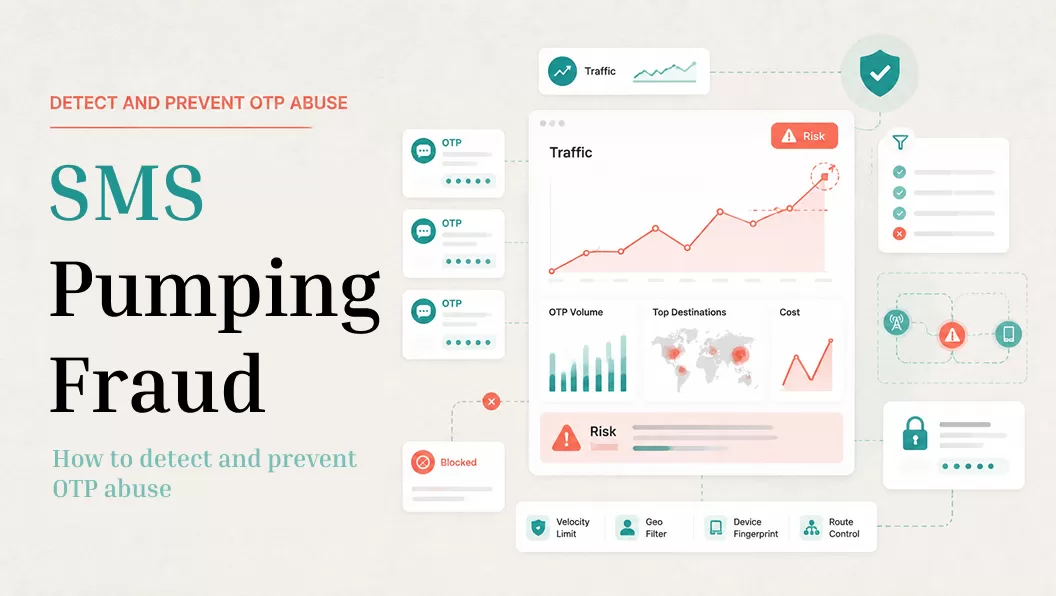
- Fraud controls: Look for rate limits, country controls, abnormal send monitoring, and safeguards against SMS pumping.
- Template governance: Review how templates are created, edited, approved, localized, and retired.
- Reporting: Track delivery rate, verification conversion, resend rate, failed attempts, and cost by country or channel.
- Support and compliance evidence: Ask for region-specific documentation instead of relying on generic compliance claims.
For vendor shortlisting, compare this framework with the broader OTP service provider guide.
Product fit note
EngageLab OTP is a fit when your verification flow needs SMS, email, WhatsApp, and voice options with template management, retry rules, and delivery analytics in one console. If you only need a single-country SMS endpoint, a lighter SMS API may be enough.
How to Set Up OTP Authentication: Console Walkthrough
Use this walkthrough as a practical setup path for an OTP template and delivery strategy. The exact labels may differ by workspace permissions, but the operating sequence is the same: create the template, choose delivery channels, wait for approval, then connect the send and verify APIs.
1 Create an OTP Template
Open the EngageLab Console , go to OTP , then open Template Management . Click Create Template . Fill in the Template Name , Template ID , Signature , and Sending Strategy . Choose the primary channel you want to test first, such as SMS Primary send .

Keep template names operational rather than decorative. A name such as login_otp_sms_primary is easier to audit than a generic label like test template .
- Template fields: Use stable values for Template Name , Template ID , Signature , and Sending Strategy .
Open Message Content to control the exact copy the user receives. Insert the verification code as a variable, set the code length and expiry wording, and localize the text per language so it reads naturally in each market. Tight, on-brand copy also lowers the chance a template is rejected in review or filtered by carriers.

2 Choose Primary and Fallback Channels
In the Phone number channel section, set the primary route first. For many signup and login flows, that means SMS Primary send . If your users are in markets where SMS delivery varies by carrier, add WhatsApp Failover send or Voice Failover send so the user still has a recovery path.

Treat fallback as a controlled rule, not a resend loop. Decide how many retries are allowed, which countries can use each channel, and whether high-risk numbers should be blocked before another paid message is sent.
- Channel rule: Start with SMS Primary send , then add WhatsApp Failover send or Voice Failover send only where the user journey needs it.
3 Submit and Check Template Status
After the template content and channel rules are ready, click Create and Submit Audit . Return to Template Management before using the template in production. Confirm that the template status has passed review, then keep the approved Template ID available for your backend integration.

Do not launch a production OTP flow with an unapproved or temporary template. A reviewed template keeps message copy, channel strategy, and audit status visible to both business and engineering teams.
4 Create API Key and Connect the Send/Verify Flow
Create an API key in the console and store it server-side only. Your backend should call the send endpoint when the user triggers signup, login, password reset, or transaction confirmation. The verify endpoint should check the user-submitted code before the protected action continues.
- Send step: Use the OTP send API to deliver the code to the selected destination, then store the returned message_id or equivalent request identifier.
- Verify step: Use the OTP check API to validate the submitted otp against the original request before granting access.
- Security rule: Keep API keys out of frontend JavaScript, mobile clients, screenshots, and logs.
For implementation details, use the official docs for OTP Send and OTP Check .
5 Test Before Production
Test the full path before launch: trigger the OTP, confirm that the message arrives through the expected channel, enter the code, check that the application state updates correctly, then test an expired code and several failed attempts. Also test fallback rules in a staging environment so SMS, WhatsApp, voice, or email behavior is understood before real users depend on it.
Open Message Analysis to confirm the flow is healthy before launch. Compare sent , delivered , and read volume, watch delivery rate by channel and country, and track cost per message, so a weak sender or a misrouted market surfaces here rather than in production traffic.

Minimum OTP launch checklist:
- Approved template and stable template ID.
- Server-side API key storage with environment separation.
- Expiry window, resend limit, and failed-attempt limit.
- Fallback channel rules for priority markets.
- Monitoring for delivery, verification conversion, cost, and suspicious send spikes.
One-Time Password FAQ
Is OTP more secure than static passwords?
Yes, OTP is usually stronger than a static password alone because the code is temporary and can be limited to one attempt or a short time window. It still needs rate limits, phishing protection, and secure delivery. A user can be tricked into entering an OTP on a fake page, so OTP should be part of a broader authentication design.
Is OTP the same as MFA or 2FA?
No. OTP is a credential or challenge method. MFA and 2FA describe an authentication design that combines multiple factor categories. An OTP delivered to a trusted device can be one part of MFA, but OTP alone does not automatically make a login flow multi-factor.
What is the difference between TOTP and HOTP?
TOTP is time-based and expires when the time window changes. HOTP is counter-based and changes when the counter advances. TOTP is common in authenticator apps because the short time window reduces replay risk, while HOTP can fit hardware-token or offline-style flows where counters are synchronized.
How does OTP help prevent hacking?
OTP helps by adding a fresh challenge after the password step. It reduces damage from reused or stolen passwords, but it does not stop phishing, SIM swap, malware, or social engineering by itself. For high-risk accounts, combine OTP with device checks, passkeys, authenticator apps, or risk-based step-up rules.
How long should an OTP last?
Many delivered OTP flows use 1–10 minute expiry windows, while authenticator-app TOTP codes often rotate every 30–90 seconds. The right value depends on user friction, risk level, channel latency, and resend behavior.
Is SMS OTP safe?
SMS OTP is safer than a password alone, but it is the weakest of the common OTP channels. It can be intercepted through SIM swap, number porting, or device malware, which is why NIST SP 800-63B (2020) treats SMS as a restricted authenticator. It is acceptable for broad, lower-risk verification, but pair it with device checks, an authenticator app, or passkeys for high-value accounts.
Email OTP vs SMS OTP: which is better?
Each fits a different case. SMS reaches users without an app and is fast, but it carries per-message cost and SIM-swap risk. Email OTP is cheaper and works without a phone number, but it can be delayed by spam filtering and is only as secure as the email account itself. Many teams run SMS as the primary channel with email as fallback, or the reverse for phone-less users.
Why didn't I receive my OTP?
Common causes are carrier filtering or delay, an incorrect or recently ported number, a full or spam-filtered inbox, roaming and network issues, or a rate limit after too many requests. A resend often clears it, but a well-designed flow also offers a fallback channel, such as voice or email, when the primary channel does not deliver within a set time.
Build a Safer OTP Flow
OTP works best when it is designed as a controlled verification workflow: short-lived codes, clear templates, channel fallback, rate limits, and logs that help your team understand where users fail to complete verification. The provider decision should come after that workflow is mapped.
If your team wants OTP templates, SMS/email/WhatsApp/voice channel options, and API-based send and verify flows in one place, EngageLab OTP can support that setup without forcing every fallback rule into custom infrastructure.