


LiveDesk Access Control and Subscriptions
Before handling customer conversations, first clarify the relationship between organizations, projects, and member permissions. This helps ensure that customer service agents can access only the customer data they are responsible for, while administrators can securely manage channels, teams, and automation.
Relationship Between Organizations, Projects, and Members
- Organization: The enterprise entity on the EngageLab main site. Organizations are used to centrally manage products, members, and related resources. An organization can activate different sub-products.
- LiveDesk Project: An independent customer service workspace within an organization. A project includes customer service teams, channels, conversations, tickets, contacts, automation, and analytics data. Multiple LiveDesk projects can exist under the same organization.
- Project Members: People invited to a specific LiveDesk project. Members can access only the projects and resources for which they have been granted permissions. Members must register as EngageLab users before they can log in to LiveDesk. For detailed procedures, refer to the relevant documentation.
We recommend creating and managing projects by brand, business line, or service region. For example, customer service teams for different brands should use separate projects to avoid mixing customer data and service processes.
LiveDesk Subscription Plans
LiveDesk provides all new users with a 30-day free plan. During this period, you can try all LiveDesk features, use up to 1,000 conversations, and receive 100 AI Credits.
LiveDesk uses a subscription-based pricing model, and all plans are purchased by project. Three subscription plans are currently available: Start, Business, and Enterprise. Users can choose the plan that best suits their needs. In addition, LiveDesk supports customized plans. If you have additional requirements, you can contact our business team for detailed information and consultation.
You can view the corresponding plan details on our pricing page: LiveDesk Pricing
AI Credits Top-Up
In addition, LiveDesk provides an AI Credits top-up feature. AI Credits do not include AI Agent usage and apply only to LiveDesk's built-in AI features, including language translation, question classification, and answer optimization.
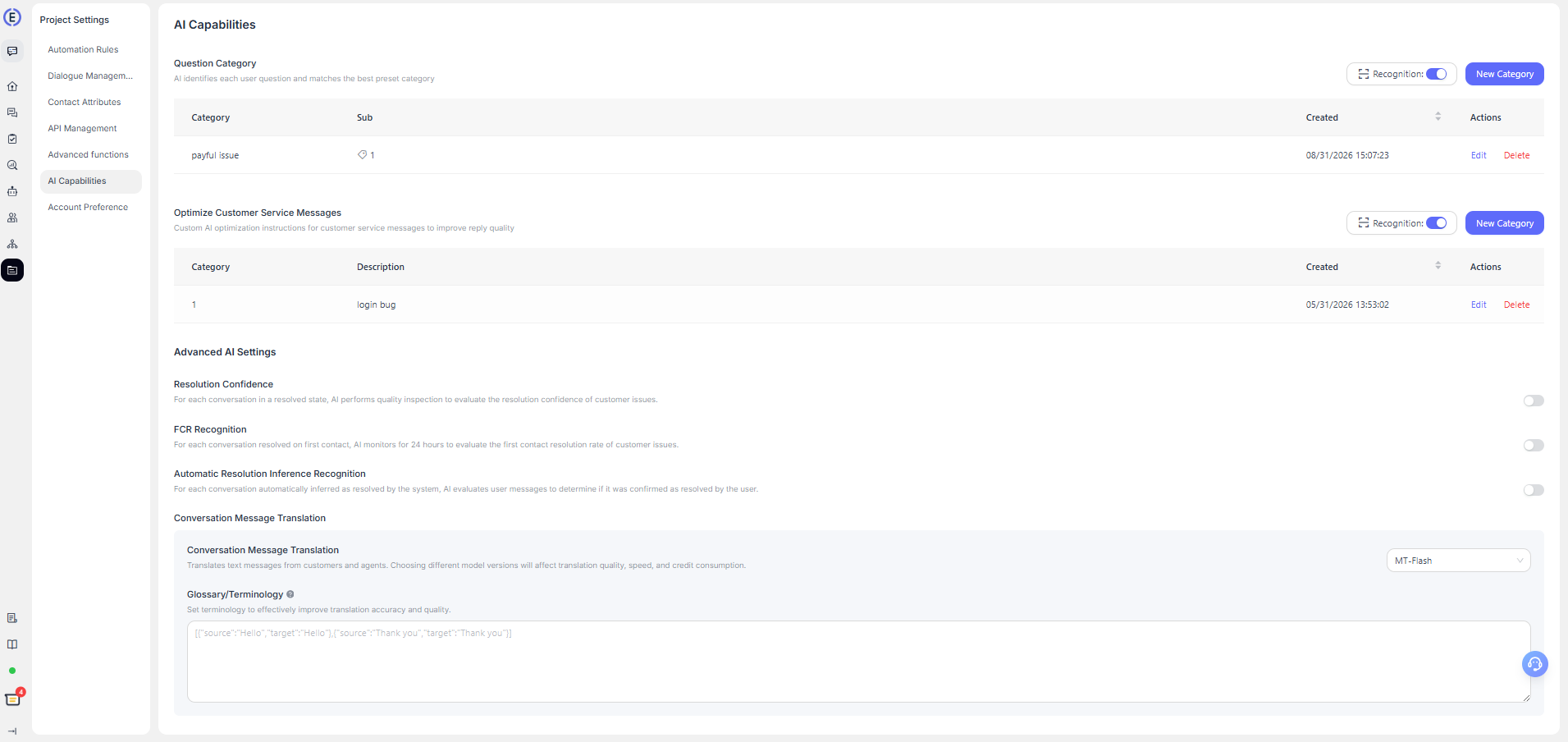
AI Credits pricing: 1,000 Credits = $10 USD
Frequently Asked Questions
How Is the Number of Conversations in a Plan Calculated?
LiveDesk defines conversation usage as the number of conversations that have not been closed during the month. On the first day of each month, conversations that were moved to the closed state in the previous month are cleared and are not counted toward the current month's conversation usage. Therefore, this is not a purely cumulative count.
Does AI Credits Usage Include AI Agent Consumption?
LiveDesk AI Credits usage does not include AI Agent-related consumption. Currently, LiveDesk AI Agents use agent capabilities integrated from GPTBots, and all AI Agent usage is tracked and topped up on the GPTBots platform.
LiveDesk AI Credits top-ups and related Insights statistics apply only to the AI features provided by LiveDesk itself, including language translation and automatic question classification. You can view detailed usage under [Insights] - [AI Credits Usage].
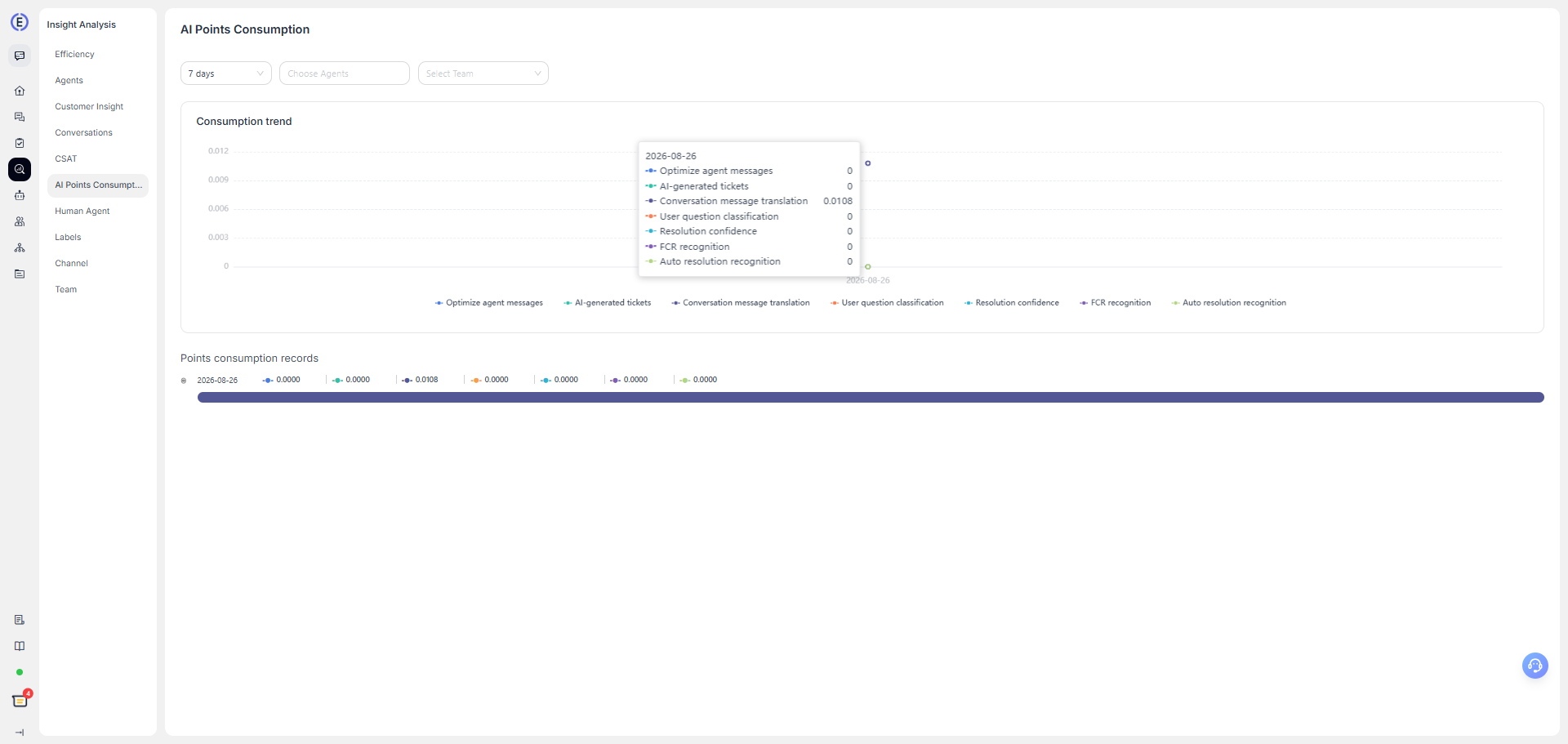
How Can I View the Current Month's Conversation Usage and Credits Consumption?
The [Overview] page shows the current month's conversation usage and AI Credits consumption.
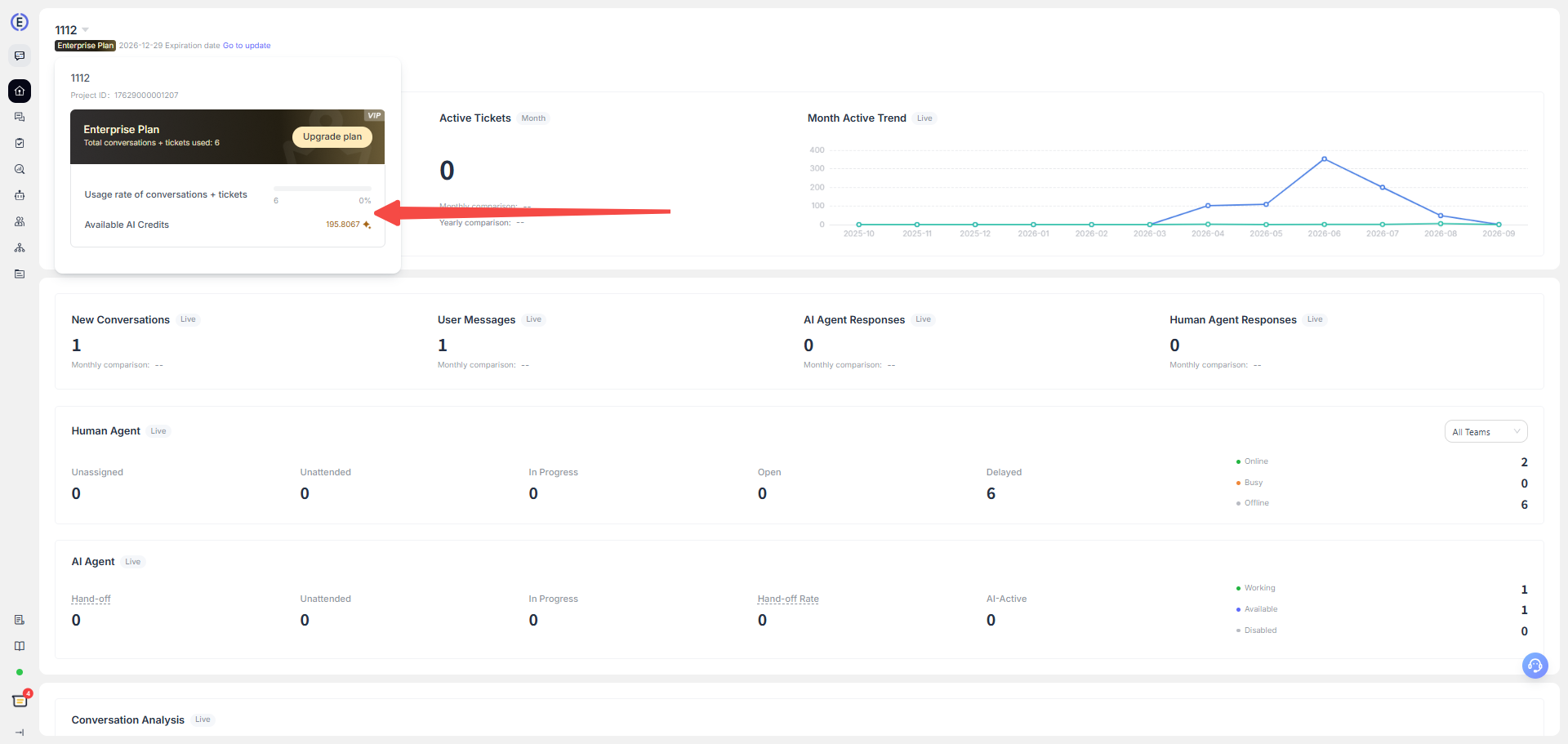
How Is the AI Credits Cost Calculated for Different Translation Models?
LiveDesk currently provides different translation models, and users can choose one according to their needs. Different models consume Credits based on their respective pricing. The calculation methods for the different models are as follows:
| Model | Input Credits/1K Token | Output Credits/1K Token | Calculation Formula |
|---|---|---|---|
MT-Flash (qwen-mt-flash) |
0.0184 | 0.0565 | round4(P×0.0184/1000 + C×0.0565/1000) |
MT-Plus (qwen-mt-plus) |
0.2829 | 0.8476 | round4(P×0.2829/1000 + C×0.8476/1000) |
| Gemini 3.1 Flash Lite | 0.0288 | 0.1725 | round4(P×0.0288/1000 + C×0.1725/1000) |
| Qwen 3.6 Flash | 0.0216 | 0.1294 | round4(P×0.0216/1000 + C×0.1294/1000) |
| Mistral Small 2603 | 0.0173 | 0.0690 | round4(P×0.0173/1000 + C×0.0690/1000) |
| GPT-5.4 Nano | 0.0230 | 0.1438 | round4(P×0.0230/1000 + C×0.1438/1000) |
| GPT-5.4 Mini | 0.0863 | 0.5175 | round4(P×0.0863/1000 + C×0.5175/1000) |
| Qwen 3.5 Plus | 0.0345 | 0.2070 | round4(P×0.0345/1000 + C×0.2070/1000) |
- round4: Retain four decimal places and round the result.
- P: The number of tokens in the content sent to the model, such as the original text, translation instructions, target language, and glossary.
- C: The number of tokens in the translation generated by the model.
