Jacob Morrow
Updated: 2026-08-21
A customer opens a support ticket at 2:14 AM, two time zones away from your team. By morning, four similar tickets have queued behind it. The first one waited six hours. The second jumped queues because the customer cc'd your CEO. None of them needed a senior agent; all of them needed an instant acknowledgment, a working knowledge-base link, and a real human on the other end before lunch. Customer service automation is the layer between "ticket received" and "human handles it well." Done right, it deflects 30 to 50 percent of tickets, cuts first-response time from hours to seconds, and lets your team handle the cases that actually need them.
Quick answer
Customer service automation uses AI bots, automated notifications, email triggers, real-time translation, and self-service ticketing to handle routine customer interactions without an agent. It is best for B2B teams under support-volume pressure, especially when conversations live across WhatsApp, SMS, email, and webchat at once. Pick AI bots for FAQ deflection, ticketing platforms for accountability, and a unified inbox like LiveDesk when channels start to fragment.
Last updated: June 2026
What Is Customer Service Automation?
Customer service automation is the practice of using software to handle repeatable customer interactions, freeing agents to work on the cases that genuinely need a human. It uses five families of technology that often overlap: AI chatbots, automated notification systems, email workflows, real-time translation, and self-service ticketing. The underlying engines are natural language processing, machine learning, and rule-based workflow logic, but the buyer rarely shops by engine; they shop by problem.
According to Aberdeen Group (2024) , companies running mature customer service automation see a 68% reduction in first-response time and a 38% drop in cost per ticket compared with manual-only teams. The catch: those gains assume the right tool covers the right channel. A best-in-class chatbot does nothing for cross-border shipping notifications; a great ticketing platform does nothing if 60% of your inquiries arrive on WhatsApp.
5 Customer Service Automation Tools (Compared)
Most "best customer service automation software" lists rank 20 tools by a single 5-star score. That hides the real question: which class of tool fits which problem? Below are the five categories that cover 80% of B2B support workloads, the tool we recommend in each, and what specifically breaks if you pick wrong.
| Tool category | Best for | Recommended tool | Watch-out (where it breaks) |
|---|---|---|---|
| AI bot | FAQ deflection, lead qualification | GPTBots | Needs ≥ 30 well-structured KB articles plus monthly review; answer quality collapses on a stale knowledge base. |
| Notification system | Order, appointment, status updates | LiveDesk | Needs fallback logic (SMS → email → push); single-channel routing leaves 10 to 15% of customers silently uncontactable. |
| Email automation | Triggered replies, onboarding, post-purchase | LiveDesk + Marketing Automation | Domain reputation collapses above 1M sends per month without a dedicated IP plus enforced DMARC. |
| Translation | Cross-language inbox without hiring | Google Translate API | Auto-publishing translated medical, legal, or financial content triggers compliance risk; keep a human reviewer for regulated verticals. |
| Self-service ticketing | Accountability + SLA tracking | LiveDesk for multi-channel; Zendesk for pure email helpdesk | If 80% of inbound lives on WhatsApp or SMS, per-agent seat pricing breaks budgets fast; pick conversation-based pricing instead. |
1. AI Bots: FAQ Deflection and Lead Qualification
AI bots handle the same five questions you get every day, on every channel, without burning out. The best ones now run on retrieval-augmented generation, so they answer from your knowledge base rather than hallucinating from a base model. They handle FAQ deflection, basic troubleshooting, lead qualification, and warm handoff to a human when the question goes off-script.
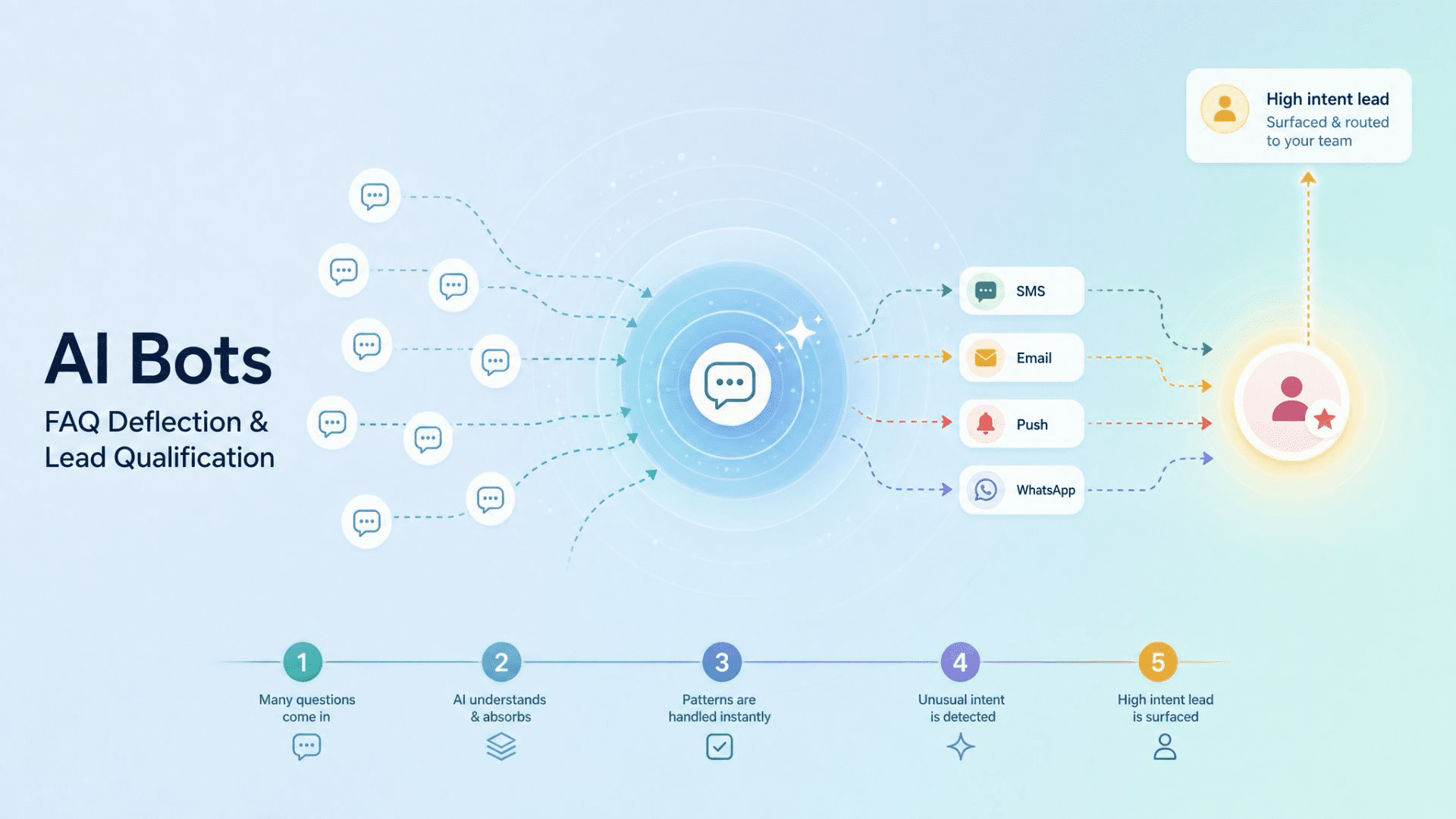
Our pick: GPTBots . Like EngageLab, it is part of the Aurora Mobile family, which means the two products share lineage and integrate cleanly. As of 2026 it supports multiple base models (GPT, Claude, DeepSeek), letting you switch the underlying LLM without rebuilding flows. It integrates into websites, social channels, and messaging apps. Direct competitors worth a look: Intercom Fin (best in class for SaaS apps) and Ada AI (enterprise-grade, parent topic in many SERPs).
2. Notification Systems: Order, Appointment, and Status Updates
Automated notifications keep customers informed about orders, appointments, and service requests, without an agent having to retype the same message a hundred times a day. They are the lowest-hanging fruit in customer service automation: high-volume, low-intent traffic that does not need a human at all.
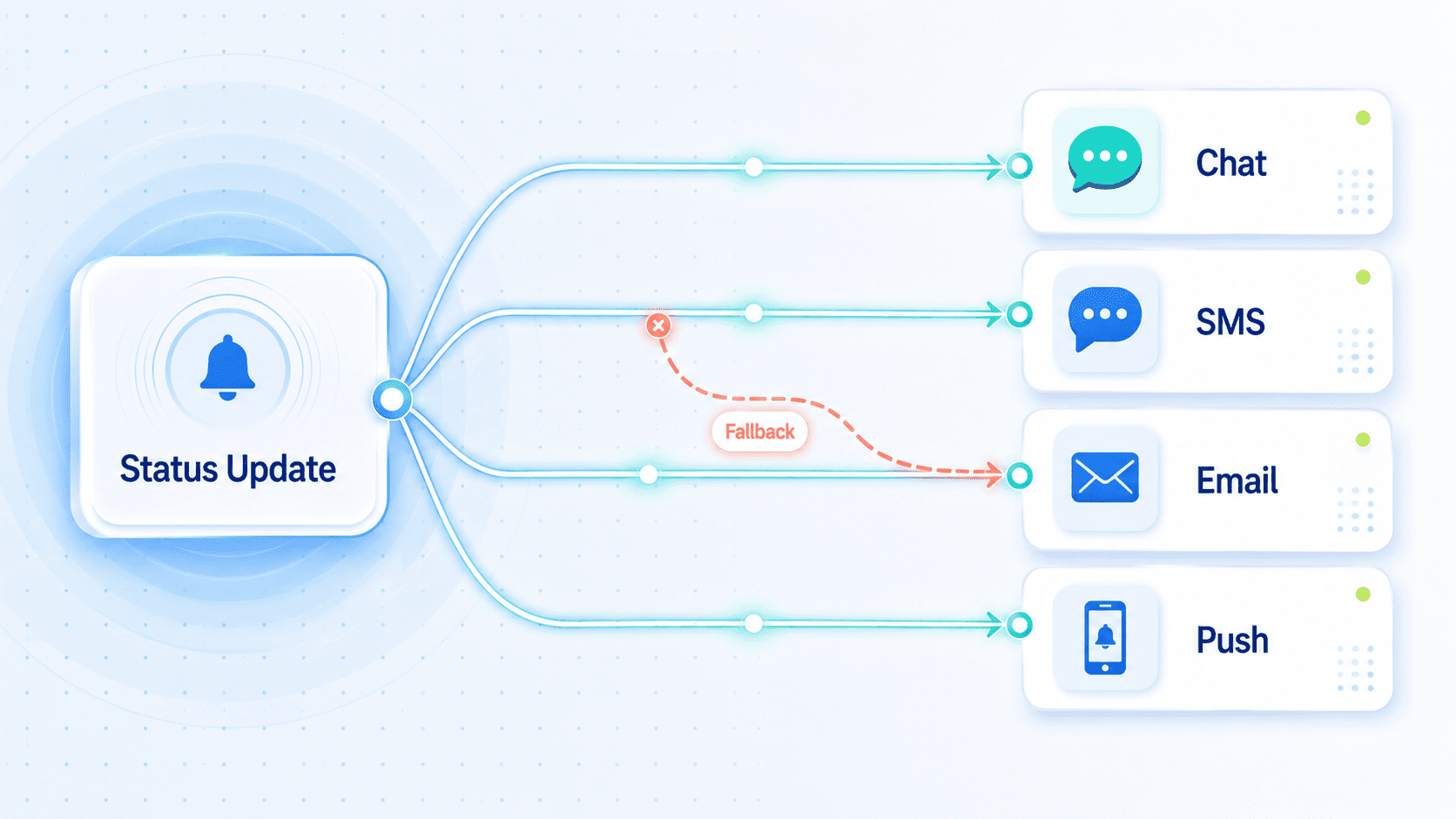
Our pick: a unified inbox that handles SMS, email, app push, and web push from one rules layer, so a single template can fire across whichever channel the customer prefers. The platform should also track delivery and read rates per channel, which matters when you are debugging why a Brazilian customer never got their shipping update. LiveDesk is built that way; per-channel fallback rules ship as a first-class object, not a plugin.
3. Email Automation: Triggered Replies and Workflows
Email automation sends triggered messages based on customer behavior: a welcome email when someone signs up, a follow-up when a ticket has been idle for 48 hours, a re-engagement when a customer has not logged in for 30 days. The principle is the same as notifications, but the format is long-form and the trigger logic is heavier.
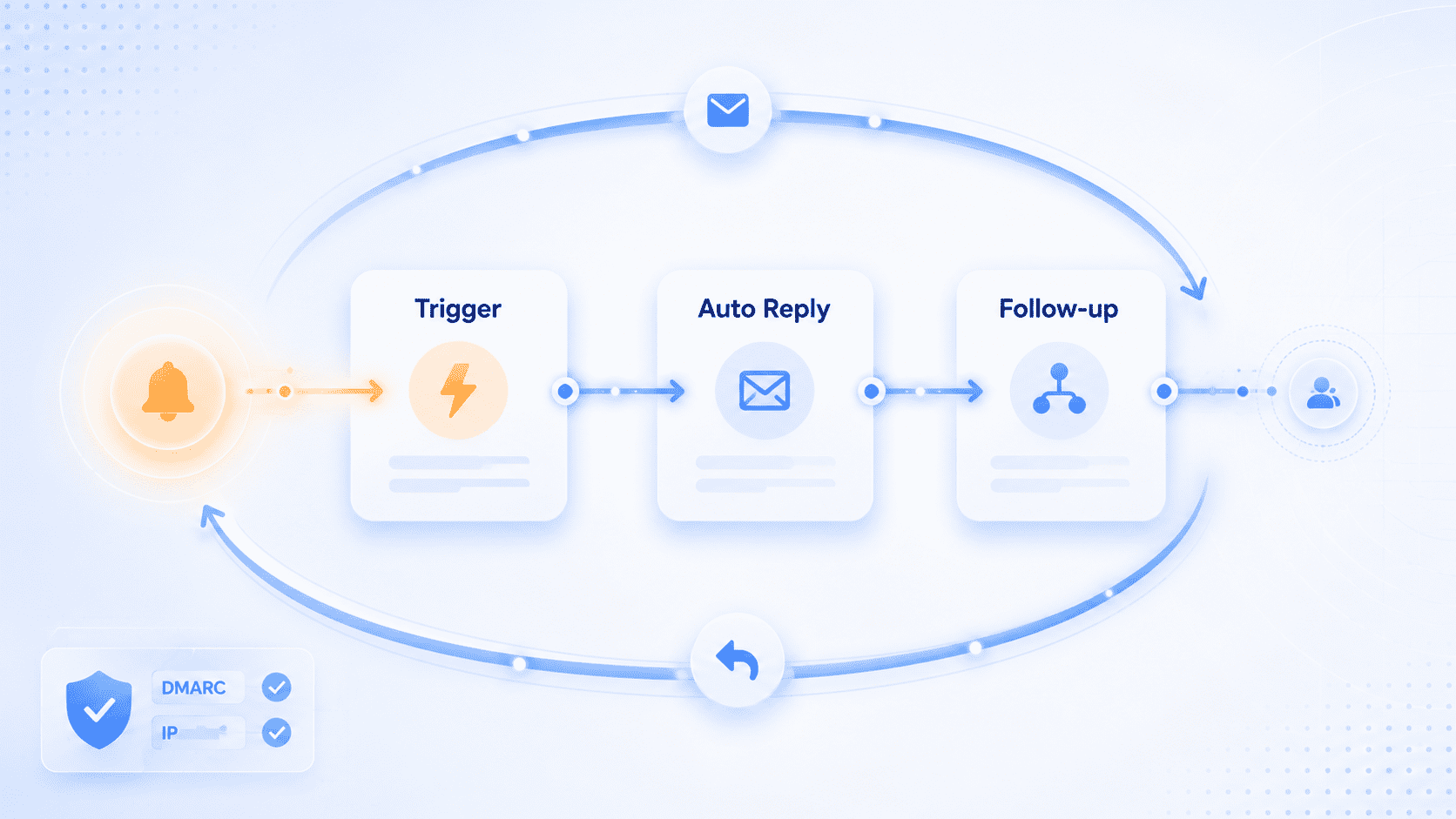
Our pick: pair an inbound conversation tool with a marketing automation engine. The inbound side handles tickets and AI auto-reply; the marketing side runs the longer journeys (onboarding sequences, re-engagement campaigns). For an end-to-end template starter pack, see our 5 B2B auto-response email templates . The combination we use internally pairs LiveDesk with Marketing Automation; the same trigger engine fires both an inbox reply and a follow-up campaign without doubled tooling.
4. Real-Time Translation: Global Support Without Hiring Locally
Real-time translation lets a single support team cover customers in dozens of languages without hiring a Spanish-, Vietnamese-, or Turkish-speaking agent. The agent types in English; the customer sees their own language; replies translate the other direction.
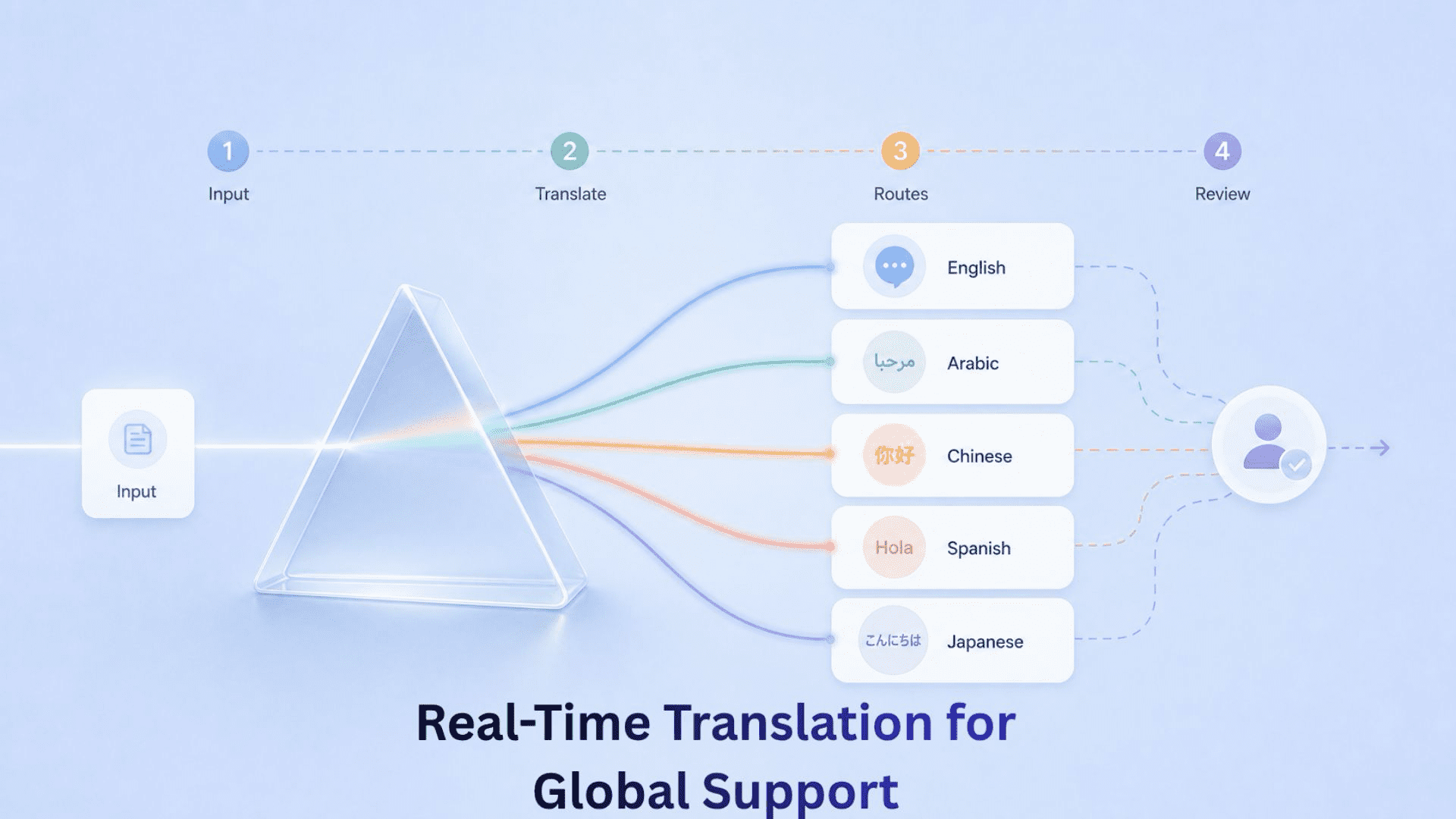
Our pick: Google Translate API . As of June 2026 it supports 133+ languages and integrates into most webchat and helpdesk widgets in a day. The watch-out: industry-specific terms (financial, medical, legal) still need a human reviewer; do not auto-publish translated knowledge base articles in regulated verticals.
5. Self-Service Ticketing: Accountability and SLA Tracking
Self-service ticketing gives customers a portal to file, track, and (often) resolve their own issues. The benefit is not just deflection; it is accountability. Every conversation has a ticket ID, an SLA clock, and an owner.
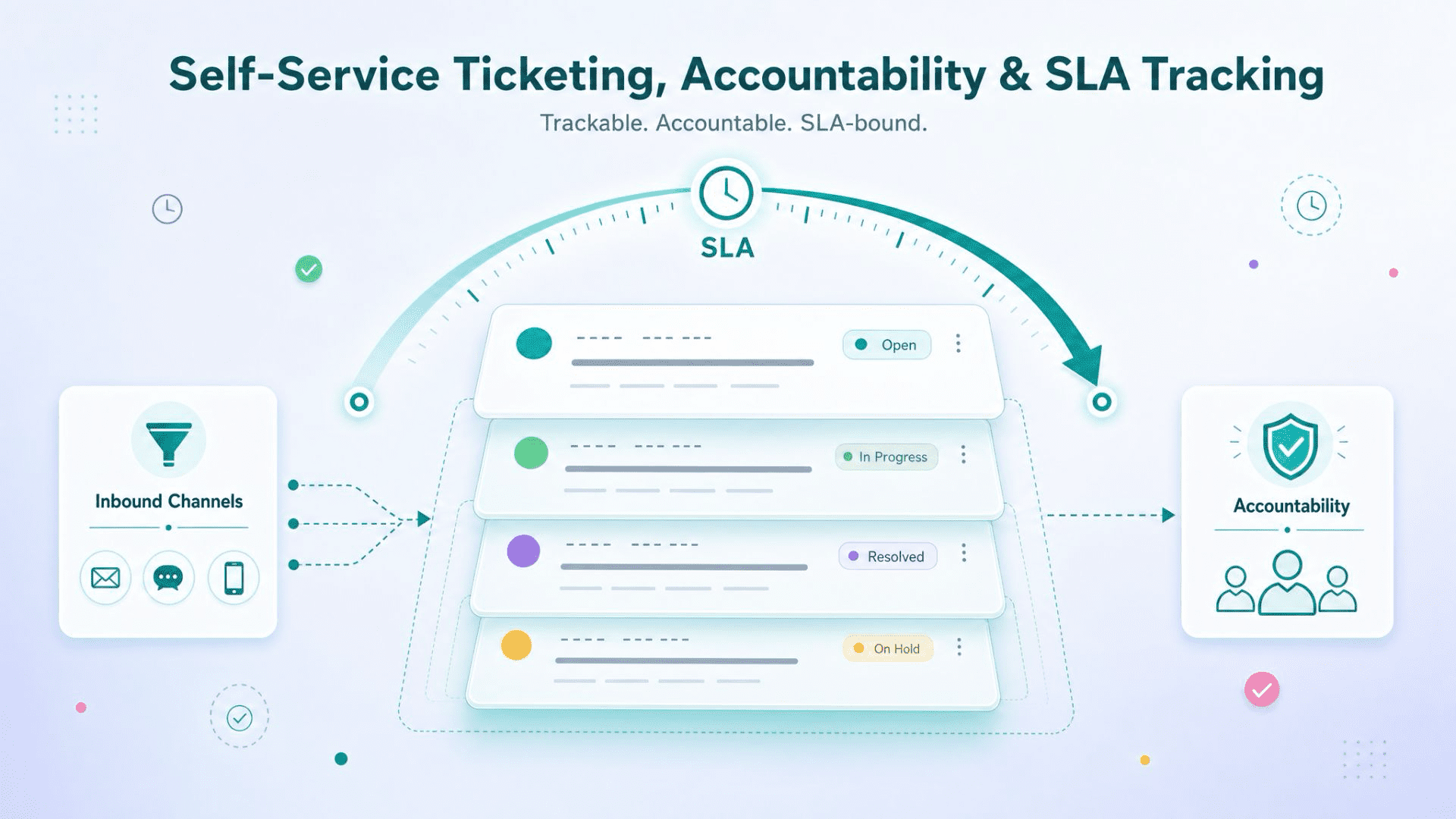
Our pick depends on where conversations live. If 80%+ of your inbound is email and web form, Zendesk is the long-standing default and integrates with everything. If a meaningful share lives on WhatsApp, SMS, or webchat, a multi-channel-native console performs better than bolt-on plug-ins; LiveDesk fits that shape, and Freshdesk sits in between.
How a Unified Inbox Handles All 5 in One Platform
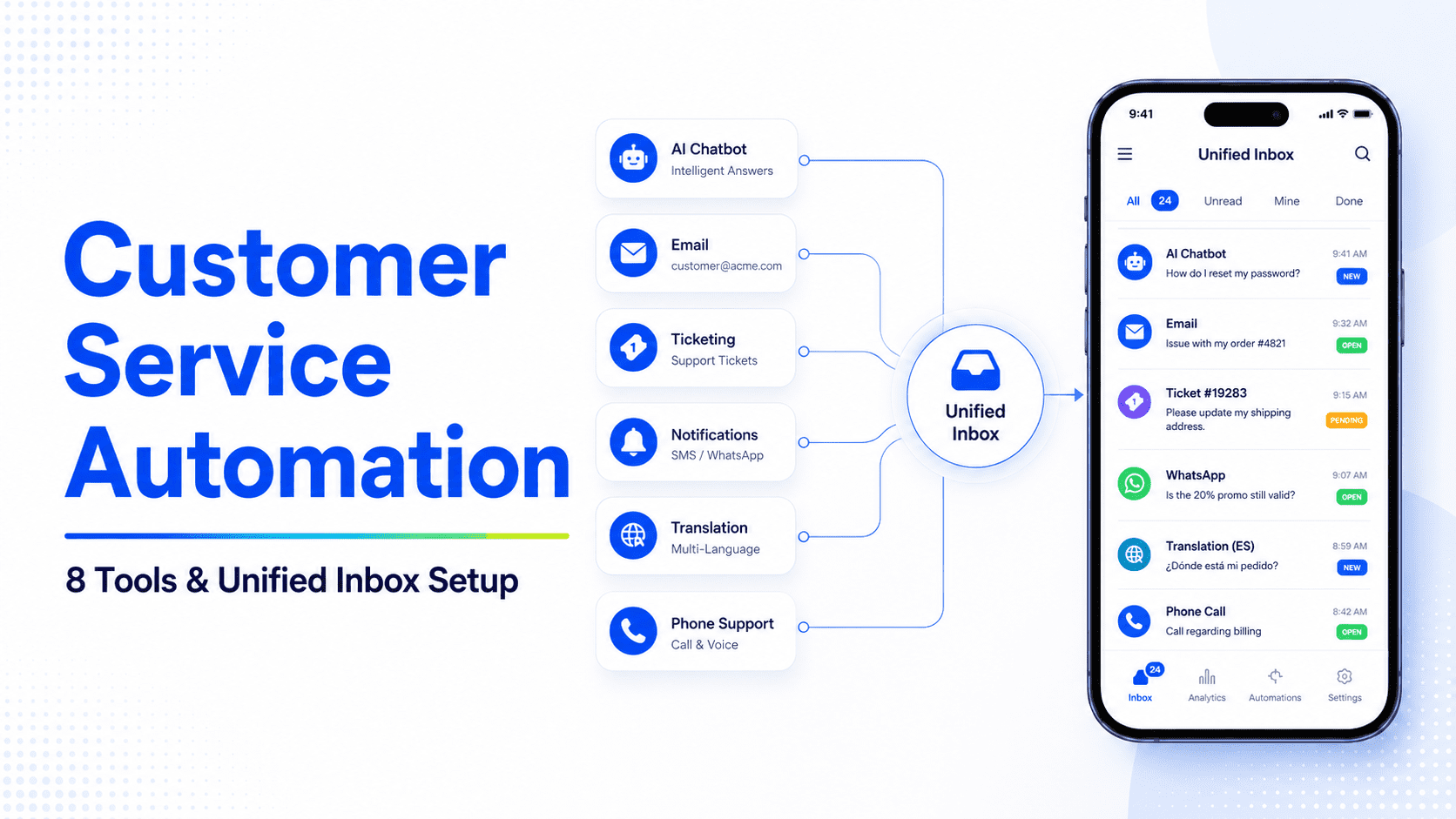
The five tool categories above are usually shopped separately, which is how teams end up running a bot vendor, an email vendor, a notification vendor, a translation vendor, and a ticketing vendor. The integration cost (and the data fragmentation) is real. A unified inbox consolidates four of the five into one operator console.
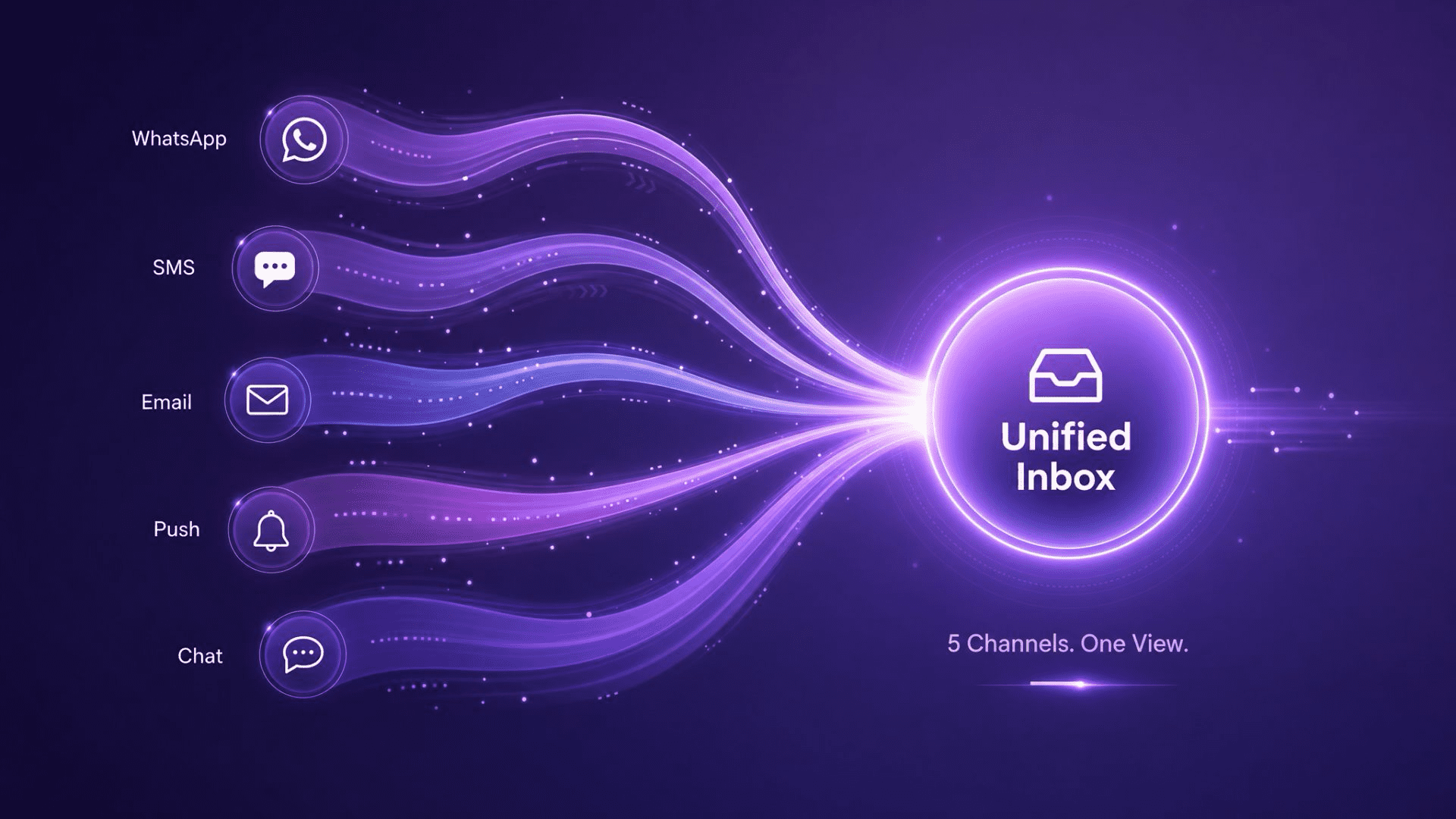
- Unified inbox: WhatsApp Business API, SMS, email, and webchat in a single agent view, with role permissions and SLA timers attached to every conversation.
- AI auto-reply: Trigger templated or AI-generated responses on keywords, intents, or inactivity windows; escalate to a human when confidence drops.
- Notification + email workflows: The same template engine drives order updates, ticket alerts, and triggered follow-ups across channels.
- Ticketing and analytics: Every conversation becomes a ticket with status, owner, and time-to-resolution metrics, exported to BI tools.
- Multi-channel routing: A customer who started on WhatsApp and finished on email keeps a single conversation thread, not two.
Translation is the one piece a unified inbox typically does not solve natively; you can wire in the Google Translate API for that. The point of consolidating the other four is not "all-in-one is always better." It is that data fragmentation across five vendors hides exactly the metrics you need: how long a customer waited across all channels, where the handoff dropped, which template actually resolved the case. EngageLab built LiveDesk around that consolidation.
See how a unified inbox handles a multi-channel ticket end to end
Free LiveDesk trial includes inbox setup, AI auto-reply, and 5,000 monthly conversations.
How to Roll Out Customer Service Automation with EngageLab in 5 Steps
Use this as a practical customer service automation implementation guide, not another tool-shopping checklist. The low-hassle path is to start inside EngageLab, connect the channels customers already use, and turn repeatable tickets into LiveDesk views, rules, and handoff paths before you buy more point solutions.
New teams can start from the EngageLab signup page and create a workspace. Existing users can log in to the EngageLab console , open LiveDesk, and use the dashboard to organize conversations by AI reply, unassigned tickets, ownership, inbox, and custom views.
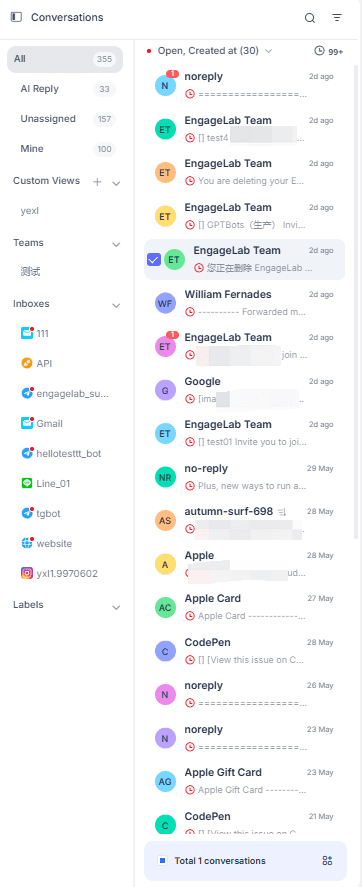
- Sign up or log in, then create a LiveDesk workspace. Use the same EngageLab account that owns your SMS, email, WhatsApp, push, or webchat channels so service data does not split across tools.
- Open the LiveDesk dashboard and audit current demand. Review AI Reply, Unassigned, Mine, inbox, and custom-view queues to find the repetitive cases that should become automation candidates first.
- Connect the highest-volume support channels. Start with the channel where customers already ask for help, then add fallback channels only when the workflow needs them. This keeps the first rollout small enough to launch.
- Create views, rules, and human handoff paths. Use custom views for order-status questions, password resets, billing checks, or SLA-sensitive tickets. Route simple cases to templates or AI replies, and send low-confidence cases to an owner.
- Launch with a 30-day measurement window. Track deflection rate, first-response time, resolution time, and CSAT. Expand automation only after the first workflow proves that customers get faster answers without losing human context.
Benefits of Customer Service Automation (with Numbers)
Generic benefit lists ("efficiency", "consistency", "scalability") help no one. Below are the specific numbers Aberdeen Group and Forrester have published for teams that automated correctly.
- First-response time: 68% reduction (Aberdeen Group, 2024 ), with AI bots and notification templates carrying the lion's share.
- Cost per ticket: 38% drop (Aberdeen Group, 2024 ), driven mostly by FAQ deflection.
- Ticket deflection: 30 to 50% of inbound resolved without an agent (Forrester, 2024 ), assuming a clean knowledge base.
- Agent throughput: agents handle more concurrent tickets when AI suggests responses and surfaces customer history automatically; exact lift varies by tool and is best measured against your own 30-day pre-launch baseline.
- CSAT impact: net positive, but only when handoff to a human is fast and contextual. Bad handoffs erase the gain.
The trap to avoid: automating cases that should not be automated. Refund disputes, escalations to senior agents, and anything involving regulatory complaints belong with humans. Use automation as the layer above; do not push it down into the cases that need empathy or judgment.
Customer Service Automation FAQ
What is customer service automation?
Customer service automation is the use of software (AI bots, notification systems, email triggers, translation, and self-service ticketing) to handle repetitive customer interactions without an agent. It is typically deployed where ticket volume is high and the cases follow predictable scripts (order updates, password resets, FAQs), freeing agents to handle the harder cases.
What is the difference between customer service automation software and a platform?
Software usually means a single-purpose tool (a chatbot, an email autoresponder, a ticketing system). A platform bundles multiple tools under one inbox and one customer record. Software wins on best-in-class features for one job; a platform wins on data unification and operational simplicity when conversations live across more than two channels.
What are the best customer service automation solutions for small B2B teams?
For teams under 50 agents, the right starting stack is one AI bot (GPTBots or Intercom Fin), one unified inbox (LiveDesk if WhatsApp/SMS matters, Zendesk if not), and Google Translate API if you serve more than three language markets. Avoid over-buying enterprise platforms like Ada AI or Nice until ticket volume passes 50,000 per month.
How much does customer service automation cost?
Entry-level AI bots start at $50 to $200 per month for SMB plans; mid-market ticketing platforms run $50 to $150 per agent per month; multi-channel tools price per conversation rather than per agent, which suits teams with fluctuating volume. Budget a 10 to 20% premium in year one for integration work, then expect cost-per-ticket savings to offset the spend by month four.
Will customer service automation replace agents?
No, and the teams that try this fail. Automation should remove the 30 to 50% of cases that do not need a human, then give the agents better tools (suggested responses, customer history, ticket routing) for the cases that do. The goal is faster, more contextual human service, not no human service.
How is customer service automation different from marketing automation?
Marketing automation runs outbound, scheduled campaigns (newsletters, drip sequences, win-back campaigns) to drive acquisition and engagement. Customer service automation runs inbound, reactive workflows (ticket routing, FAQ deflection, auto-replies) to resolve existing customer issues. Many vendors do both, but the operating model differs: marketing is push, service is pull. For more on the marketing side, see our guide to marketing automation services .
Bottom Line
Customer service automation is no longer optional for teams running more than a few hundred tickets a month. The hard part is not picking a tool; it is mapping the workflow first, then picking the tool that fits the channel mix. AI bots deflect FAQs. Notifications and email handle routine status updates. Translation covers language gaps. Ticketing tracks accountability. A unified platform pulls four of those five into one inbox, which is the point at which automation stops being five disconnected products and starts being one operational layer.
Start with the workflow. Pick the tool that fits. Measure the four numbers (deflection, response time, resolution time, CSAT). Keep humans on the cases that need them.
A unified inbox is the right fit when:
- Customer conversations span WhatsApp, SMS, email, and webchat (not just email and web).
- You need AI auto-reply plus ticketing plus notifications in the same inbox.
- You want conversation-based pricing instead of per-agent seat fees.
![Fintech Push Notifications: Best Practices, Workflows & Use Cases [2026]](https://img.engagelab.net/en/article/fintech-push-notifications-best-practices-use-cases.webp)
![Firebase Cloud Messaging Alternatives: 7 Platforms Compared for Multi-Channel Scale [2026]](https://img.engagelab.net/en/article/fcm-alternatives-cover.webp)