Push Statistics
Conversion Analysis
Parameter Description
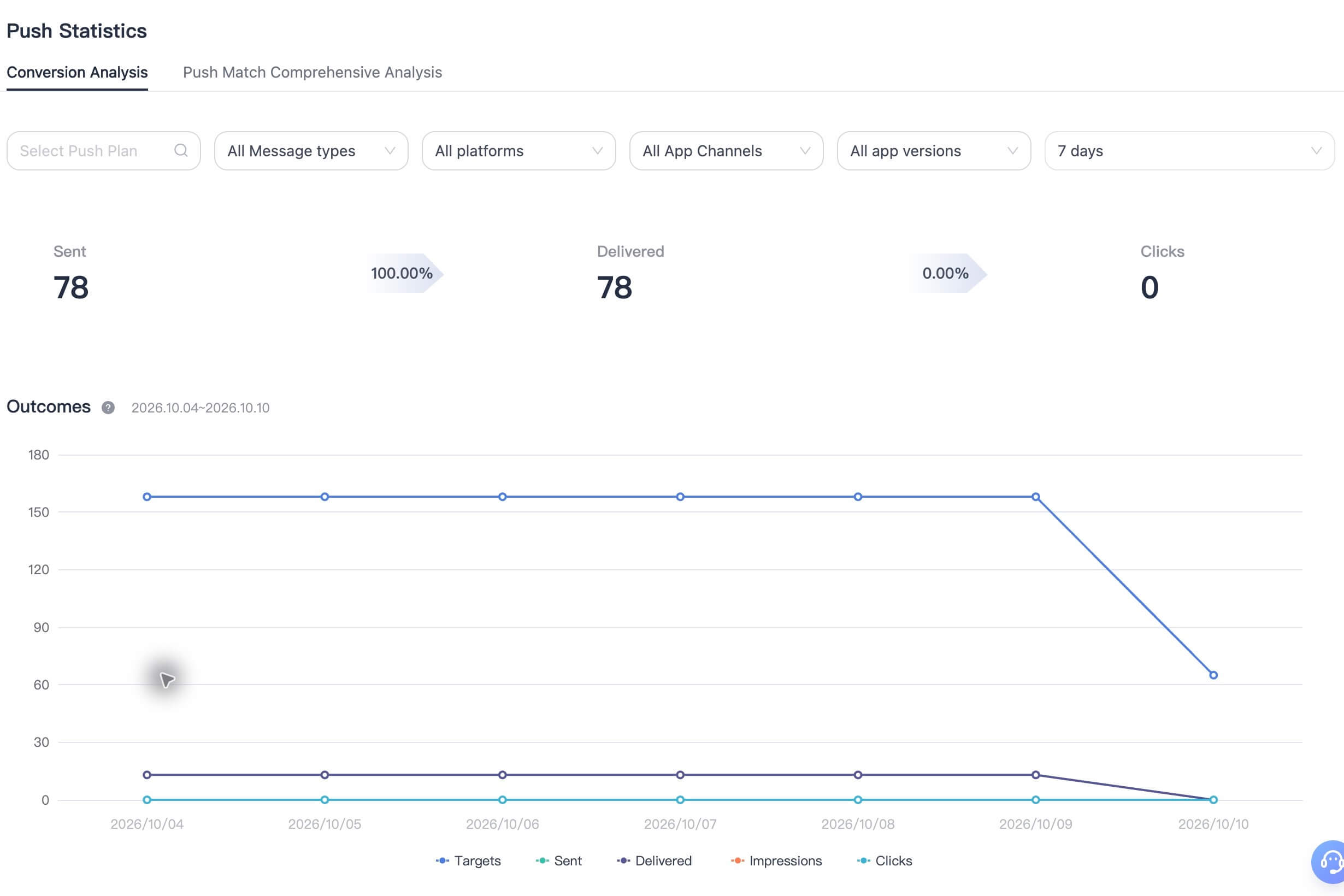
Go to [Statistics] - [Push Statistics] to view charts and detailed data for delivery rate, click-through rate, valid targets, sent notifications, delivered notifications, displayed notifications, and clicks. You can filter the data by date.
- Delivery rate: Total delivered / total sent for sending tasks created within the selected period.
- Click-through rate: Total clicks / total delivered for sending tasks created within the selected period.
- Valid targets: The number of target devices remaining after validity filtering of the audience selected for a push task.
- Sent notifications: The number of valid target devices for which the EngageLab server successfully created sending tasks.
- Delivered notifications: The number of notifications actually delivered to devices after sending. Deliveries after 5 days are excluded.
- Displayed notifications: The number of notifications successfully displayed on devices after delivery. Displays after 5 days are excluded.
- Clicks: The number of notifications clicked by users after successful display. Clicks after 5 days are excluded.
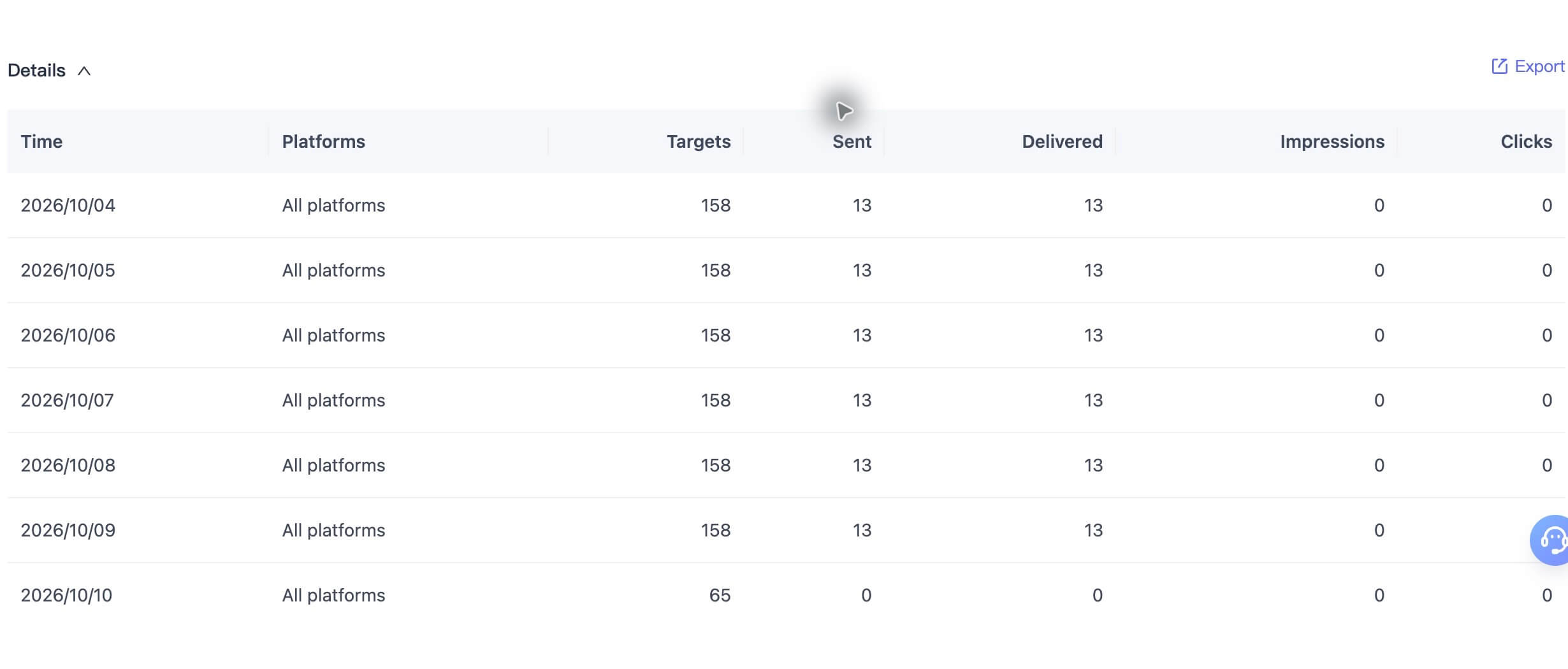
Export Data
Click Export on the right to export detailed data.
Push Match Comprehensive Analysis
Parameter Description
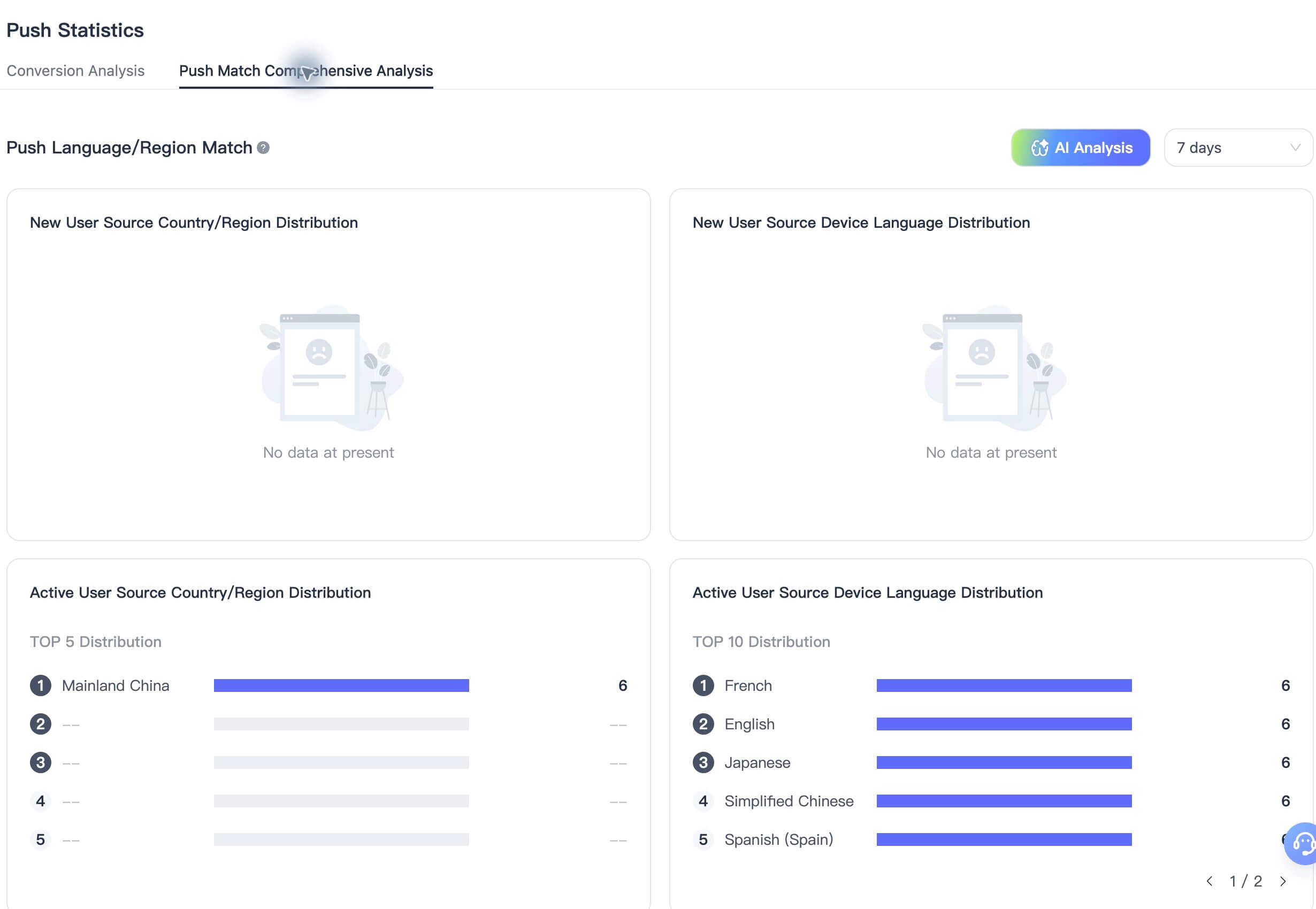
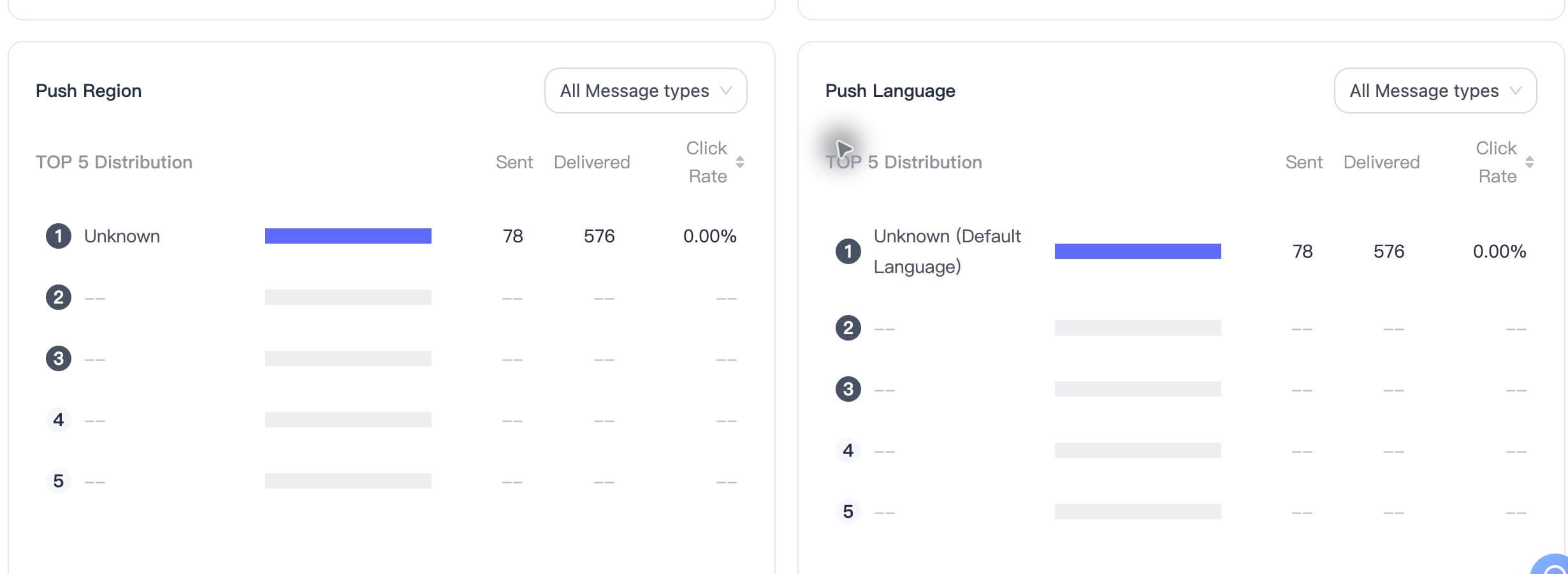
- Push Language/Region Match: Based on the language/region distribution of new and active users, help you adjust push strategies for better results. Since some devices cannot report relevant information, the data is for reference only.
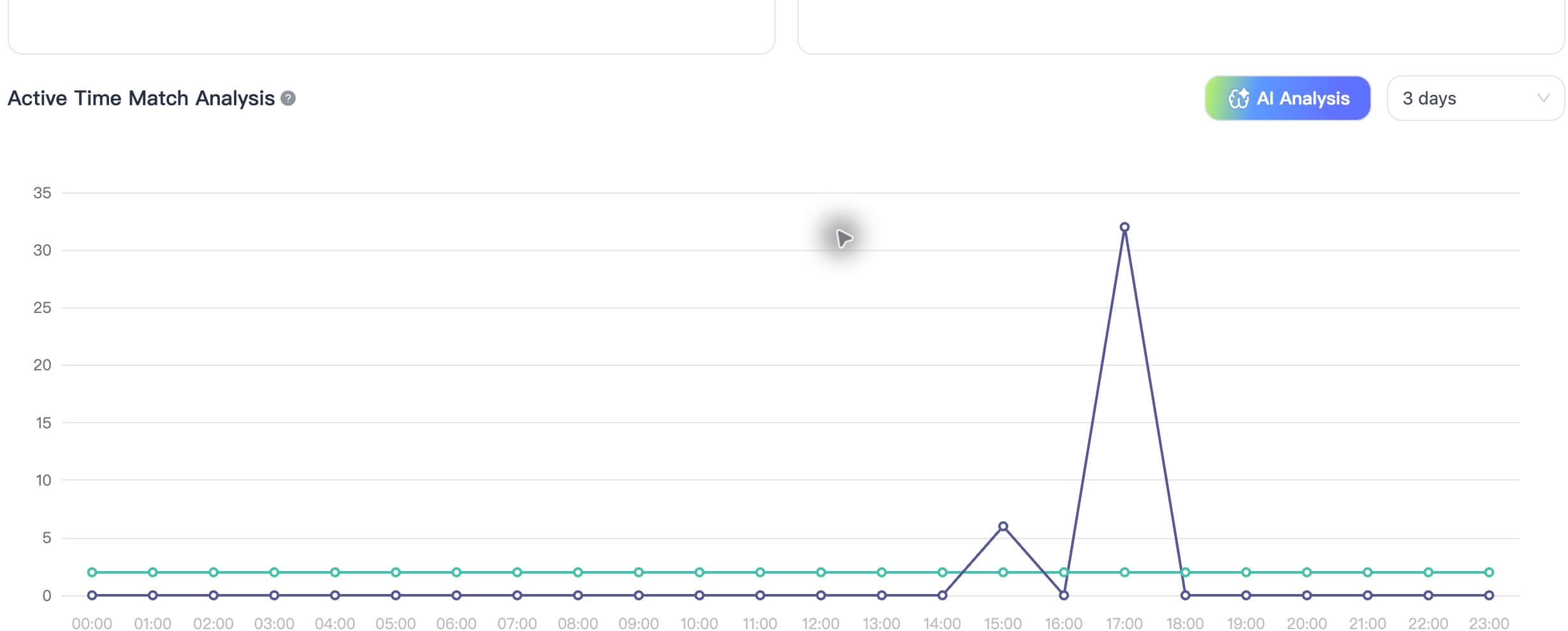
- Active Time Match Analysis: Compare user active time with your push send time to identify time period deviations and optimize push timing.
AI Insights