Elena Rodriguez
Updated: 2026-06-29
What does an OTP API integration actually take?
A template configuration, an authentication header, webhook callbacks, and channel fallback logic, before a single line of business code gets written. One misconfiguration, and every OTP your users receive is delayed.
An AI coding agent compresses that work. Give it AI-readable documentation and it reads the reference, generates the integration code, and handles most edge cases on its own. But it's only going to work when the OTP provider offers agent-friendly documentation, which is why more CPaaS providers now ship dedicated AI-facing docs.
This article covers how an OTP API for AI agents works, the four ways to connect an agent to one, and how to use a coding agent to complete the integration with minimal manual work. Whether you're working in Cursor, Claude Code, Codex or Windsurf, by the end you'll have a runnable integration ready to go.
Jump to: Code & Integration · Provider Comparison
What Is an OTP API for AI Agents?
Quick Definition
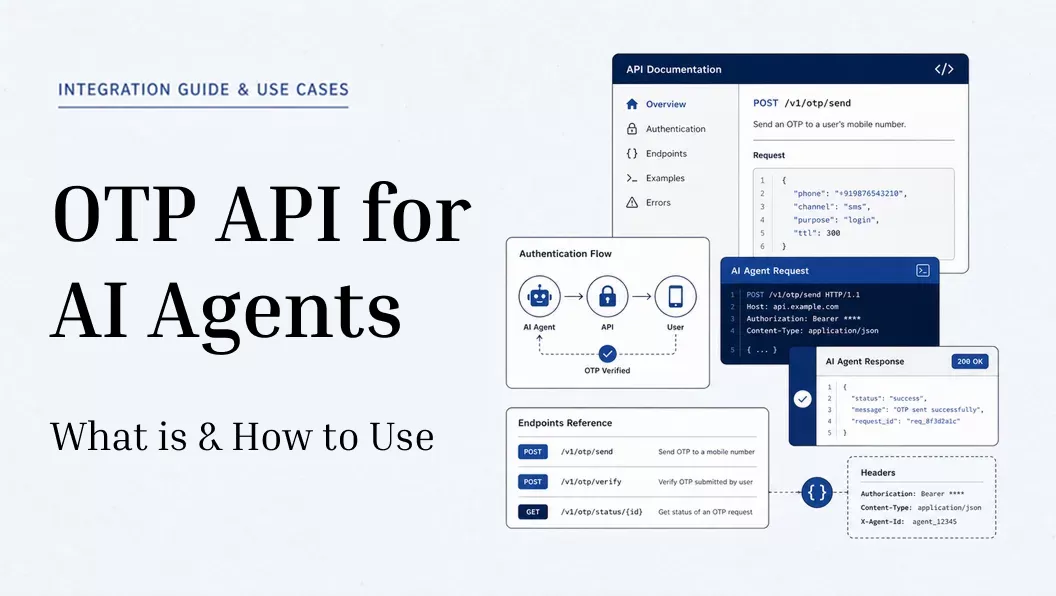
An OTP API for AI agents is not about the agent receiving its own verification code. It's about giving an AI coding tool the documentation it needs to read your provider's API, generate the integration code, and implement the full send-and-verify flow on its own.
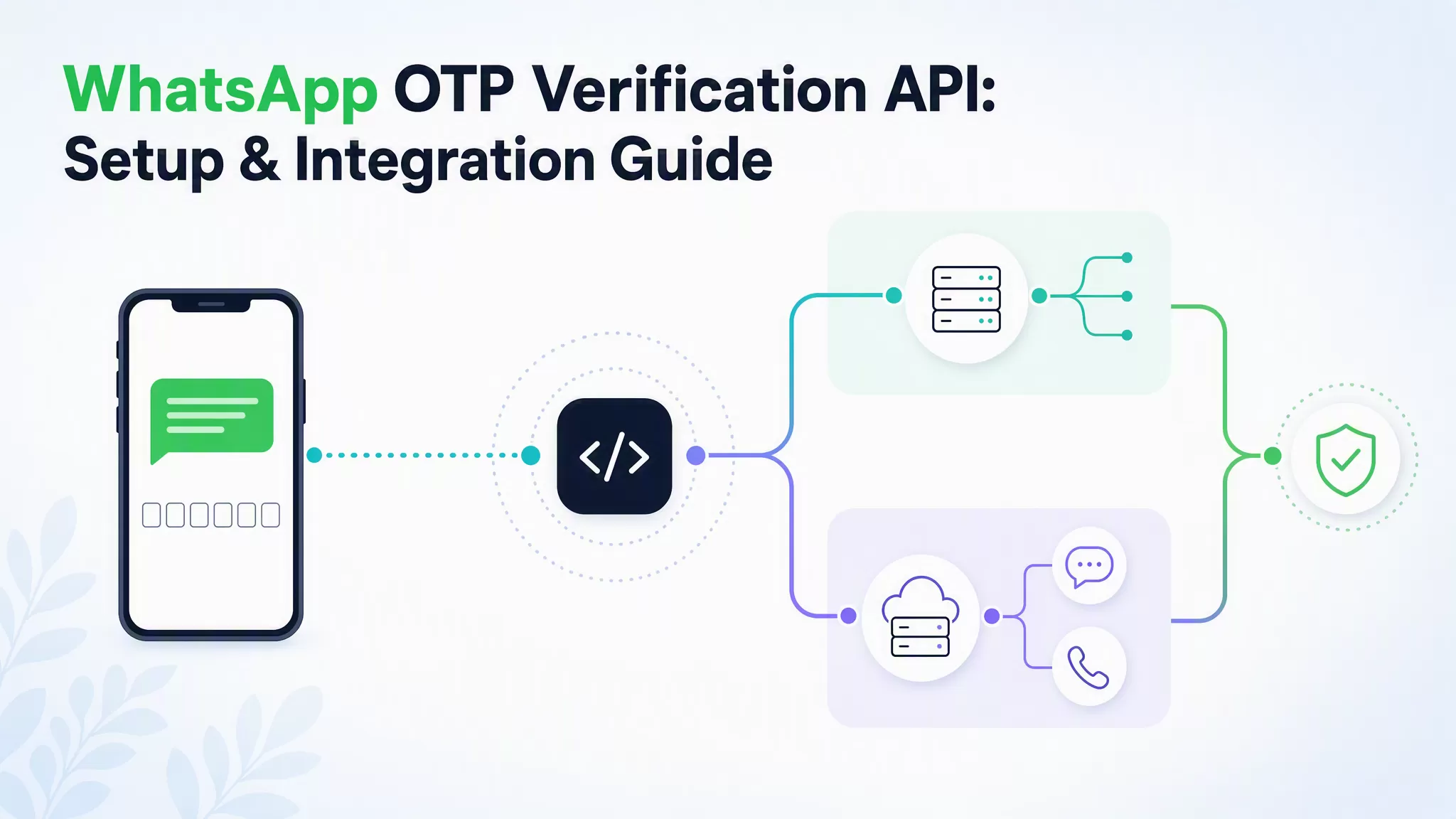
The OTP flow itself doesn't change: generate a code, deliver it via SMS, email, WhatsApp, or voice, verify what the user submits. What changes is who builds that flow. Point your agent at AI-readable documentation and it handles the endpoints, auth logic, and webhook setup without you writing every line by hand.
Before vs. After: OTP Integration with an AI Agent
A standard OTP integration means reading scattered docs, writing authentication logic by hand, and handling error codes one by one. A simple send-and-verify flow can eat half a day before you see your first successful response.
With an OTP verification for AI, the agent does that legwork. It reads the documentation, generates the integration code, and handles the common implementation details. You review and test the output instead of writing it from scratch.
Here's how the two approaches compare:

| Dimension | Without AI Agent | With AI Agent |
|---|---|---|
| Time to first working call | Hours, sometimes a full day | Minutes |
| Manual steps | Read docs, write auth, configure channels, handle errors | Review and run the generated code |
| Documentation reading | You read all of it | The agent reads it and acts on it |
| Error handling | You look up each error code | The agent references error docs inline |
| Code consistency | Depends on who wrote it | The agent applies the same pattern every time |
The gap comes down to one thing: whether the documentation is written for an agent to act on, not just for a person to read.
How to Send and Verify Your First OTP in the Fastest Way
Quick Guide: Which integration pattern fits your setup?
- Agent Skills: Cursor, Claude Code, Windsurf or any other AI editor can install one with a single command, giving your agent ready-made context for sending OTPs, verifying codes, and handling webhooks.
- API Reference: full control. Your agent reads each endpoint's parameters, response format, and error codes, then builds the integration from there.
- Official SDK: your agent detects the project language, installs the right package, and builds from there.
- MCP: agent-native orchestration at runtime. Limited provider support today; check before building around it.
Most OTP providers ship a Quickstart alongside their SDK. The SDK path is the fastest way to a working integration: one install command, credentials as environment variables, and your agent has everything it needs to start calling the API. Let's easily start with EngageLab.

0 Set Up Credentials
For production, sign up for an EngageLab account and open the OTP console.

Go to "API Key" and create a new API key to get your DEV_KEY and
DEV_SECRET. Then go to "Template Management", create a template, and submit it for approval.
Choosing a pre-built template speeds up the approval process. Once approved, you'll have a template_id.
All three values are required before any send request will succeed.

For testing without an account, swap in: ENGAGELAB_DEV_KEY=engagelab_sandbox_demo
and ENGAGELAB_DEV_SECRET=engagelab_sandbox_secret. No signup or API key needed, for up to 500 requests
a day. Send to +10000000000 for a happy-path test, or +10000000099 to trigger rate
limiting. Full magic numbers and webhook setup live in the
sandbox reference.
1 Install the SDK
Check the SDK documentation for the install command.
Your agent detects the project language from config files (package.json,
requirements.txt, etc.), then installs the right package:
npm install engagelab-otp for Node.js or pip install engagelab-otp
for Python. Set ENGAGELAB_DEV_KEY and
ENGAGELAB_DEV_SECRET from Step 0 as environment variables.

2 Implement Authentication
Every request uses HTTP Basic Auth. The agent encodes your credentials
as base64(DEV_KEY:DEV_SECRET) and passes the result in the
Authorization header. The SDK handles this automatically once credentials are
set.
3 Send the OTP
Call POST /v1/messages with your template_id
and the recipient's phone number or email. The platform generates the code and delivers it
through the channel strategy defined in your template. If you need to supply your own code (for example, to match
an existing TOTP system), use send_custom() instead and pass the code as a template parameter.
4 Capture the message_id
The send response returns a message_id. Store it, you'll
need it for verification.
5 Verify the Code
Call POST /v1/verifications with the message_id
and the code your user submitted. The API returns "verified": true or
false.
When catching errors, distinguish retryable failures (HTTP 429, 5xx, or API codes
1000 / 5001 / 5016) from permanent ones. Retryable errors warrant
exponential backoff; permanent failures should surface to the user rather than loop.
 Webhook for Production
For production setups, webhook callbacks are best instead of polling. The provider pushes delivery and verification events to your backend as they happen. No polling.
Before going live, check whether your OTP provider's dashboard is configured with a valid callback URL. Also make sure that your backend is ready to handle incoming events reliably.
Security & Fraud Prevention
Rate limiting is really essential when AI agents are allowed to trigger OTP requests automatically. Without the rate limiting, a loop error or even a malicious prompt will fire thousands of requests within seconds.
To avoid such issues, add rate limiting at the application and any provider-side protection layers. And also make sure that it only grants permission for needed OTP operations to only approved IP ranges and trusted environments. Combine code-level rate limiting with your provider’s built-in fraud tools to mitigate SMS pumping scams.
4 OTP API Providers with AI-Ready Documentation
Not every OTP provider offers what you need. Most of them only offer standard API documentation and only a few ones are there that make their SDKs, tools and quickstart guides genuinely AI-readable. Here's how four of them compare on what matters for an agentic integration.
| Dimension | EngageLab | Twilio Verify | Vonage Verify | Prelude |
|---|---|---|---|---|
| Agent Skills | Yes | Yes | None | None |
| Official SDK | Node.js / Python | Multi-language | Multi-language | Node.js / Python / Go / Java |
| AI-readable Docs | Dedicated AI Onboarding page | Rich OpenAPI Specs | Platform-wide MCP server (covers all Vonage APIs) | Standard Docs (with /llms.txt support) |
| MCP Support | No | Yes | Yes | No |
| Quickstart | Yes | Yes | No | Yes |
| Channels | SMS / WhatsApp / Email / Voice | SMS / WhatsApp / Voice / Email | SMS / WhatsApp / Voice / Email / Silent Auth | SMS only |
| Global Coverage | 200+ countries | 200+ countries | Global (limited routes) | 230+ regions |
| Fraud Protection | Add-on support | Fraud Guard | Fraud Defender | Built-in |
EngageLab has pre-built skills for
Cursor, Claude Code, Windsurf, and any editor that follows the Agent Skills standard. Each installs with a single
command. Multichannel delivery across SMS, WhatsApp, email, and voice in 200+ countries.
💡 Best for: teams that want the fastest agent-assisted setup with multichannel coverage out of the box.
🤖 Want your agent ready in minutes?
Our AI Onboarding page has everything your agent needs in one place: Agent Skills install commands, OpenAPI specs, Node.js and Python SDKs, and a Quickstart your agent can run without leaving the editor.
Get Started For Free
Here's how Twilio, Vonage, and Prelude stack up:
Twilio Verify supports both Agent Skills and MCP, with the broadest editor compatibility of the four providers
(Cursor, Claude Code, Codex, GitHub Copilot, Gemini CLI, and more). Documentation is OpenAPI-based and
machine-readable, but there's no dedicated AI onboarding page, so expect to do more configuration work upfront.
Fraud Guard is available but sold separately.
💡 Best for: teams already in the Twilio ecosystem, or those who need MCP-native integration and have the
budget
and technical depth to configure it without a guided onboarding flow.
Vonage Verify differentiates on Silent Authentication, which removes the OTP step entirely for supported
mobile flows. It doesn't offer Agent Skills, but Vonage ships an MCP server that covers its full API platform,
including Verify. So agents can discover and call OTP operations through standard tool-calling protocols.
💡 Best for: apps that need Silent Authentication to reduce end-user friction,
or teams already in the Vonage/Ericsson ecosystem who want MCP-based tool calling.
Prelude has a clean Quickstart and SDK coverage across Node.js, Python, Go, and Java. Its OTP product is
SMS-only, which makes it a poor fit for production environments where channel reliability matters.
💡 Best for: projects with SMS-only requirements and a preference for a minimal, code-first setup.
FAQ about OTP API for AI Agents
What is an OTP API for AI agents?
It's a programmable interface that most AI coding tools such as Claude Code or Windsurf can use to generate OTP authentication codes automatically. In this process, the AI agent reads the documentation and then builds the send-and-verify flow. And the OTP generation, delivery and verification is being handled by API.
How do I send an OTP without human intervention using an AI agent?
Use a provider that offers Agent Skills or an SDK with AI-readable docs. The agent installs the SDK, reads the reference, and writes the send-and-verify flow. You review and run it.
Can you suggest some editors that support OTP Agent Skills?
Cursor, Claude Code, Codex, and Windsurf are the top choices here. To implement authentication flows without extra setup, you can use these editors as they allow AI agents to load OTP skills via one command. This is highly effective in environments like Claude Code. The agent builds the full validation pipeline, mapping webhook callbacks to complete the loop.
What is function calling for OTP, and how is it different from generating integration code?
With function calling, your agent goes beyond code generation: it makes runtime decisions on its
own. Instead of
waiting for a manual trigger, it detects intent from the request context, a login, a signup, a password reset, pulls
the phone number, and calls send_otp without anyone in the loop. To set this up, define your OTP
operations as callable tools and connect them to backend endpoints that execute the actual send and verify logic.
What's the difference between MCP and function calling for OTP?
MCP is an integration protocol: it exposes OTP actions as tools your agent can discover and call
at runtime through a server. Function calling is a native LLM capability: you define send_otp and
verify_otp as callable functions in your code, and the model decides when to invoke them based on user
intent. Both achieve runtime automation, but MCP requires provider-side support while function calling is implemented
entirely on your end.
Getting Started and What Comes Next
Integrating an OTP API with AI agents shifts your role from writing boilerplate auth logic to strategic orchestration: provisioning keys, approving templates, and letting your agent handle the rest. Give it AI-readable documentation or a pre-built Agent Skill, and an agent can have a working send-and-verify flow running in minutes.
Production is where the real work starts. Multichannel fallback, webhook callbacks, and rate-limiting guardrails aren't optional at scale. They're the difference between a demo and a system your users can rely on.