





















แพลตฟอร์มเดียวกัน · 10 ผลิตภัณฑ์
บริการ Mobile Push Notification
- 8 ช่องทางจากผู้ให้บริการ + 1 ช่องทางสร้างเอง อัตราการส่งถึงข้อความสูงถึง 99%
- รูปแบบข้อความ 7+ แบบ, กฎการจัดกลุ่มผู้ใช้ 10+ กฎ เพื่อเข้าถึงผู้ใช้เป้าหมายอย่างแม่นยำ
- ติดตามข้อมูลตลอดวงจรชีวิตของลูกค้า กระบวนการส่งข้อความหลายมิติ และวิเคราะห์พฤติกรรมผู้ใช้
- การเลือกโหนดข้อมูลหลายแหล่งทั่วโลก รองรับหลายโซนเวลาและหลายภาษา
บริการWeb Push Notification
- กระบวนการตั้งค่าที่เรียบง่ายเป็นพิเศษ พัฒนาและเปิดใช้งานออนไลน์ได้ภายใน 3 นาที
- บริการ W3C พร้อมการแจ้งเตือนที่พัฒนาโดย EngageLab ครอบคลุมเบราว์เซอร์ 100%
- รองรับ ‘คู่มือการสมัครสมาชิก’ แบบกำหนดเอง เพิ่มอัตราการสมัครสมาชิกมากกว่า 70%
- รองรับสร้าง WebPush ได้อย่างรวดเร็วใน Shopify และแพลตฟอร์มอื่นๆ
Transactional & Marketing Email API
- การกำหนดกลยุทธ์การส่งอีเมลแบบอัจฉริยะ อัตราเข้ากล่อง 99% อัตราส่งถึง 99.97%
- การรับรองผู้ส่งและ BIMI เพิ่มการรับรู้แบรนด์ สร้างความเชื่อมั่นในแบรนด์
- เทมเพลตอีเมลกว่า 100 แบบ สร้างอีเมลที่ดึงดูดใจได้อย่างง่ายดาย
- รองรับการติดตามข้อมูลอีเมลตลอดวงจรชีวิต วิเคราะห์หลายมิติ และเก็บข้อมูลพฤติกรรมผู้ใช้
Bulk SMS & Transactional SMS API
- เชื่อมต่อกับ 200+ ประเทศโดยตรง พร้อมรองรับการให้บริการทั่วโลก
- การสลับช่องทางอย่างอัจฉริยะ เพื่อเข้าถึงผู้ใช้ภายใน 5 วินาที
- ให้สถานะส่งกลับแบบเรียลไทม์ พร้อมรายงานข้อมูลที่ชัดเจนและเชื่อถือได้
- รองรับการตอบกลับ SMS แบบ Uplink รับทราบข้อเสนอแนะจากผู้ใช้อย่างทันท่วงที
WhatsApp Business API · Meta BSP
- BSP ทางการของ Meta: ราคาที่แข่งขันได้ทั่วโลก พร้อมการยืนยันตัวตนระดับองค์กร ครอบคลุมกว่า 200 ประเทศ
- อัตราการส่งถึงสูงสุด 95% พร้อมช่วยลดค่าใช้จ่ายได้ถึง 70%
- มากกว่า 10 ประเภทข้อความสำหรับผู้บริโภค เพื่อสร้างกระบวนการธุรกิจแบบครบวงจรและการแปลงผู้ใช้ภายใน WhatsApp
- วิเคราะห์ข้อมูลตลอดวงจรชีวิต พร้อมรายงานสถานะการส่งที่ครบถ้วน
ทำไมองค์กรชั้นนำทั่วโลกจึงเลือก EngageLab
การส่งมอบที่เชื่อถือได้ โครงสร้างพื้นฐานที่เป็นเจ้าของเอง
โครงสร้างพื้นฐานที่เป็นเจ้าของเองสำหรับอีเมลและ Push หมายถึงการควบคุมอัตราการส่งถึงได้ดีขึ้น การมองเห็นข้อมูลการส่งได้อย่างชัดเจน และต้นทุนรวมที่ต่ำกว่าเมื่อเทียบกับการใช้ reseller stacks

ข้อมูลลูกค้าแบบรวมศูนย์ตลอดวงจรชีวิต
ข้อมูลลูกค้าที่ครอบคลุมการยืนยันตัวตน การมีส่วนร่วมและการสนับสนุน ทีมการเติบโตและทีมบริการใช้มุมมองลูกค้า 360° ที่เดียวกัน

เริ่มจากผลิตภัณฑ์ใดก็ได้ แล้วขยายสู่แพลตฟอร์มเดียวกัน
สถาปัตยกรรมแบบโมดูลาร์ช่วยให้ธุรกิจเริ่มด้วยผลิตภัณฑ์ใดก็ได้ เช่น SMS, Email หรือ OTP และขยายขนาดได้อย่างราบรื่น ไม่ต้องเปลี่ยนระบบ ไม่สูญเสียข้อมูล

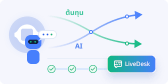
AI ดั้งเดิมที่ขับเคลื่อนโดย GPTBots · ไม่มีค่าใช้จ่ายตามจำนวนที่นั่ง
AI ดั้งเดิมที่ออกแบบมาสำหรับงานที่ซับซ้อนและเวิร์กโฟลว์ทางธุรกิจ พร้อมโมเดลค่าบริการแบบไม่มีค่าใช้จ่ายตามจำนวนที่นั่งบน LiveDesk ยิ่ง AI จัดการงานได้มาก ต้นทุนการให้บริการของคุณก็ยิ่งลดลง
การปฏิบัติตามข้อกำหนดระดับโลกและการจัดเก็บข้อมูลภายในภูมิภาค
รองรับการใช้งานด้วยศูนย์ข้อมูลหลายภูมิภาค (ยุโรป และ APAC) เพื่อให้เป็นไปตามข้อกำหนดท้องถิ่น รวมถึง GDPR และ PDPA พร้อมผ่านมาตรฐานการตรวจสอบด้านความปลอดภัยสำหรับองค์กร

API ที่เน้นนักพัฒนาเป็นสำคัญ & ขนาดที่ผ่านการพิสูจน์แล้ว
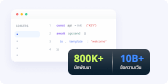
API ที่มีประสิทธิภาพสูงและผสานรวมได้ง่าย พร้อมรองรับด้วยเอกสารสำหรับนักพัฒนาที่ครบถ้วนและระบบนิเวศที่ได้รับการพิสูจน์แล้ว ได้รับความไว้วางใจจากนักพัฒนากว่า 800,000+ คน และรองรับการประมวลผลข้อความมากกว่า 12B+ ข้อความ/วัน
โซลูชันที่ปรับแต่งสำหรับธุรกิจของคุณ
EngageLab บูรณาการหลายช่องทางการมีส่วนร่วมของลูกค้าและฟังก์ชันที่หลากหลาย เพื่อมอบแพลตฟอร์มที่มีการผสานรวมในระดับสูงสำหรับองค์กร
การเงิน
อีคอมเมิร์ซ
ข่าวสาร & สื่อ
การท่องเที่ยว
เกม

สร้างขึ้นจากความไว้วางใจ เป็นที่ชื่นชอบของลูกค้า
ความปลอดภัยระดับองค์กร ผสานกับประสบการณ์การใช้งานที่ได้รับรางวัล
- ISO 27001

- ISO 27701

- SOC 2 Type II


ปลดล็อกความเป็นไปได้มากขึ้นของ EngageLab
เปิดตัวแล้ว! Marketing Automation


ได้รับความไว้วางใจจากองค์กรทั่วโลก
EngageLab ได้รับความเชื่อมั่นจากองค์กรต่าง ๆ ด้วยเทคโนโลยีที่ทันสมัยและการบริการลูกค้ามืออาชีพ
Elena
ผู้จัดการบัญชี ธนาคาร
เราชอบ EngageLab มาก! มันเปลี่ยนเกมให้กับเราอย่างแท้จริง ช่วยให้เราสามารถผสานระบบเวิร์กโฟลว์อัตโนมัติ และลูกค้าก็ชอบที่สามารถสมัครบัตรใหม่หรือเปลี่ยนข้อมูลบัญชีได้เอง เราประทับใจกับโซลูชันการส่งข้อความแบบ หลายช่องทางของ EngageLab มากที่สุด – เป็นวิธีที่ดีที่สุดของธนาคารในการติดต่อกับลูกค้าของเรา!
Chuan Leekpai
บริษัทขายของชำออนไลน์ในเอเชียตะวันออกเฉียงใต้ ซีอีโอ
EngageLab ช่วยให้เราค้นพบวิธีติดต่อกับลูกค้าได้ง่ายขึ้นมาก การสื่อสารกับลูกค้าผ่าน SMS และข้อความแจ้งเตือนเป็นเรื่องที่สะดวกมาก ซึ่งเป็นประโยชน์อย่างยิ่งกับกลุ่มเป้าหมายบางกลุ่มของเรา (เช่น คุณแม่เต็มเวลา) ที่ไม่ใช้อีเมลหรือเทคโนโลยีใหม่ ๆ และมักไม่มีเวลารับสายโทรศัพท์
Jerry Abego
รองประธาน แอปพลิเคชันข่าว
การมีส่วนร่วมของผู้ใช้ในแอปพลิเคชันถือว่าสำคัญมากสำหรับวงการข่าวและสื่อ น่าทึ่งที่ EngageLab มีเครื่องมือวิเคราะห์ข้อมูลครบครัน! สถิติต่าง ๆ สามารถค้นหาและส่งออกได้ง่าย ช่วยให้เราปรับกลยุทธ์การกระจายข่าวได้อย่างมีประสิทธิภาพ
Carlos Ramirez
ผู้อำนวยการฝ่ายปฏิบัติการ แพลตฟอร์มบริการท่องเที่ยว
เราเข้าใจดีว่าการได้รับความช่วยเหลืออย่างรวดเร็วระหว่างเดินทางนั้นสำคัญมาก EngageLab มีความปลอดภัยและเสถียร พร้อมตอบสนองทุกความต้องการของลูกค้าคนสำคัญของเราเสมอ หลังจากที่ลูกค้าได้ใช้บริการของเราไปสักพัก หลายคนบอกว่าเราได้ช่วยให้ประสบการณ์การเดินทางของพวกเขาราบรื่นขึ้นมาก