Elena Rodriguez
Updated: 2026-09-24
Your growth engineer fires a re-engagement push to 200K users through Firebase Cloud Messaging. Android delivery looks fine: 58% of your base, no issues. Then the gaps appear. 12% of users are on Huawei devices without Google Play Services, so delivery is zero. iOS messages route through an extra APNs hop that adds 400ms of latency. And when push does not land, there is no email or SMS fallback in the same system. If you are evaluating Firebase Cloud Messaging alternatives , you are not alone, and the decision involves more than swapping one push service for another.
This guide compares 7 FCM alternatives on pricing, multi-channel support, and workflow automation. It breaks down the real differences between Firebase Cloud Messaging vs. AWS SNS vs. WebSocket, and shows how to move from push-only delivery to automated engagement that compounds retention. Pick the right alternative to Firebase Cloud Messaging and you are building engagement infrastructure, not just switching push providers.
Firebase Cloud Messaging (FCM) is Google's free cross-platform push notification service for Android, iOS, and web. It handles message delivery, but not multi-channel orchestration, behavioral triggers, or engagement workflows. Teams outgrowing FCM typically need broader channel support, workflow automation, and freedom from Google ecosystem lock-in.
5 Firebase Cloud Messaging Limits That Drive Teams to Switch
FCM does several things well. It is free for push delivery, supports iOS, Android, and web from a single API, and has solid documentation. For early-stage apps sending basic push notifications, it is hard to beat on cost.
But as apps scale, five ceilings emerge:
- Vendor lock-in : FCM is deeply tied to Google's ecosystem. Device tokens are non-portable, so switching providers later requires re-registering every device through a new SDK. There is no data migration path.
- Push-only delivery : FCM handles push notifications only. No built-in email, SMS, in-app messaging, or WhatsApp. Teams end up stitching together 3 to 4 separate services to cover the channels their users actually use.
- Google Play Services dependency : FCM does not work on devices without GMS, which is common in China and across many Huawei and Honor devices globally. On iOS, FCM wraps Apple's APNs, adding an intermediary hop and unnecessary latency.
- No engagement orchestration : FCM delivers messages. It does not sequence them. No workflow builder, no behavioral triggers, no conditional branching, no A/B testing UI. You get a delivery pipe, not an engagement engine.
- Scaling complexity : While the Firebase Cloud Messaging API itself is free at the messaging layer, costs emerge from Cloud Functions, Firestore, and supporting infrastructure. According to Firebase's documentation (2026) , throttling kicks in at 600,000 messages per minute per project. Spiky traffic patterns such as flash sales and breaking news can trigger HTTP 429 errors.
According to Gitnux (2026) , 92% of the top 1,000 apps use push notifications daily, but the majority now require multi-channel delivery beyond what FCM alone provides. FCM provides the delivery pipe; personalization, segmentation, and workflow orchestration require capabilities it does not offer natively.

Firebase Cloud Messaging Pricing in 2026: Is FCM Really Free?
Quick answer
Yes. Firebase Cloud Messaging is free for unlimited push delivery to Android, iOS, and web, including commercial use, with no per-message fee. The cost of an FCM stack comes from adjacent Firebase services and the engineering time to build a marketing layer, not from the messages themselves.
That is why "firebase cloud messaging pricing free" is the right search and the wrong conclusion at the same time: the message bytes are free, but a production engagement stack on FCM has a real total cost of ownership. Here is where money actually enters:
| Item | Cost | Note |
|---|---|---|
| Push delivery (Android, iOS, web) | Free, unlimited | No per-message charge at any volume, commercial included. |
| Cloud Functions / triggers | Pay-as-you-go | Event-driven sends move to the Blaze plan past free quotas. |
| Firestore / Cloud Storage | Pay-as-you-go | Storing tokens, segments, and rich-media assets is metered. |
| BigQuery export / analytics | Pay-as-you-go | Behavioural analysis runs on metered Google Cloud services. |
| Throughput above 600K msg/min | Engineering cost | Throttling and HTTP 429 handling on spiky traffic. |
So compare FCM against a managed alternative on total cost, not the per-message price. For a full model across providers, see our push notification cost guide . And no, FCM is not deprecated: Google retired the legacy FCM send APIs in June 2024, but the HTTP v1 API is current and actively maintained.
FCM vs. AWS SNS vs. WebSocket: Pick the Right Layer
Three technologies dominate this search space: Firebase Cloud Messaging, Amazon SNS, and WebSocket. They solve different problems. Here is how they compare, not as a feature checklist, but as a decision framework.
| Dimension | Firebase Cloud Messaging (FCM) | AWS SNS (Amazon SNS) | WebSocket |
|---|---|---|---|
| What it is | Google's managed push notification service for iOS, Android, and web | AWS's managed pub/sub messaging service for push, SMS, email, and HTTP endpoints | A persistent bi-directional communication protocol for real-time data exchange |
| Primary use case | Mobile/web push notifications | Infrastructure-scale message fanout across protocols | Real-time in-app features: chat, live updates, collaborative editing |
| Channels | Push only | Push, SMS, email (via SES), HTTP/SQS | Custom: you build the channel logic |
| Pricing (as of March 2026) | Free for push delivery; costs from adjacent Firebase services | 1M publishes free/month; $0.50 per 1M thereafter; mobile push to FCM/APNs free | Protocol-level: no per-message cost, but you pay for server infrastructure |
| Setup complexity | Medium: SDK integration plus Firebase project setup | High: requires AWS expertise, IAM roles, topic/subscription configuration | High: requires server infrastructure, connection management, fallback logic |
| Best for | Small-to-mid apps needing cross-platform push at zero messaging cost | Teams already on AWS needing multi-protocol fanout at massive scale | Apps needing real-time bidirectional communication, not traditional push |

Key misconception: WebSocket is not a push notification alternative. It is a communication protocol for real-time, bidirectional data exchange such as chat messages, live scores, and collaborative editing. Teams searching "firebase cloud messaging vs websocket" usually need both: FCM or SNS for background push delivery when the app is closed, and WebSocket for in-app real-time features. Replacing FCM with a WebSocket implementation means losing the ability to reach users when the app is not active.
The Firebase Cloud Messaging vs. Amazon SNS decision comes down to ecosystem. FCM wins on simplicity and cost for basic mobile push. SNS wins when you need multi-protocol fanout, are already on AWS, or need to route notifications across push, SMS, email, and SQS from a single API. Neither provides engagement orchestration.
The real question is not FCM vs. SNS vs. WebSocket. It is whether your notification infrastructure stops at delivery, or extends into automated engagement workflows.
7 FCM Alternatives Compared: Pricing, Channels, and Automation [2026]
The table below maps each alternative to Firebase Cloud Messaging against the criteria that matter most when outgrowing FCM: channel breadth, workflow automation capability, and pricing transparency. All pricing is as of March 2026. If you want the wider push-service landscape beyond FCM replacements, our best push notification service comparison covers it by scenario.
Quick Comparison: 7 FCM Alternatives at a Glance
| Platform | Free Tier | Channels | Workflow / Automation | Best For |
|---|---|---|---|---|
| OneSignal | 10K subscribers | Push, email, SMS, in-app | Journeys (paid tier) | Mid-size apps wanting managed multi-channel push |
| EngageLab | Yes | Push (App + Web), email, SMS, WhatsApp, in-app | Visual journey builder + pre-built templates | Growth teams needing workflow automation |
| Amazon SNS | 1M publishes/mo | Push, SMS, email (via SES), HTTP | None: infrastructure only | AWS-native teams needing massive fanout |
| Pusher Beams | Yes (limited) | Push only | None | Developers needing a simple push API |
| Airship | No free tier | Push, email, SMS, in-app, web | Advanced journey orchestration | Enterprise mobile engagement teams |
| Pushwoosh | Yes | Push, email, SMS, in-app | Customer journey builder | Teams needing self-hosted or data sovereignty |
| MagicBell | Yes | Push, email, SMS, in-app inbox | Basic workflows | Teams needing a built-in notification inbox |
Below is a closer look at each alternative: what they do well, where they fall short, and who they are built for.
1. OneSignal

OneSignal is one of the most popular FCM alternatives, offering multi-channel messaging across push, email, SMS, and in-app from a single SDK. Its free tier covers up to 10,000 subscribers, making it accessible for early-stage teams. Journey orchestration is available on paid plans, with segmentation and A/B testing built into the dashboard. For a deeper look, see our OneSignal alternatives breakdown .
Pros
- ✓ Generous free tier (10K subscribers) with core push features included
- ✓ Multi-channel support: push, email, SMS, and in-app from one SDK
- ✓ Strong segmentation and A/B testing on paid plans
- ✓ Good documentation with SDKs for iOS, Android, web, and React Native
Cons
- ✗ Intelligent Delivery and Journeys are locked behind paid plans
- ✗ Proprietary player IDs create partial vendor lock-in on migration
- ✗ No built-in WhatsApp channel support
2. EngageLab

EngageLab is an omnichannel customer engagement platform that combines push delivery (App Push + Web Push) with email, SMS, WhatsApp, and in-app messaging. What separates it from most FCM alternatives is its visual marketing automation workflow builder and a library of pre-built automation templates , covering onboarding, re-engagement, cart abandonment, and subscription renewal sequences. Critically for teams shipping in Asia, EngageLab keeps direct Huawei, Xiaomi, OPPO, and vivo channels that FCM cannot reach, so the messages FCM silently drops on China-brand Android actually land.
Pros
- ✓ 5+ channels from one platform: App Push, Web Push, email, SMS, WhatsApp, in-app
- ✓ Direct Huawei, Xiaomi, OPPO, vivo channels for China-brand Android delivery
- ✓ Visual drag-and-drop journey builder with triggers and conditional branching
- ✓ Pre-built workflow templates plus a free tier with API/SDK integration
- ✓ AI-powered content personalization and multi-attribute event tracking
Cons
- ✗ Newer entrant in Western markets: brand recognition is still growing outside APAC
- ✗ Documentation ecosystem is expanding but not yet as mature as OneSignal
- ✗ Some advanced features need technical familiarity to configure effectively
3. Amazon SNS

Amazon SNS is AWS's managed pub/sub messaging service. It sits between a raw delivery API and a managed notification platform, routing through FCM and APNs for mobile push while adding multi-protocol support for SMS, email (via SES), HTTP, and SQS. It is infrastructure, not a product: you build everything on top.
Pros
- ✓ Massive scale: millions of messages per second with pay-as-you-go pricing
- ✓ Multi-protocol fanout: push, SMS, email, HTTP from a single API call
- ✓ 1 million free publishes per month; mobile push to FCM/APNs is free
- ✓ Deep integration with the AWS ecosystem (Lambda, SQS, CloudWatch)
Cons
- ✗ No dashboard, segmentation UI, or workflow builder: you build everything
- ✗ Complex setup requiring AWS expertise: IAM roles, topic configuration
- ✗ Limited analytics and targeting compared to managed platforms
4. Pusher Beams

Pusher Beams is a developer-focused push notification API built for simplicity. It handles device interest-based targeting and offers quick integration through SDKs for iOS, Android, and web. If you need a no-frills push API that works and nothing more, Beams delivers.
Pros
- ✓ Simple API with clear documentation: quick setup for developer teams
- ✓ Device interest-based targeting for transactional push use cases
- ✓ Free tier available for low-volume testing and prototyping
Cons
- ✗ Push notifications only: no email, SMS, in-app, or WhatsApp support
- ✗ Limited analytics compared to full notification platforms
- ✗ No workflow automation, A/B testing, or segmentation beyond device interests
5. Airship

Airship is an enterprise-grade customer engagement platform that goes well beyond push delivery. It supports push, email, SMS, in-app, and web notifications with advanced journey orchestration, real-time segmentation, and App Store Optimization (ASO) tools. It is the most feature-rich FCM alternative on this list, and priced accordingly.
Pros
- ✓ Full multi-channel: push, email, SMS, in-app, web, and message center inbox
- ✓ Advanced journey orchestration with behavioral triggers and branching
- ✓ Strong analytics, reporting, and real-time audience segmentation
Cons
- ✗ No free tier: custom enterprise pricing means a high entry cost
- ✗ Complex setup and a steep learning curve for smaller teams
- ✗ Overkill for apps below $1M ARR or teams without dedicated staff
6. Pushwoosh

Pushwoosh is a multi-channel messaging platform with a distinctive advantage: a self-hosted (on-premise) option for teams that need full data control. It supports push, email, SMS, and in-app messaging with a customer journey builder and competitive pricing with a free tier.
Pros
- ✓ Self-hosted (on-premise) option for full data sovereignty and compliance
- ✓ Multi-channel: push, email, SMS, and in-app from one platform
- ✓ Customer journey builder with personalization and segmentation
- ✓ Competitive pricing with a free tier for small-scale use
Cons
- ✗ Smaller community and fewer third-party integrations than OneSignal or Airship
- ✗ Dashboard UI feels dated compared to newer platforms
- ✗ Self-hosted deployment requires dedicated DevOps resources to maintain
7. MagicBell

MagicBell is a full notification infrastructure platform with a built-in notification inbox, a drop-in UI component that gives users a persistent feed of past notifications. It supports push, email, SMS, and in-app delivery from a single API, with setup time under 15 minutes.
Pros
- ✓ Built-in notification inbox with drop-in UI components: a unique differentiator
- ✓ Multi-channel delivery: push, email, SMS, and in-app from one API
- ✓ Fast setup (under 15 minutes) with no vendor lock-in
Cons
- ✗ Smaller ecosystem compared to OneSignal, Airship, or Firebase's suite
- ✗ Fewer built-in analytics tools than enterprise-grade platforms
- ✗ Workflow automation is basic: no advanced journey orchestration or A/B testing
Replace FCM without losing China-brand delivery
Create a free EngageLab account and run push, email, SMS, and WhatsApp from one workflow, with Huawei, Xiaomi, OPPO, and vivo channels built in from day one.
Start free with EngageLabIf your need is push-only delivery, OneSignal or Pusher Beams work. If you need infrastructure-scale fanout, SNS fits. If you have outgrown push-only and need automated multi-channel engagement workflows, EngageLab or Airship close the gap, at very different price points.
Why Workflow Automation Boosts Retention Beyond Push Delivery
Most FCM-alternative roundups stop at features and pricing. They help you pick a provider that supports your channels, then go quiet on what actually drives retention. Adding channels without orchestration logic just creates uncoordinated messaging that annoys users instead of keeping them.
The status quo looks like this. A team replaces FCM with a multi-channel push service. They can now send push, email, and SMS. But each channel fires independently. There is no conditional branching. No behavioral triggers. No "if user did not open push within 2 hours, send email; if email not opened in 24 hours, send SMS" logic. The channels exist, but the orchestration does not.
According to Airship (2026) , behavioral triggered push notifications see 92% higher engagement than mass blasts. But "behavioral triggered" requires a workflow engine, not just a delivery API. Workflow automation adds entry triggers (install event, cart abandonment, inactivity threshold), wait conditions, channel selection logic, conditional branching (did the user open? did the user convert?), A/B testing at the message level, and exit conditions.
A typical onboarding sequence spans push, in-app, email, and SMS over 14 days, with three or more behavioral conditions and timed delays at each step (see the concrete workflow table below ). FCM does not provide this. Most "FCM alternatives" do not either.
The retention math reinforces this. According to Gitnux (2026) , hyper-personalized push notifications increase retention by 40%. According to Adjust (2025) , the average app loses 75% of users within 7 days. Combining multi-channel delivery with automated workflow orchestration attacks both sides: reaching users where they are, and engaging them with the right message at the right time.
Switching from FCM to another push service solves the delivery problem. Switching to a platform with workflow automation solves the retention problem. The cost of the first is measured in engineering hours. The value of the second is measured in day-30 retention.
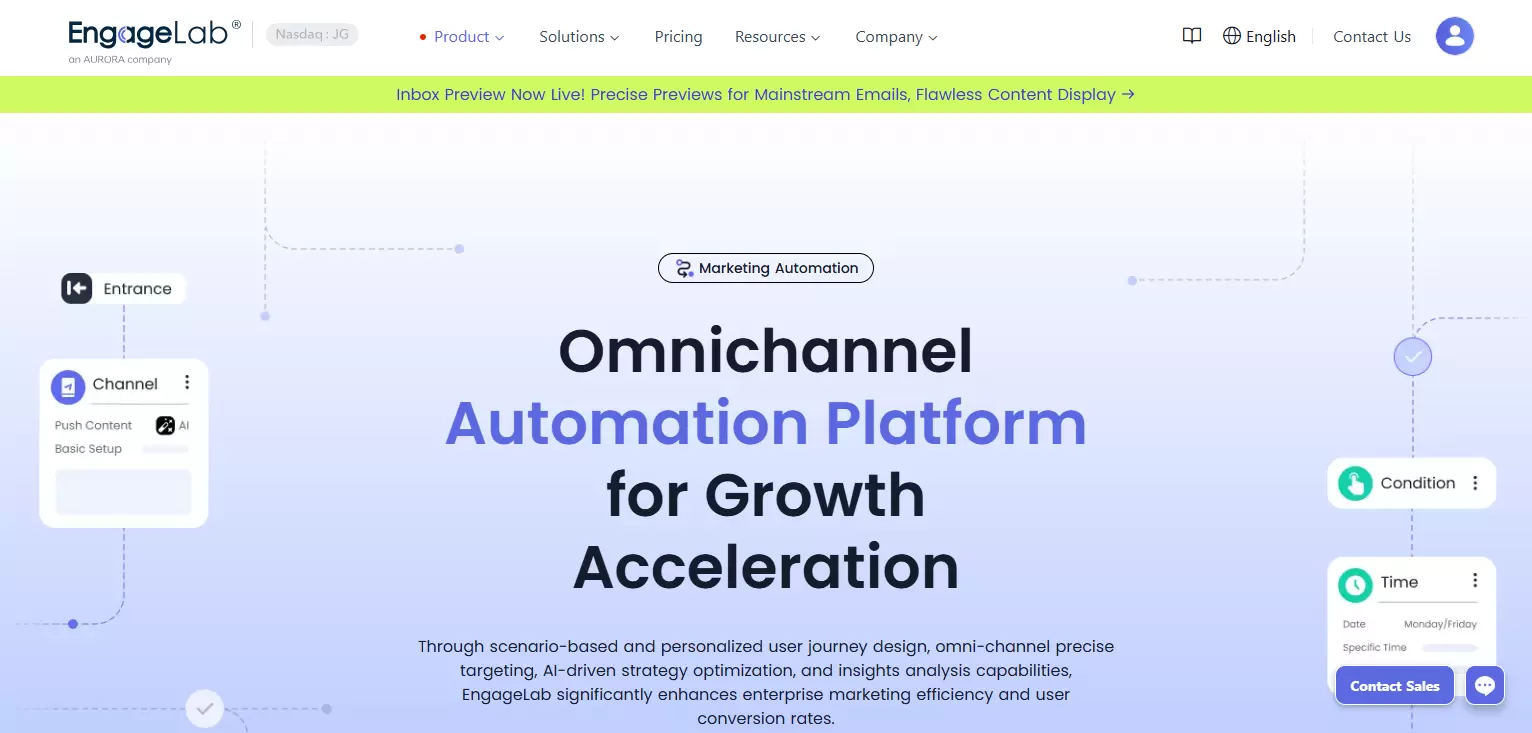
Platforms like EngageLab close this gap with pre-built workflow templates and drag-and-drop journey builders, deploying a behavioral sequence in minutes instead of building custom orchestration logic.
6 Mistakes When Switching from Firebase Cloud Messaging
Migrating away from FCM is not just a technical swap. These are the mistakes that cost teams the most time and impact:
- Migrating device tokens without a re-registration strategy : FCM device tokens are Google-specific. Most alternatives require re-registering devices through their own SDK. Plan for a transition period where both systems run in parallel for 2 to 4 weeks.
- Replacing FCM with another push-only service : If the reason for switching is FCM's channel limitation, replacing it with Pusher Beams (also push-only) solves nothing. Match the alternative to the actual gap you are filling.
- Confusing WebSocket with push delivery : WebSocket handles real-time in-app communication, not background push delivery. Teams that replace FCM with a WebSocket implementation lose the ability to reach users when the app is closed.
- Choosing based on free tier alone : Firebase Cloud Messaging pricing is unbeatable for raw push delivery, because it is free. Alternatives charge for features FCM does not offer: multi-channel support, automation, analytics dashboards. Compare total value, not just messaging cost.
- No retention layer post-migration : Switching push providers does not improve retention by itself. If day-7 retention was 25% on FCM, it will be 25% on OneSignal unless you add engagement workflows on top.
- Skipping A/B testing during migration : Run the new platform alongside FCM for 2 to 4 weeks. Compare delivery rates, open rates, and latency before cutting over fully. Do not migrate blind.
How to Build a Multi-Channel Workflow After Leaving FCM
Manual multi-channel messaging fails at scale. Without conditional logic, timing breaks down. Without behavioral triggers, each channel operates as a silo. The result: duplicated messages, inconsistent timing, and users who opt out of everything.
The automation stack you need connects four layers:
- Entry triggers : install event, purchase, inactivity threshold, custom event
- Channel selection : push first, email fallback, SMS as last resort
- Branching logic : did the user open, convert, or churn? Each path leads to a different next step
- Exit conditions : user completes the goal or reaches timeout, preventing over-messaging
Here is a concrete post-install onboarding workflow:
| Day | Condition | Channel | Message |
|---|---|---|---|
| Day 0 | App installed | Push notification | Welcome + feature highlight |
| Day 1 | Onboarding incomplete | In-app message | Guided walkthrough prompt |
| Day 3 | App opened, core feature not activated | Use case examples + quick-start guide | |
| Day 7 | No app open in 7 days | SMS | Re-engagement incentive |
| Day 14 | User completes onboarding or timeout | Exit | Exit workflow |

EngageLab's marketing automation supports exactly this workflow, with drag-and-drop configuration across push, email, SMS, and WhatsApp in a single dashboard.
Metrics to track post-migration: push delivery rate, push opt-in rate, cross-channel delivery rate, workflow completion rate, day-7 and day-30 retention by acquisition cohort, re-engagement conversion rate, and channel preference distribution.

Looking for a multi-channel FCM alternative with built-in workflow automation?
- App Push + Web Push + Email + SMS + WhatsApp from a single platform
- Visual journey builder with pre-built onboarding, re-engagement, and retention templates
- Behavioral triggers, conditional branching, and A/B testing with no code required
- Direct Huawei, Xiaomi, OPPO, and vivo channels FCM cannot reach, plus a free tier to test before committing
FCM Alternatives FAQ: Pricing, Migration, and Platform Fit
Is Firebase Cloud Messaging free?
Yes. FCM charges nothing for push message delivery itself, regardless of volume. Costs come from adjacent Firebase services like Cloud Functions, Firestore, and Cloud Storage, which have their own free tiers and pay-as-you-go pricing. The real hidden cost is engineering time to build features FCM does not include: multi-channel delivery, workflow automation, and analytics dashboards. As of March 2026, the messaging layer remains completely free.
What is the best alternative to Firebase Cloud Messaging?
It depends on the gap you are filling. OneSignal works well for managed multi-channel push with a generous free tier. Amazon SNS fits AWS-native teams needing infrastructure-scale fanout. Airship suits enterprises with dedicated mobile engagement budgets. EngageLab serves growth teams that need multi-channel engagement with visual workflow automation and China-brand Android delivery at non-enterprise pricing. As of March 2026, no single platform is best for every use case.
What is the difference between Firebase Cloud Messaging and AWS SNS?
FCM is Google's free push notification service focused on mobile and web delivery. AWS SNS is a managed pub/sub service supporting push, SMS, email (via SES), and HTTP endpoints from a single API. FCM is simpler to set up and costs nothing for push delivery. SNS offers broader protocol support, scales better within AWS infrastructure, and supports multi-channel routing natively, but requires AWS expertise and has more complex configuration.
Can I use FCM without Google Play Services?
No. FCM requires Google Play Services on Android devices to function. Devices without GMS, including many Huawei and Honor models sold globally and virtually all smartphones sold in China, cannot receive FCM push notifications. On iOS, FCM wraps Apple's APNs rather than connecting directly, which adds an intermediary hop and increases delivery latency compared to direct APNs integration.
How do I migrate from FCM to another push notification service?
Integrate the new provider's SDK alongside FCM in your app. Re-register device tokens through the new system, since FCM tokens are not portable. Run both platforms in parallel for 2 to 4 weeks, comparing delivery rates, open rates, and latency across providers. Once metrics are stable and coverage is confirmed, deprecate the FCM integration. Most migrations take 1 to 3 sprints depending on app complexity and the number of notification types.
Is Firebase Cloud Messaging the same as push notifications?
No. Push notifications are the message type: alerts delivered to a user's device outside the app. Firebase Cloud Messaging is one delivery service for sending them. Other services such as OneSignal, Amazon SNS, EngageLab, and Airship also deliver push notifications, often with additional channels like email, SMS, and in-app messaging that FCM does not support natively.
Key Takeaways: Choosing the Right Firebase Cloud Messaging Alternative
- Push-only at zero cost? FCM remains the default. No alternative beats free for plain push delivery.
- Multi-channel without engineering overhead? OneSignal or EngageLab, both offering push, email, and SMS from a single integration with free tiers.
- AWS-native infrastructure scale? Amazon SNS, but expect to build your own dashboard, segmentation, and workflow logic.
- Enterprise journey orchestration? Airship, if your budget supports custom enterprise pricing.
- Reliable China-brand Android delivery plus workflow automation at growth-stage pricing? EngageLab : direct Huawei, Xiaomi, OPPO, and vivo channels, a visual journey builder, pre-built templates, and 5+ channels from one platform.
The comparison matters, but the real differentiator is not which service delivers push. It is whether your notification infrastructure includes engagement orchestration: behavioral triggers, conditional branching, multi-channel fallback, and automated lifecycle sequences. Measuring success by push delivery rate alone misses the point. Day-7 retention, workflow completion rate, and cross-channel engagement are what move the needle for FCM alternatives that actually drive growth. If reliable delivery on Huawei, Xiaomi, OPPO, and vivo plus lower, predictable cost is what you are after, EngageLab is the alternative to start with.
Last updated: June 2026.
![Fintech Push Notifications: Best Practices, Workflows & Use Cases [2026]](https://img.engagelab.net/en/article/fintech-push-notifications-best-practices-use-cases.webp)