


Instructions for Creating a Dedicated Link
A dedicated link creates an entry point for Website Messenger using your company’s own domain name. When visitors open Messenger and start a conversation through the link, your company’s domain appears in the browser’s address bar. Dedicated links are suitable for official website entry points, advertising campaigns, email, and social media promotions.
Preparation
- You have permission to edit the Website channel.
- You can manage the DNS records for your company’s subdomain, such as
chat.example.com. - Use a subdomain. Direct binding to a root domain, such as
example.com, is not currently supported.
Create a Dedicated Link
Go to Website > Integration > Dedicated Link.
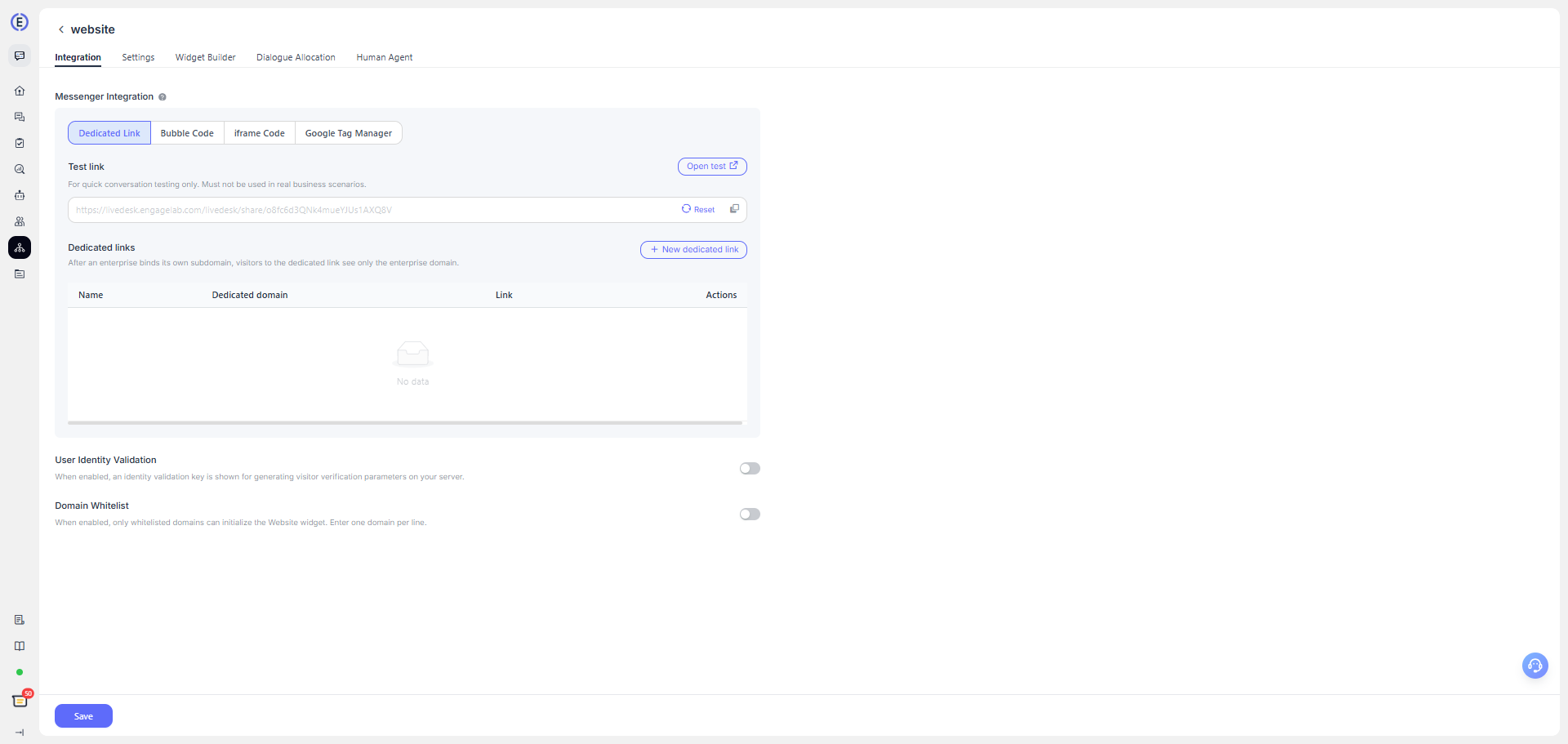
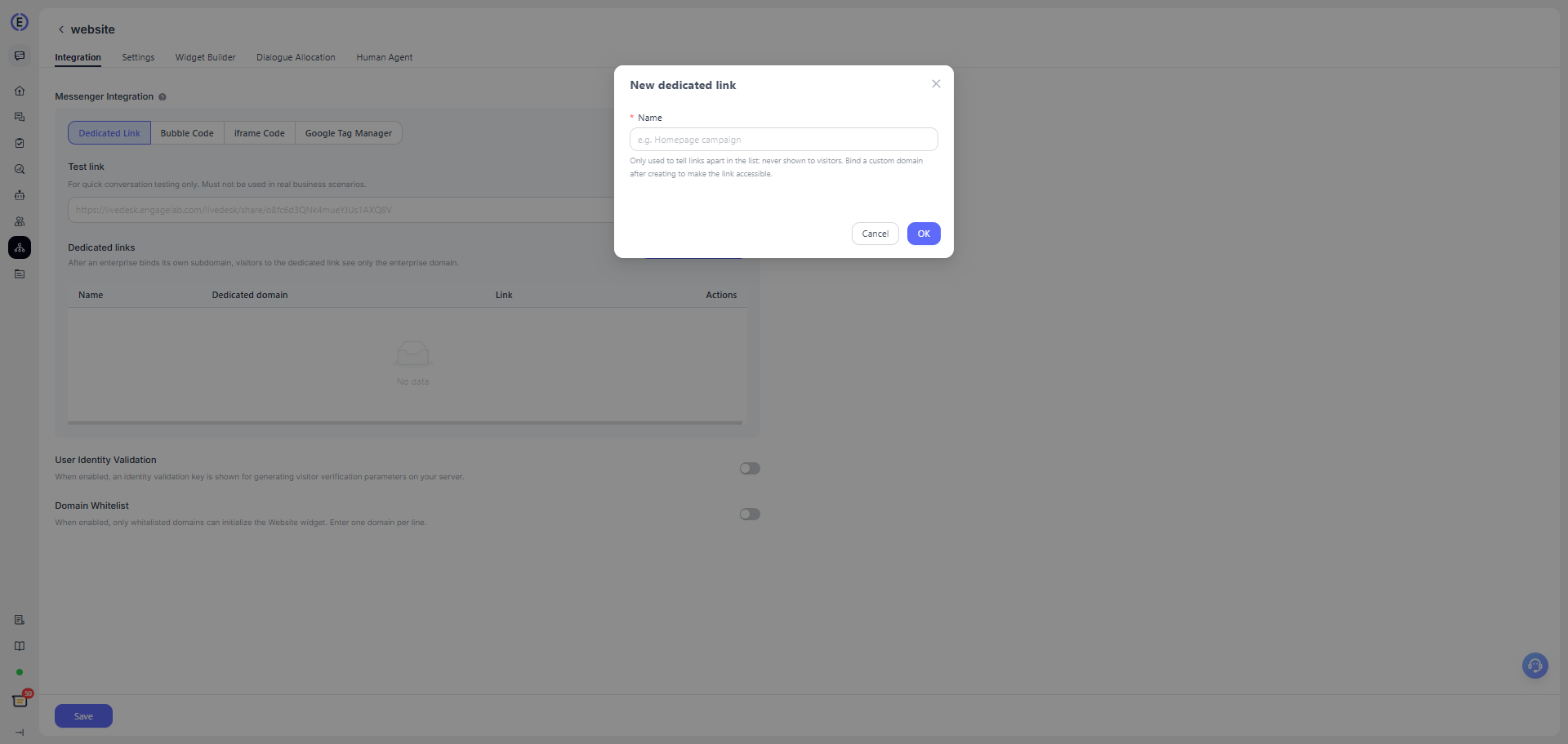
Click Create Dedicated Link. Enter a name, such as "Official Homepage Campaign." The name is used only for internal identification and is not shown to visitors.
In the panel on the right, enter the subdomain you want to use, such as
chat.example.com, and then click Get DNS Records.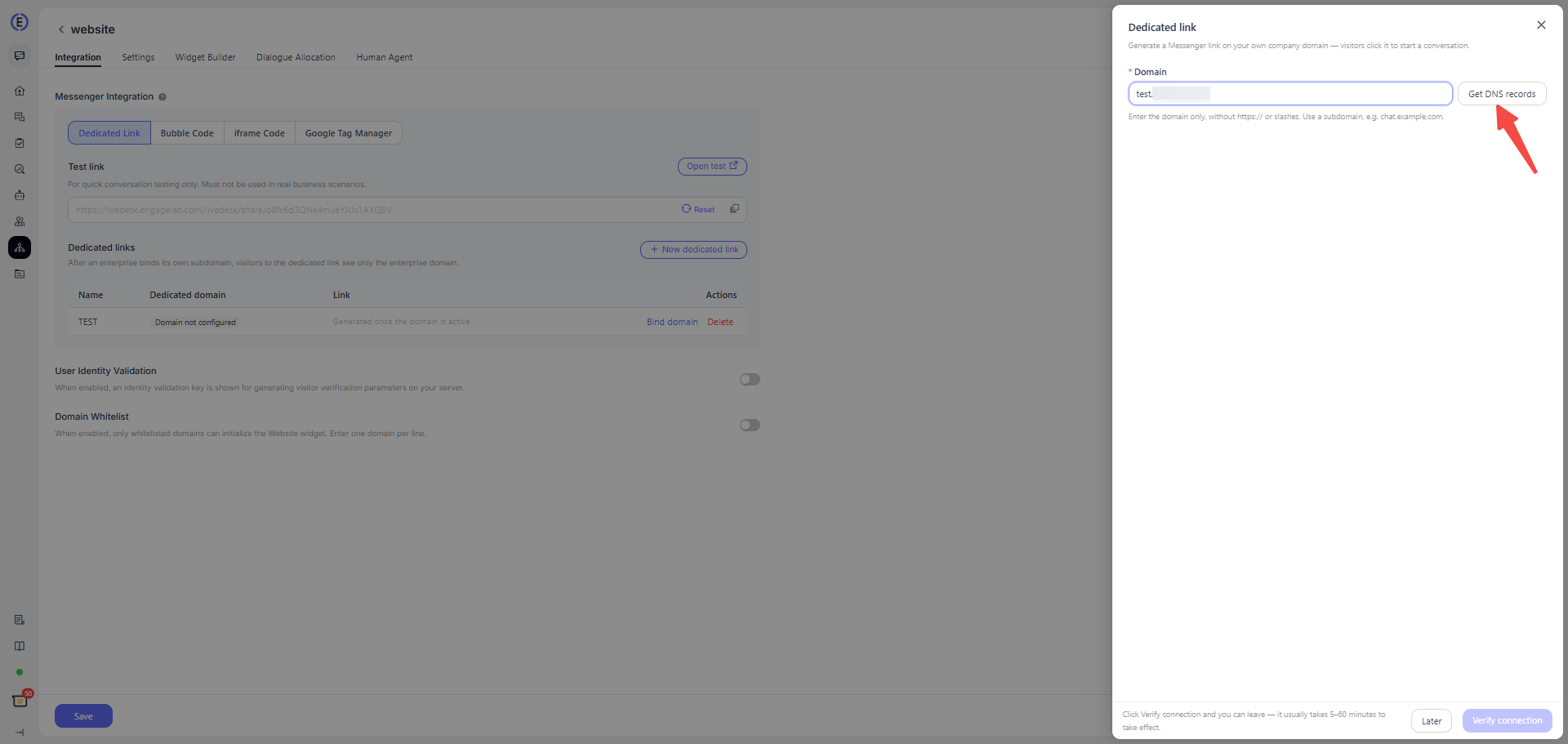
Based on the records shown on the page, add the corresponding CNAME and TXT records in your domain DNS provider’s admin console.
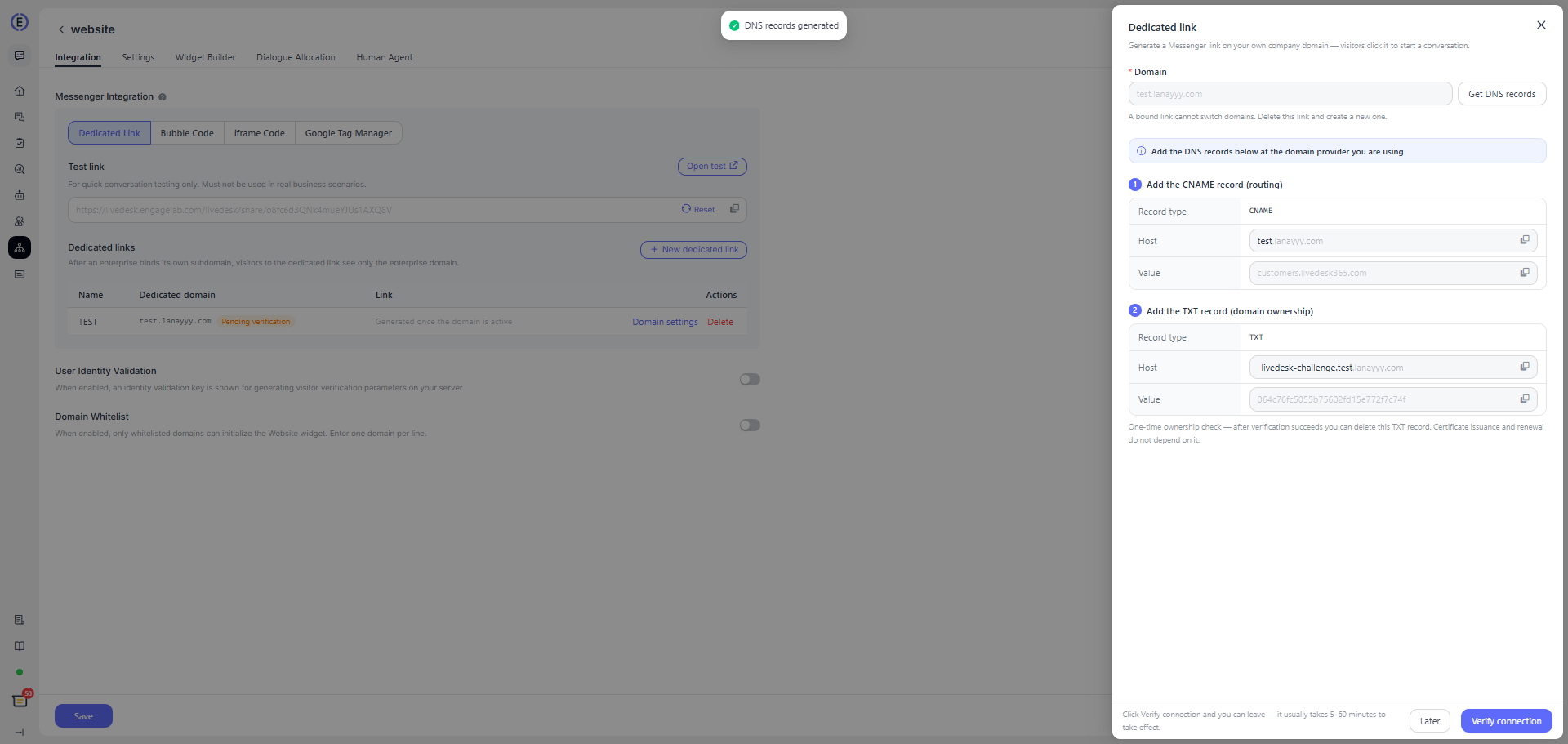
Return to LiveDesk and click Verify Connection.
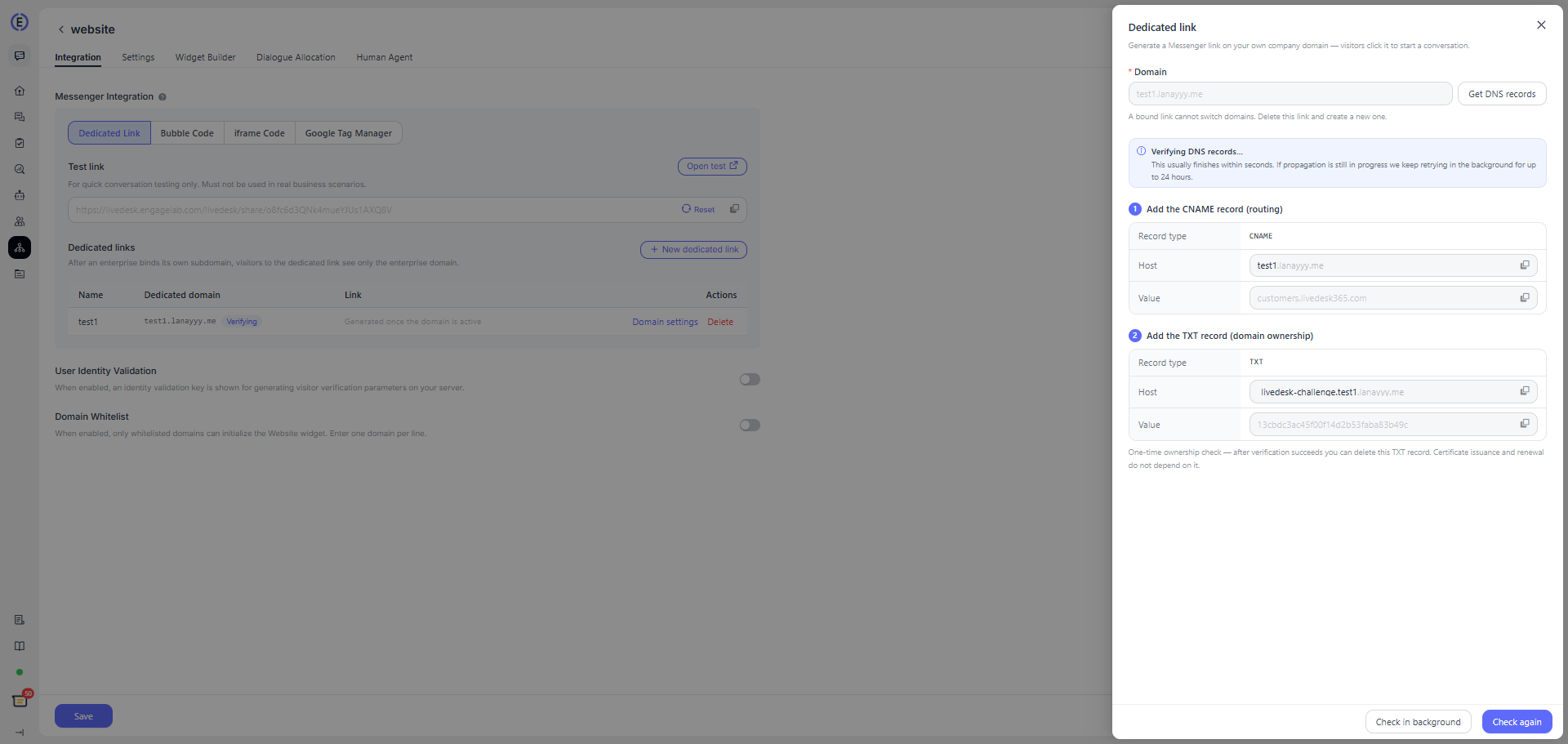
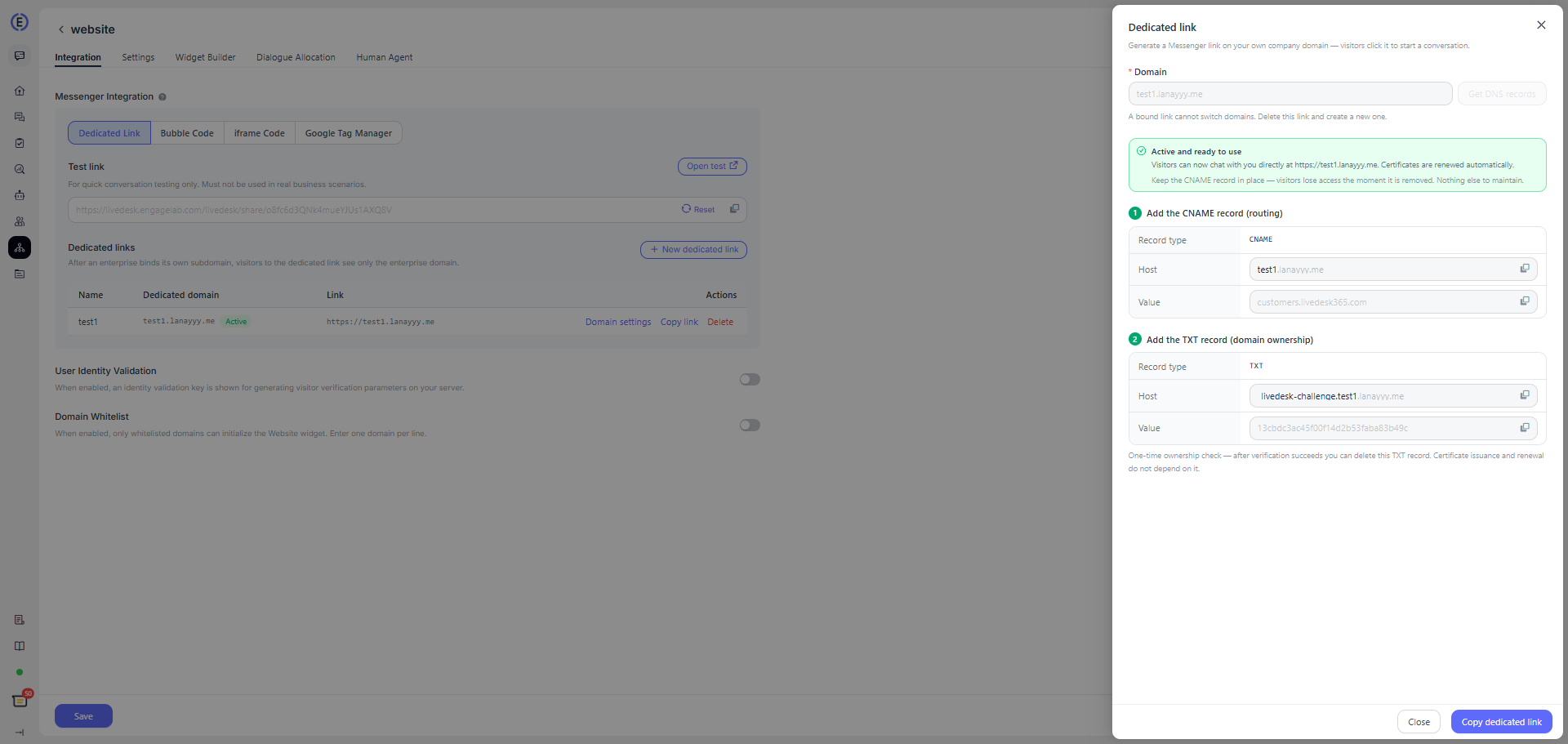
After verification succeeds, the status changes to In Use. You can then copy the link and use it in your campaigns.
Configure DNS Records
The following example uses Alibaba Cloud for demonstration. You can follow the same process on other platforms. Under your domain, add a subdomain and configure the CNAME and TXT records using the specific values provided by LiveDesk.
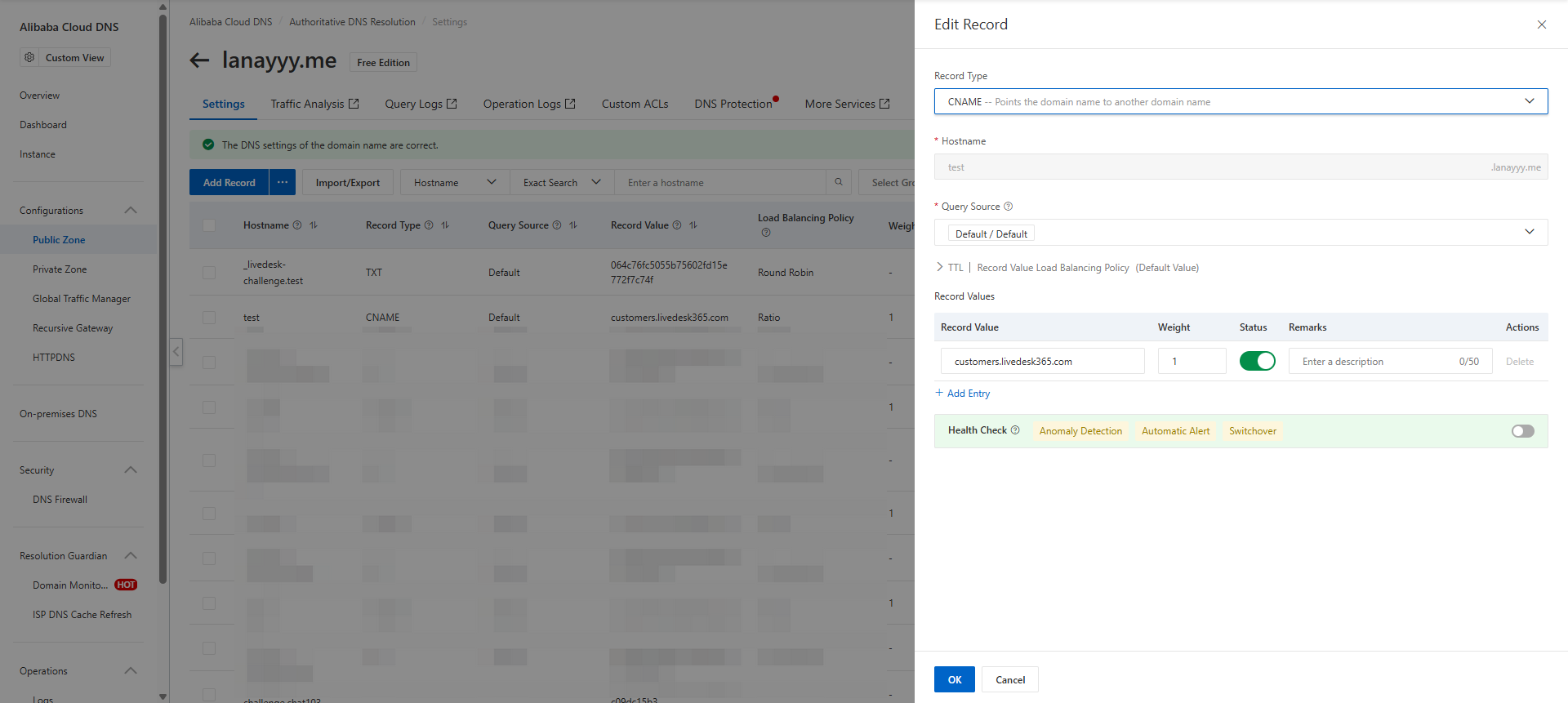
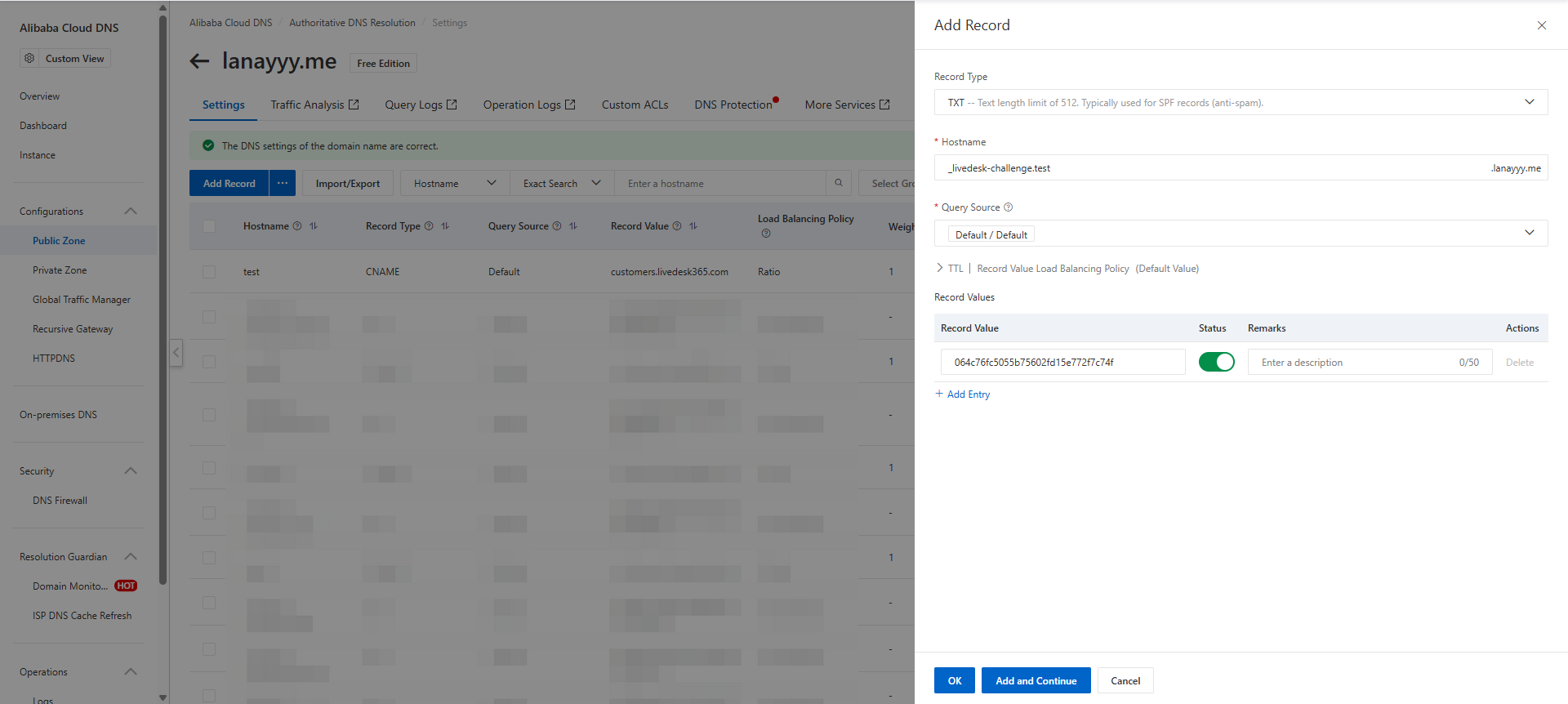
- Copy the Record Value in full.
- For Host, enter only the prefix copied from the page. Most DNS providers automatically append the root domain.
- If you use Cloudflare, set the CNAME to DNS only / DNS resolution only and do not enable proxying.
- DNS propagation usually takes 5–60 minutes. After clicking Verify Connection, you may leave the page. The system will continue checking in the background for up to 24 hours.
Usage and Maintenance
- After the link takes effect, visit
https://your-subdomainto open Messenger directly and start a conversation. - The system automatically renews the HTTPS certificate.
- Keep the CNAME record in place long term. If it is deleted, the link becomes inaccessible immediately.
- You can delete the TXT record used for one-time domain ownership verification after verification succeeds.
- Once a domain is bound, it cannot be changed directly. If you need to use a different domain, delete the link and create a new one.
Status Description
| Status | Description | Recommended Action |
|---|---|---|
| Domain Not Configured | The link has been created, but no domain has been entered yet. | Click Bind Domain, then get the DNS records. |
| Pending Verification | DNS records have been generated and are waiting for you to complete the DNS configuration. | Configure the records, then click Verify Connection. |
| Verifying | The system is checking the DNS records. | Wait for the check to finish, or try again later. |
| In Use | The domain and certificate are active. | Copy the link and use it in campaigns. Keep the CNAME record in place long term. |
| Verification Failed | DNS or certificate verification was unsuccessful. | Correct the configuration based on the prompt on the page, then check again. |
Common Issues
| Scenario | Solution |
|---|---|
| CNAME not found | Confirm that the record name and value are correct. Do not enter the full domain if doing so duplicates the suffix. |
| TXT verification failed | Reconfigure the record using the TXT value currently shown on the page. TXT values from old links or other links cannot be reused. |
| Domain already in use | Use a subdomain that is not already occupied by another link or service. |
| Domain unavailable | Use a standard subdomain that you own, and avoid reserved or restricted domains. |
| Verification too frequent | Each link can be verified up to 10 times per hour. Each account can be verified up to 60 times per hour in total. |
| Need to change the domain | Delete the current dedicated link and create a new one. After deletion, old links that are already in use become invalid immediately. |
Usage Limits
- Each Website channel can create up to 20 dedicated links.
- Each account can bind up to 20 dedicated domains.
- Delete links that are no longer in use promptly to free up available capacity.
