


Customer Service
The Customer Service page displays service data by agent, helping supervisors understand agents' workloads and service efficiency.
How to Use
After selecting a date range, select one or more agents to view their data. The page displays key metrics and trends for each agent within the selected range and supports viewing more detailed agent data.
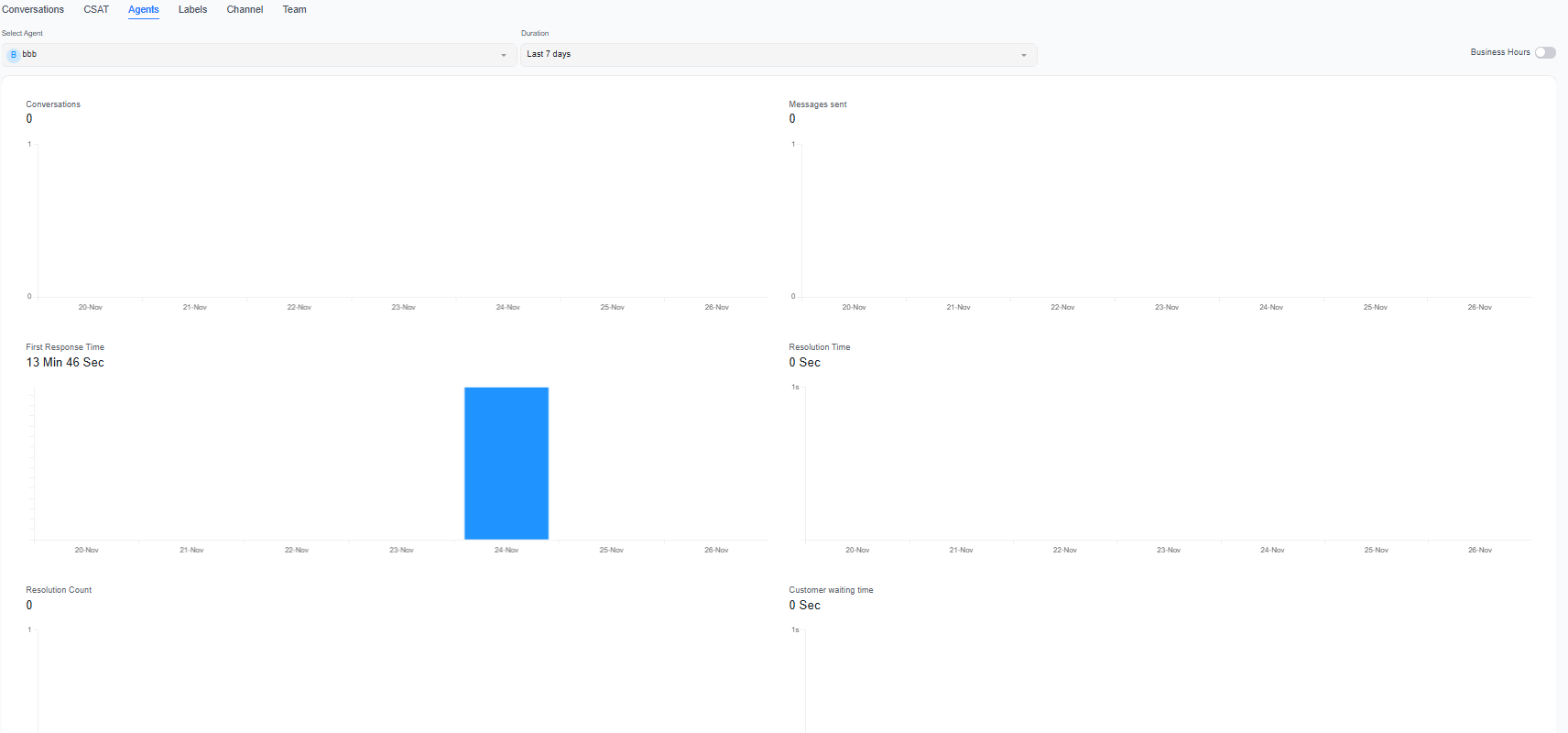
Key Metrics
| Metric | Description |
|---|---|
| Conversations | Number of conversations handled by agents |
| Messages Received | Number of messages sent by customers in the relevant conversations |
| Messages Sent | Number of messages sent by agents to customers |
| Average First Response Time | Average time agents take to send their first reply to customers |
| Average Resolution Time | Average time agents take to handle and resolve conversations |
| Resolved Conversations | Number of conversations resolved by agents |
| Customer Wait Time | Time customers spend waiting for an agent's reply |
Recommendations
- Compare conversation volumes and response times among agents to determine whether workloads are evenly distributed.
- If an agent's resolution time becomes significantly longer, further analyze the types of issues handled and the agent's service volume.
- To view agent utilization, concurrent conversations, response times, and more detailed performance reports, use the "Human Agents" page.
A single conversation may involve multiple agents, so the sum of agent data may not equal the total number of deduplicated conversations in the project.
