


Channel
The "Channel" page is used to compare the service performance of different channels/inboxes, such as website chat, instant messaging, and email. It is useful for evaluating the service volume and handling efficiency generated by each channel.
How to Use
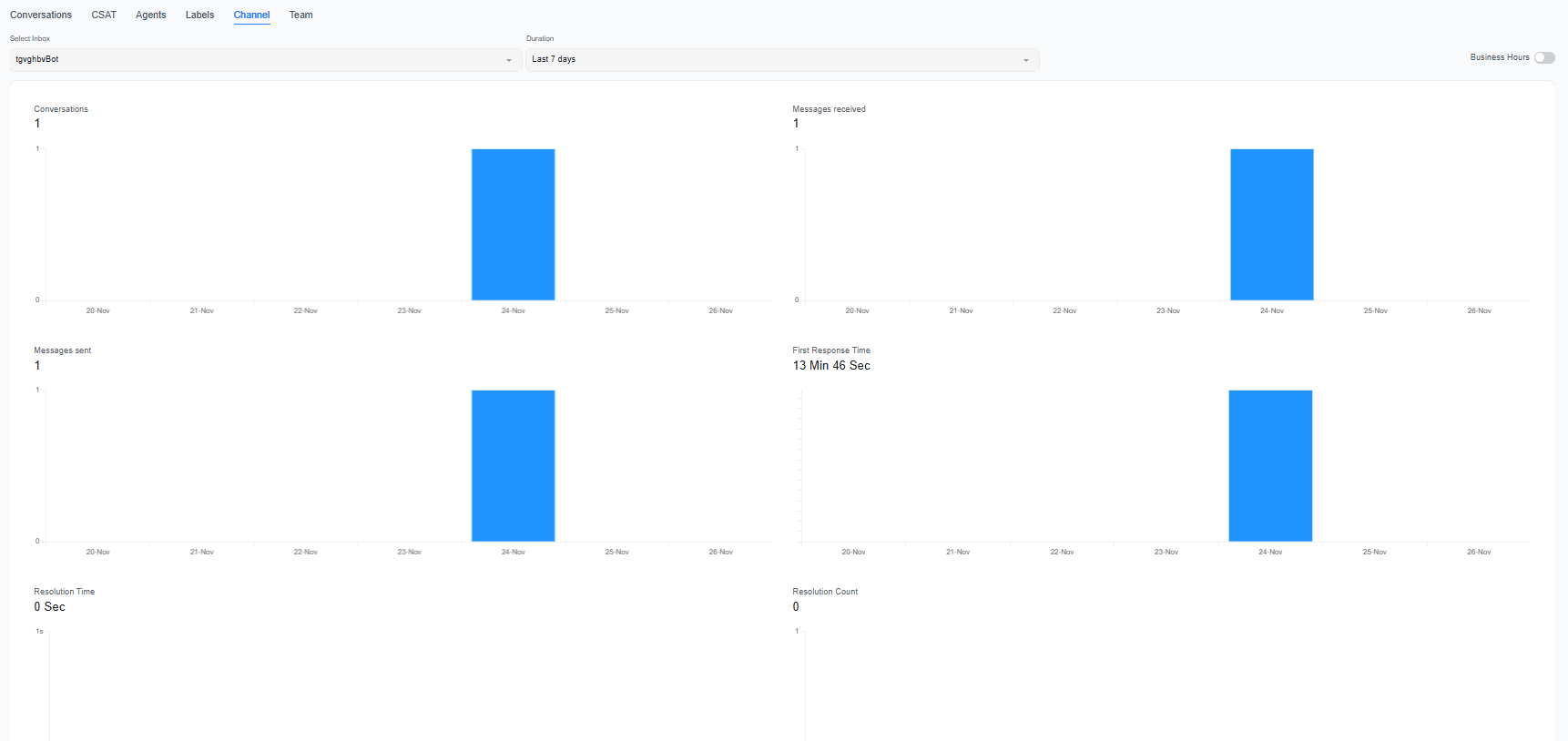
After selecting a date range and channel, the page displays conversation, message, and service efficiency data for that channel. You can switch between channels to compare differences in traffic and service quality.
Key Metrics
| Metric | Description |
|---|---|
| Number of conversations | The number of conversations generated through this channel |
| Messages received | The number of messages sent by customers through this channel |
| Messages sent | The number of messages sent by the team through this channel |
| Average first response time | The average waiting time before customers receive their first reply |
| Average resolution time | The average time required to resolve conversations through this channel |
| Number resolved | The number of conversations completed and resolved through this channel |
Recommendations
- Compare the number of conversations across different channels to identify the primary service entry points and changes in traffic.
- Compare first response times and resolution times to determine whether a channel requires optimized staffing or service processes.
- After identifying an anomaly, go to the "Efficiency" page to view trends for specific time periods, or go to the "Report Center" to view detailed conversations.
Channel names and configurations may change. When analyzing historical data, consider actual changes in channel operations to interpret the results.
