


KYC Application
When you first enter the EngageLab console, the system automatically guides you through service activation and integration so that you can apply for and integrate Silent Auth efficiently and compliantly.
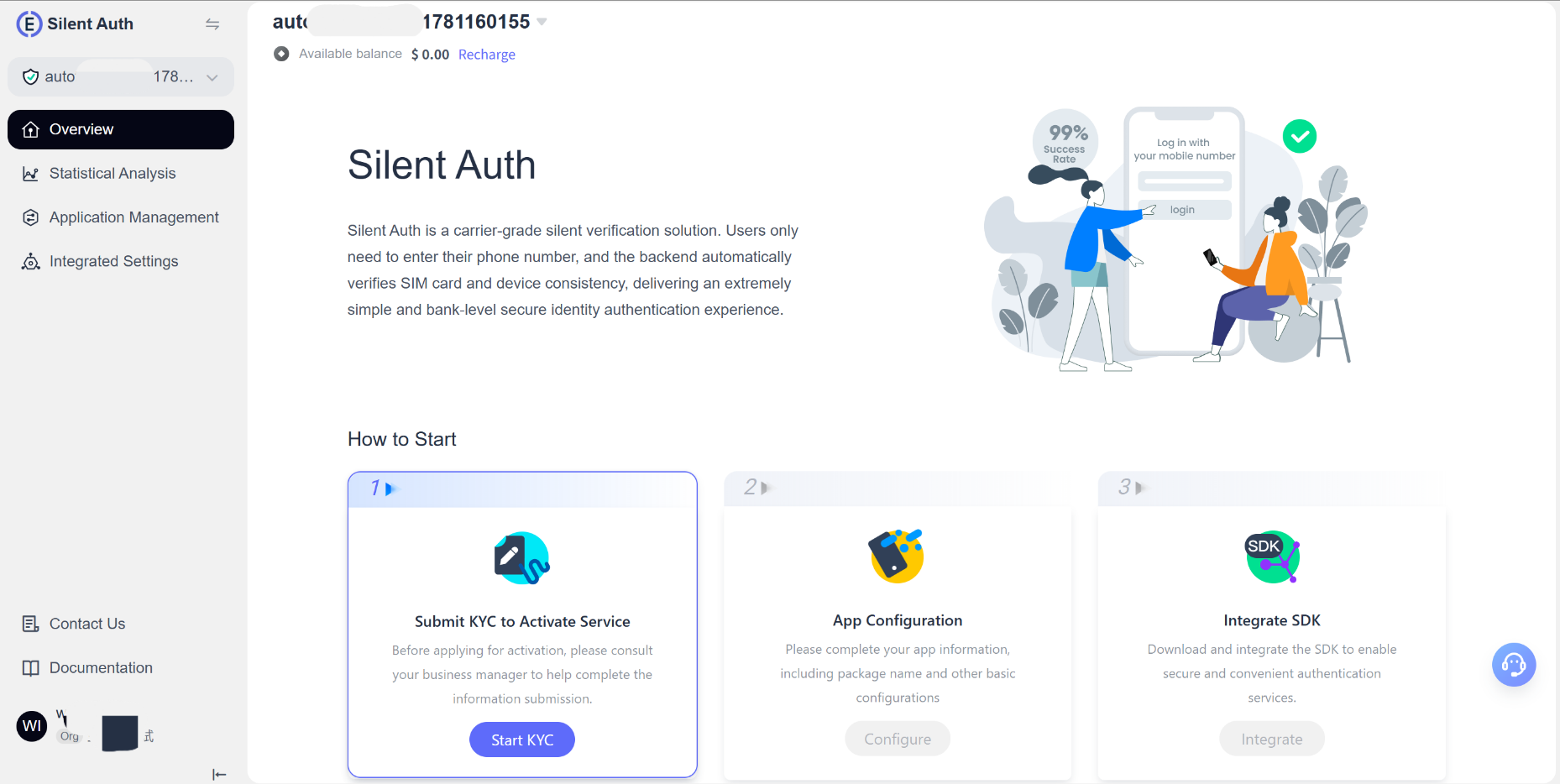
Service activation process
Silent Auth uses clear, step-by-step guidance to keep the data accurate and the process compliant. The process has three main steps:
- Submit a KYC application
- Configure the application
- Integrate the SDK
Submit a KYC application
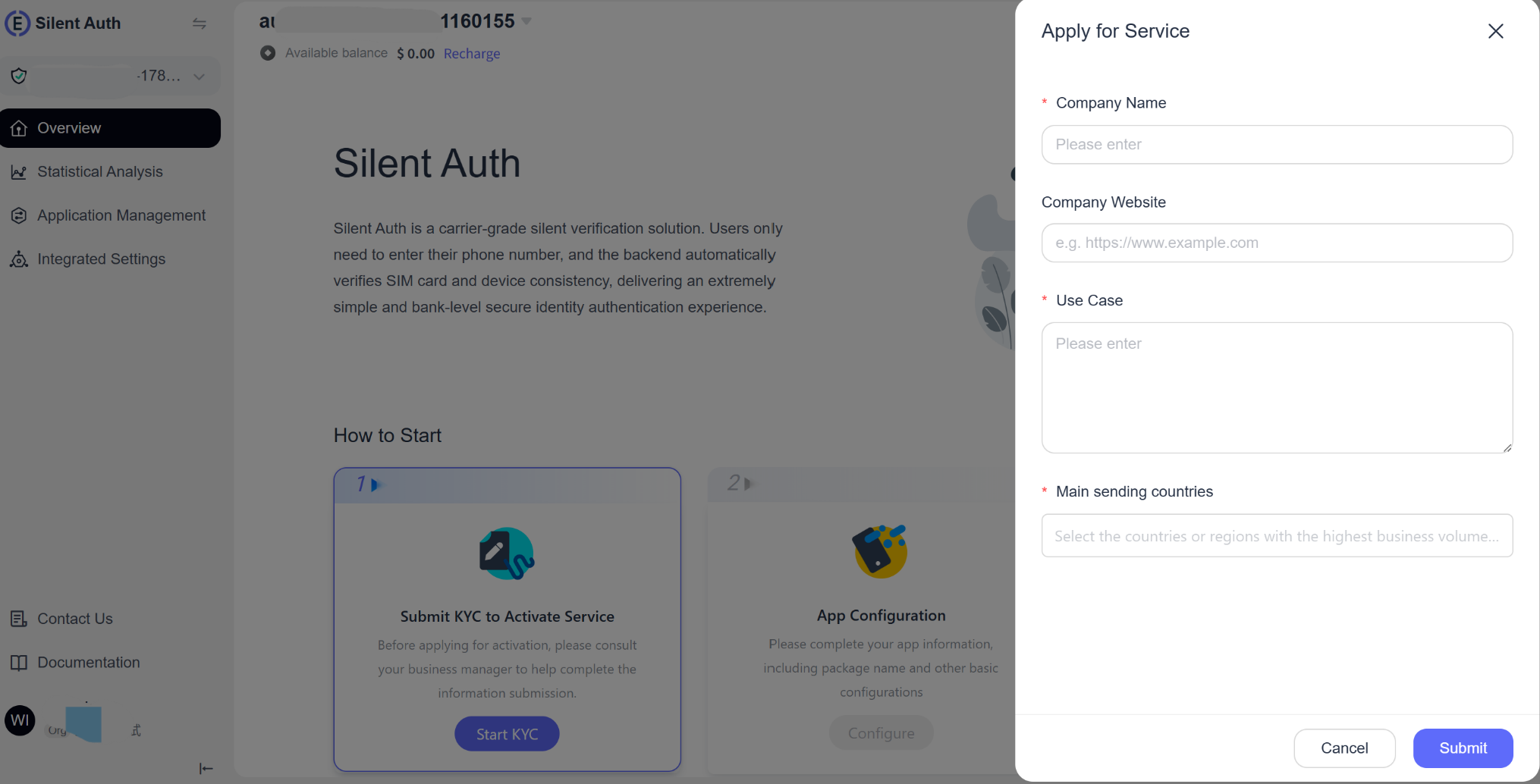 On the console homepage, click Start KYC to open the KYC application form. Provide the following information truthfully:
- Company name: Enter your company's full legal name so its qualifications can be verified.
- Company website: Helps reviewers understand your company and improves review efficiency.
- Use case: Describe in detail how Silent Auth will be used in your business. More complete information makes approval easier.
- Target countries: List the countries or regions where you plan to use Silent Auth.
Tip: The KYC questionnaire is a one-time page available only through new-user onboarding. It cannot be modified after submission, so verify all information carefully.
Business registration
Applicable countries: Cambodia, Indonesia, India, Malaysia, Vietnam, Peru, and Kuwait
If your target countries include any of the above, Sales will confirm the following before you submit the KYC application:
- BR (Business Register): Whether you have a locally registered company in the target country
- Local bank account: Whether you have a local account capable of processing payments or settlements
Why is this information required? International and local channels have significantly different rates. Customers with a local BR can apply for local channels at lower rates; customers without one can use only international channels, which cost more. The currently published prices show local rates by default. Confirm your specific situation before applying to avoid misunderstandings about pricing later.
Operator compliance registration
Under the latest operator compliance requirements, contact Sales to obtain the compliance registration form and prepare the following materials in advance:
Basic company information
- Legal company name and registration or tax number
- Registered address and official website
- Privacy Policy URL
- Terms & Conditions URL
Business use-case information
- Your product's Google Play link and screenshots of its login page, if it is already published
- The specific way Silent Auth is used in your product, such as registration, login verification, or transaction confirmation
- The authorization statement or consent language shown to users
Review timeline
Compliance review timelines vary by country or region. Learn the applicable requirements and contact Sales early to submit the registration materials and avoid delays.
| Country/Region | Estimated review time |
|---|---|
| Other countries | Usually 1–2 weeks |
| United States, Canada, and Europe | Usually 2–3 weeks |
Review notes
- Ensure all information is truthful and accurate to avoid review delays caused by discrepancies.
- If you need to change application information, expand use cases, or increase call volume, contact technical support or Sales in advance.
- All materials are used only for service activation and compliance records. EngageLab strictly protects your data and privacy.
Review statuses
- Under Review: You can view the submitted information but cannot edit it.
- Review Failed: You can view the reason for failure, correct the information as instructed, and resubmit.
- Review Approved: The review is complete. Go to Integration Settings to find your AppKey and continue integration.
If you encounter any problems, contact EngageLab customer service or technical support for assistance throughout the process.
