


AI Capabilities
The AI Capabilities module provides intelligent features such as question classification, agent message optimization, conversation quality inspection, and message translation, helping customer service teams improve response quality and work efficiency.
Question Classification
AI identifies each user question and matches it with the best preset classification. After enabling the recognition mechanism, every message sent by the customer will be submitted to the GPTBots Agent API, and the system will write the obtained classification labels into the conversation for subsequent statistical analysis.
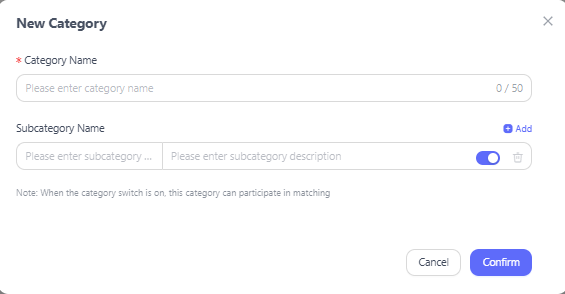
When adding a new classification, you can set:
Category: Define the main category name of the question classification.
Subcategory: Define the subcategory name under the category.
Description: Define the description information for this classification to help AI identify accurately.
Recognition Mechanism: Control the enable/disable state of the question classification recognition capability.
Optimize Agent Messages
Customize AI optimization instructions for agent messages to improve the quality of agent replies. Supports preset instructions and custom-created instructions. Applicable to general tasks that optimize expression style.
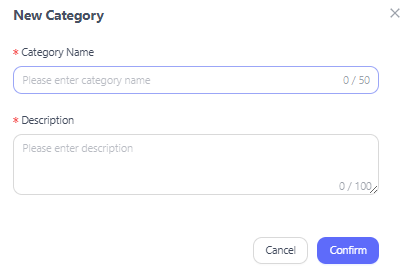

When adding a new classification, you can set:
Category: Define the instruction category name.
Description: Define the description information and usage instructions for this instruction, which will be used as the prompt submitted to AI.
After enabling this capability:
A new icon is added to the conversation window. Click the icon to display all configured instructions.
After the agent clicks a specific instruction, the text already entered in the dialog box together with the AI instruction prompt will be submitted to AI.
After AI returns the result, it will be automatically filled back into the dialog box for the agent to further edit or send directly.
Recognition Mechanism: Control the enable/disable state of the agent message optimization capability.
Advanced AI Settings
A unified management entry for AI quality inspection, translation, and other capabilities on existing conversations.
Resolution Confidence
For each conversation in the resolved state, AI performs quality inspection to evaluate the resolution confidence of the customer's issue.
FCR Recognition
For each conversation resolved at the first consultation, AI performs 24-hour monitoring to evaluate the first-contact resolution rate of the customer's issue.
Auto-Inferred Resolution Recognition
For each conversation automatically inferred as resolved by the system, AI evaluates the user messages to determine whether the user has confirmed the resolution.
The above three capability switches are disabled by default. They can only be enabled after subscribing to the corresponding features.
Conversation Message Translation
Translates text messages from both customers and agents. Selecting different model versions will affect translation quality, speed, and credit consumption.

Model Version: Supports two model options — MT-Flash and MT-Plus.
Each message is limited to a maximum of 1000 characters, and supports submitting the content of each message to the translation service API.
Glossary Terms: Setting glossary terms can effectively improve the accuracy and quality of translation. The format is a JSON array, for example:
[{"source":"Hello","target":"Hello"},{"source":"Thank you","target":"Thank you"}][{"source":"Hello","target":"Hello"},{"source":"Thank you","target":"Thank you"}]This code block in the floating window
Agents can set the default translation language in "Account Preferences" (the system's default sending language is English). After configuration, when the translation capability is enabled on the conversation page, it will be used as the pre-filled language option.
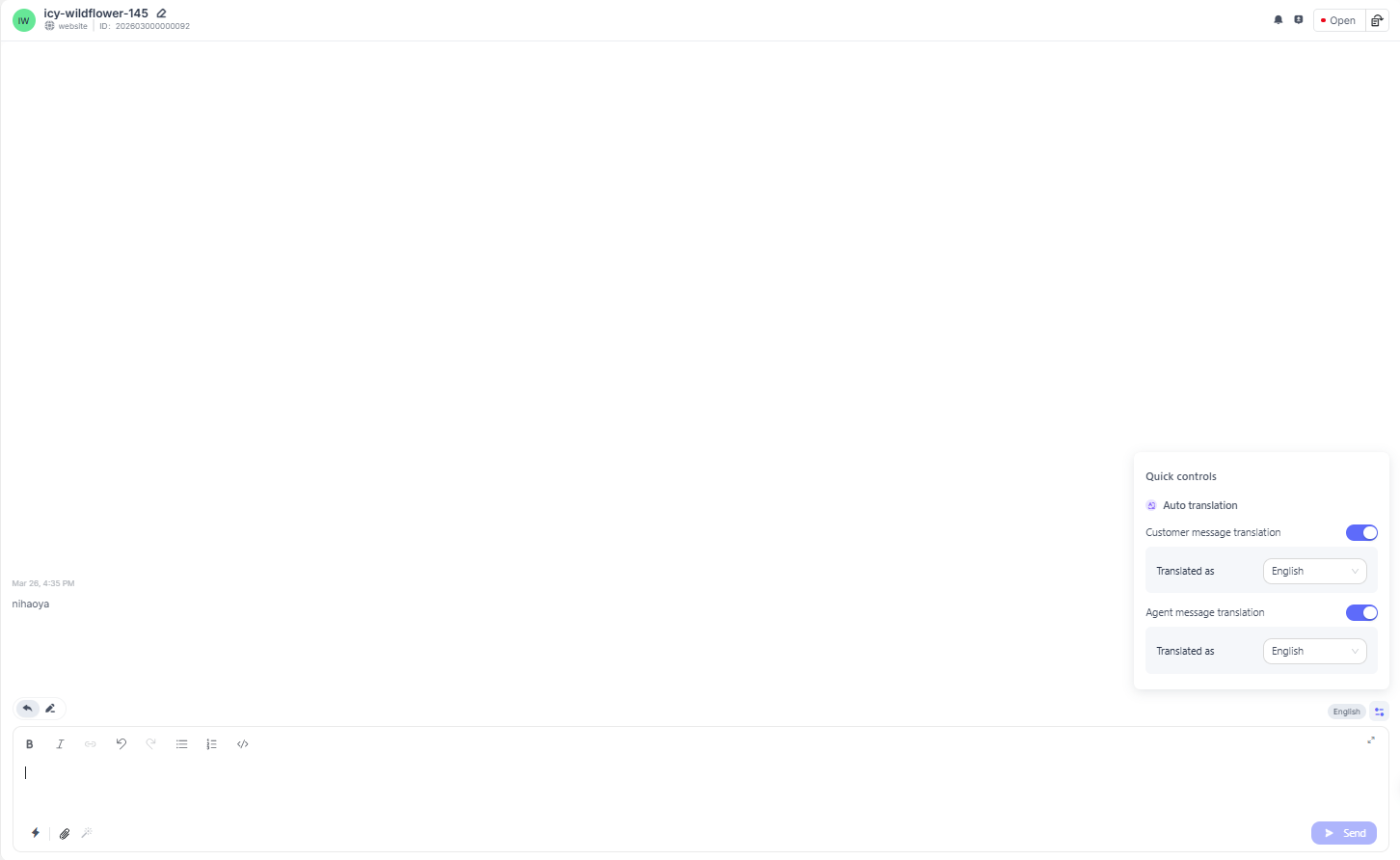
The translation feature is used in the conversation window interface. Agents can configure customer message translation / agent message translation according to their needs.
Customer Message Translation: Translates received customer messages into the configured target language.
Agent Message Translation: Translates the content of agent reply messages into the configured target language and sends them to the end customer. What the customer sees in the conversation window is the translated target language.
