Conversación
El módulo de Conversación permite responder a los mensajes de los clientes y realizar operaciones relacionadas con la edición y la gestión de conversaciones.
Conversación
Lista de conversaciones
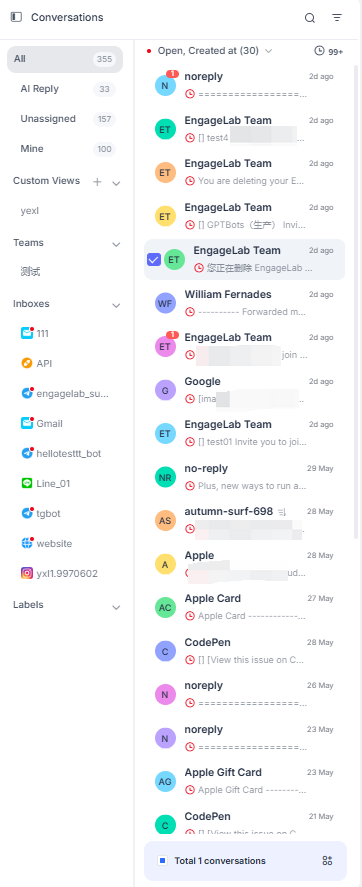
Muestra una lista de conversaciones recibidas y ofrece varias vistas, incluidas la vista de Conversación, la vista de Equipo, la vista de Bandeja de entrada y la vista de Etiquetas de conversación. Los usuarios pueden personalizar las vistas según sus necesidades.
Conversación: Se muestra por las categorías Todas, Sin asignar y Mías. La lista secundaria muestra las conversaciones correspondientes a la vista actual, incluido el mensaje más reciente y la hora de creación de la conversación.
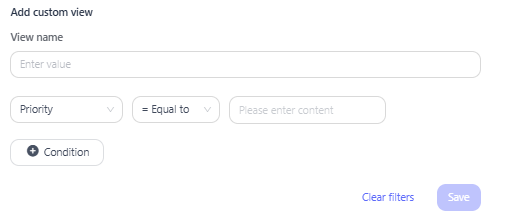
Vista personalizada: Permite usar vistas definidas por el usuario para navegar por las conversaciones. Puede configurar criterios de filtrado para mostrar en la lista las conversaciones que coincidan con las reglas especificadas. Se admite el filtrado en función de atributos de la conversación, como el ID de la conversación, el nombre de la persona asignada y el nombre del canal.
Equipo: Muestra las conversaciones de todos los equipos a los que pertenece el usuario actual.
Bandeja de entrada: Muestra las conversaciones de distintas bandejas de entrada por categoría.
Etiquetas: Muestra las conversaciones bajo diferentes etiquetas.
Detalles de la conversación
Cuadro de conversación
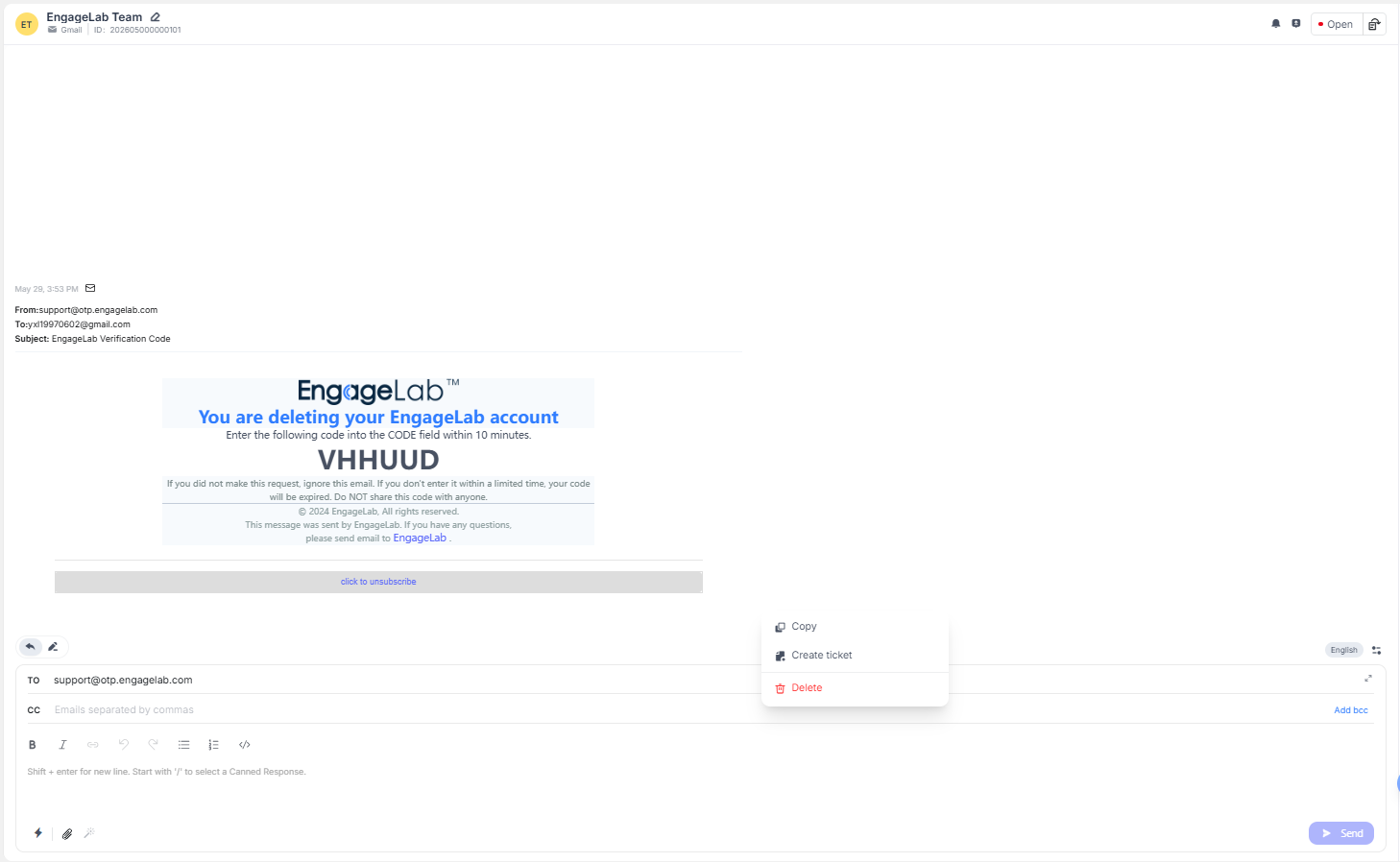
Responder: Introduzca aquí el contenido del mensaje y haga clic en Enviar. El cliente recibirá el mensaje y el registro correspondiente se mostrará en la interfaz de chat superior. Permite enviar emojis, archivos adjuntos multimedia, grabaciones de audio y firmas. También está disponible la asistencia de IA.
Nota privada: Permite añadir notas personales a la conversación actual, visibles solo para los agentes de atención al cliente.
Copiar: Permite copiar el contenido del mensaje.
Citar: Los agentes de atención al cliente pueden citar este mensaje al responder en la conversación.
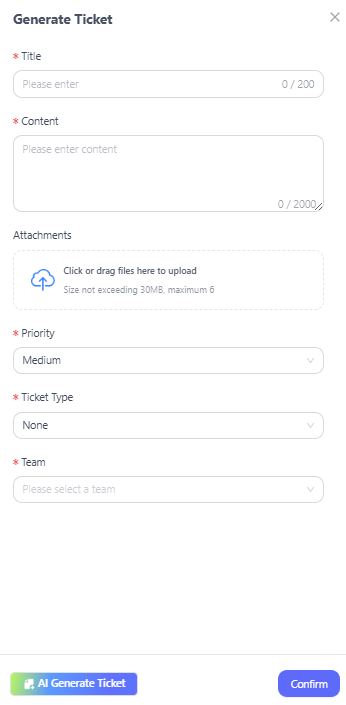
Crear ticket: Seleccione esta opción para crear un ticket basado en este mensaje. Permite definir el título del ticket, el contenido, los archivos adjuntos, la prioridad, el tipo de ticket y el equipo de atención al cliente. También ofrece una opción de generación de tickets con IA para crearlos de forma inteligente.
Estado de la conversación: Los agentes de atención al cliente pueden gestionar el estado de la conversación, incluidos Abierta, Respuesta de IA, Cerrada y Pospuesta. En las conversaciones pospuestas, se puede establecer y personalizar el tiempo de aplazamiento.
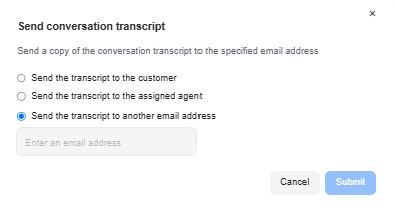
Enviar registro del agente: Puede optar por enviar el registro de la conversación actual a un agente o a una dirección de correo electrónico especificados.
Información relacionada
Contacto: Muestra la información del cliente asociada a la conversación. Esta información se puede editar y actualizar.
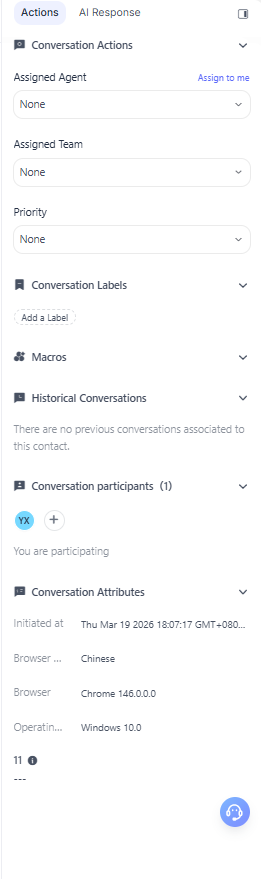
Acciones de la conversación: Permite ver y editar el representante de atención al cliente, el equipo de atención al cliente y la prioridad asignados a la conversación actual. También ofrece una función de Añadir etiqueta para etiquetar la conversación actual.
Macros: Permite añadir archivos de macros o ver las macros configuradas.
Atributos del contacto: Muestra los atributos del contacto de la conversación.
Conversación anterior: Muestra las conversaciones históricas asociadas al contacto actual.
Participantes de la conversación: Muestra los representantes de atención al cliente que participan en la conversación actual y permite editar y añadir participantes.